1. Okwu mmalite
Thank you for choosing the 2BOOM HPBT500K Wireless Headphone System. This manual provides essential information for the proper setup, operation, and maintenance of your new headphones. Please read it thoroughly before use to ensure optimal performance and longevity of the product.
The HPBT500K headphones offer a wireless audio experience with a built-in microphone for hands-free calling, enhanced bass sound, and comfortable wear.
2. Kedu ihe dị na Igbe ahụ
- 2BOOM HPBT500K Wireless Headphone
- Igwe nchaji USB
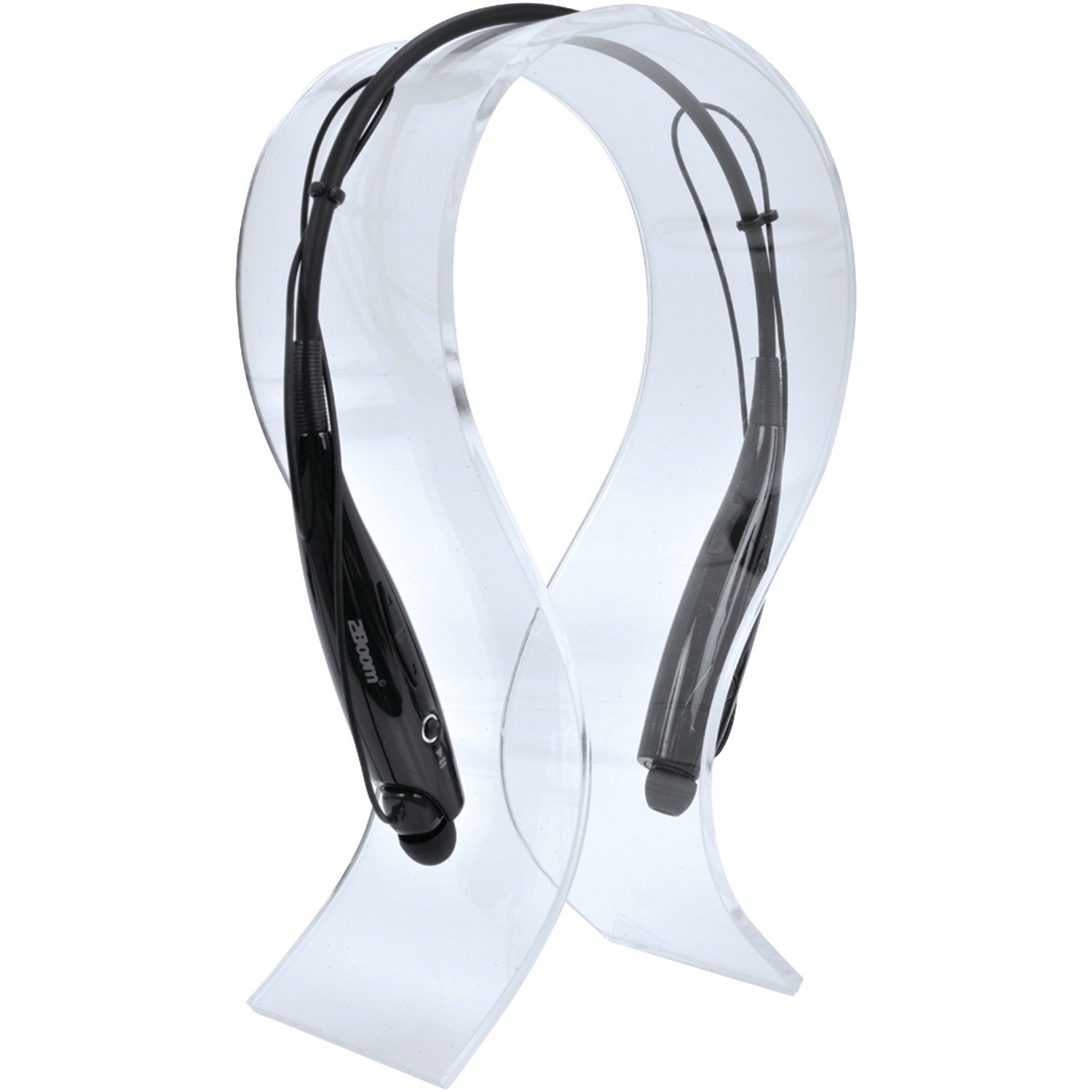
Image: The 2BOOM HPBT500K Wireless Headphone, showcasing ya imewe.
Image: The included USB charging cable for the headphones.
3. Ngwaahịa gafereview
Familiarize yourself with the various parts and controls of your HPBT500K headphones.

Foto: Akụkụ view of the 2BOOM HPBT500K Wireless Headphone, highlighting control buttons and ports.
Njikwa na egosi:
- Bọtịnụ ike: Used to turn the headphones on/off and for pairing.
- Elu elu/Egwu na-esote: Increases volume or skips to the next song.
- Egwu ala/Oge gara aga: Decreases volume or goes to the previous song.
- Bọtịnụ ọtụtụ ọrụ (MFB): Kpọọ/Kwụsị, Zaa/Kwụsị oku.
- Igwe okwu: Maka nkwukọrịta na-enweghị aka.
- Ihe ngosi LED: Shows power status, pairing mode, and charging status.
- Ọdụ USB Nchaji Port: Maka ijikọ eriri nchaji.
4. Ịchaji ekweisi
Before first use, fully charge your headphones. A full charge typically takes about 2-3 hours.
- Connect the small end of the USB charging cable to the Micro USB charging port on your headphones.
- Connect the larger end of the USB charging cable to a USB power source (e.g., computer USB port, USB wall adapter). Ensure the power source provides DC 5V.
- The LED indicator will illuminate during charging and change color or turn off once charging is complete.
Mara: Do not use chargers with a voltage higher than DC 5V, as this may damage the headphones.
5. Setup and Bluetooth Pairing
Follow these steps to pair your HPBT500K headphones with your Bluetooth-enabled device.
- Ike Na: Press and hold the Power button on the headphones until the LED indicator flashes, usually alternating blue and red, indicating pairing mode.
- Mee ka Bluetooth rụọ ọrụ: On your smartphone, tablet, or other Bluetooth device, go to the Bluetooth settings and ensure Bluetooth is turned on.
- Chọọ maka Ngwaọrụ: Your device will scan for available Bluetooth devices.
- Select 'HPBT500K': From the list of found devices, select 'HPBT500K'.
- Kwenye njikọ: Once paired, the LED indicator on the headphones will typically flash blue slowly or remain solid blue, and your device may confirm the connection.
The operating distance for Bluetooth connectivity is up to 33 feet (10 meters) in an open environment. Obstacles may reduce this range.
6. Ntuziaka ọrụ
Nkpọghachi egwu:
- Gwuo/kwụsịtụ: Press the Multi-function Button (MFB) once.
- Track na-esote: Press and hold the Volume Up button.
- Gara aga Track: Pịa ma jide bọtịnụ ụda ala.
- Olu elu: Press the Volume Up button briefly.
- Olu ala: Press the Volume Down button briefly.
Music playback time is up to 3 hours on a full charge.
Oku na-anaghị aka:
- Oku azaa: Press the MFB once when a call comes in.
- Oku ngwụcha: Press the MFB once during a call.
- Jụ oku: Press and hold the MFB for approximately 2 seconds when a call comes in.
- Nọmba Ikpeazụ emegharịgharịrị: Pịa MFB ugboro abụọ.
Talk time is up to 3 hours on a full charge.
7. Nlekọta
Iji hụ na ekweisi gị dị ogologo ma rụọ ọrụ nke ọma, soro ntuziaka mmezi ndị a:
- Keep the headphones dry. Avoid exposure to moisture, rain, or liquids.
- Clean the headphones with a soft, dry cloth. Do not use harsh chemicals or abrasive cleaners.
- Store the headphones in a cool, dry place away from extreme temperatures.
- Zere idobe ma ọ bụ idobe ekweisi na mmetụta siri ike.
- Anwala ịkwasa ma ọ bụ gbanwee ekweisi, n'ihi na nke a ga-emebi akwụkwọ ikike.
8. Nchọpụta nsogbu
If you encounter issues with your HPBT500K headphones, refer to the following common problems and solutions:
- Igwe ekweisi anaghị agbanwu:
Ensure the headphones are fully charged. Connect them to a power source using the provided USB cable. - Enweghị ike ijikọ na ngwaọrụ:
Make sure Bluetooth is enabled on your device and the headphones are in pairing mode (LED flashing blue/red). Move the headphones closer to your device. Try turning both devices off and on again. - Enweghị ụda ma ọ bụ obere olu:
Lelee ọkwa olu dị na ekweisi na ngwaọrụ ejikọrọ. Hụ na ekweisi ndị ahụ jikọtara nke ọma. - Ụda adịghị mma ma ọ bụ enweghị ike ịkwụsị:
Hụ na enweghị ihe mgbochi ọ bụla n'etiti ekweisi na ngwaọrụ gị. Gaa nso na ngwaọrụ gị. Zere gburugburu ebe Wi-Fi siri ike ma ọ bụ nnyonye anya ikuku ndị ọzọ dị. - Igwe okwu anaghị arụ ọrụ:
Ensure the headphones are properly connected and selected as the audio input device on your phone/computer.
9. Nkọwapụta
| Njirimara | Nkọwapụta |
|---|---|
| Ụdị Bluetooth | 2.1 + EDR |
| Ogologo ọrụ | Ruo 33 ụkwụ (mita 10) |
| Oge Egwu Egwu | Ruo awa iri abụọ |
| Oge Okwu | Ruo awa iri abụọ |
| Ntinye Nchaji Voltage | DC 5V |
| Oge Nchaji | Ihe dị ka awa 2-3 |
| Mmepụta Ọkà Okwu | 2 x40mW |
| Batrị arụnyere n'ime ya | 3.7V, 150mAh |
| Ibu Ibu | 113 g |
| Akụkụ ngwaahịa (LxWxH) | 23.11 x 16.76 x 3.81 cm |
| Ngwa gụnyere | Headphone with charging cable |
| Usoro njikwa | Metụ aka |
| Atụmatụ pụrụ iche | Dị fechaa, igwe okwu dị n'ime ya |
10. Akwụkwọ ikike na nkwado
For warranty information or technical support, please refer to the documentation provided at the time of purchase or contact 2BOOM customer service. Keep your proof of purchase for warranty claims.


