1. Ngwaahịa gafereview
The Logitech MK850 Performance Wireless Keyboard and Mouse Set offers a comfortable and productive computing experience. This versatile set features dual connectivity options (Logitech Unifying USB receiver or Bluetooth Smart technology) and Easy-Switch functionality, allowing seamless transition between multiple devices. The keyboard includes a padded palm rest and carefully designed keys for extended comfort, while the ergonomically shaped mouse for right-handers boasts a hyper-fast scroll wheel and customizable buttons via Logitech DuoLink software.

Foto 1.1: The Logitech MK850 Performance Wireless Keyboard and Mouse Set, showcasing the full-size keyboard with integrated palm rest and the ergonomic mouse.
2. Ntuziaka Nhazi
Ihe ngwugwu 2.1
- Keyboard Ikuku Logitech MK850
- Logitech MK850 Wireless Mouse
- Logitech Unifying USB Receiver
- AA Batteries (for mouse)
- AAA Batteries (for keyboard)
2.2 Ntinye batrị
The keyboard requires 2 AAA batteries and the mouse requires 1 AA battery. Batteries are typically included.
- Chọta ebe batrị dị n'okpuru ahụigodo na òké.
- Mepee mkpuchi batrị.
- Fanye batrị ahụ, na-ahụ polarity ziri ezi (+/-).
- Mechie mkpuchi batrị nke ọma.
2.3 Ijikọ ngwaọrụ gị
The MK850 set offers two connection methods: Logitech Unifying USB Receiver or Bluetooth Smart technology.
2.3.1 Using the Logitech Unifying Receiver
- Plug the Logitech Unifying USB receiver into an available USB port on your computer.
- Gbanwuo ahụigodo na òké site na iji mgba ọkụ nke otu ha.
- The devices should automatically connect to the receiver. If not, press and hold one of the Easy-Switch buttons (1, 2, or 3) on the keyboard and mouse until the LED blinks rapidly, then release. The device is now in pairing mode.
- For advanced pairing, download and install the Logitech Options software from the official Logitech websaịtị.
2.3.2 Using Bluetooth Smart Technology
- Gbanwuo ahụigodo na òké site na iji mgba ọkụ nke otu ha.
- Press and hold one of the Easy-Switch buttons (1, 2, or 3) on the keyboard and mouse until the LED blinks rapidly. This indicates pairing mode.
- Na kọmputa ma ọ bụ ngwaọrụ gị, mepee ntọala Bluetooth.
- Select "Logitech MK850 Keyboard" and "Logitech MK850 Mouse" from the list of available devices to pair.
- Soro mkpali na ihuenyo ọ bụla iji mezue usoro njikọta.
3. Ntuziaka ọrụ
3.1 Ọrụ ahụigodo
- Padded Palm Rest: Provides ergonomic support for comfortable typing over extended periods.
- Igodo ọrụ (F1-F12): Perform various system functions. Some keys may have secondary functions accessible via the 'Fn' key.
- QWERTZ Layout: Standard German keyboard layout.
- Easy-Switch Buttons (1, 2, 3): Located above the numeric keypad, these buttons allow you to instantly switch the keyboard's connection between up to three paired devices.
3.2 Ọrụ òké
- Ụdị ergonomic: Designed for comfortable use by right-handed users.
- Hyper-Fast Scroll Wheel: Allows for rapid scrolling through long documents or web pages. Press the button behind the scroll wheel to toggle between hyper-fast and click-to-click scrolling.
- Bọtịnụ enwere ike ime: The mouse features additional buttons that can be customized using Logitech Options software for specific functions.
- Easy-Switch Buttons (1, 2, 3): Located on the side of the mouse, these buttons allow you to instantly switch the mouse's connection between up to three paired devices.
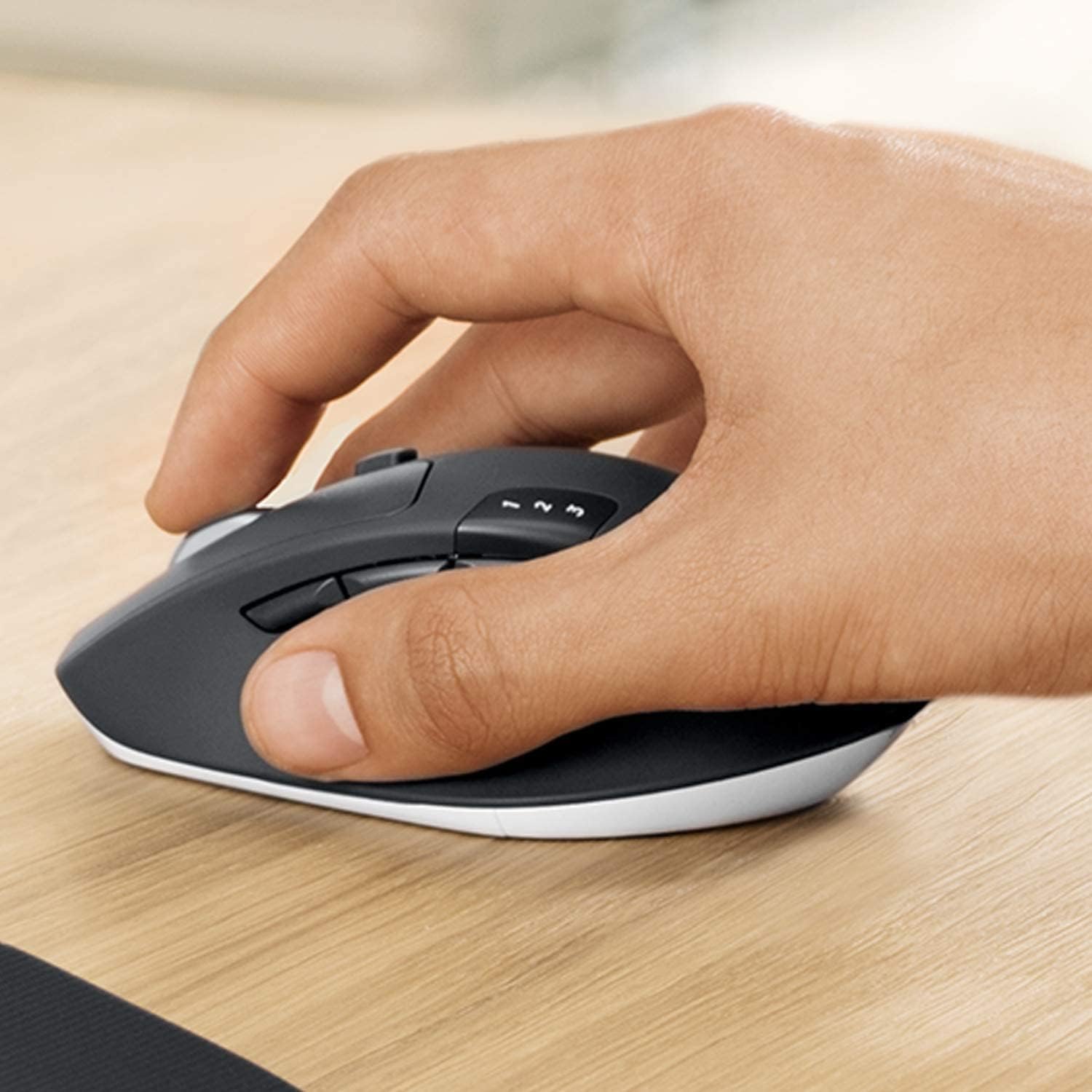
Foto 3.1: A hand demonstrating the ergonomic grip on the Logitech MK850 mouse.

Foto 3.2: A zuru ezu view of the Logitech MK850 mouse, highlighting its scroll wheel and Easy-Switch buttons.
3.3 DuoLink Software
Logitech DuoLink is a feature within Logitech Options software that allows the mouse and keyboard to work together for enhanced functionality. For example, holding the Fn key on the keyboard can change the mouse's button functions.
Download Logitech Options from the official Logitech website to customize your device settings, program buttons, and enable DuoLink.
4. Nlekọta na nlekọta
- Nhicha: Jiri akwa dị nro na-enweghị ntụpọ dampened with water or a mild cleaning solution to clean the surfaces of the keyboard and mouse. Avoid harsh chemicals or abrasive materials.
- Ngbanwe batrị: Replace batteries when the low battery indicator light illuminates. Ensure to use the correct battery type (AAA for keyboard, AA for mouse).
- Nchekwa: Mgbe a naghị eji ya ruo ogologo oge, gbanyụọ ngwaọrụ ndị a iji chekwaa ndụ batrị. Debe ya n'ebe dị jụụ ma kpọọ nkụ.
5. Nchọpụta nsogbu
5.1 Okwu njikọ
- Enweghị njikọ: Ensure the keyboard and mouse are turned on. Check battery levels. For Unifying receiver, try plugging it into a different USB port. For Bluetooth, ensure Bluetooth is enabled on your device and the devices are in pairing mode.
- Ntinye aka: Move the devices closer to the receiver or Bluetooth-enabled device. Avoid placing them near other wireless devices that might cause interference (e.g., Wi-Fi routers, cordless phones).
- Na-emezigharị: If connection is lost, try re-pairing the devices using the steps in Section 2.3.
5.2 Nsogbu Arụmọrụ
- Oge ma ọ bụ Nkwụsịtụ: Ensure sufficient battery power. Reduce distance between devices and receiver/Bluetooth host. Close other applications that might be consuming system resources.
- Okwu nsochi òké: Clean the mouse sensor. Use the mouse on a suitable surface (non-reflective, non-transparent).
6. Nka na ụzụ nkọwa
| Njirimara | Nkọwapụta |
|---|---|
| Ụdị | Logitech |
| Nlereanya | MK850 |
| Teknụzụ Njikọta | Bluetooth Smart, Logitech Unifying (2.4 GHz wireless) |
| Ngwa dakọtara | PC (Windows 10/11 or later), Mac (macOS 10.15 or later), Chrome OS, Linux, iPadOS 13.4 or later, Android 7 or later |
| Akụkụ ahụigodo (L x W x H) | Ihe ruru. 43 x 21 x 2.5 cm |
| Akụkụ òké (L x W x H) | Ihe dị ka. 99 x 60 x 39 mm |
| Ibu Ibu | Approx. 845 g (total for set) |
| Ụdị batrị | Keyboard: 2 x AAA; Mouse: 1 x AA |
| Ndụ batrị | Up to 36 months (keyboard), up to 24 months (mouse) - May vary based on usage. |
| Agba | Nwa |

Foto 6.1: Dimensions of the Logitech MK850 mouse.
7. Akwụkwọ ikike na nkwado
Logitech products are manufactured to high quality standards and are designed to provide reliable performance. For detailed warranty information specific to your region and product, please refer to the warranty card included with your product or visit the official Logitech support websaịtị.
For technical support, FAQs, and driver downloads, please visit the Logitech support websaịtị:
- Nkwado Logitech Websaịtị: nkwado.logi.com
When contacting support, please have your product model (MK850) and serial number ready.


