1. Okwu mmalite
The LD Systems U500 DC is a cardioid dynamic microphone head designed for use with the U500 Series wireless handheld transmitters. It offers flexible application variety and is engineered to provide clear audio capture with excellent feedback resistance. This microphone head features a shock-mount capsule to minimize handling noise and utilizes gold-plated contacts for reliable signal transmission.
2. Atụmatụ igodo
- Ụkpụrụ Polar Cardioid: Designed to pick up sound primarily from the front, reducing pickup from the sides and rear, which helps in minimizing feedback.
- Capsule dị ike: Robust and suitable for various vocal and instrument applications.
- Shock-Mount Design: Integrated shock-mount reduces handling noise and vibrations for cleaner audio.
- Gold-Plated Contacts: Ensures superior conductivity and corrosion resistance for reliable performance.
- Screw-On Installation: Facilitates easy and secure attachment to compatible U500 Series handheld transmitters.
3. Ntọala na nwụnye
The U500 DC microphone head is designed for quick and secure attachment to compatible LD Systems U500 Series handheld transmitters.
- Prepare the Transmitter: Ensure your LD Systems U500 Series handheld transmitter is powered off before installation.
- Align the Head: Carefully align the threaded base of the U500 DC microphone head with the top of the handheld transmitter.
- Screw On: Gently screw the microphone head onto the transmitter in a clockwise direction until it is firmly seated. Do not overtighten.
- Nyochaa njikọ: Once attached, ensure there is no wobble and the connection feels secure.

Figure 1: LD Systems U500 DC microphone head ready for attachment to a handheld transmitter. The image illustrates the separate components before assembly.
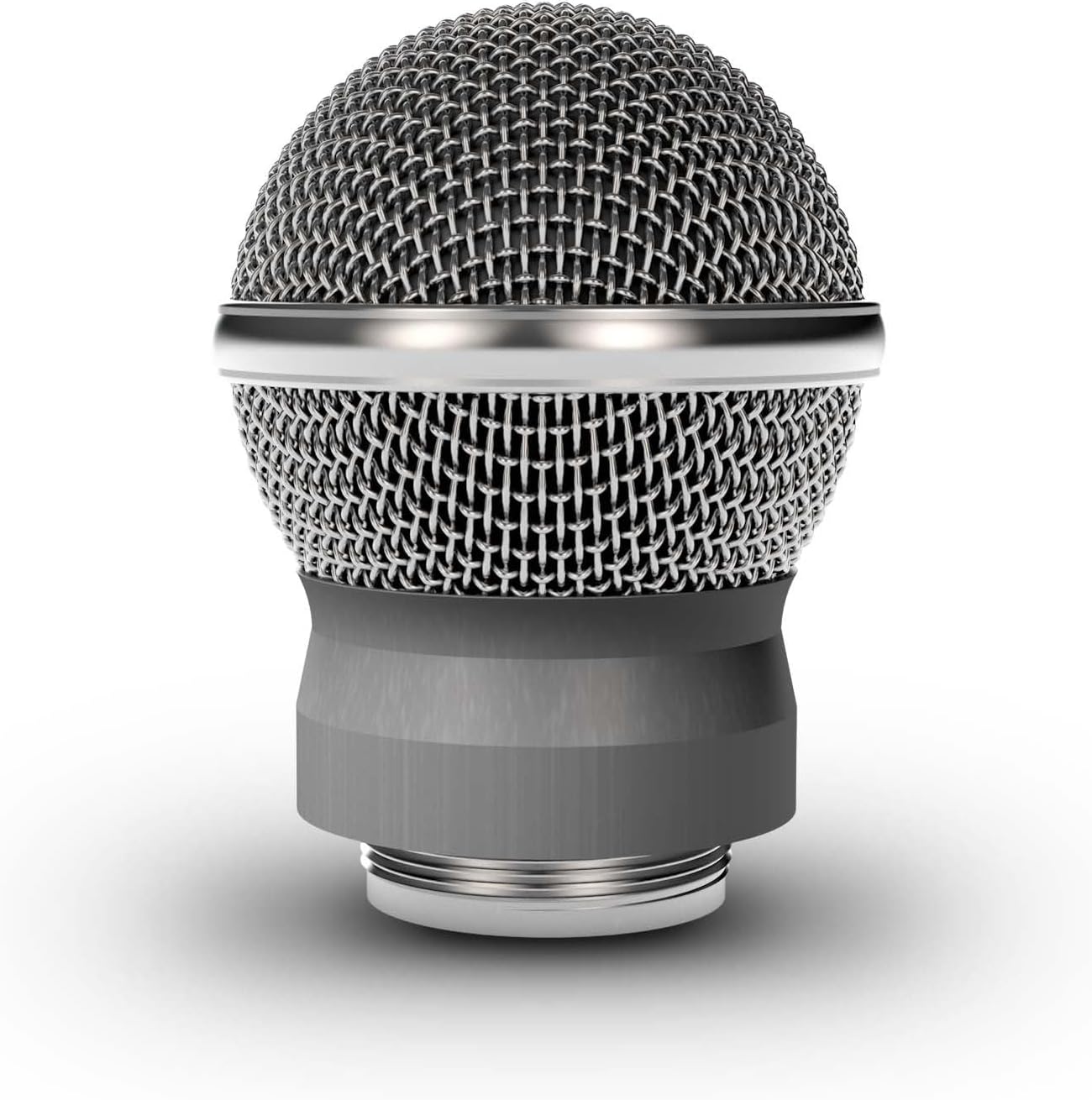
Ọgụgụ 2: Zuru ezu view of the LD Systems U500 DC microphone head. This image highlights the robust grille and the threaded base for secure attachment.
4. Ntuziaka ọrụ
Once the U500 DC microphone head is securely attached to a compatible LD Systems U500 Series handheld transmitter, its operation is governed by the transmitter's controls.
- Ike Na: Power on your handheld transmitter according to its specific instructions.
- Na-ejikọta: Ensure the transmitter is correctly paired with its receiver. Refer to your U500 Series wireless system manual for detailed pairing procedures.
- Nyochaa ụda: Perform a sound check to verify audio transmission and adjust gain levels on your mixer or receiver as needed.
- Ndokwa igwe okwu: For optimal sound quality and feedback rejection, position the microphone head directly towards the sound source. The cardioid pattern is most sensitive at the front.
5. Nlekọta na nlekọta
Proper maintenance ensures the longevity and optimal performance of your microphone head.
- Nhicha: Use a soft, dry cloth to wipe the exterior of the microphone head. Do not use liquid cleaners, solvents, or abrasive materials, as these can damage the finish or internal components.
- Nchekwa: When not in use, store the microphone head in a clean, dry place, preferably in its original packaging or a protective case, away from extreme temperatures and humidity.
- Ijikwa: Avoid dropping or subjecting the microphone head to strong impacts, as this can damage the capsule or internal wiring.
- Mmiri: Keep the microphone head away from moisture and liquids. If it becomes wet, power off the associated transmitter immediately and allow it to dry completely before further use.
6. Nchọpụta nsogbu
If you encounter issues with your U500 DC microphone head, consider the following common troubleshooting steps:
- Enweghị ụda:
- Ensure the microphone head is securely screwed onto the transmitter.
- Verify the transmitter is powered on and has fresh batteries.
- Check that the transmitter is correctly paired with the receiver.
- Confirm that the receiver is powered on and connected to your audio system.
- Check audio cables and input selections on your mixer/audio interface.
- Ụda adịghị mma/Ọdịiche dị n'etiti ụda na ụda:
- Adjust the gain settings on your transmitter or receiver to prevent clipping.
- Ensure the microphone head is clean and free from debris.
- Check for environmental interference if using a wireless system.
- Nzaghachi:
- Reposition the microphone to avoid pointing it directly at loudspeakers.
- Reduce the gain on your mixer or receiver.
- Utilize a graphic equalizer to cut problematic frequencies.
For persistent issues, consult the full LD Systems U500 Series wireless system manual or contact LD Systems customer support.
7. Nkọwapụta
| Njirimara | Nkọwapụta |
|---|---|
| Nlereanya | U500 DC |
| Ụdị | Sistemụ LD |
| Ụkpụrụ Polar | Unidirectional (Cardioid) |
| Ụdị igwe okwu | Dị ike |
| Ụdị njikọ | Screw-on (for U500 Series handheld transmitters) |
| Atụmatụ pụrụ iche | Shock-mount capsule, Gold-plated contacts |
| Ibu Ibu | 3.52 ounces (ihe dị ka gram 100) |
| Akụkụ ngwugwu | 4.13 x 3.31 x 2.56 sentimita asatọ |
| ASIN | B01MFBPLGH |
| GTIN | 04049521212338 |
8. Akwụkwọ ikike na nkwado
For information regarding the warranty period and terms for your LD Systems U500 DC Cardioid Dynamic Microphone Head, please refer to the warranty card included with your complete U500 Series wireless system or visit the official LD Systems websaịtị.
For technical support, service, or spare parts, please contact LD Systems customer service or your authorized dealer. You can find contact information on the official LD Systems websaịtị:


