1. Ozi nchekwa
Read and understand all safety warnings and instructions before using this product. Failure to follow the warnings and instructions may result in electric shock, fire, and/or serious injury.
- Always wear appropriate eye protection when working with batteries.
- Gbaa mbọ hụ na ụgbọ ala ahụ nọ na mpaghara ikuku nke ọma.
- Keep the tester away from heat, sparks, open flames, and other ignition sources.
- Do not touch hot engine parts or moving components.
- Ensure the battery terminals are clean and free of corrosion for accurate readings.
- Do not immerse the tester in water or expose it to rain.
- This device is designed for 12V automotive batteries only. Do not use on other voltage sistemu.
2. Ngwaahịa gafereview
The Sealey BT105 is a compact digital device designed for accurately testing 12V automotive batteries, cranking systems, and alternator charging systems. It provides quick and reliable results without generating heat or sparks, minimizing the risk of misdiagnosis. The tester operates without an internal battery, drawing power from the battery being tested, and can test batteries with a residual charge as low as 8V. Results are displayed on an LCD screen and can be printed via PC software.
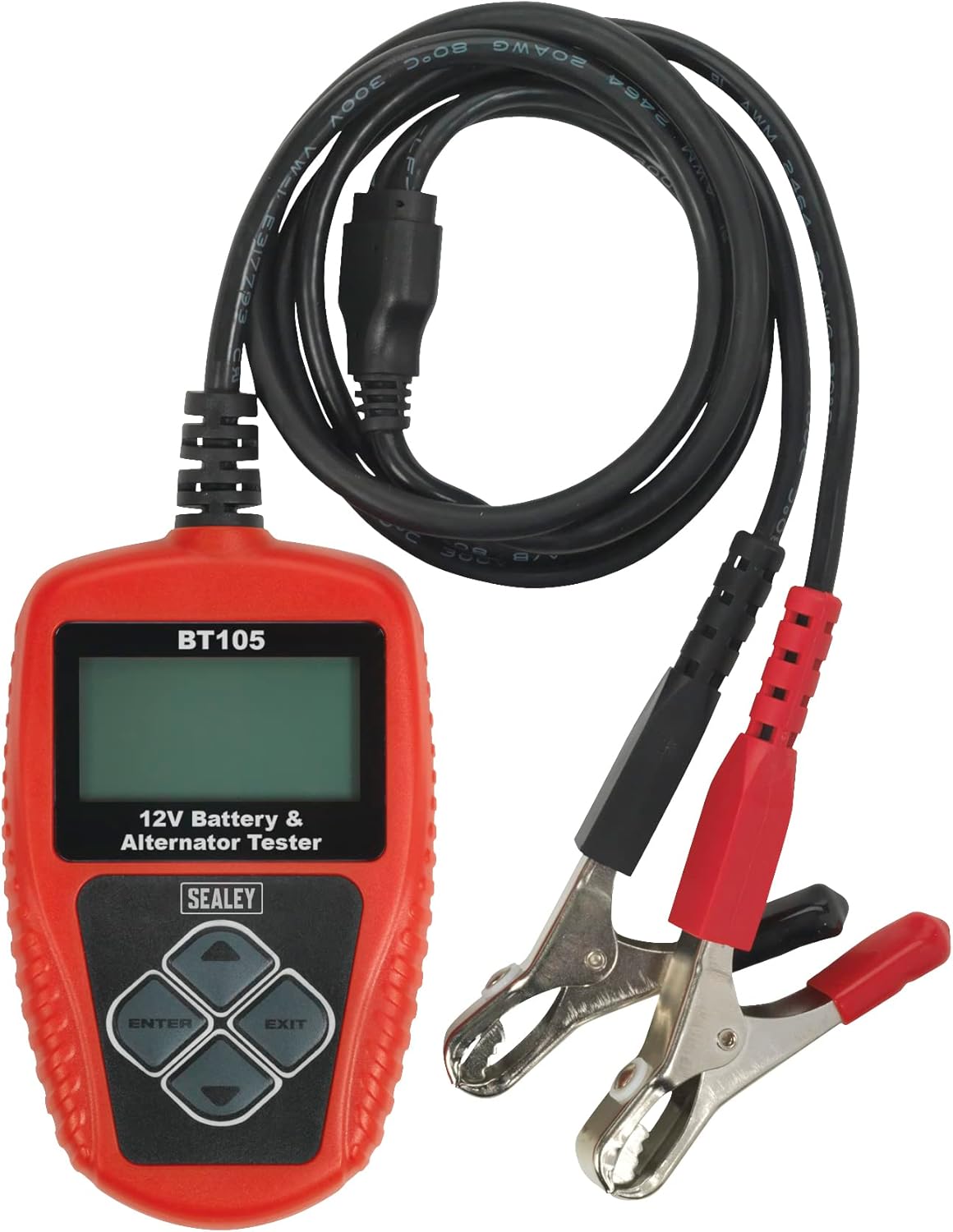
Figure 1: Sealey BT105 Digital Battery & Alternator Tester with attached cables.
Akụkụ ndị bụ isi:
- Accurately tests 12V batteries, cranking, and alternator systems.
- No heat, no sparks, and no misdiagnosis.
- LCD screen for clear display of results.
- Operates without an internal battery, powered by the tested battery.
- Capable of testing batteries with a residual charge of just 8V.
- Includes PC software for printing test results.
3. Nhazi
The Sealey BT105 is ready for use directly out of its storage pouch. No assembly or internal battery charging is required as the unit is powered by the battery it is testing.
Connecting the Tester:
- Ensure the vehicle ignition is off and all accessories are turned off.
- Jikọọ uhie nti (+) clamp to the positive (+) terminal of the 12V battery.
- Jikọọ nwa adịghị mma (-) clamp to the negative (-) terminal of the 12V battery.
- The tester will power on automatically once connected correctly.
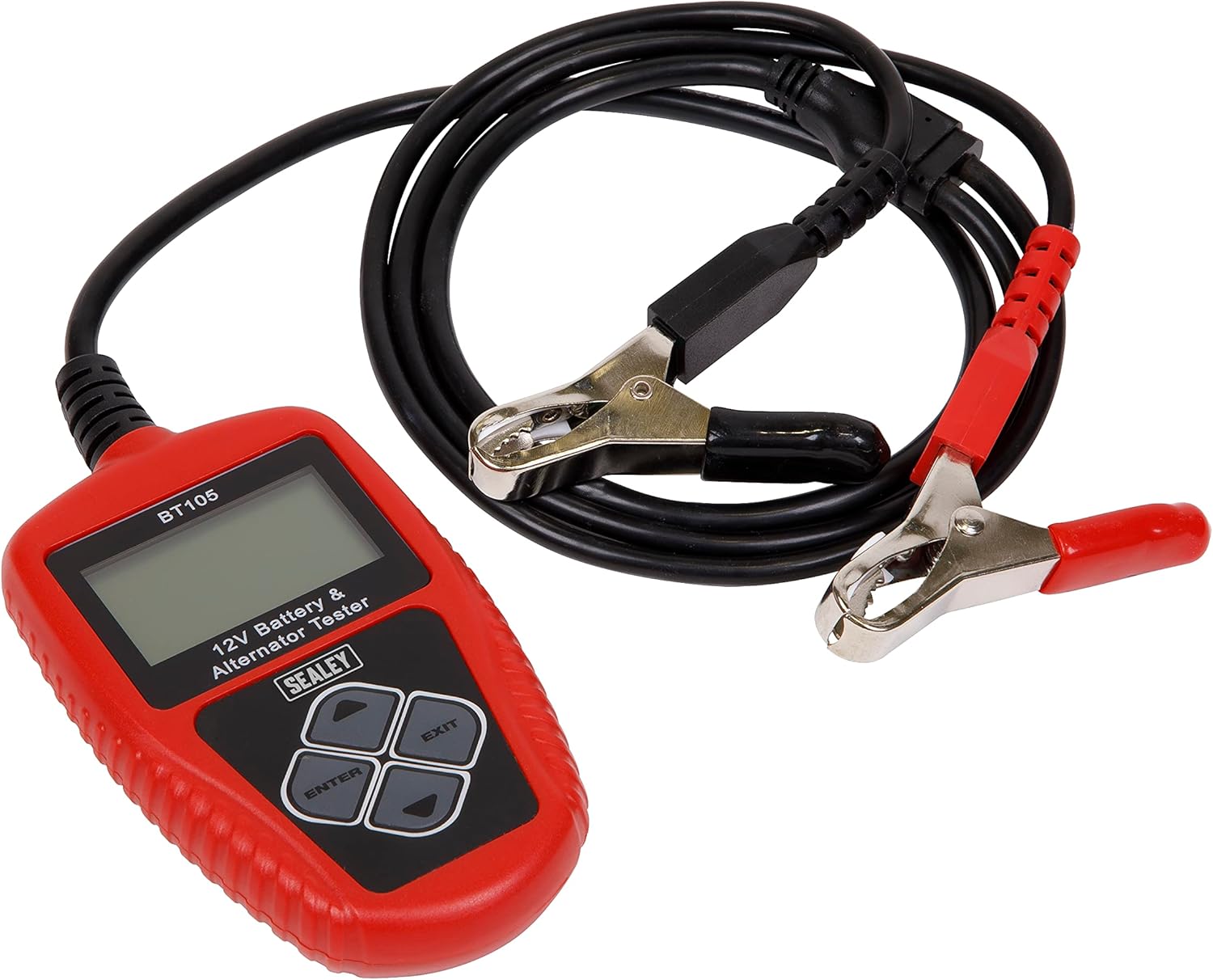
Figure 2: The BT105 tester with its red and black clamps ready for connection to a 12V battery.
4. Ntuziaka ọrụ
The BT105 features a simple menu-driven interface. Use the arrow buttons to navigate and the ENTER button to select options. The EXIT button typically returns to the previous menu or cancels an operation.

Figure 3: Close-up of the BT105's LCD screen and control buttons (Up, Down, Left, Right, ENTER, EXIT).
Isi menu igodo:
Upon powering on, the tester will display the main menu. Options typically include:
- Nnwale ngwa ngwa: Performs a rapid assessment.
- Battery In Vehicle: For testing batteries installed in a vehicle.
- Battery Out Of Vehicle: For testing standalone batteries.
- Review Data: View previously saved test results.
- Bipụta Data: Initiate printing of results via PC connection.
- Ntọala Sistemu: Configure language, time, and other settings.

Figure 4: The BT105 displaying its Main Menu with various testing and utility options.
Performing a Battery Test (In Vehicle):
- Site na isi NchNhr, họrọ 'Battery In Vehicle' wee pịa ENTER.
- The tester will prompt you to input the battery rating (e.g., CCA, Ah). Refer to the battery label for this information. Use the arrow keys to adjust the value and ENTER to confirm.
- The tester will then perform the test and display results such as battery health percentage, charge voltage, internal resistance, and a recommendation (e.g., 'Good', 'Charge', 'Replace').
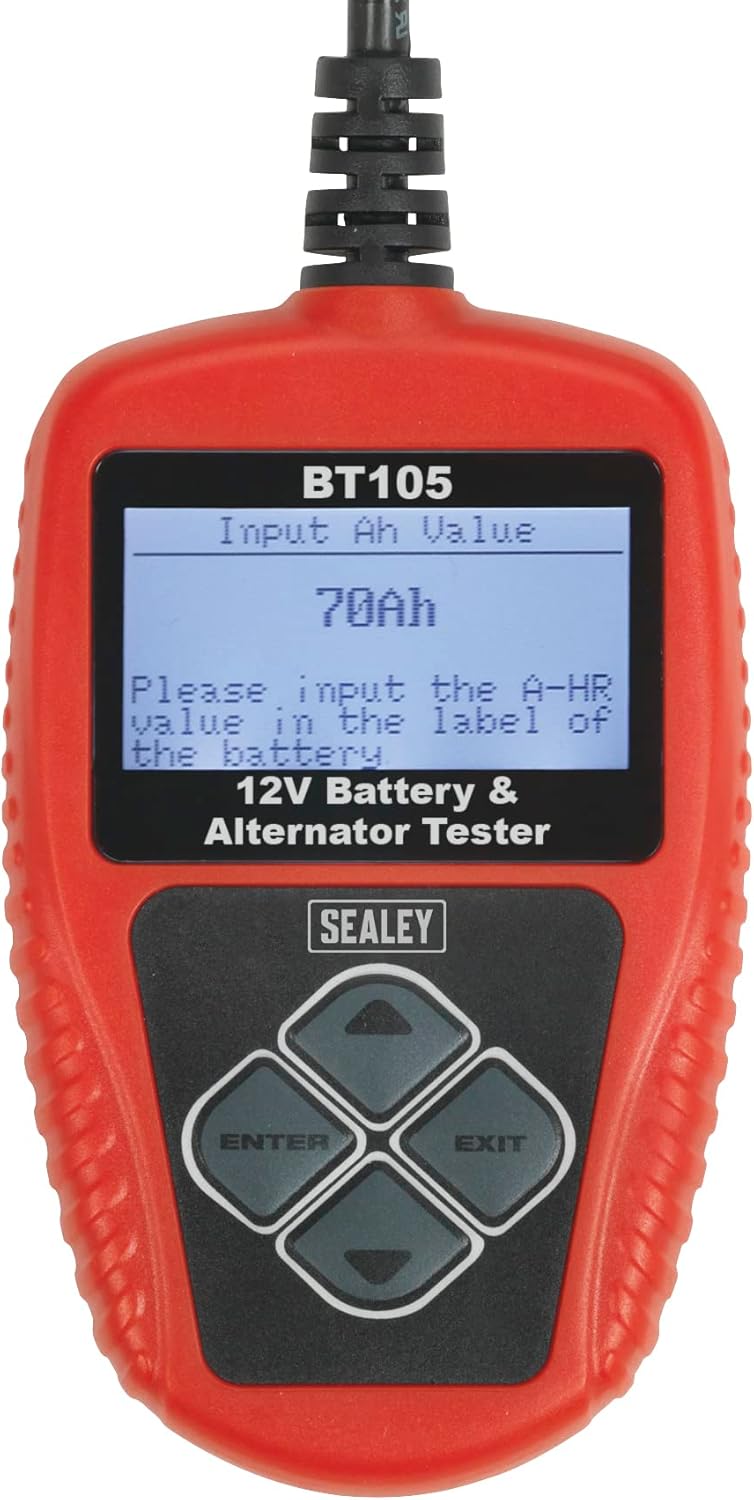
Figure 5: The BT105 screen prompting the user to input the battery's Ah (Amp-hour) value.
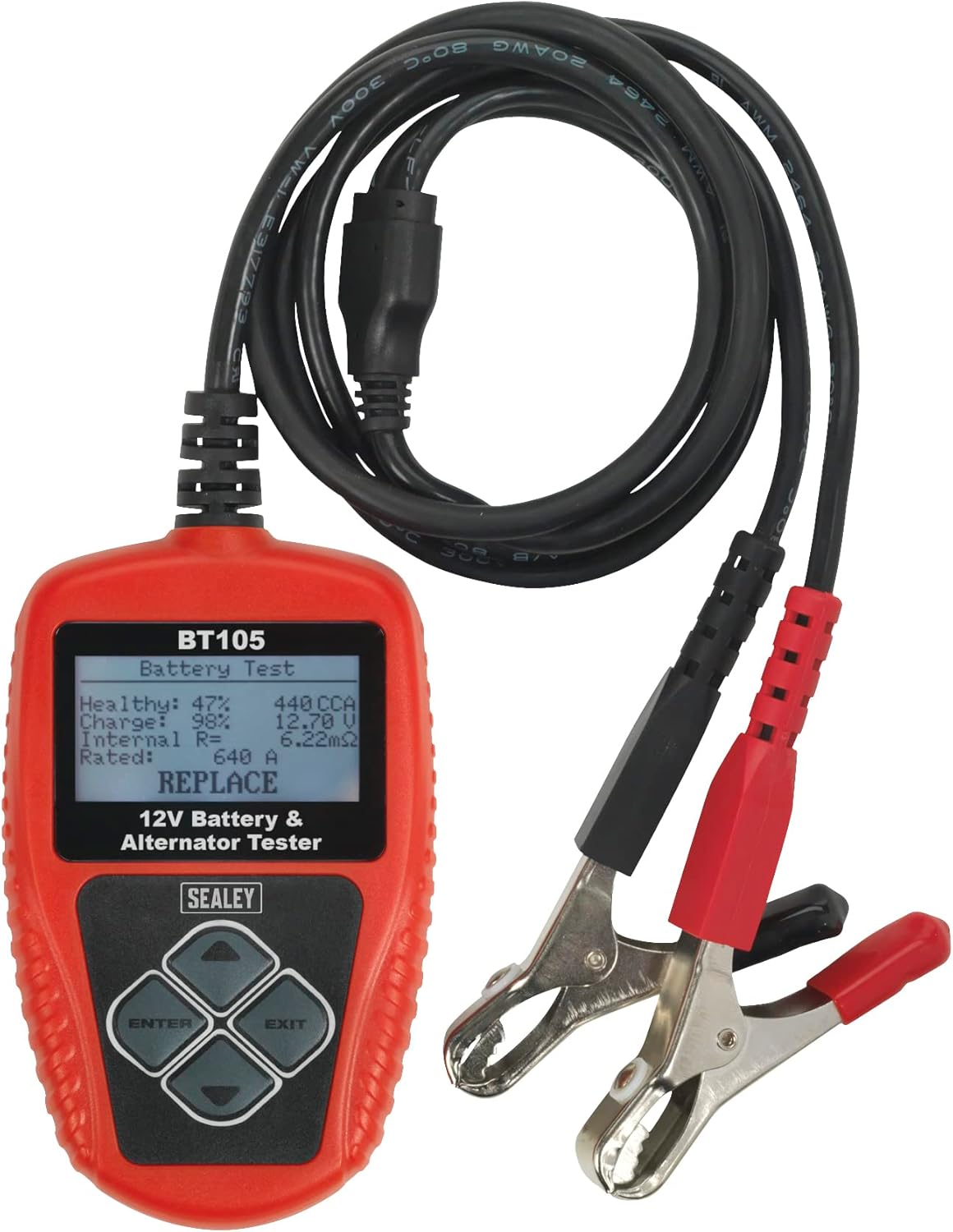
Ọgụgụ 6: Ọpụample of battery test results displayed on the BT105, showing 'Healthy', 'Charge', 'Internal Res', 'Rated', and a 'REPLACE' recommendation.
Performing Cranking and Charging Tests:
After selecting 'Battery In Vehicle', you will typically be presented with options for further tests:
- Nnwale crank: Follow on-screen prompts to start the vehicle engine. The tester will measure the cranking voltage na oge iji nyochaa arụmọrụ nke sistemụ mmalite.
- Nlele Nchaji: Follow on-screen prompts to run the engine at specified RPMs. The tester will measure the alternator's output voltage and ripple to evaluate the charging system.

Figure 7: The BT105 displaying the 'Test In Vehicle' menu, offering options for Battery, Cranking, and Charging tests.
Printing Results:
The BT105 can connect to a PC to print test results. Install the provided PC software on your computer. Connect the tester to your PC using a USB cable (not always included, check packaging). Select 'Print Data' from the Main Menu on the tester and follow the software instructions on your PC.

Figure 8: The BT105 connected to a laptop, demonstrating the print function for test results.

Foto 9: Onye ọrụ reviewing a printed report generated by the Sealey BT105 tester.
5. Nlekọta
- Nhicha: Hichapụ c nke onye nnwale ahụasing jiri nwayọ, damp akwa . Ejila ihe nchacha abrasive ma ọ bụ ihe mgbaze.
- Nchekwa: Store the tester in its original pouch in a dry, cool place, away from direct sunlight and extreme temperatures.
- Nyocha USB: Na-enyocha eriri na cl mgbe niileamps maka ihe ịrịba ama ọ bụla nke mmebi, mmebi, ma ọ bụ mmebi. Dochie ya ma ọ bụrụ na ọ dị mkpa.
6. Nchọpụta nsogbu
| Nsogbu | Ihe nwere ike ime | Ngwọta |
|---|---|---|
| Onye nnwale anaghị agba ọkụ. | Njikọ na njedebe batrị adịghị mma; Vol batrịtage too low (below 8V). | Gbaa mbọ hụ na clamps are securely attached and terminals are clean. Charge battery if voltage n'okpuru 8V. |
| Ọgụgụ na-ezighi ezi. | Corroded battery terminals; Incorrect battery rating input. | Clean battery terminals. Verify the correct CCA or Ah value from the battery label. |
| Cannot print results. | PC software not installed; USB cable not connected; Driver issues. | Install the PC software. Ensure USB cable is securely connected to both tester and PC. Check PC device manager for driver issues. |
7. Nkọwapụta
- Ụdị: BT105
- Akara: Sealey
- Nrụ ọrụ Voltage: 12V
- Opekempe na -arụ ọrụ Voltage: 8V
- Isi mmalite ike: Batrị a na-enye ike (site na batrị a nwalere)
- Akụkụ ngwaahịa: 5 x 23 x 17 cm
- Ibu ihe: 440 g
- Njikọta: USB for PC software
8. Akwụkwọ ikike na nkwado
This Sealey BT105 Digital Battery & Alternator Tester is covered by a 1 Afọ nkwa. For specific terms and conditions, please refer to the documentation included with your product or visit the official Sealey websaịtị.

Foto nke 10: Nkwa Sealey maka afọ 1.
For technical support, spare parts, or warranty claims, please contact your authorized Sealey dealer or visit the Sealey customer support portal.
Websaịtị: www.sealey.co.uk


