1. Okwu mmalite
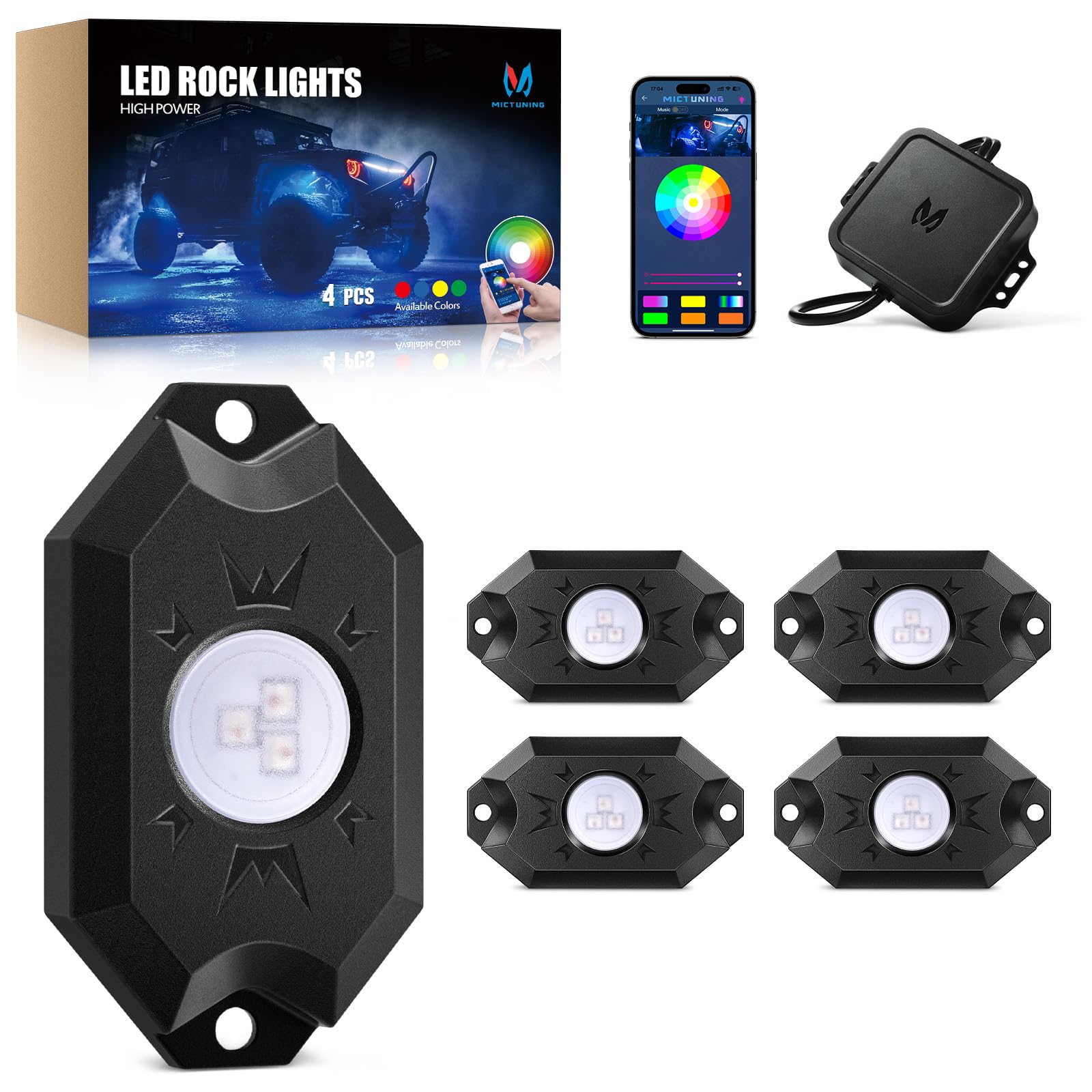
Welcome to your MICTUNING 2nd-Gen CM RGB Rock Lights. This manual provides essential information for the safe and effective installation, operation, and maintenance of your 4-pod waterproof multicolor LED underglow kit. Designed for trucks, pickups, UTVs, SUVs, and ATVs, these lights feature Bluetooth app control and a music mode for customizable lighting effects.
2. Kedu ihe dị na Igbe ahụ
Nyochaa akụrụngwa niile dị tupu ịmalite nrụnye:
- 4x LED Rock Lights
- 1x Igbe njikwa
- 1x Wire Connector (4-Pin)
- 4x Rubber Pads
- Fasteners (Screws and Nuts)
- Akwụkwọ ntuziaka (akwụkwọ a)

3. Atụmatụ igodo
- True Bright RGB: High-brightness 3-in-1 LED diodes for smooth, uniform color. Frosted lens for 80% light transmittance, ensuring vibrant, natural glow.
- Stable Bluetooth Connectivity: Automotive-grade controller chip ensures instant and stable Bluetooth pairing for reliable control.
- Ogo IP68 enweghị mmiri: Die-cast aluminum housings are dustproof, shockproof, and IP68 waterproof, built for durability in harsh conditions and over 50,000 hours of use.
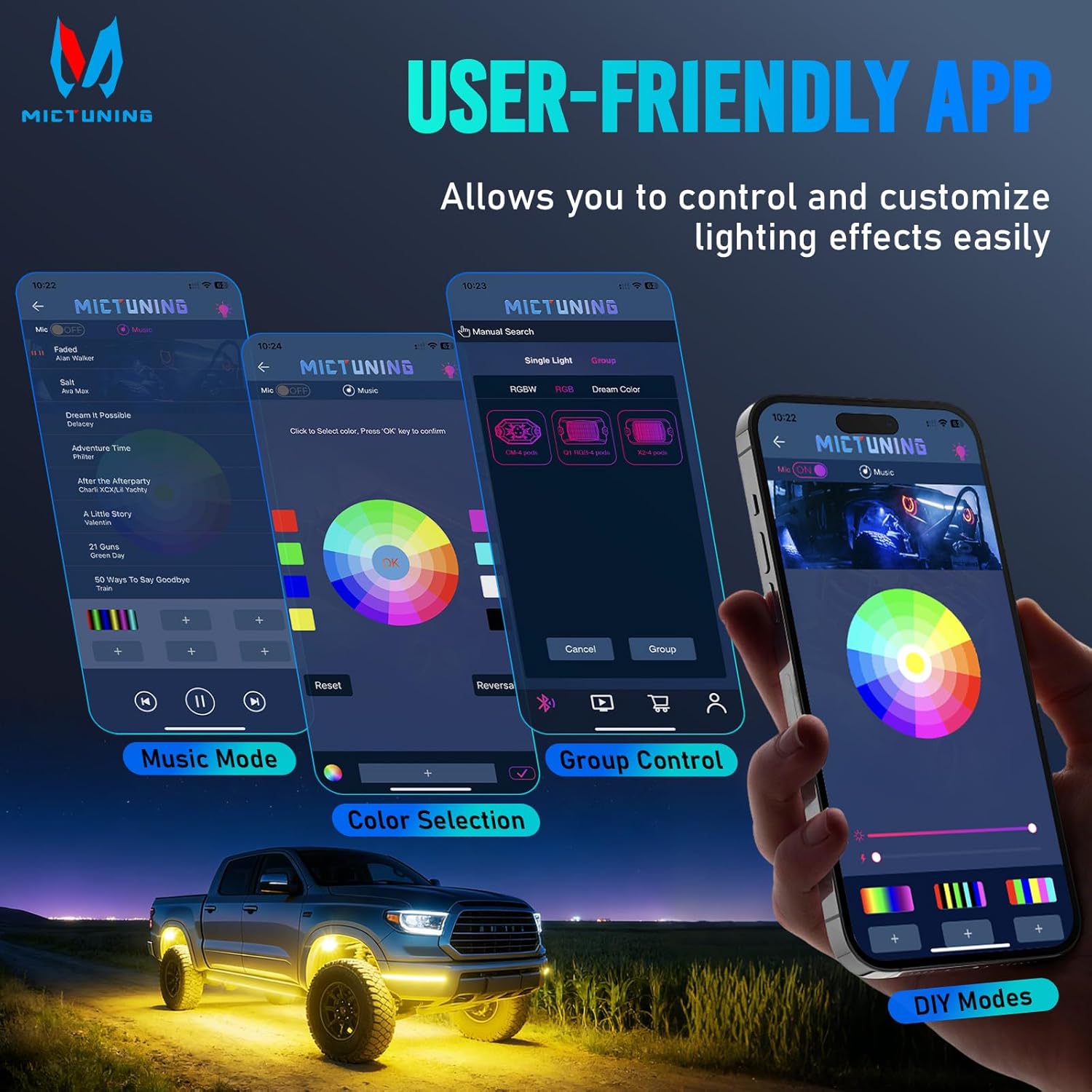
- MagicLink App Control: Control up to 4 sets of MICTUNING lights (X2/CM/Q1 models) simultaneously from one sleek app interface. Customize colors, strobes, and sync to music.
- Nwụnye dị mfe: Compact 3.1''x1.8'' rock lights with straightforward wiring for a hassle-free setup process.

4. Ntọala na nwụnye
Proper installation is crucial for optimal performance and longevity. Always ensure the vehicle's power is disconnected before starting installation.
4.1 eserese waya
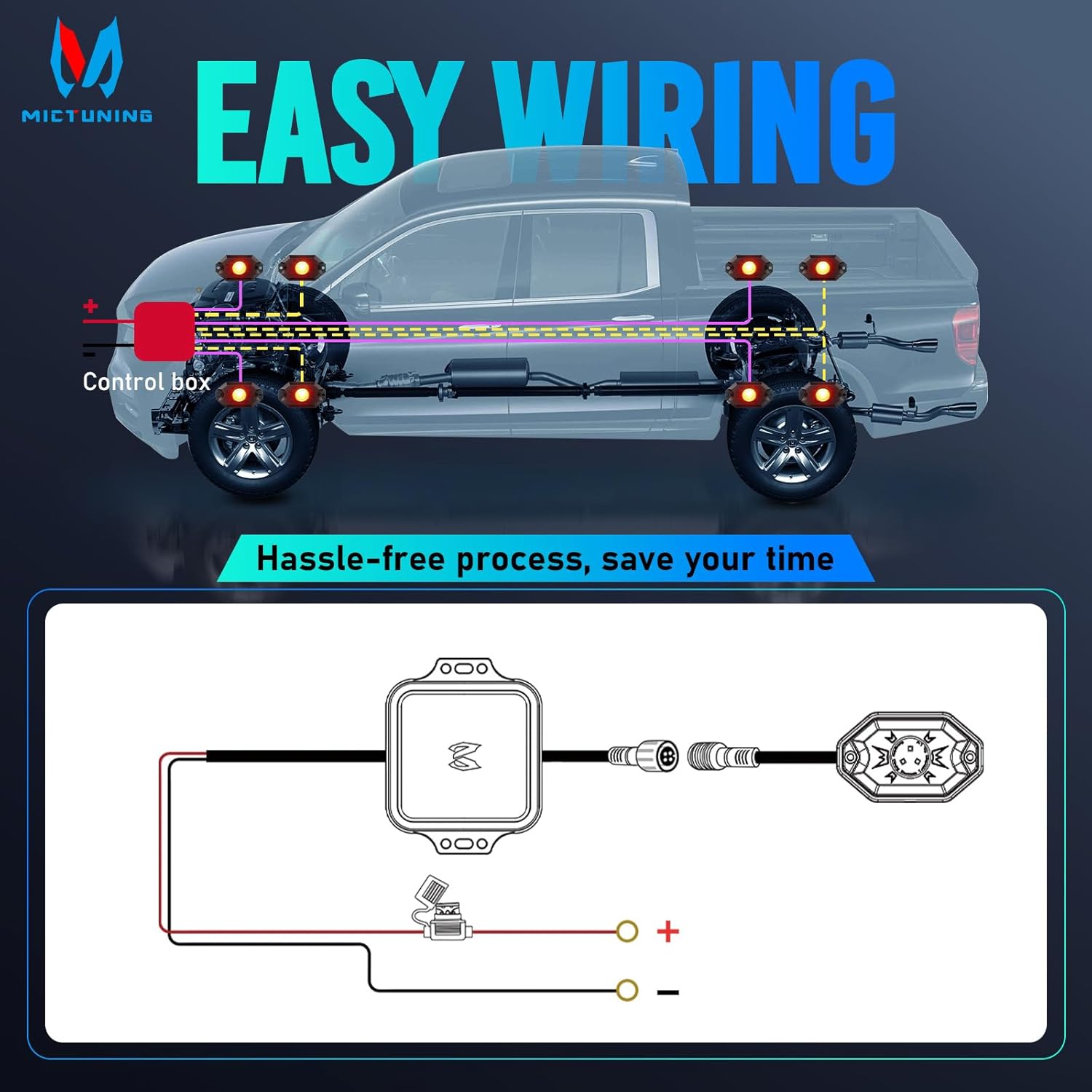
Lee eserese dị n'okpuru maka njikọ waya ziri ezi:
4.2 Nzọụkwụ nwụnye
- Ebe Nkwanye: Choose suitable locations for each rock light pod, typically under the vehicle, ensuring they are securely fastened and do not interfere with moving parts. The lights are 3.1''x1.8'' in size.
- Secure Pods: Use the provided fasteners and rubber pads to mount each rock light pod. Ensure a tight fit to prevent vibration and water ingress.
- Jikọọ Wiring: Connect the rock light pods to the control box using the 4-pin wire connector. Ensure all connections are secure.
- Njikọ ike: Connect the control box to your vehicle's 12V power source. It is recommended to use a fuse for protection, as indicated in the wiring diagram.
- eriri ụzọ: Securely route all cables away from hot engine parts, sharp edges, and moving components to prevent damage. Use cable ties if necessary.
- Nbudata ngwa: Scan the QR code on the user manual or control box to download the "Mictuning" app.
- Njikọ Bluetooth: Open the app and connect to the Bluetooth device. Follow the in-app instructions to pair your rock lights.
5. Ọrụ
Your MICTUNING rock lights are controlled via the MagicLink mobile application.
5.1 Ngwa Ọrụ
- Nhọrọ agba: Choose from 16 million colors using the color wheel in the app.
- Ndozi ihie: Gbanwee ike ọkụ ahụ dịka mmasị gị si dị.
- Ọsọ strobe: Control the speed of strobe effects.
- Ụdị egwu: Sync your lights to music for dynamic lighting effects.
- Ụdị N'onwe Gị: Create and save custom lighting patterns.
- Njikwa otu: Control multiple sets of MICTUNING rock lights (X2/CM/Q1 models) simultaneously from a single app.
6. Nlekọta
Regular maintenance ensures the longevity and optimal performance of your rock lights.
- Nhicha mgbe niile: Periodically clean the light pods with a soft cloth and mild soap to remove dirt and debris. Avoid abrasive cleaners.
- Lelee Wiring: Regularly check all wiring connections for signs of wear, corrosion, or damage. Ensure connections remain tight.
- Iguzosi ike n'ezi ihe: Although IP68 rated, inspect the housing and seals for any cracks or damage that could compromise water resistance, especially after off-road use.
- Mmelite ngwanrọ: Check the app store for any available updates to the MICTUNING MagicLink app to ensure optimal performance and access to new features.
7. Nchọpụta nsogbu
If you encounter any issues, refer to the table below for common problems and solutions.
| Nsogbu | Ihe nwere ike ime | Ngwọta |
|---|---|---|
| Ọkụ anaghị agbanwu | Enweghị njikọ ike | Check power supply, fuse, and wiring connections. |
| Ọkụ anaghị agbanwu | Njikọ rụrụ arụ | Ensure all connectors are securely plugged in. |
| Njikọ Bluetooth anaghị akwụsi ike | Ntinye aka ma ọ bụ anya | Ensure your phone is within range of the control box. Avoid strong electromagnetic interference. |
| Ọkụ anaghị aza ngwa | Esemokwu ngwa ma ọ bụ ngwaọrụ | Restart the app, restart your phone's Bluetooth, or restart the control box by cycling power. |
| Ngosipụta agba na-ekwekọghị ekwekọ | LED ma ọ bụ wiring na-ezighi ezi | Inspect individual light pods for damage. Check wiring for shorts or breaks. |
| Ọkụ na-egbuke egbuke | Ike anaghị akwụsi ike ma ọ bụ njikọ rụrụ arụ | Verify stable 12V power supply. Check all wiring connections for tightness. |
If issues persist, contact MICTUNING customer support for further assistance.
8. Nkọwapụta
| Njirimara | Nkọwa |
|---|---|
| Ụdị | MICTUNING |
| Nọmba nlereanya | 8542101658 |
| Akụkụ ihe (L x W x H) | 7.87 x 5.12 x 5.71 sentimita asatọ |
| Ibu Ibu | 2.64 pound |
| Agba | RGB |
| Ụdị Ihe | Pod |
| Eji akwadoro | Vehicle Exterior, Vehicle Interior, Party Lighting, Decorative Lighting |
| Ọnọdụ Akụkụ akpaaka | N'ime |
| Ihe onwunwe | Aluminom |
| Ọkwa Nguzogide mmiri | Ihe mgbochi mmiri IP68 |
| Ọnụọgụ nke Iberibe | 4 |
| Ụdị Fit Automotive | Universal Fit |
| Voltage | 12 volts |
| Ụdị isi iyi ọkụ | Ikanam |
| Atụmatụ pụrụ iche | Control 1-4 sets rock light together with one phone, easy app to use, easy to install, many color options, super bright and fantastic light |

9. Akwụkwọ ikike na nkwado
Akwụkwọ ikike: This MICTUNING product comes with a two-year warranty from the date of purchase.
Nkwado ndị ahịa: If you encounter any issues while using your product, please do not hesitate to contact MICTUNING customer support. Our responsive team is committed to assisting you within 24 hours to resolve your problems.
For further assistance, visit the official MICTUNING websaịtị ma ọ bụ lee ozi kọntaktị enyere mgbe ị zụtara ya.


