1. Okwu mmalite
This manual provides detailed instructions for the safe and efficient operation of your Optoma EH416 Full HD 3D DLP Projector. Please read this manual thoroughly before using the projector and retain it for future reference. Proper use and maintenance will ensure optimal performance and longevity of your device.
Ozi nchekwa
- Elela anya ozugbo na oghere projector mgbe lamp is on. The intense light can cause eye damage.
- Ensure adequate ventilation around the projector. Do not block ventilation openings.
- Use only the power cord supplied with the projector. Connect to a properly grounded outlet.
- Etinyela ihe ngosi ahụ n'ime mmiri ozuzo, mmiri ozuzo, ma ọ bụ oke iru mmiri.
- Nye ndị ọrụ ọrụ ruru eru ọrụ niile. Anwala imepe ma ọ bụ rụzie ihe ngosi ahụ n'onwe gị.
2. Kedu ihe dị na Igbe ahụ
Please verify that all items listed below are present in your package. If any items are missing or damaged, contact your dealer immediately.
- Optoma EH416 Projector
- Ụdọ ọkụ
- VGA ka VGA USB
- Njikwa anya
- Akpa na-ebu
- Batrị maka njikwa anya
- Multilingual CD-ROM User’s Manual
- Kaadị mmalite ngwa ngwa
- Akwụkwọ ikike kaadị
3. Ngwaahịa gafereview
Atụmatụ igodo
- Icha ọkụ dị elu: 4200 lumens for clear images in various lighting conditions.
- Ọdịiche dị elu: 20,000:1 contrast ratio for sharp, luminous images with deep blacks.
- Mkpebi HD zuru ezu: Native 1080p (1920x1080) resolution, supporting up to WUXGA (1920x1200).
- Advanced Optical Lens: Features a 1.6x zoom and vertical lens shift for flexible installation.
- Njikọta sara mbara: Dual HDMI (one with MHL support), dual audio-in, VGA, and more.
- sRGB Color Profile: Enables vibrant and highly accurate colors based on Rec. 709 HDTV specification.
- Ndozi agba mgbidi: Compensates for brightness loss when projecting on non-white surfaces.
- Edge Mask: Eliminates soft edges and jaggedness on the projection border for a smooth image.
- Audio agbakwunyere: Ọkà okwu 10W arụnyere n'ime ya.
Ihe ndị na-emepụta ihe
The image below illustrates the main components of the Optoma EH416 projector, including the lens, control panel, and various ports.
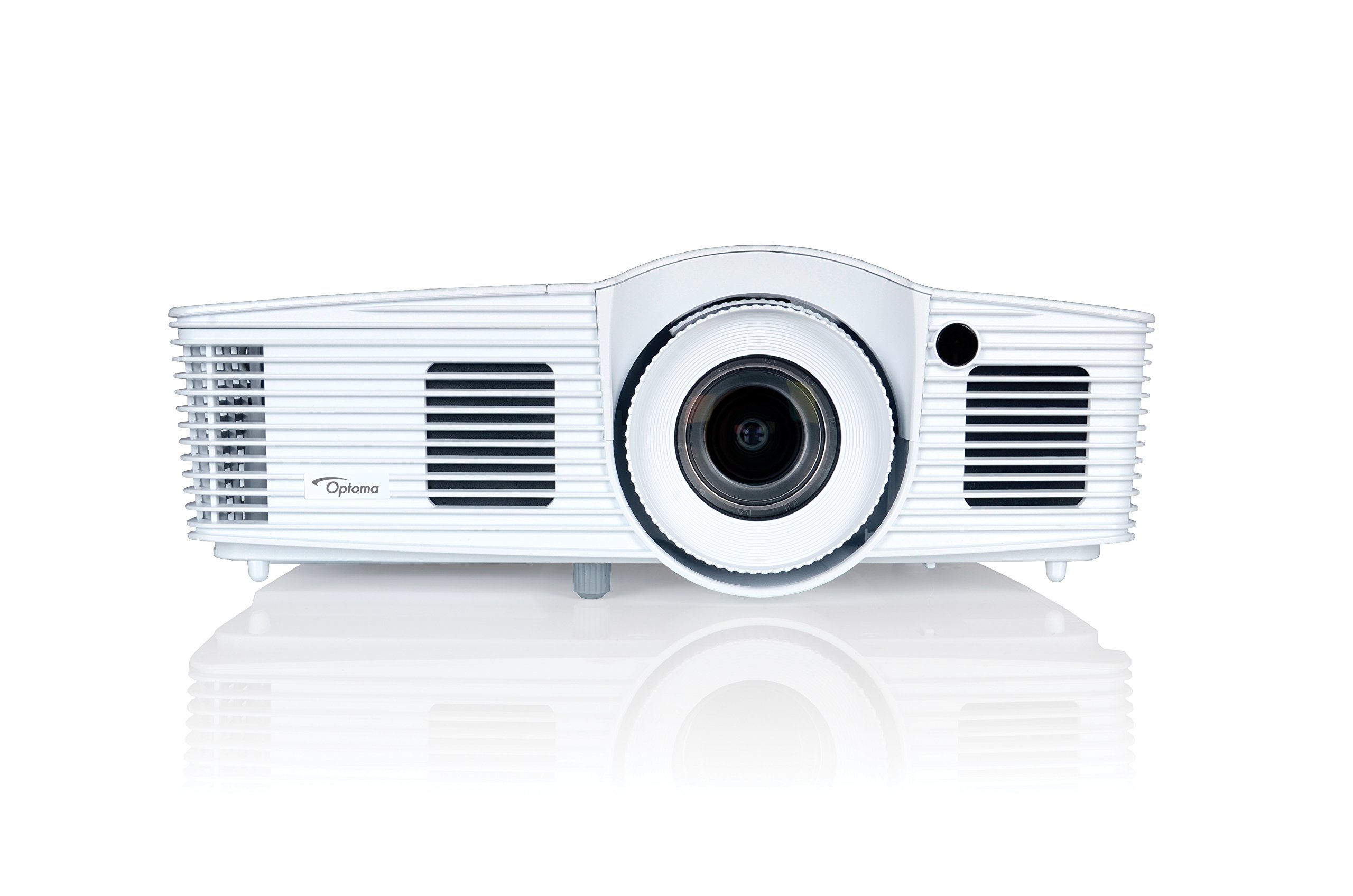
Foto 1: N'ihu view of the Optoma EH416 Projector, showing the lens and primary controls.
Ọdụ ụgbọ mmiri Njikọta
The Optoma EH416 projector offers a wide range of connectivity options located on the rear panel for versatile integration with various devices.
- HDMI (x2): Digital input for high-definition video and audio. One port supports MHL for mobile devices.
- VGA (x2): Analog input for computer connections.
- Audio In (x2): 3.5mm stereo jack for analog audio input.
- Apụọ ọdịyo: 3.5mm stereo jack for connecting external speakers.
- USB-A: For power output or service.
- NXU 232: For projector control via a computer or control system.
- RJ45 (Ethernet): Maka njikwa na njikwa netwọkụ.
4. Nhazi
Ndobe projector
The Optoma EH416 offers flexibility in placement due to its 1.6x zoom and vertical lens shift capabilities. Position the projector on a stable surface or mount it securely. Adjust the distance from the screen to achieve the desired image size. The 1.6x zoom allows for a larger image from a shorter distance or a smaller image from a longer distance without moving the projector.
Ngwa jikọọ
- Njikọ ike: Jikọọ eriri ọkụ eletrik ahụ na ntinye ike nke ihe ngosi ahụ wee jikọọ ya na oghere ọkụ eletrik nke ala.
- Isi mmalite vidiyo:
- For HDMI devices (e.g., Blu-ray player, laptop): Connect an HDMI cable from your device to one of the HDMI ports on the projector.
- For VGA devices (e.g., older laptops): Connect a VGA cable from your device to a VGA port on the projector. If audio is also required, connect a separate 3.5mm audio cable from your device to an Audio In port on the projector.
- For MHL compatible mobile devices: Connect an MHL cable to the designated HDMI/MHL port.
- Mbupụ ọdịyo (Nhọrọ): If using external speakers, connect an audio cable from the projector's Audio Out port to your sound system.
Ịgbanyụ/ Gbanyụọ
- Iji gbanye: Press the power button on the projector's control panel or the remote control. The power indicator light will turn blue.
- Iji gbanyụọ: Press the power button twice. The projector will enter a cooling down cycle before completely shutting off. Do not unplug the projector during the cooling cycle.
5. Na-arụ ọrụ Projector
Isi ọrụ
- Nhọrọ isi mmalite: Use the 'Source' button on the remote or control panel to cycle through available input sources (HDMI1, HDMI2/MHL, VGA1, VGA2).
- Ntugharị menu: Press the 'Menu' button to access the On-Screen Display (OSD). Use the arrow keys to navigate and 'Enter' to select options.
- Njikwa olu: Use the volume buttons on the remote control to adjust the audio output from the built-in speaker or Audio Out port.
Ndozi onyonyo
- Gbado anya na mbugharị: Rotate the focus and zoom rings on the projector lens to achieve a sharp and appropriately sized image.
- Ndozi isi okwu: If the image appears trapezoidal, use the 'Keystone' function in the OSD menu or the dedicated button on the remote to correct the image shape. The EH416 supports ±40° vertical keystone correction.
- Mgbanwe oghere oghere: This feature allows you to physically move the image up or down without tilting the projector, minimizing keystone distortion. Adjust the lens shift dial located near the lens.
- Ndozi agba mgbidi: Access this feature in the OSD menu to compensate for the color of your projection surface (e.g., blackboard, light yellow wall). This helps maintain accurate color reproduction even on non-white walls.
- sRGB Color Profile: For the most accurate and vibrant colors, especially when connecting to a PC, Mac, or sRGB compatible source, select the sRGB picture mode in the OSD. This profile adheres to the Rec. 709 HDTV specification.
- Edge Mask: This function, found in the OSD, helps to refine the edges of the projected image, eliminating any soft or jagged appearance on the border.
6. Nlekọta
Na-ehicha ihe na-emepụta ihe
- oghere: Jiri ákwà dị nro, nke na-enweghị ihe e ji ehicha ihe nke e mere maka anya anya. Ejila ihe nhicha aka.
- Casing: Hichapụ projector casing na ákwà dị nro ma kpọọ nkụ. Maka unyi siri ike, jiri obere damp jiri ákwà nhicha dị nro mee ákwà ahụ, wee hichaa ya.
- Igwe ikuku ikuku: Regularly check and clean the air vents to prevent dust buildup, which can lead to overheating. Use a soft brush or compressed air.
Lamp Nlekọta
Onye na-eme ihe nkiri lamp nwere njedebe ndụ. Mgbe lamp life is nearing its end, a warning message may appear on the screen. Refer to the full user manual on the included CD-ROM for detailed instructions on lamp replacement. Always use genuine Optoma replacement lampiji hụ na arụmọrụ na nchekwa kacha mma.
7. Nchọpụta nsogbu
This section addresses common issues you might encounter. For more detailed troubleshooting, refer to the comprehensive user manual on the included CD-ROM.
- Enweghị onyonyo na ihuenyo:
- Check if the projector is powered on and the lamp na-enwu.
- Verify that the video source device is powered on and functioning correctly.
- Ensure the video cable (HDMI, VGA) is securely connected to both the projector and the source device.
- Họrọ isi mmalite ntinye ziri ezi site na iji bọtịnụ 'Isi mmalite' dị na remote ma ọ bụ projector.
- Onyonyo na-agbagọ ma ọ bụ gbagọrọ agbagọ:
- Gbanwee mgbanaka elekwasị anya na oghere projector.
- If the image is trapezoidal, use the keystone correction function.
- Ensure the projector is perpendicular to the screen or use vertical lens shift.
- Enweghị ụda:
- Lelee ọkwa olu dị na ihe ngosi na ngwaọrụ isi mmalite.
- If using an analog VGA connection, ensure a separate audio cable is connected.
- Verify that the audio output is not muted.
- Njikwa anya anaghị arụ ọrụ:
- Lelee ma dochie batrị.
- Hụ na enweghị ihe mgbochi ọ bụla n'etiti remote na ihe nnata IR nke projector.
8. Nkọwapụta
| Njirimara | Nkọwa |
|---|---|
| Nọmba nlereanya | EH416 |
| Ngosipụta mkpebi | 1920 x 1080 (HD zuru ezu) |
| Icha ọkụ | 4200 Lumen |
| Ọnụọgụ ọdịiche | 20,000:1 |
| Teknụzụ Njikọta | Wireless, HDMI, MHL, VGA |
| Akụkụ ngwaahịa | 8.81 x 12.36 x 4.48 sentimita asatọ |
| Ibu Ibu | 6.6 pound |
| Eji akwadoro | Azụmaahịa, Agụmakwụkwọ |
| Onye nrụpụta | OPTOMA TECHNOLOGY |
| Ụbọchị mbụ dị | Eprel 5, 2016 |
9. Akwụkwọ ikike na nkwado
Your Optoma EH416 projector comes with a manufacturer's warranty. Please refer to the included warranty card for specific terms, conditions, and registration information. For technical support, product registration, or to download the latest drivers and firmware, please visit the official Optoma website or contact Optoma customer service.


