1. Okwu mmalite
This manual provides essential information for the safe and efficient operation of your MUSE M-1280 BTK Bluetooth Speaker. Please read these instructions carefully before using the device and retain them for future reference.
2. Ozi nchekwa
- Ewepụla unit ahụ na mmiri ozuzo ma ọ bụ mmiri iji gbochie ọkụ ma ọ bụ ujo eletrik.
- Gbaa mbọ hụ na ikuku ikuku dị na gburugburu unit ahụ. Akwụsịla oghere ikuku ikuku ọ bụla.
- Debe unit ahụ n'elu elu kwụsiri ike ma dịkwa larịị.
- Jiri naanị mgbakwunye / ngwa ndị nrụpụta akọwapụtara.
- Kwụpụ plọg ọkụ eletrik n'oge oké ifufe ma ọ bụ mgbe ejiri ya ruo ogologo oge.
- Tụtụ aka n'aka ndị ọrụ ruru eru.
3. Ihe ngwugwu
Chọpụta na ihe niile dị na ngwugwu:
- MUSE M-1280 BTK Bluetooth Speaker Unit
- Njikwa anya
- AUX-N'ime eriri
- Multilingual User Manual (this document)
4. Ngwaahịa gafereview
The MUSE M-1280 BTK is a 2.1 channel Bluetooth speaker system featuring an integrated subwoofer, PLL FM radio, and multiple connectivity options. It delivers 80W of output power and is housed in a wooden cabinet with a distinctive UK flag design.

Foto 1: N'ihu view of the MUSE M-1280 BTK Bluetooth Speaker, showcasing its tall, tower design and UK flag pattern.
Akụkụ ndị bụ isi:
- Bluetooth V2.1 + EDR for wireless audio streaming
- NFC for automatic pairing
- PLL FM Radio with 20 preset stations
- 80W output power with 2.1 speaker system
- Adjustable bass and treble controls
- USB port for charging and audio playback
- AUX-In (2 x RCA + 1 x 3.5 mm)
- Onye na -agụ kaadị SD/MMC
- Integrated alarm function
- Wooden cabinet construction
- Display with dimmer function

Foto 2: nso nso view of the speaker's top panel, showing the digital display and control buttons.
5. Nhazi
5.1 Ndobe Ọkà Okwu
The MUSE M-1280 BTK is designed for floor mounting. Place the speaker on a stable, level surface, ensuring adequate space around it for optimal sound dispersion and ventilation. Avoid placing it near heat sources or in direct sunlight.

Image 3: The MUSE M-1280 BTK speaker placed in a room, demonstrating typical floor placement.
5.2 Njikọ ike
Connect the power cable to the AC input on the back of the speaker, then plug it into a standard AC 100-240V, 50/60Hz wall outlet. The unit will enter standby mode.
6. Ntuziaka ọrụ
6.1 Gbanyụọ ma ọ bụ gbanyụọ
Press the Power button on the top panel or the remote control to turn the unit on or off.
6.2 Njikọ Bluetooth
Iji jikọọ ngwaọrụ Bluetooth:
- Press the Source button to select Bluetooth mode. The display will show "BT" and flash, indicating it's ready for pairing.
- On your Bluetooth-enabled device (e.g., smartphone, tablet, laptop), enable Bluetooth and search for available devices.
- Select "M-1280 BTK" from the list. Once paired, the display will stop flashing and show "BT" steadily.
- For NFC-enabled devices, simply tap your device against the NFC area on the speaker for automatic pairing.
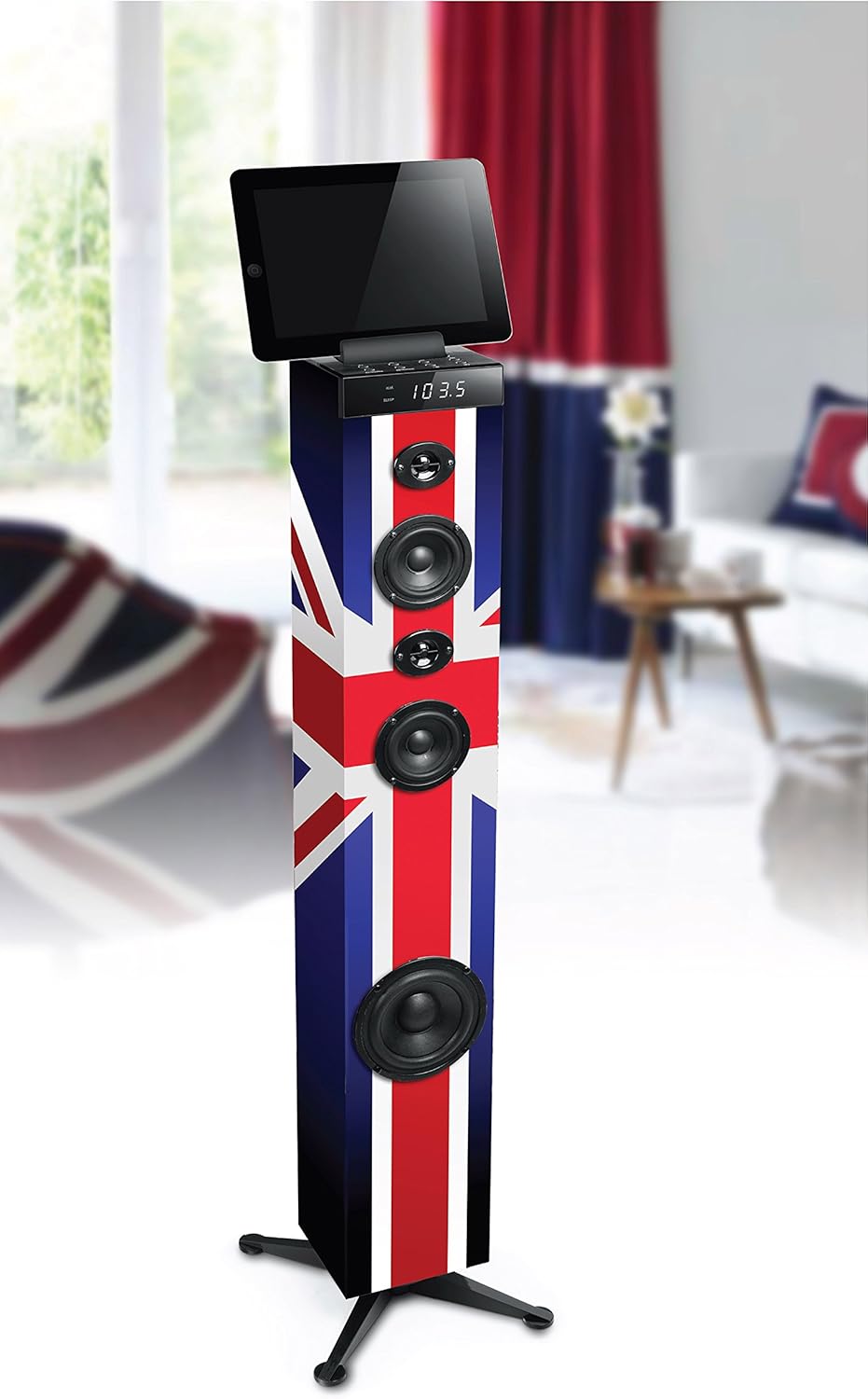
Image 4: The MUSE M-1280 BTK speaker with a tablet on its top surface, illustrating Bluetooth connectivity for media playback.
6.3 FM Redio arụ ọrụ
Iji jiri redio FM:
- Press the Source button to select FM radio mode.
- Press the Scan button (or equivalent on remote) to automatically scan and store up to 20 preset stations.
- Use the Previous/Next buttons to navigate through the preset stations.
6.4 USB and SD/MMC Playback
Insert a USB flash drive or an SD/MMC card into the respective port. The unit will automatically switch to USB/SD mode and begin playing compatible audio files. Use the playback controls (Play/Pause, Skip) on the unit or remote control.
6.5 AUX-In Connection
Connect an external audio device (e.g., TV, MP3 player) to the AUX-In ports using the provided 3.5mm cable or RCA cables. Press the Source button to select AUX mode.
6.6 Ọrụ mkpu
The unit includes an alarm function. Refer to the detailed instructions in the multilingual user manual for setting and managing alarms, as specific steps may vary.
6.7 Volume, Bass, and Treble Control
Adjust the master volume using the rotary knob on the top panel or the Volume +/- buttons on the remote control. Use the dedicated Bass and Treble controls on the remote or unit (if available) to fine-tune the audio output.
7. Nlekọta
7.1 Nhicha
Wipe the unit with a soft, dry cloth. Do not use abrasive cleaners, waxes, or solvents as they may damage the finish. Ensure the unit is unplugged before cleaning.
7.2 Nchekwa
If the unit is not used for an extended period, unplug it from the power outlet and store it in a cool, dry place, away from direct sunlight and extreme temperatures.
8. Nchọpụta nsogbu
If you experience issues with your MUSE M-1280 BTK, consult the following table for common problems and solutions:
| Nsogbu | Ihe nwere ike ime | Ngwọta |
|---|---|---|
| Enweghị ike | Ejikọghị eriri ọkụ; Ọkụ ọkụ anaghị arụ ọrụ | Ensure power cable is securely connected; Test outlet with another device |
| Enweghị ụda | Volume too low; Incorrect source selected; Device not paired (Bluetooth) | Increase volume; Select correct input source; Re-pair Bluetooth device |
| Njikọ Bluetooth ada ada | Ọkà okwu adịghị n'ụdị njikọta; Ngwaọrụ dị anya; Ntinye aka | Ensure speaker is in BT pairing mode; Move device closer; Avoid other wireless devices |
| Nnabata FM adịghị mma | Antenna not extended/positioned correctly; Weak signal | Adjust the FM antenna; Try repositioning the unit |
Ọ bụrụ na nsogbu ahụ dịgidere mgbe ịnwale azịza ndị a, biko kpọtụrụ nkwado ndị ahịa.
9. Nkọwapụta
- Akara: MUSE
- Nọmba nlereanya: M-1280 BTK (Item Model Number: TOUR MULTIMEDIA)
- Ụdị ọkà okwu: 2.1 Channel System with Subwoofer
- Ike mmepụta: 80 Watt
- Teknụzụ Njikọta: AUX, Bluetooth V2.1+EDR, NFC, RCA, USB
- Ntinye Audio: 2 x RCA, 1 x 3.5 mm Jack, USB, SD/MMC Card Reader
- Atụmatụ pụrụ iche: PLL FM Radio (20 presets), Alarm Function, Adjustable Bass/Treble, Display with Dimmer
- Ngwa dakọtara: Laptọọpụ, Smartphone, Mbadamba ụrọ
- Isi mmalite ike: AC 100-240V, 50/60Hz (Power Cable)
- Ihe: Osisi
- Ụdị nkwụnye: Ingrịgo ala
- Akụkụ ngwaahịa (L x W x H): 24.8 x 24.8 x 101.2 cm
- Arọ ngwaahịa: 4.84 n'arọ
- Color/Design: UK Flag Style
10. Akwụkwọ ikike na nkwado
For warranty information and customer support, please refer to the warranty card included with your product or visit the official MUSE websaịtị. Debe ihe akaebe nke ịzụrụ ihe maka akwụkwọ ikike ọ bụla.


