1. Okwu mmalite
This manual provides detailed instructions for the setup, operation, and maintenance of your Cobra ACXT360 Water Resistant Walkie Talkies. These two-way radios are designed for reliable communication in various environments, featuring water resistance, multiple channels, and NOAA weather alerts.

Foto: N'ihu view of a Cobra ACXT360 Walkie Talkie, displaying its screen and control buttons.
2. Ihe ngwugwu
Nyochaa na etinyere ihe niile edepụtara n'okpuru na ngwugwu gị:
- 3 x Cobra ACXT360 Walkie Talkies
- Batrị NiMH 9 x AAA nke a na-eji eme ka ọ dịghachi mma
- 3 x Mpekere eriri
- 1 x USB-Y Cable for charging
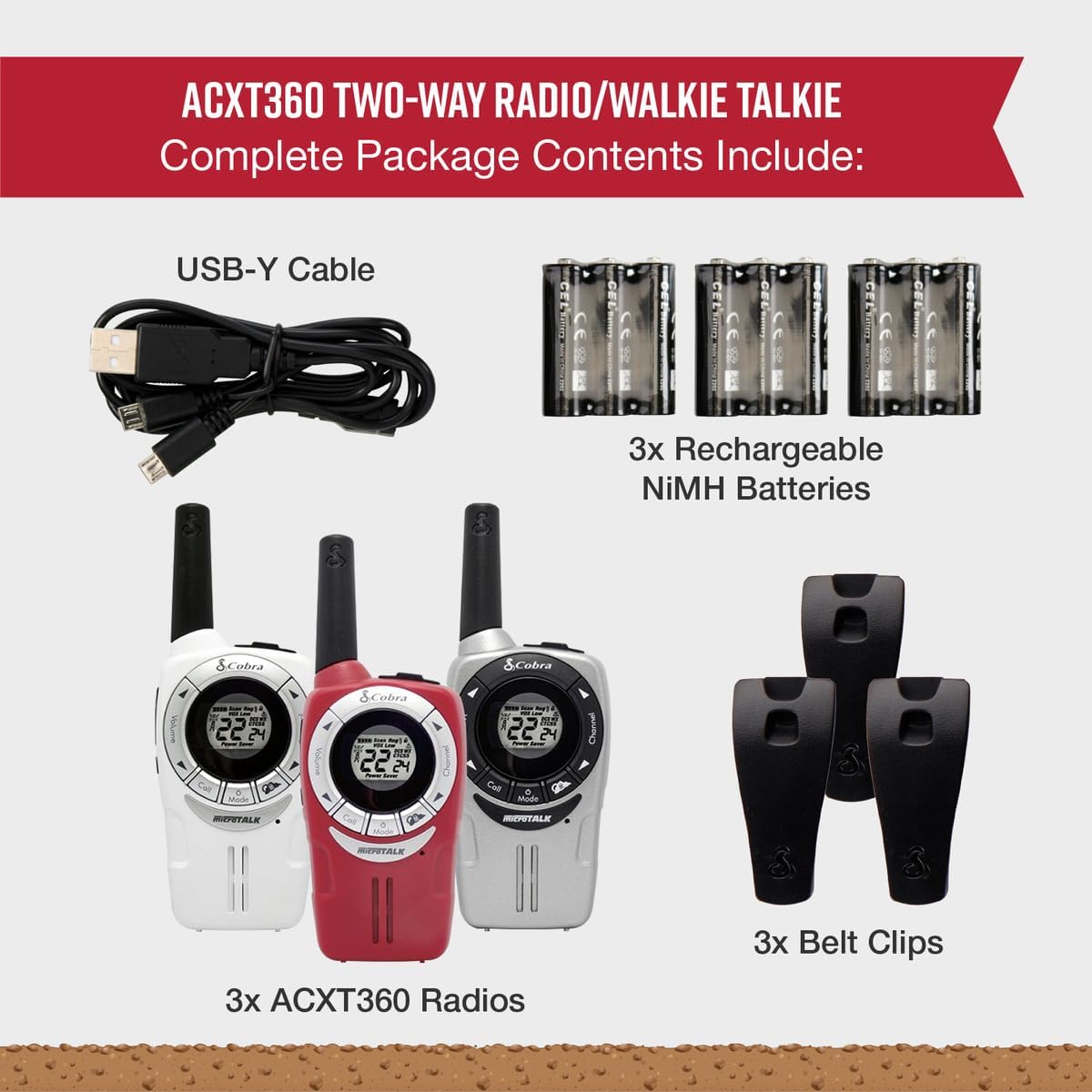
Image: A visual representation of the Cobra ACXT360 package contents, showing three radios, batteries, belt clips, and the charging cable.
3. Nhazi
3.1 Ntinye batrị
- Gbaa mbọ hụ na agbanyụrụ redio.
- Chọta mkpuchi nchekwa batrị n'azụ redio.
- Pịa ala na latch ahụ wee kpughee mkpuchi ahụ.
- Insert 3 AAA rechargeable NiMH batteries into each radio, observing the polarity markings (+/-).
- Dochie mkpuchi nke batrị batrị, hụ na ọ pịrị na ebe nchekwa.
3.2 Ịchaji batrị
The included NiMH batteries are rechargeable. For optimal performance, fully charge the batteries before first use.
- Connect the USB-Y cable to the charging port on the radio.
- Connect the other end of the USB-Y cable to a compatible USB power source (e.g., computer USB port, USB wall adapter).
- The battery indicator on the radio display will show charging status.
- Charging time may vary. Disconnect the cable once charging is complete.
4. Ntuziaka ọrụ
4.1 Gbanyụọ ma ọ bụ gbanyụọ
- Iji gbanye: Pịa ma jide Ike/NchNhr bọtịnụ ruo mgbe ngosi na-enwu.
- Ka ịgbanyụ: Pịa ma jide Ike/NchNhr bọtịnụ ruo mgbe ngosi gbanyụọ.
4.2 Mgbanwe olu
- Jiri ihe Elu elu na Mpịakọta ọnụ buttons (typically located on the side or front) to adjust the listening volume.
4.3 Nhọrọ ọwa
Your ACXT360 radios operate on 22 FRS/GMRS channels.
- Pịa Ọwa Up or Ọwa ala buttons to cycle through available channels.
- The selected channel number will be displayed on the screen.
4.4 Nyefee na ịnata
- Ka ịnyefe: Pịa ma jide Push-to- Talk (PTT) button. Speak clearly into the microphone. Release the PTT button to stop transmitting.
- To receive: Ensure the PTT button is not pressed. The radio will automatically receive transmissions on the selected channel.
4.5 Koodu nzuzo (CTCSS/DCS)
The radios support 121 privacy codes (38 CTCSS and 83 DCS) to help reduce interference from other users on the same channel.
- To set a privacy code: With the radio on, press the NchNhr button until the privacy code setting flashes. Use the Ọwa elu/ala bọtịnụ iji họrọ koodu. Pịa NchNhr ọzọ iji gosi.
- Both radios must be set to the same channel and privacy code to communicate.
4.6 VOX (Voice-Activated Transmission)
VOX allows for hands-free operation, transmitting automatically when you speak.
- To enable/disable VOX: Press the NchNhr button until the VOX icon flashes. Use the Ọwa elu/ala buttons to select a VOX sensitivity level (1-5) or turn it off. Press NchNhr iji gosi.
4.7 Ụda oku
Ị nwere ike ịhọrọ site na ụda oku 5 dị iche iche iji mee ka ndị ọrụ ndị ọzọ mara.
- To select a call tone: Press the NchNhr button until the call tone setting flashes. Use the Ọwa elu/ala bọtịnụ na mbụview and select a tone. Press NchNhr iji gosi.
- To send a call tone: Briefly press the Kpọọ bọtịnụ.
Ọwa ihu igwe NOAA 4.8
Access 24/7 NOAA weather channels for alerts and updates.
- To access NOAA channels: Refer to your radio's specific menu options for weather channel access. This is typically a dedicated button or a menu option.
4.9 Nyochaa ọwa
The scan feature allows you to automatically scan all 22 channels for activity.
- To activate scan: Press the Nyochaa button (often labeled 'S' or integrated with another button). The radio will scan channels until activity is detected.
- To stop scan: Press the Nyochaa button again or the PTT button.
5. Atụmatụ gafereview
The Cobra ACXT360 radios offer several features for enhanced communication:
- Weather-Resistant (IPX2): Designed to withstand light splashes and rain, ensuring reliable operation in various outdoor conditions.
- 22 Channels & 121 Privacy Codes: Na-enye ample communication options and helps minimize interference.
- Mkpu ihu igwe NOAA: Keeps you informed of changing weather conditions.
- VOX Transmission: Na-akwado nkwurịta okwu na-enweghị aka.
- Ụda oku a na-ahazi: Allows for distinct alerts from different callers.
- Nyocha ọwa: Quickly finds active channels.
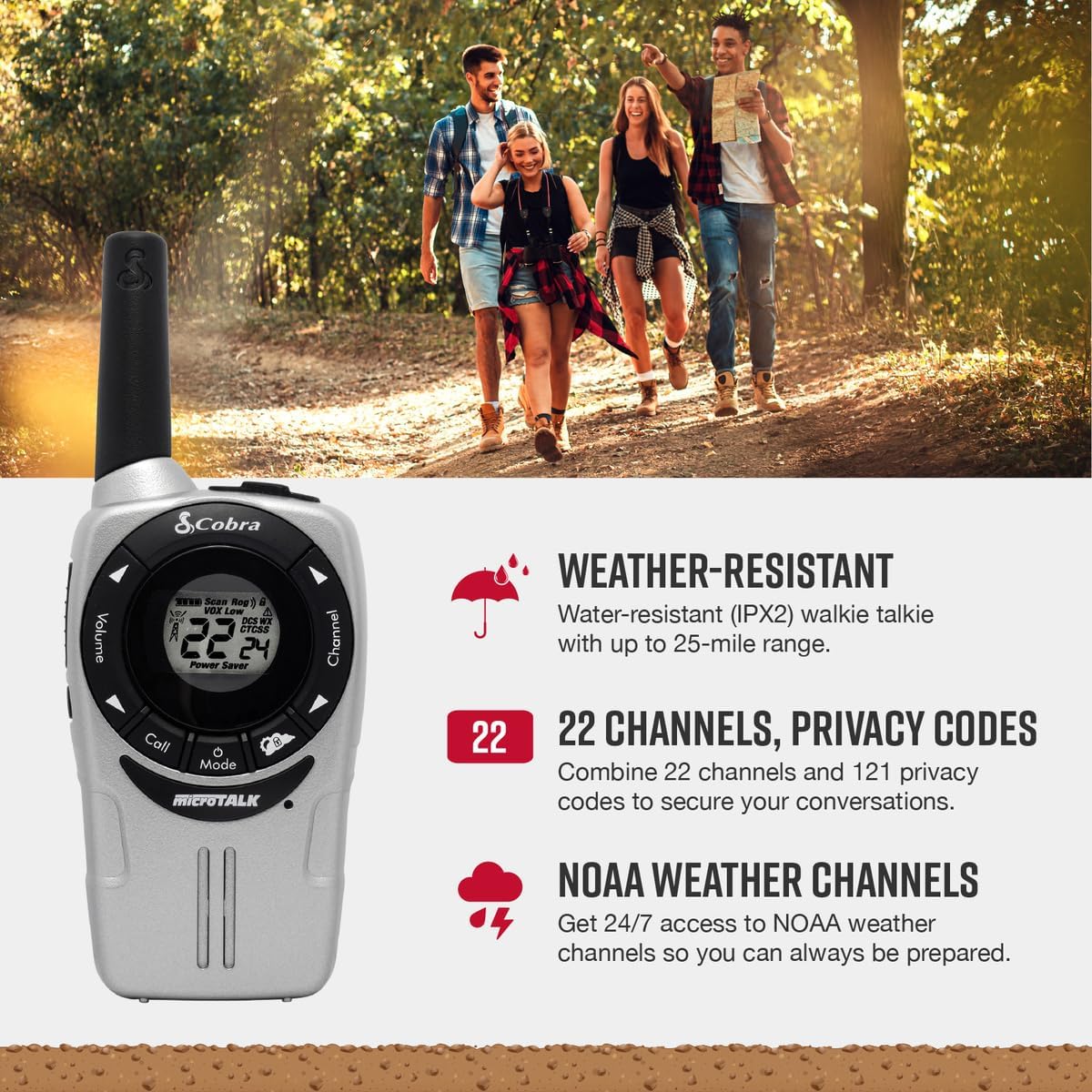
Image: A Cobra ACXT360 radio with icons indicating weather resistance, 22 channels, and NOAA weather alerts.

Image: A Cobra ACXT360 radio with icons indicating VOX transmission, call tones, and channel scan features.
5.1 Understanding Range
The maximum range of a walkie talkie is tested under ideal conditions, such as flat, open terrain with a clear line of sight and no obstructions. The actual usable range can be significantly affected by environmental factors.
- Oke oke: Achieved in optimal conditions with no obstructions.
- Usable Range: Influenced by weather, landscape (hills, valleys), radio signals, elevation, and physical obstructions like trees, foliage, buildings, and mountains.

Image: An illustration explaining the difference between maximum theoretical range and actual usable range for walkie talkies, listing influencing factors.
6. Nlekọta
6.1 Nlekọta n'ozuzu
- Avoid exposing the radios to extreme temperatures, direct sunlight for prolonged periods, or excessive moisture beyond their IPX2 rating.
- Do not drop or subject the radios to severe impacts.
6.2 Nhicha
- Wipe the radio surfaces with a soft, damp akwa . Ejila ihe nchacha abrasive ma ọ bụ ihe mgbaze.
- Gbaa mbọ hụ na ọdụ ụgbọ mmiri ahụ dị ọcha na enweghị irighiri ihe.
6.3 Nlekọta batrị
- Use only the specified AAA rechargeable NiMH batteries.
- If storing the radios for an extended period, remove the batteries to prevent leakage.
- Tụfuo batrị ochie dịka iwu mpaghara siri dị.
7. Nchọpụta nsogbu
| Nsogbu | Ngwọta enwere ike |
|---|---|
| Redio anaghị agbanye ọkụ. | Check battery installation and ensure batteries are charged. Replace batteries if necessary. |
| Enweghị ike ịnyefe ma ọ bụ nata. | Ensure both radios are on the same channel and privacy code. Check battery level. Verify PTT button is functioning. |
| Ogo ọdịyo adịghị mma ma ọ bụ kwụ ọtọ. | Move closer to the other radio. Check for obstructions. Adjust volume. Ensure antenna is not obstructed. |
| Oke oke. | Range is affected by terrain, weather, and obstructions. Try moving to a higher or more open area. |
| VOX not activating. | Adjust VOX sensitivity level in the menu. Speak louder or closer to the microphone. |
8. Nkọwapụta
| Njirimara | Nkọwa |
|---|---|
| Nọmba nlereanya | ACXT360 |
| Akụkụ ngwaahịa | 1.25 x 2 x 5 sentimita (3.18 x 5.08 x 12.7 cm) |
| Ibu Ibu | 3.76 ounce (106.6 grams) |
| Batrị | 6 AAA NiMH rechargeable batteries (3 per radio) |
| Ọnụọgụ nke ọwa | Ọwa FRS/GMRS 22 |
| Koodu nzuzo | 121 (38 CTCSS, 83 DCS) |
| Oke ugboro ugboro | 400-512 MHz (estimated) |
| Oke Okwu Kachasị | Up to 25 Miles (under ideal conditions) |
| Ọkwa Nguzogide mmiri | IPX2 (mmiri na-eguzogide) |
| Atụmatụ pụrụ iche | Battery Strength Indicator, Dust Proof, Long Range, Rechargeable |
9. Akwụkwọ ikike Ozi
Cobra products are designed and manufactured to high standards. For specific warranty details, including coverage period and terms, please refer to the warranty card included with your product or visit the official Cobra websaịtị. Debe ihe akaebe nke ịzụrụ maka akwụkwọ ikike.
10. Nkwado
If you encounter any issues or have questions not covered in this manual, please refer to the following resources:
- Nkwado n'ịntanetị: Visit the official Cobra website for FAQs, product registration, and additional support documentation.
- Ndị ọrụ nlekọta ndị ahịa: Contact Cobra customer service directly for technical assistance. Contact information can typically be found on the manufacturer's webngwugwu saịtị ma ọ bụ ngwaahịa.


