Okwu mmalite
This manual provides essential information for the proper setup, operation, and maintenance of your RCA Cambio 10.1 W101 V2 Windows 10 2-in-1 Tablet PC. Please read these instructions thoroughly before using your device to ensure optimal performance and longevity.
The RCA Cambio 10.1 W101 V2 is a versatile 10-inch tablet powered by an Intel quad-core processor and preloaded with Windows 10. It features a detachable keyboard, allowing for flexible use as both a tablet and a laptop. Key features include Bluetooth connectivity, front and rear 2MP cameras, and 32GB of internal storage.
Melite
1. Unboxing na mbido nyocha
Jiri nlezianya wepụ ihe niile dị na nkwakọ ngwaahịa. Gbaa mbọ hụ na ihe ndị a dị:
- RCA Cambio 10.1 W101 V2 Tablet
- Ahụigodo enwere ike iwepụ
- Ihe nkwụnye ọkụ
Inspect the device for any visible damage. If any components are missing or damaged, contact customer support.
2. Ịchaji ngwaọrụ
Before first use, fully charge the tablet. Connect the power adapter to the charging port on the tablet and then to a power outlet. The charging indicator will illuminate. A full charge may take several hours.
3. Ịtinye ahụigodo a na-ewepụ
Align the tablet with the magnetic connector on the detachable keyboard. Gently push the tablet down until it securely clicks into place. The keyboard does not require separate power or pairing.

Foto: N'azụ view of the RCA Cambio 10.1 W101 V2 tablet with the detachable keyboard attached, illustrating the connection point and available ports.
4. Mmalite Ike na Ntọala Windows 10
Press and hold the power button located on the side of the tablet until the screen illuminates. Follow the on-screen prompts to complete the initial Windows 10 setup, including language selection, network connection, and user account creation.
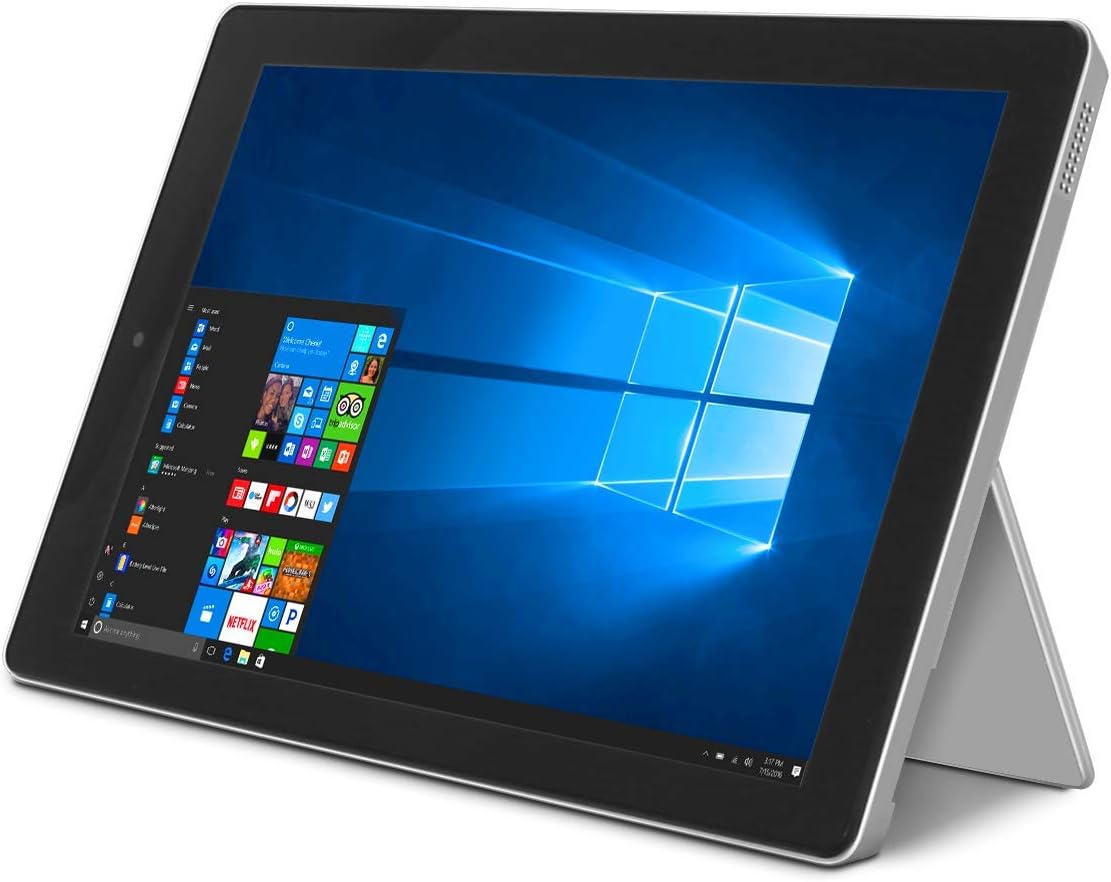
Image: The RCA Cambio 10.1 W101 V2 tablet in laptop mode, showcasing the Windows 10 operating system interface.
Ntuziaka ọrụ
1. Nsoro ụzọ
Ihuenyo mmetụ aka:
The tablet features a multi-touch display. Use gestures such as tap, swipe, pinch-to-zoom, and press-and-hold to interact with the interface.
Ahụigodo na Touchpad:
When the detachable keyboard is connected, you can use the physical keys for typing and the integrated touchpad for cursor control. The touchpad supports multi-touch gestures similar to a laptop touchpad.

Image: The RCA Cambio 10.1 W101 V2 tablet in portrait orientation, showing the Windows 10 Start screen with application tiles.
2. Ijikọ na Wi-Fi
- Mepee Malite NchNhr wee pịa Ntọala.
- Họrọ Netwọk & Ịntanetị.
- Họrọ Wi-Fi site na menu aka ekpe.
- Gbanwee Wi-Fi On ọ bụrụ na ọ kwụsịrị.
- Select your desired network from the list and click Jikọọ.
- Tinye paswọọdụ netwọk ma ọ bụrụ na kpaliri.
3. Njikọ Bluetooth
- Mepee Malite NchNhr wee pịa Ntọala.
- Họrọ Ngwaọrụ.
- Họrọ Bluetooth na ngwaọrụ ndị ọzọ site na menu aka ekpe.
- Gbanwee Bluetooth On.
- Pịa Tinye Bluetooth ma ọ bụ ngwaọrụ ọzọ and follow the instructions to pair with your desired device.
4. Iji igwefoto
The tablet is equipped with front and rear 2MP cameras. To access the camera, open the Igwefoto application from the Start Menu or search bar. You can switch between front and rear cameras within the application interface.
5. Productivity with Microsoft Office 365
The device comes preloaded with Windows 10, which supports Microsoft Office 365 applications. You can create and edit documents, spreadsheets, and presentations. An active subscription to Microsoft Office 365 may be required for full functionality.

Image: The RCA Cambio 10.1 W101 V2 tablet running Microsoft Office applications, highlighting its use for productivity tasks.
6. Njikwa nchekwa
The tablet includes 32GB of internal storage. To manage your storage, go to Ntọala> Sistemu> Nchekwa. Ị nwere ike view storage usage, free up space, and change where new content is saved. Consider using cloud storage or an external microSD card (not included) for additional space.
Nlekọta
1. Na-ehicha ngwaọrụ
Jiri ákwà dị nro, nke na-enweghị lint hichaa ihuenyo na elu mpụta. Maka ihe ndị siri ike, jiri obere d hichaa ya.ampJiri mmiri ma ọ bụ ihe e ji asa ákwà kpuchie ákwà ahụ. Zere iji kemịkalụ siri ike ma ọ bụ ihe ndị na-eme ka ihe dị nro kpuchie ákwà ahụ.
2. Mmelite ngwanrọ
Regularly check for and install Windows updates to ensure your system has the latest security patches and features. Go to Ntọala> Mmelite & Nche> Mmelite Windows ịlele maka mmelite.
3. Nlekọta batrị
Ka ịgbatị ndụ batrị:
- Zere ịchaji batrị ugboro ugboro.
- Ewepụla ngwaọrụ ahụ na oke okpomọkụ.
- Unplug the charger once the battery is fully charged, especially during extended periods of non-use.
4. Ndabere data
Regularly back up important data to an external drive or cloud storage to prevent data loss in case of device malfunction.
Nchọpụta nsogbu
This section addresses common issues you might encounter with your RCA Cambio 10.1 W101 V2.
Ngwaọrụ anaghị agba ọkụ:
- Ensure the device is fully charged. Connect the power adapter and wait a few minutes before attempting to power on again.
- Pịa ma jide bọtịnụ ike ma ọ dịkarịa ala 10-15 sekọnd iji rụọ ọrụ nrụpụta siri ike.
Arụmọrụ nwayọ ma ọ bụ oyi:
- Mechie ngwa na-adịghị mkpa na-agba n'azụ.
- Lelee ma wụnye mmelite Windows ọ bụla na-echere.
- Ensure sufficient free storage space. Delete unnecessary filema ọ bụ bugharịa ha na nchekwa mpụga.
- Malitegharịa ngwaọrụ ahụ.
Okwu njikọ Wi-Fi:
- Ensure Wi-Fi is enabled in Ntọala > Netwọk & Ịntanetị > Wi-Fi.
- Malitegharịa ekwentị Wi-Fi gị na mbadamba.
- Chefuo netwọk ahụ ma jikọọ ọzọ site na itinye paswọọdụ ọzọ.
- Gbaa mbọ hụ na ị nọ na nso nso nke mgbama Wi-Fi.
Nsogbu njikọta Bluetooth:
- Ensure Bluetooth is enabled on both the tablet and the device you are trying to pair.
- Make sure both devices are in pairing mode and within close proximity.
- Remove previously paired devices from the tablet's Bluetooth settings if you are experiencing conflicts.
Ahụigodo Anaghị aza:
- Ensure the keyboard is securely attached to the tablet's magnetic connector.
- Wepụ ma tinyeghachi ahụigodo ahụ.
- Malitegharịa ekwentị ahụ.
Batrị na-agbapụta ngwa ngwa:
- Adjust screen brightness to a lower setting.
- Close background applications and disable unnecessary features like Bluetooth or Wi-Fi when not in use.
- Lelee ojiji batrị n'ime Settings > System > Battery to identify power-consuming applications.
Ntọgharị ụlọ mmepụta ihe (Ebe ikpeazụ):
If issues persist, you may consider performing a factory reset. This will erase all data and reinstall Windows 10. Weghachite data niile dị mkpa tupu ịga n'ihu. Gaa na Settings > Update & Security > Recovery > Reset this PC ma soro ntuziaka na ihuenyo.
Nkọwapụta
| Njirimara | Nkọwapụta |
|---|---|
| Nọmba nlereanya | W101 V2 |
| Sistemụ nrụọrụ | Windows 10 |
| Nha ihuenyo | 10.1 sentimita asatọ |
| Mkpebi ihuenyo | 1280 x800 |
| Nhazi | Intel Quad-Core (1.83 GHz) |
| RAM | 2 GB DDR3 SDRAM |
| Nchekwa nke ime | 32GB Flash ebe nchekwa |
| Njikọ ikuku | 802.11b Wi-Fi, Bluetooth |
| Igwefoto | Front and Rear (2 MP) |
| Batrị | 1 batrị lithium ion (gụnyere) |
| Akụkụ (LxWxH) | 12.2 x 8.5 x 3.15 sentimita asatọ |
| Ibu Ibu | 2.75 pound |
Akwụkwọ ikike na nkwado
For warranty information and technical support, please refer to the documentation included with your product or visit the official RCA support websaịtị. Debe ihe akaebe nke ịzụrụ maka akwụkwọ ikike.
For further assistance, you may contact RCA customer service. Contact details are typically available on the manufacturer's websaịtị.


