1. Ngwaahịa gafereview
The House of Marley Rebel BT On-Ear Headphones offer a blend of superior sound quality and sustainable design. Featuring powerful 40mm drivers and Bluetooth technology, these headphones provide a continuous audio experience. They are crafted with eco-friendly materials, including Regrind silicone rubber and bio-plastic ear housings, reflecting a commitment to environmental responsibility. The design prioritizes comfort and durability, making them suitable for extended use.

Foto 1: N'ihu view of the House of Marley Rebel BT On-Ear Headphones.
2. Kedu ihe dị na Igbe ahụ
Upon unboxing your Rebel BT headphones, ensure all components are present:
- Rebel BT On-Ear Headphones
- Removable Audio Cable with In-Line Microphone and 1-Button Remote
- USB Charging Cable (Micro-USB)
- Akwụkwọ ntuziaka (akwụkwọ a)
3. Akụrụngwa Ngwaahịa
- Ụda kacha elu: Equipped with 40mm dynamic drivers for balanced audio and enhanced bass.
- Ikuku Njikọ: Bluetooth technology for seamless pairing with compatible devices.
- Njikọta abụọ: Use wirelessly via Bluetooth or wired with the included 3.5mm audio cable.
- Njikwa agbakwunyere: On-ear controls for volume adjustment, track navigation (play, pause, skip), and power.
- Igwe okwu arụnyere n'ime ya: For hands-free calls, available both wirelessly and via the removable cable.
- Ogologo ndụ batrị: Rechargeable lithium-ion battery provides up to 10 hours of continuous Bluetooth playback.
- Nhazi na-adịgide adịgide: Constructed with Regrind silicone rubber and 70% bio-plastic ear housings.
- Dị mma: Lightweight on-ear design with a durable polymer headband for extended wear.

Figure 2: Key features of the headphones, including durable construction, wireless controls, and extended playtime.
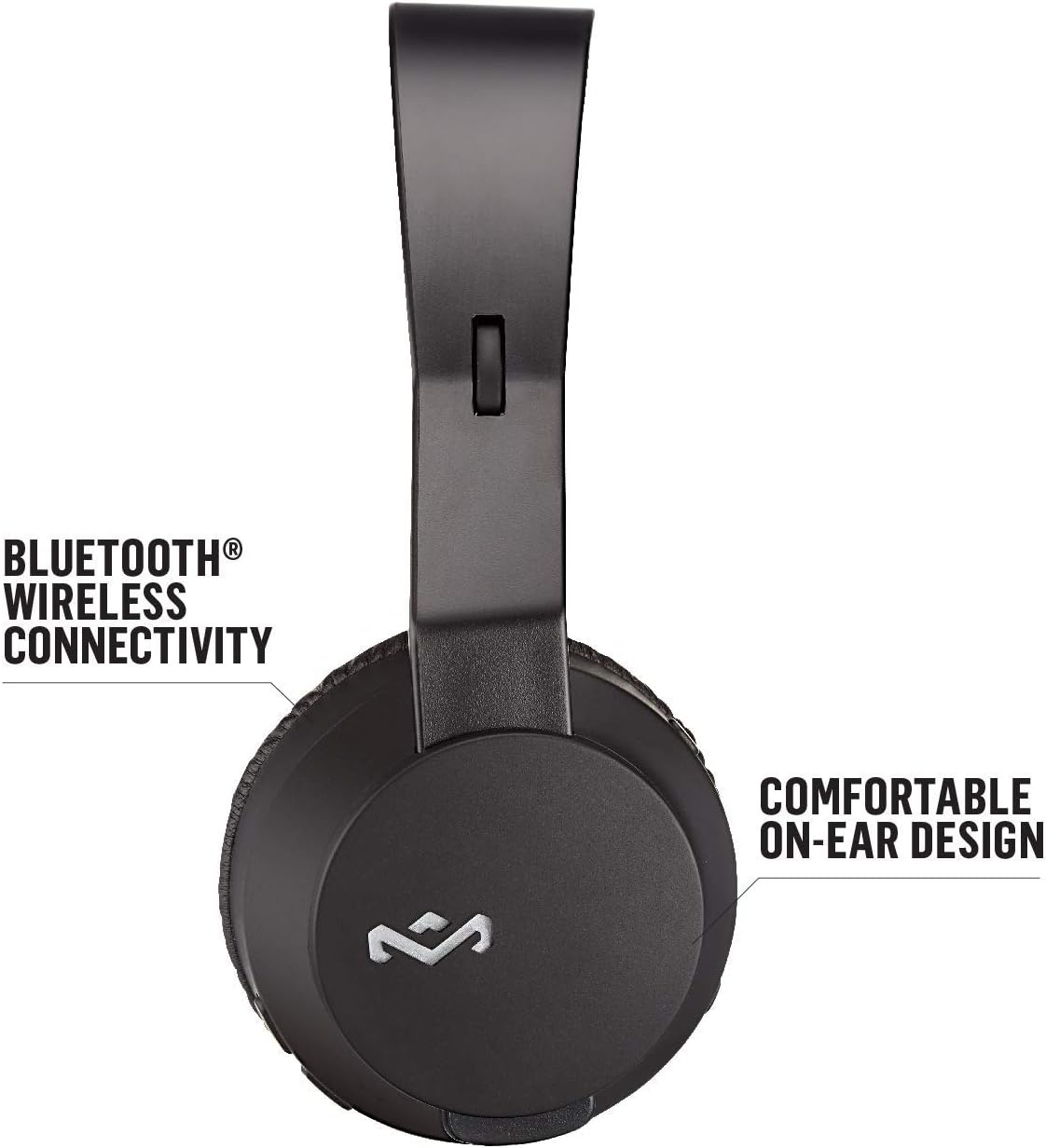
Figure 3: Illustrates the Bluetooth wireless connectivity and comfortable on-ear design of the headphones.

Figure 4: Details the sustainable materials used in the headphones, including Regrind silicone rubber and bio-based polymer.
4. Nhazi
4.1 Ịchaji ekweisi
Before first use, fully charge your Rebel BT headphones. Connect the micro-USB end of the provided USB charging cable to the charging port on the headphone ear cup. Connect the USB-A end to a compatible USB power source (e.g., computer USB port, USB wall adapter). The LED indicator will show charging status and turn off when fully charged.
4.2 Gbanyụọ/ gbanyụọ
- To Power On: Press and hold the Power button until the LED indicator lights up.
- To Power Off: Press and hold the Power button until the LED indicator turns off.
4.3 Njikọ Bluetooth
- Gbaa mbọ hụ na agbanyụrụ ekweisi.
- Press and hold the Power button for approximately 5-7 seconds until the LED indicator flashes blue and red, indicating pairing mode.
- Na ngwaọrụ gị (smartphone, tabletị, kọmpụta), mee ka Bluetooth nwee ike wee chọọ ngwaọrụ dị.
- Select "Rebel BT" from the list of found devices.
- Ozugbo ejikọtara ya, ihe ngosi LED dị na ekweisi ga-agbanwe acha anụnụ anụnụ ma ọ bụ anụnụ anụnụ nwayọ.
Rịba ama: Ekweisi ndị a ga-anwa ijikọghachi na ngwaọrụ ikpeazụ ejikọtara ozugbo mgbe agbanyere ya.
5. Ntuziaka ọrụ
5.1 Njikwa ịkpọghachi egwu
- Gwuo/kwụsịtụ: Pịa bọtịnụ ọtụtụ ọrụ otu ugboro.
- Track na-esote: Press and hold the Volume Up button.
- Gara aga Track: Pịa ma jide bọtịnụ ụda ala.
- Olu elu: Pịa obere bọtịnụ Mpịakọta Elu.
- Olu ala: Pịa obere bọtịnụ Mbelata Olu.
5.2 Njikwa oku
- Azịza/Kwụsị Oku: Pịa bọtịnụ ọtụtụ ọrụ otu ugboro.
- Jụ oku: Pịa ma jide bọtịnụ ọtụtụ ọrụ.
5.3 Njikọ wired
To use the headphones in wired mode, connect the 3.5mm audio cable to the audio input port on the headphone ear cup and the other end to your audio device's 3.5mm output. The in-line microphone and 1-button remote on the cable can be used for basic controls (play/pause, answer/end call) when connected via wire.
Video 1: Official product video for House of Marley Rebel Wireless Headphones. This video provides an overview of the headphones' features and usage.
6. Nlekọta
- Nhicha: Jiri akwa dị nro dị nro hichaa ekweisi. Ejila ihe nchacha abrasive ma ọ bụ ihe mgbaze.
- Nchekwa: Chekwaa ekweisi n'ebe dị jụụ, kpọrọ nkụ na-adịghị na ìhè anyanwụ kpọmkwem na oke okpomọkụ.
- Nlekọta batrị: Ka ịgbatị ndụ batrị ogologo, zere ịchaji batrị ugboro ugboro. Na-akwụ ụgwọ mgbe niile, ọbụlagodi na ejighị ya ogologo oge.
- Zere mmiri mmiri: These headphones are not water-resistant. Avoid exposure to water or excessive moisture.
7. Nchọpụta nsogbu
| Nsogbu | Ihe nwere ike ime | Ngwọta |
|---|---|---|
| Igwe ekweisi anaghị agba ọkụ | Batrị dị ala | Chajie ekweisi nke ọma. |
| Enweghị ike ijikọ site na Bluetooth | Headphones not in pairing mode; device Bluetooth off; too far from device | Ensure headphones are in pairing mode (flashing red/blue LED). Turn on Bluetooth on your device. Move headphones closer to the device (within 10 meters). |
| Enweghị ụda | Volume too low; incorrect audio source; headphones not connected | Increase volume on headphones and device. Check if the correct audio source is selected on your device. Re-pair Bluetooth or ensure wired connection is secure. |
| Ogo ụda adịghị mma | Interference; low battery; damaged audio cable | Move away from other wireless devices. Charge the headphones. Try using the wired connection or a different audio cable. |
8. Nkọwapụta
- Aha nlereanya: Nnupu isi
- Nọmba nlereanya: EM-JH101-BK
- Akara: Marley
- Agba: Nwa
- Ntinye ntị: Na Ntị
- Teknụzụ Njikọta: Bluetooth, 3.5 mm Jack
- Nha ọkwọ ụgbọ ala ọdịyo: 40mm
- Batrị: 1 batrị lithium polymer (gụnyere)
- Continuous Playback: Up to 10 hours (Bluetooth)
- Ihe: Regrind Silicone Rubber, 70% Bio-Plastic Ear Housings
- Akụkụ ngwaahịa: 2.5 x 7.5 x 7.5 sentimita asatọ
- Ibu ihe: 7.1 ounce (gram 200)
- Ụdị njikwa: Media Control, Music, Touch Control
- Ọkwa Nguzogide mmiri: Ọ bụghị mmiri na-eguzogide
- UPC: 846885007266

Figure 5: Dimensions of the headphones in comparison to a standard smartphone.
9. Akwụkwọ ikike na nkwado
For warranty information and customer support, please refer to the official House of Marley websaịtị ma ọ bụ kpọtụrụ ndị ahịa ha ozugbo. Debe ihe akaebe nke ịzụrụ ihe maka akwụkwọ ikike ọ bụla.
Ndị ọchịchị Websaịtị: www.thehouseofmarley.com
Maka nkwado na akụrụngwa ndị ọzọ, ị nwekwara ike ịga na Marley Store on Amazon.


