1. Okwu mmalite
This manual provides comprehensive instructions for the Panasonic KX-TGF372S DECT 2-Handset Landline Telephone. Designed for home and home office use, this system offers advanced communication features including Link2Cell Bluetooth connectivity, robust call blocking capabilities, and an integrated answering machine. Please read this manual thoroughly to ensure proper setup and operation of your telephone system.
2. Nhazi
2.1 Ịkwapụ ihe na ụgwọ mbụ
Carefully remove all components from the packaging. Place the handsets on their respective charging bases. Allow the handsets to charge for at least 7 hours before initial use to ensure optimal battery performance.
2.2 Ijikọ Isi Ihe
- Jikọọ ihe nkwụnye AC na ngalaba ntọala wee tinye ya n'ime oghere eletrik ọkọlọtọ.
- Jikọọ eriri ahịrị ekwentị na ngalaba ntọala wee banye na jakị mgbidi ekwentị gị.
- Gbaa mbọ hụ na njikọ niile echekwara.
2.3 ịtọ ụbọchị na oge
Follow the on-screen prompts on the handset to set the current date and time. This is crucial for accurate call logging and answering machine timestamps.
2.4 Njikọ njikọ Bluetooth Cell2
To pair your smartphone(s) with the Link2Cell system, activate Bluetooth on your smartphone and follow the pairing instructions provided in the handset menu. Up to two smartphones can be paired simultaneously.
3. Ntuziaka ọrụ
3.1 Ịkpọ na ịnata oku
- Ka ịkpọọ oku: Pịa KWURU pịa bọtịnụ, wee pịa nọmba ahụ.
- Iji nata oku: Pịa KWURU bọtịnụ mgbe ekwentị na-ada.
- Using Link2Cell: Once paired, you can make and receive cell calls directly from your Panasonic handsets.
3.2 Igwe Azịza
- Agbanye/ Gbanyụọ: Jiri ihe Gbanye/ Gbanyụọ azịza bọtịnụ dị na isi ihe.
- Ozi egwu: Pịa KWURU/Kwụsị on the base unit or access through the handset menu.
- Ekele ndekọ ndekọ: Customize your answering machine greeting via the handset menu.
3.3 Mgbochi oku
Utilize the dedicated Oku na-akpọ button on the base unit or handsets to block unwanted numbers. The system can block up to 250 numbers.
3.4 Intercom arụ ọrụ
Use the intercom feature to communicate between handsets or between a handset and the base unit. Refer to the handset menu for intercom initiation.
4. Atụmatụ igodo
- Link2Cell Bluetooth System: Easily pair up to two smartphones to make and receive cell calls from handsets.
- NJ onye na-akpọ okwu: Hear caller ID alerts from Link2Cell handsets when texts are received.
- Mgbochi oku: Block up to 250 unwanted numbers with a one-touch button on the base unit and handsets.
- Akwụkwọ ekwentị: Store up to 3,000 numbers for quick access.
- Nleba anya nwa: Utilize a handset as a baby monitor to listen in on another room.
- Battery Power Backup: Ensures continued operation during power outages.
- Mbelata mkpọtụ: Na-eme ka o doo anya site n'ibelata mkpọtụ ndabere.
5. Nlekọta
- Nhicha: Wipe the telephone and base unit with a soft, damp akwa . Ejila ihe nchacha abrasive ma ọ bụ ihe mgbaze.
- Nlekọta batrị: Replace rechargeable batteries when their performance diminishes. Use only recommended battery types.
- Nchekwa: Ọ bụrụ na ị na-echekwa unit ahụ ruo ogologo oge, wepụ batrị na ekwentị.
6. Nchọpụta nsogbu
| Nsogbu | Ngwọta |
|---|---|
| Enweghị ụda ọkpụkpọ | Check all cable connections. Ensure the telephone line cord is securely plugged into the wall jack and base unit. |
| Ekwentị anaghị akwụ ụgwọ | Ensure the handset is correctly seated in the charging cradle. Verify the AC adapter is plugged in. Clean charging contacts if necessary. |
| Cannot make/receive calls via Link2Cell | Confirm Bluetooth is enabled on your smartphone and it is paired with the base unit. Ensure the smartphone is within range. |
| Poor call quality/noise | Gaa nso na nkeji ntọala. Lelee maka ndabichi sitere na ngwaọrụ eletrọnịkị ndị ọzọ. |
7. Nkọwapụta
- Nọmba nlereanya: KX-TGF372S
- Akara: Panasonic
- Ụdị ekwentị: Cordless DECT 6.0
- Handsets Included: 2
- Ụdị Sistemu na-aza: Dijitalụ
- Nchọpụta onye ọkpụkpọ: Ee
- Bluetooth: Link2Cell (Class 1)
- Ikike akwụkwọ ekwentị: nọmba 3,000
- Call Block Capacity: Ruo ọnụọgụgụ 250
- Isi mmalite ike: Battery Powered (Rechargeable Ni-MH)
- Agba: Ọlaọcha
- Akụkụ ngwugwu: 12.91 x 9.88 x 4.8 sentimita asatọ
- Ibu ihe: 2.64 pound
8. Mgbasa ozi ngwaahịa
Onyonyo ngwaahịa

The Panasonic KX-TGF372S DECT 2-Handset Landline Telephone system, featuring a main base unit with an integrated answering machine and two cordless handsets. The base unit includes a large display and control buttons for easy operation, while the handsets offer clear displays and ergonomic keypads.

A zuru ezu view of the Panasonic KX-TGF372S handset and its base unit. The handset features a clear LCD screen, large, easy-to-read buttons, and dedicated keys for talk, off, volume, and call block. The base unit also has an answering machine control panel.

A close-up of the Panasonic KX-TGF372S handset highlighting its large, well-spaced buttons for easy dialing and navigation. The display is bright and clear, enhancing readability for all users.
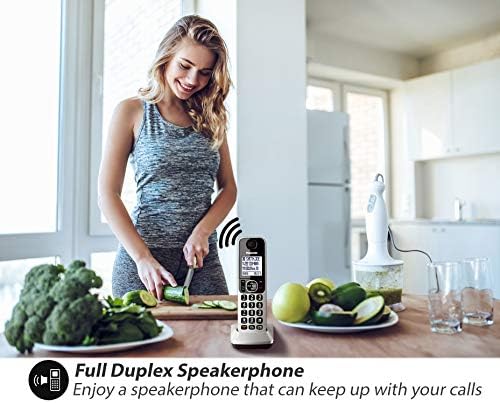
A woman using the Panasonic KX-TGF372S handset's full duplex speakerphone feature while preparing food in a kitchen. This illustrates the convenience of hands-free communication during daily activities.
Vidiyo ngwaahịa ngwaahịa
This video demonstrates how to stay connected with your favorite contacts using Panasonic cordless phones. It highlights the ease of use and reliable communication provided by the system.
A short instructional video showcasing the Bluetooth pairing process for Panasonic Cordless Phones, specifically for models like the KX-TGD89*/TGF89*. This feature allows seamless integration with smartphones.
This video highlights the pre-installed Call Block feature on Panasonic Cordless Phones, demonstrating how it helps manage and reduce unwanted calls, enhancing user privacy and convenience.
9. Akwụkwọ ikike & Nkwado
This product is offered as an Amazon Renewed item. For specific warranty details and support, please refer to the Amazon Renewed program terms and conditions or contact the seller directly. Typically, Amazon Renewed products come with a 90-day refund or replacement policy.
For technical assistance or further inquiries regarding your Panasonic KX-TGF372S telephone, please visit the official Panasonic support website or consult the full operating instructions manual included with your purchase.


