1. Okwu mmalite
This manual provides detailed instructions for the setup, operation, and maintenance of your Marathon Digital Desktop Clock, Model CL030050BK. This compact and versatile digital clock is designed for use on a desk or nightstand, offering time, date, day of the week, and temperature displays, along with a dual alarm function and a button-activated backlight.
2. Ngwaahịa gafereview

Foto 2.1: N'ihu view of the Marathon Digital Desktop Clock CL030050BK, showing its large digital display with time, date, day, and temperature.
2.1 Atụmatụ
- Large, High-Quality Display: Enhanced contrast for clear legibility.
- Nightowl Super Glow Backlight: Button-activated, gentle blue backlight that illuminates for approximately 10 seconds.
- Ọrụ Mkpu abụọ: Separate alarm settings for weekdays (Monday-Friday) and weekends (Saturday-Sunday).
- Bọtịnụ snooze: Conveniently located for temporary alarm suspension.
- Ụdị ngosi ọtụtụ: Time in 12 or 24-hour format, temperature in Fahrenheit or Celsius.
- Multilingual Day of Week: Displays the day of the week in seven languages: English, Dutch, French, Spanish, Italian, Danish, and German.
- Nhazi kọmpat na dị fechaa: Ideal for desktop, nightstand, or travel.
Ihe ngwugwu 2.2
- 1 x Marathon Digital Desktop Clock CL030050BK
- Batrị 3 x AAA (gụnyere)
- 1 x Akwụkwọ ntuziaka onye ọrụ
3. Nhazi
3.1 Ntinye batrị
- Chọta mkpuchi nke ebe batrị dị n'azụ elekere ahụ.
- Mia mkpuchi ala ka imeghe akụkụ ahụ.
- Insert 3 new AAA batteries, ensuring the correct polarity (+ and -) as indicated inside the compartment.
- Dochie mkpuchi nke batrị ahụ site n'ịtụgharị ya elu ruo mgbe ọ pịa ebe ọ dị.
3.2 Ike mbido
Upon successful battery installation, the clock display will activate, typically showing a default time and date. It is recommended to perform a reset after battery installation to ensure optimal performance.
3.3 Resetting the Clock
To reset the clock, use a thin, pointed object (like a paperclip) to press the recessed Tụgharịa button located on the back of the unit. This will clear all settings and return the clock to its factory defaults.
4. Ntuziaka ọrụ
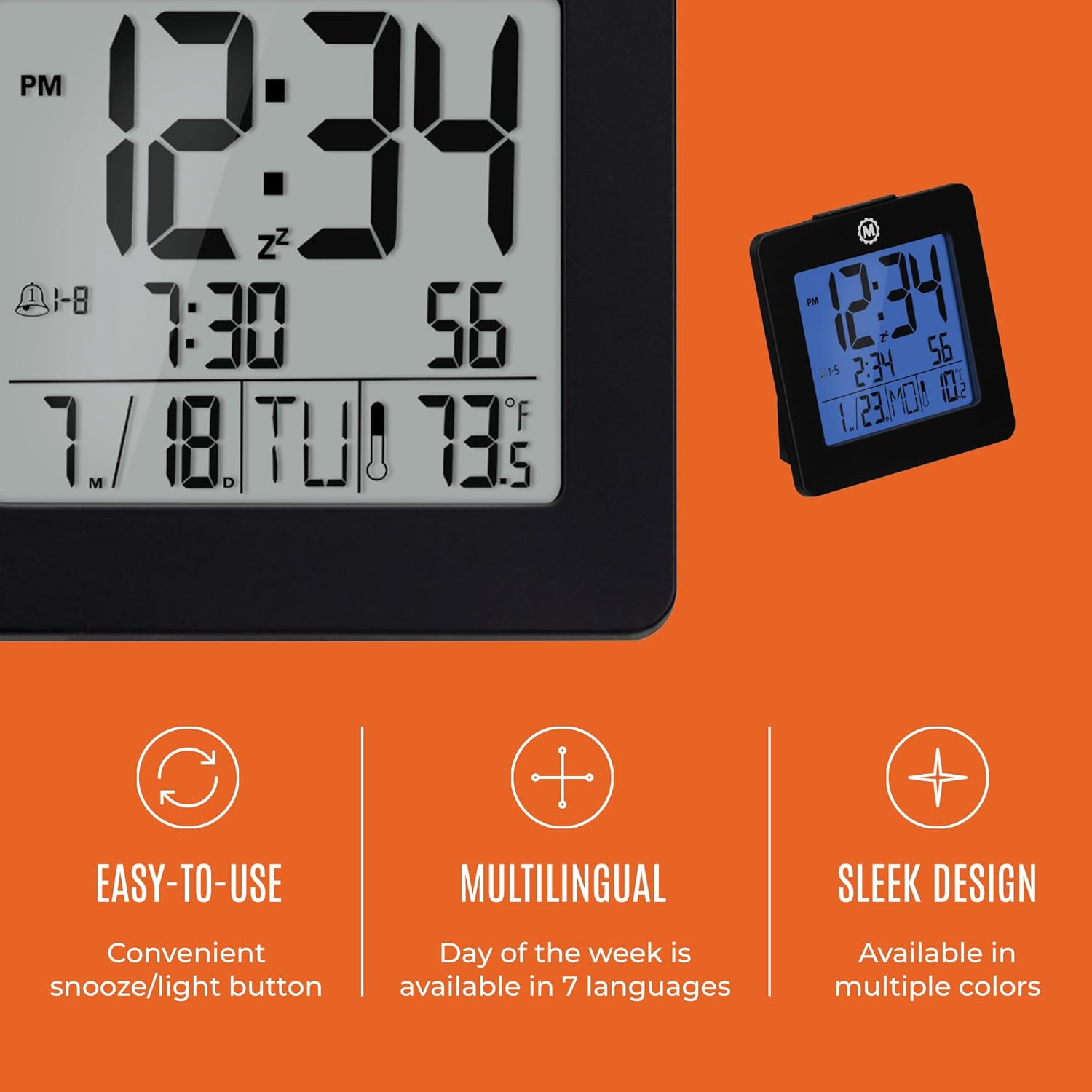
Nyocha 4.1: N'eluview of key features and design elements.
4.1 bọtịnụ Ọrụ
The clock features several buttons on the back for configuration:
- Edị: Toggles between Time, Alarm, and Timer display modes.
- WEP :TARA: Enters setting mode for the currently displayed mode (Time, Alarm, Timer).
- UP / 12/24: In setting mode, increases the value. In time display mode, toggles between 12-hour and 24-hour format.
- DOWN / °C/°F: In setting mode, decreases the value. In time display mode, toggles between Celsius and Fahrenheit temperature units.
- LIGHT / SNOOZE: Activates the backlight for 10 seconds. When the alarm sounds, press to activate snooze.
- Tọgharia: Resets the clock to factory defaults (requires a pointed object).
4.2 Ịtọ oge na ụbọchị
- Pịa MODE button until the time is displayed.
- Pịa ma jide SET button for approximately 3 seconds until the year flashes.
- Jiri ihe UP or N'ala bọtịnụ iji dozie afọ.
- Pịa SET to confirm and move to the month setting.
- Repeat steps 3 and 4 to set the month, day, 12/24-hour format, hour, and minute.
- After setting the minutes, press SET to exit time/date setting mode.
4.3 Setting the Day of Week Language
While in time display mode, repeatedly press the UP or N'ala button to cycle through the 7 available languages for the day of the week display (English, Dutch, French, Spanish, Italian, Danish, German).
4.4 Setting the Temperature Unit
While in time display mode, press the DOWN / °C/°F button to toggle the temperature display between Celsius (°C) and Fahrenheit (°F).
4.5 Setting the Dual Alarm
- Pịa MODE button until the alarm time is displayed (indicated by an alarm icon).
- Pịa ma jide SET button for approximately 3 seconds until the alarm hour flashes.
- Jiri ihe UP or N'ala bọtịnụ iji dozie elekere mkpu.
- Pịa SET to confirm and move to the alarm minute setting.
- Repeat steps 3 and 4 to set the alarm minute.
- After setting the minutes, press SET to select the alarm type: Weekday (1-5) or Weekend (6-7). Use UP or N'ala ịhọrọ.
- Pịa SET to confirm and exit alarm setting mode.
- Iji mee ka mkpu ahụ rụọ ọrụ/gbanyụọ ya, pịa bọtịnụ UP button while in alarm display mode. An alarm icon will appear/disappear on the screen.
4.6 Using the Snooze and Backlight
Pịa nnukwu Ìhè / snoo button on the top of the clock to activate the blue backlight. The backlight will remain illuminated for approximately 10 seconds. If the alarm is sounding, pressing this button will activate the snooze function, temporarily silencing the alarm for a short period before it sounds again.
5. Nlekọta
- Nhicha: Wipe the clock with a soft, dry cloth. Avoid using abrasive cleaners or solvents.
- Ngbanwe batrị: Replace all 3 AAA batteries when the display becomes dim or the clock functions erratically. Always replace with new batteries of the same type.
- Nchekwa: If storing the clock for an extended period, remove the batteries to prevent leakage.
6. Nchọpụta nsogbu
| Nsogbu | Ihe nwere ike ime | Ngwọta |
|---|---|---|
| Ngosipụta bụ oghere ma ọ bụ nchara nchara. | Batrị dị ala ma ọ bụ nwụrụ anwụ. | Dochie batrị AAA anọ niile. |
| Incorrect time/date displayed. | Settings were not saved or incorrect. | Perform a reset and re-enter time/date settings as per Section 4.2. |
| Oti mkpu anaghị ada ụda. | A naghị arụ ọrụ mkpu ma ọ bụ ahazighị ya nke ọma. | Ensure the alarm is activated (alarm icon visible) and the alarm time is correctly set (Section 4.5). |
| Ìhè azụ anaghị arụ ọrụ. | Low batteries or button malfunction. | Dochie batrị. Ọ bụrụ na nsogbu ahụ anọgide, kpọtụrụ ndị ọrụ nkwado ndị ahịa. |
7. Nkọwapụta
- Nọmba nlereanya: CL030050BK
- Akara: Marathon
- Ụdị ngosi: Dijitalụ
- Agba: Nwa
- Akụkụ ngwaahịa: 3.7"W x 3.7"H
- Ibu ihe: 5.6 ounces
- Isi mmalite ike: Battery Powered (3 x AAA batteries included)
- Ihe: Plastic
- Ụdị nkwụnye: N'elu tebụl
- Njirimara Pụrụ Iche: Button-activated backlight, dual alarm, temperature display, multilingual day of week.
8. Akwụkwọ ikike na nkwado
8.1 Ozi akwụkwọ ikike
This Marathon Digital Desktop Clock CL030050BK comes with a 1-afọ akwụkwọ ikike site na ụbọchị azụrụ ya. Akwụkwọ ikike a na-ekpuchi ntụpọ nrụpụta na ọrụ aka n'oge ojiji nkịtị. Ọ naghị ekpuchi mmebi sitere na ojiji na-ezighị ezi, ihe mberede, mgbanwe na-akwadoghị, ma ọ bụ mmebi nkịtị.
8.2 Nkwado ndị ahịa
For technical assistance, troubleshooting, or warranty claims, please visit the official Marathon website or contact their customer service department. Please have your model number and proof of purchase ready when contacting support.


