Okwu mmalite
Thank you for choosing the Baseus Golden Cudgel Stylus. This multi-purpose stylus is designed for precise touch control and delicate strokes on both tablets and smartphones. Featuring a soft silicone tip and a dual-purpose design, it offers a smooth and comfortable experience for various activities, including writing, drawing, and gaming. This manual provides essential information on setting up, operating, maintaining, and troubleshooting your stylus to ensure optimal performance.
Njirimara ngwaahịa
- Precise touch control and delicate stroke for accurate input.
- Dual-purpose design suitable for both handwriting and general navigation.
- Soft silicone tip ensures smooth interaction and protects screen surfaces.
- Ergonomic design for comfortable long-term use.
- Compatible with a wide range of smartphones and tablets.
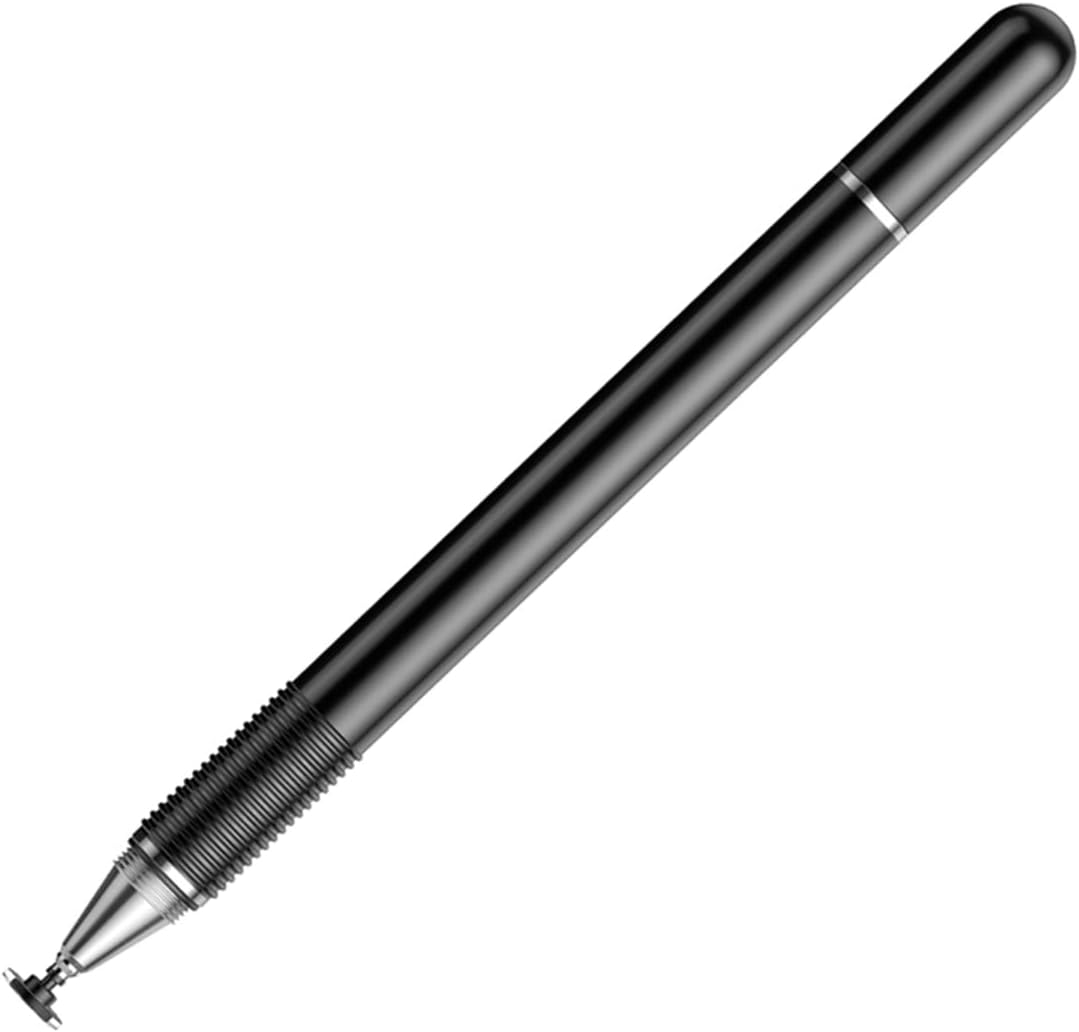
Foto 1: The Baseus Golden Cudgel Stylus in black, showcasing its sleek design and soft silicone tip. This image provides an overall view nke ngwaahịa.
Ihe ngwugwu
Upon opening the package, please verify that all items are present and in good condition. The standard package for the Baseus Golden Cudgel Stylus includes:
- 1 x Baseus Golden Cudgel Stylus
- Akwụkwọ ntuziaka onye ọrụ 1 x (akwụkwọ a)

Foto 2: An illustration showing the main components of the Baseus Golden Cudgel Stylus, including the body and the tip.
Melite
The Baseus Golden Cudgel Stylus is designed for immediate use without complex setup procedures.
- Unboxing: Carefully remove the stylus from its packaging.
- Nnyocha Ndụmọdụ: Ensure the soft silicone tip is securely attached and free from any damage.
- Dị njikere iji: The stylus does not require batteries, charging, or Bluetooth pairing. It is ready for use directly on your compatible touchscreen device.
Ntuziaka ọrụ
The Baseus Golden Cudgel Stylus provides a natural and intuitive way to interact with your touchscreen devices.
Ojiji zuru oke
- Hold the stylus as you would a regular pen.
- Gently touch the silicone tip to your device's screen to navigate, select, or input text.
- The stylus is designed for precise control, making it ideal for detailed tasks.

Foto 3: Demonstrates the sensitive touch control and delicate stroke capability of the stylus while drawing on a tablet.
For Business and Office Work
Enhance your productivity by using the stylus for note-taking, document annotation, and precise navigation in office applications. Its responsive tip allows for quick and accurate input.

Foto 4: The stylus provides convenient and fast performance for business and office tasks on a tablet.
Maka Ịgba Cha Cha
Experience smoother and more comfortable gameplay, especially for touch-intensive games. The stylus provides improved accuracy and control compared to finger input.

Foto 5: Enjoy a smooth and comfortable game experience using the stylus on a smartphone.
Dual-Purpose Handwriting
The stylus is designed to mimic the feel of a traditional pen, making it ideal for digital handwriting and drawing. The soft silicone tip allows for a natural flow.

Foto 6: The stylus functions as a dual-purpose handwriting pen, suitable for digital note-taking and drawing.

Foto 7: The stylus tip allows for smooth drawing and drafting with up to 180° inclination, providing flexibility in use.
Nlekọta
Proper care and maintenance will extend the lifespan of your Baseus Golden Cudgel Stylus.
- Nhicha: Wipe the stylus body and tip with a soft, dry, lint-free cloth. Do not use abrasive cleaners or solvents.
- Nchekwa: Store the stylus in a clean, dry place away from direct sunlight and extreme temperatures. Avoid placing heavy objects on top of it.
- Ndụmọdụ nlekọta: Avoid pressing the tip excessively hard against the screen, as this can cause premature wear. If the tip becomes damaged, it may affect performance.
Nchọpụta nsogbu
If you encounter issues with your Baseus Golden Cudgel Stylus, please refer to the following common problems and solutions:
| Nsogbu | Ihe nwere ike ime | Ngwọta |
|---|---|---|
| Stylus not responding or inconsistent response. | Dirty screen or stylus tip; screen protector interference; device compatibility issue. | Clean your device's screen and the stylus tip. Ensure your screen protector is thin and properly applied. Verify your device is a compatible touchscreen model. |
| Tip feels rough or scratched. | Wear and tear; foreign particles on tip. | Inspect the tip for damage. Clean the tip thoroughly. If severely worn, consider replacing the stylus if performance is significantly affected. |
| Stylus leaves marks on screen. | Dirty tip; screen not clean. | Clean both the stylus tip and your device's screen with a soft, lint-free cloth. |
Nkọwapụta
| Njirimara | Uru |
|---|---|
| Ụdị | Baseus |
| Nlereanya | Golden Cudgel Stylus |
| Agba | Nwa |
| Ihe onwunwe | Plastic |
| Ibu ngwaahịa | 0.02 kilogram |
| Ngwa dakọtara | Smartphones, mbadamba |
Akwụkwọ ikike na nkwado
A na-emepụta ngwaahịa Baseus n'ọkwa kachasị elu. Maka ozi gbasara mkpuchi akwụkwọ ikike, nkwado teknụzụ, ma ọ bụ ajụjụ ọrụ, biko lee kaadị akwụkwọ ikike dị na nzụta gị ma ọ bụ gaa na Baseus gọọmentị. websaịtị.
Ị nwekwara ike ịga na Ụlọ Ahịa Baseus dị na Amazon maka ozi ngwaahịa ọzọ na akụrụngwa nkwado.


