Okwu mmalite
Thank you for choosing the Altec Lansing iMW475 Mini Life Jacket Bluetooth Speaker. This speaker is designed for portability and durability, featuring a rugged, compact, waterproof, dustproof, and shockproof design. It also floats, making it ideal for outdoor and water-related activities. This manual provides essential information for setting up, operating, and maintaining your speaker.
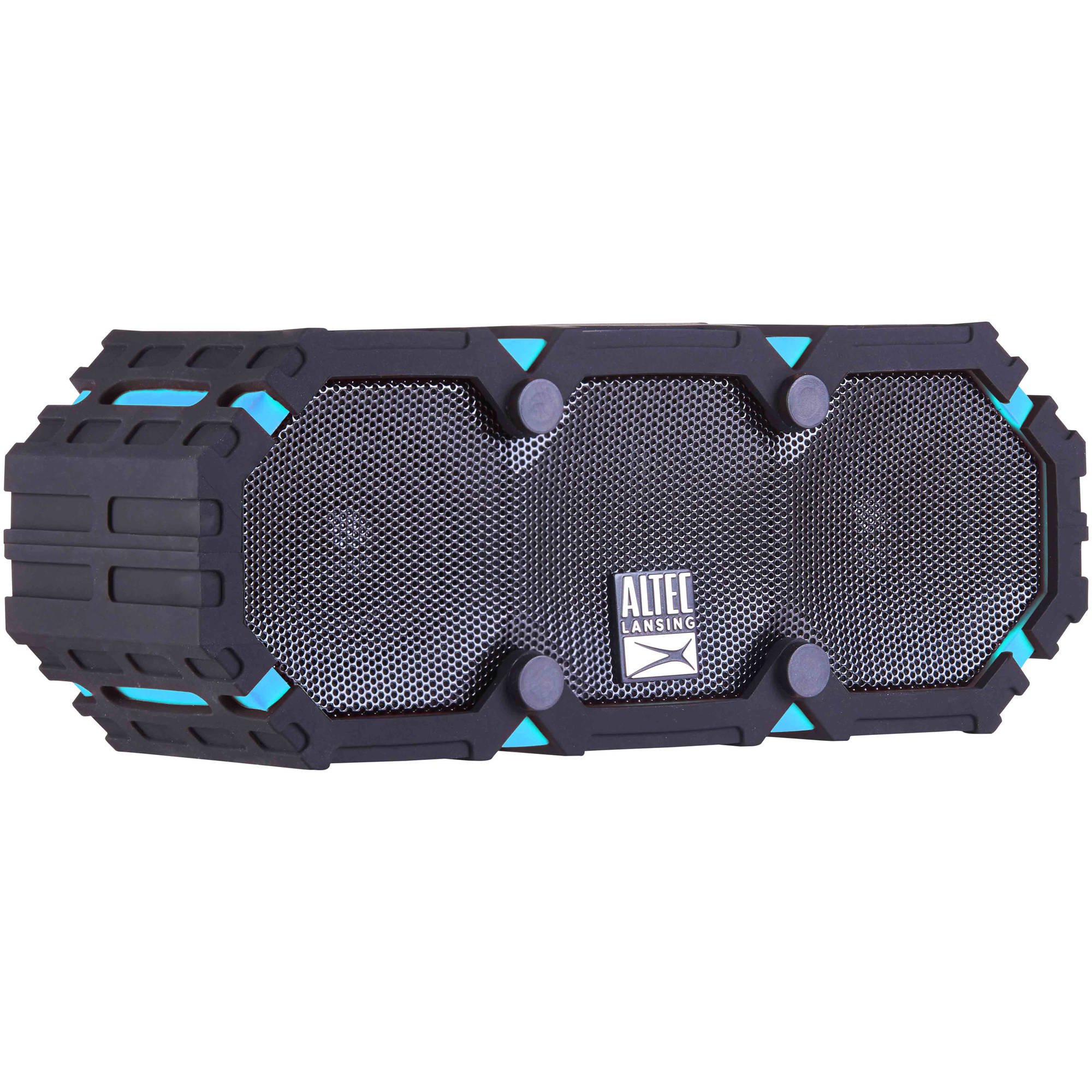
Image: The Altec Lansing iMW475 Mini Life Jacket Bluetooth Speaker, showcasing its compact, rugged design in black and blue.
Ihe ngwugwu
- Altec Lansing iMW475 Mini Life Jacket Bluetooth Speaker
- Arịọnụ mgbodo
- USB Chaja eriri (Note: Specific cable type not detailed in product data, typically Micro-USB or USB-C)
- Auxiliary Cable (Note: Not explicitly listed but common for such speakers)
- Ntuziaka mmalite ngwa ngwa (Not explicitly listed but common)
Biko hụ na ihe niile dị tupu ịmalite ịtọlite.
Njikwa na egosi
The speaker features intuitive controls for power, volume, and Bluetooth pairing. Specific button layouts may vary slightly, but common functions include:
- Bọtịnụ ike: Pịa ma jide iji gbanye ma ọ bụ gbanyụọ ọkà okwu.
- Mgbakwunye olu/Bọtịnụ egwu na-esote: Press to increase volume. Hold to skip to the next track.
- Mbelata olu/Bọtịnụ egwu gara aga: Press to decrease volume. Hold to go to the previous track.
- Play/Pause/Call Button: Press to play or pause audio. Press to answer or end a phone call. Hold to activate voice assistant (if supported by your device).
- Bọtịnụ Njikọ Bluetooth: Pịa ma jide ka ịbanye ọnọdụ njikọ Bluetooth.
- Ihe ngosi LED: Displays power status, charging status, and Bluetooth connection status.
Refer to the quick start guide included with your product for a detailed diagram of button placement.
Melite
1. gingchaji Okwu Okwu
Before first use, fully charge your Altec Lansing iMW475 speaker. A full charge provides approximately 10 hours of battery life.
- Locate the charging port, usually protected by a waterproof flap.
- Jikọọ eriri USB chaja enyere na ọdụ chaja nke ọkà okwu.
- Jikọọ nsọtụ nke ọzọ nke eriri USB na ihe nkwụnye ọkụ USB (anaghị etinye ya) ma ọ bụ ọdụ ụgbọ USB nke kọmputa.
- The LED indicator will show the charging status (e.g., solid red while charging, off or green when fully charged).
- Once fully charged, disconnect the cable and ensure the waterproof flap is securely closed.
2. Njikọ Bluetooth
Iji jikọọ igwe okwu gị na ngwaọrụ Bluetooth nwere ike ịrụ ọrụ:
- Ensure the speaker is charged and turned off.
- Pịa ma jide bọtịnụ Ike iji gbanye ọkà okwu ahụ. Ihe ngosi LED ga-enwu, nke na-egosi na ọ nọ n'ọnọdụ njikọta.
- On your mobile device (smartphone, tablet, laptop), go to the Bluetooth settings.
- Chọọ maka available devices. You should see "iMW475" or a similar name in the list.
- Select "iMW475" to connect. The LED indicator will turn solid when successfully paired.
- A voice prompt may confirm "You are now connected."
- Once paired, the speaker will automatically connect to the last paired device when turned on, if the device is within range (up to 30 feet or 9.14 meters).
Ntuziaka ọrụ
Na-akpọ Audio
- After successful Bluetooth pairing, open your preferred music application on your connected device.
- Start playing audio. The sound will be routed through your Altec Lansing iMW475 speaker.
- Use the Volume Up/Down buttons on the speaker or your connected device to adjust the audio level.
- Press the Play/Pause button to pause or resume playback.
- Hold the Volume Up/Down buttons to skip tracks forward or backward.
Ịkpọ oku na-enweghị aka
The speaker features an onboard microphone for hands-free communication.
- When a call comes in, the music will pause, and you will hear a ringtone through the speaker.
- Press the Play/Pause/Call button once to answer the incoming call.
- Speak clearly into the speaker's microphone.
- To end the call, press the Play/Pause/Call button once again.
- To reject an incoming call, press and hold the Play/Pause/Call button.
Iji ntinye ihe inyeaka
For devices without Bluetooth, you can connect via the auxiliary input.
- Locate the auxiliary input port, usually protected by a waterproof flap.
- Connect one end of a 3.5mm auxiliary cable (not included) to the speaker's AUX port.
- Jikọọ nsọtụ nke ọzọ na igwe ekweisi nke ngwaọrụ ọdịyo gị.
- The speaker will automatically switch to AUX mode, or you may need to press the Mode button (if available).
- Jikwaa ọkpụkpọ egwu na olu site na ngwaọrụ ọdịyo ejikọtara gị.
Nlekọta
- Nhicha: Jiri nwayọ hichaa ọkà okwu, damp akwa . Ejila ihe nchacha abrasive ma ọ bụ ihe mgbaze.
- Nlekọta mgbochi mmiri: Ensure all port covers are securely closed before exposing the speaker to water to maintain its waterproof integrity. After exposure to saltwater or chlorinated water, rinse the speaker with fresh water and allow it to air dry completely.
- Nchekwa: Chekwaa ọkà okwu n'ebe dị jụụ, kpọrọ nkụ na-adịghị na ìhè anyanwụ kpọmkwem na oke okpomọkụ.
- Nlekọta batrị: Iji mee ka batrị dị ogologo, zere ịgbapụta batrị ahụ mgbe niile. Chajie igwe okwu mgbe niile, ọbụlagodi na ọ naghị eji ya ruo ogologo oge.
Nchọpụta nsogbu
| Nsogbu | Ngwọta |
|---|---|
| Ọkà okwu anaghị agbanwuo. | Ensure the battery is charged. Connect the speaker to a power source using the USB charging cable. |
| Enweghị ụda sitere na ọkà okwu. |
|
| Njikọ Bluetooth ada ada. |
|
| Poor audio quality or distortion. |
|
Nkọwapụta
- Aha nlereanya: iMW475 Mini Life Jacket
- Ụdị ọkà okwu: N'èzí
- Atụmatụ pụrụ iche: Waterproof, Dustproof, Shockproof, Floats
- Njikọta: Bluetooth
- Ogologo Bluetooth: Ruo 30 ụkwụ (mita 9.14)
- Ndụ batrị: Ruo awa iri abụọ
- Isi mmalite ike: Battery and AC (via USB charging)
- Ụkpụrụ mmepụta ụda: Stereo
- Ike Nwepụta Kachasịnụ: 10 Watt
- Usoro njikwa: Voice, Buttons
- Ngwa gụnyere: Arịọnụ mgbodo
- Akụkụ ngwaahịa: 7 x 3 x 4.5 sentimita asatọ
- Ibu ihe: 1 paụnd (16 ounces)
- Ọkwa Nguzogide mmiri: Waterproof
- UPC: 021331205841
Akwụkwọ ikike na nkwado
Altec Lansing products are designed for reliability and performance. For specific warranty information regarding your iMW475 Mini Life Jacket Bluetooth Speaker, please refer to the warranty card included with your purchase or visit the official Altec Lansing websaịtị.
For technical support, frequently asked questions, or to register your product, please visit the Altec Lansing support page or contact their customer service directly. Contact details are typically available on the manufacturer's websaịtị.
Note: Warranty terms and conditions may vary by region and retailer. Keep your proof of purchase for warranty claims.


