1. Okwu mmalite
The Motorola Solutions HKLN4606 Remote Speaker Microphone is designed to enhance communication efficiency for users of compatible Motorola business two-way radios. This accessory allows for convenient communication without needing to remove the radio from a belt or holster, providing flexibility and ease of use in various work environments.
It features an external speaker, a microphone, a Push-to-Talk (PTT) button, and an adjustable spring clip for secure attachment.
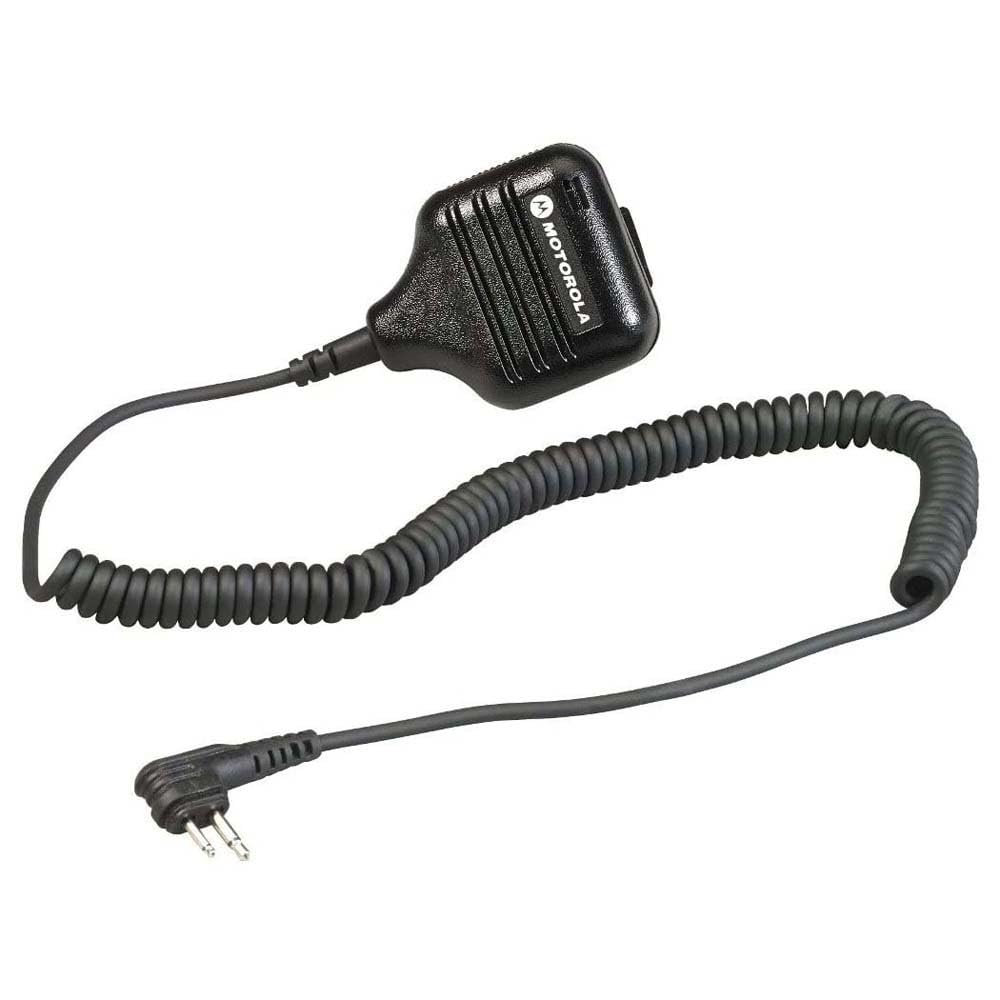
Foto 1: Motorola Solutions HKLN4606 Remote Speaker Microphone. This image displays the black remote speaker microphone with its coiled cord and two-pin connector.
2. Kedu ihe dị na Igbe ahụ
Mgbe ị meghere ngwugwu ahụ, hụ na ihe ndị a gụnyere:
- Motorola Solutions HKLN4606 Remote Speaker Microphone unit
Note: The main unit includes the speaker, microphone, Push-to-Talk button, adjustable spring clip, coiled cord, and radio connector.
3. Ntọala na nwụnye
- Identify Compatible Radio: Ensure your two-way radio is compatible with the HKLN4606. This microphone is designed for Motorola CLS, DLR, RM, and RDX Series Business Radios.
- Chọta Ọdụ Ngwa: Turn off your radio. Locate the accessory port on the side of your compatible Motorola two-way radio.
- Jikọọ igwe okwu: Align the two-pin connector of the HKLN4606 Remote Speaker Microphone with the radio's accessory port. Gently push the connector firmly into the port until it is securely seated.
- Igwe okwu echekwara: Use the adjustable spring clip on the back of the microphone to attach it to your clothing (e.g., lapel, collar, shoulder strap) in a position that allows for clear audio transmission and reception.
- Redio Ike: Turn on your radio. The radio should now recognize the connected accessory.
For optimal performance, ensure the connection is secure and the microphone is positioned correctly.
4. Ntuziaka ọrụ
The HKLN4606 Remote Speaker Microphone simplifies communication by allowing you to transmit and receive audio directly through the accessory.
- Ọdịda na-anata: When your radio receives a transmission, the audio will be heard through the speaker on the remote microphone.
- Na-ezipụ ọdịyo (Push-to-Talk - PTT):
- Press and hold the large Push-to-Talk (PTT) button located on the side of the microphone.
- Speak clearly into the microphone, keeping it approximately 2-3 inches from your mouth.
- Hapụ bọtịnụ PTT ka ịkwụsị ịnyefe wee laghachi na ọnọdụ nnata.
- Na-agbanwe olu: Adjust the volume using the controls on your connected two-way radio. The remote speaker microphone does not have independent volume controls.
- Ndokwa: Ensure the microphone is positioned to capture your voice clearly and that the speaker is audible to you. The adjustable clip allows for flexible placement.
5. Nlekọta na nlekọta
Proper care will extend the life and performance of your HKLN4606 Remote Speaker Microphone.
- Nhicha: Wipe the microphone with a soft, damp Ákwà. Ejila kemịkalụ siri ike ma ọ bụ ihe nhicha na-eme ka ihe dị nro. Hụ na ihe nrụzi ahụ kpọrọ nkụ tupu e jiri ya.
- Nchekwa: Store the microphone in a cool, dry place when not in use. Avoid extreme temperatures.
- Ijikwa: Avoid dropping the unit or subjecting it to strong impacts. Do not pull on the cord excessively, as this can damage internal wiring or the connector.
- Mkpughe mmiri: This device is not waterproof. Avoid exposing it to rain, splashes, or immersion in water.
6. Nchọpụta nsogbu
| Nsogbu | Ihe nwere ike ime | Ngwọta |
|---|---|---|
| No audio from speaker microphone. |
|
|
| Cannot transmit (PTT button unresponsive). |
|
|
| Poor audio quality (static, unclear). |
|
|
If troubleshooting steps do not resolve the issue, please contact Motorola Solutions customer support.
7. Nkọwapụta
| Njirimara | Nkọwa |
|---|---|
| Aha Nlereanya | HKLN4606 |
| Ụdị | Ngwọta Motorola |
| Ihe kpatara ụdị igwe okwu | Ejidere |
| Teknụzụ Njikọta | Ekwenyere |
| Ụdị njikọ | M03 (Two-pin) |
| Ngwa dakọtara | Motorola CLS, DLR, RM, RDX Series Business Radios |
| Ihe onwunwe | Plastic |
| Agba | Nwa |
| Akụkụ ihe (L x W x H) | 5.3 x 2.4 x 10.9 sentimita (13.46 x 6.1 x 27.69 cm) |
| Ibu Ibu | 3.99 ounce (113 grams) |
| Njirimara Pụrụ Iche | Adjustable Spring Clip |
| Isi Iyi Ike | Eriri eletriki (nke redio na-arụ ọrụ) |
| UPC | 748091000447 |
| Onye nrụpụta | Motorola Solutions Business Radios |
8. Akwụkwọ ikike na nkwado
For information regarding the warranty coverage for your Motorola Solutions HKLN4606 Remote Speaker Microphone, please refer to the warranty documentation provided with your original purchase or visit the official Motorola Solutions websaịtị.
If you require technical assistance, troubleshooting beyond this manual, or warranty service, please contact Motorola Solutions customer support. Contact details can typically be found on the official Motorola Solutions websaịtị ma ọ bụ site na onye na-ere gị ikike.
Ihe dị mkpa: Motorola recommends purchasing only from authorized dealers to ensure genuine products and valid warranty support.


