1. Okwu mmalite
This manual provides detailed instructions for the proper installation, operation, and maintenance of your Sony MEX-N4200BT Single-Din Car Stereo Receiver. Please read this manual thoroughly before using the unit to ensure correct usage and to prevent damage. Keep this manual for future reference.
2. Ozi nchekwa
- Nchekwa ịnya ụgbọ ala: Always operate the unit safely. Distracted driving can lead to accidents.
- Ọkwa olu: Debe ụda ahụ n'ọkwa ebe ị ka nwere ike ịnụ ụda n'èzí, dịka ụgbọ ala mberede.
- Isi mmalite ike: Jikọọ unit naanị na batrị ụgbọ ala 12V DC nwere ala adịghị mma.
- Wiring: Ensure all wiring is correctly connected to prevent short circuits or damage. Refer to the wiring diagram carefully.
- Nwụnye ọkachamara: If you are unsure about installation, consult a qualified professional.
- Zere mmiri mmiri: Ewepụla unit ahụ na mmiri ozuzo ma ọ bụ mmiri iji gbochie ọkụ ma ọ bụ ujo eletrik.
3. Ihe ngwugwu
Chọpụta na ihe niile dị na ngwugwu:
- Sony MEX-N4200BT Car Stereo Receiver
- Nessgba Harị
- Igwe okwu mpụga
- Njikwa anya
- Installation Hardware (Screws, Mounting Sleeve)
- Akwụkwọ ntuziaka (akwụkwọ a)
4. Ntọala na nwụnye
Proper installation is crucial for optimal performance. Disconnect the vehicle's negative battery terminal before starting installation.
4.1 eserese waya
Refer to the diagram below for correct wiring connections. Ensure all connections are secure and insulated.

Foto 4.1: N'azụ view of the Sony MEX-N4200BT receiver, illustrating the wiring harness connection points, RCA pre-outputs for front, rear, and subwoofer, the external microphone input, and the 10A fuse. The multi-colored wires of the harness are visible, indicating connections for power, ground, speakers, and accessories.
- Ike (Yellow): Jikọọ na ike 12V mgbe niile.
- Ngwa (Uhie uhie): Jikọọ na ike 12V nke a gbanwere (ọkụ ọkụ).
- Ala (Oji): Connect to a clean chassis ground point.
- Wires ọkà okwu: Connect to vehicle's speaker wires, observing polarity.
- Remote Turn-On (Blue/White): Jikọọ na amplifier remote input (if applicable).
- Igwe okwu: Plug the external microphone into the designated input on the rear panel. Position the microphone in a clear area for optimal voice pickup.
- Ihe Ndị Ga-eme Tupu Oge: Use RCA cables to connect to external amplifiers for front, rear, and subwoofer channels.
4.2 Na-arịgo
Insert the mounting sleeve into the dashboard opening. Bend the tabs to secure it. Slide the receiver into the mounting sleeve until it locks into place.
4.3 Ike mbido
After all connections are made and the unit is mounted, reconnect the vehicle's negative battery terminal. Turn on the vehicle's ignition. The unit should power on. Follow any on-screen prompts for initial setup, such as language selection or clock setting.
5. Ọrụ
5.1 Njikwa ntọala
Familiarize yourself with the front panel controls for easy operation.

Foto 5.1: Front panel of the Sony MEX-N4200BT receiver, displaying the main rotary knob (volume/enter), source button, call buttons, seek buttons, display button, and numbered preset buttons. The unit features blue illumination around the main controls.
- Rotary Knob (Volume/Enter): Turn to adjust volume. Press to select menu items or confirm actions.
- Bọtịnụ SRC (Isi iyi): Press to cycle through available audio sources (Tuner, CD, USB, Bluetooth Audio, AUX).
- CALL Buttons: Use for hands-free calling (answer/end calls).
- SEEK +/- Buttons: Use to change radio stations, tracks, or navigate menus.
- Bọtịnụ MENU: Access the main menu for settings and adjustments.
- Bọtịnụ nwere nọmba (1-6): Used for radio station presets, direct track selection, or menu navigation.
- DSPL (Display) Button: Changes display information or illumination settings.
5.2 Njikọ Bluetooth
The MEX-N4200BT features built-in Bluetooth for hands-free calling and audio streaming.
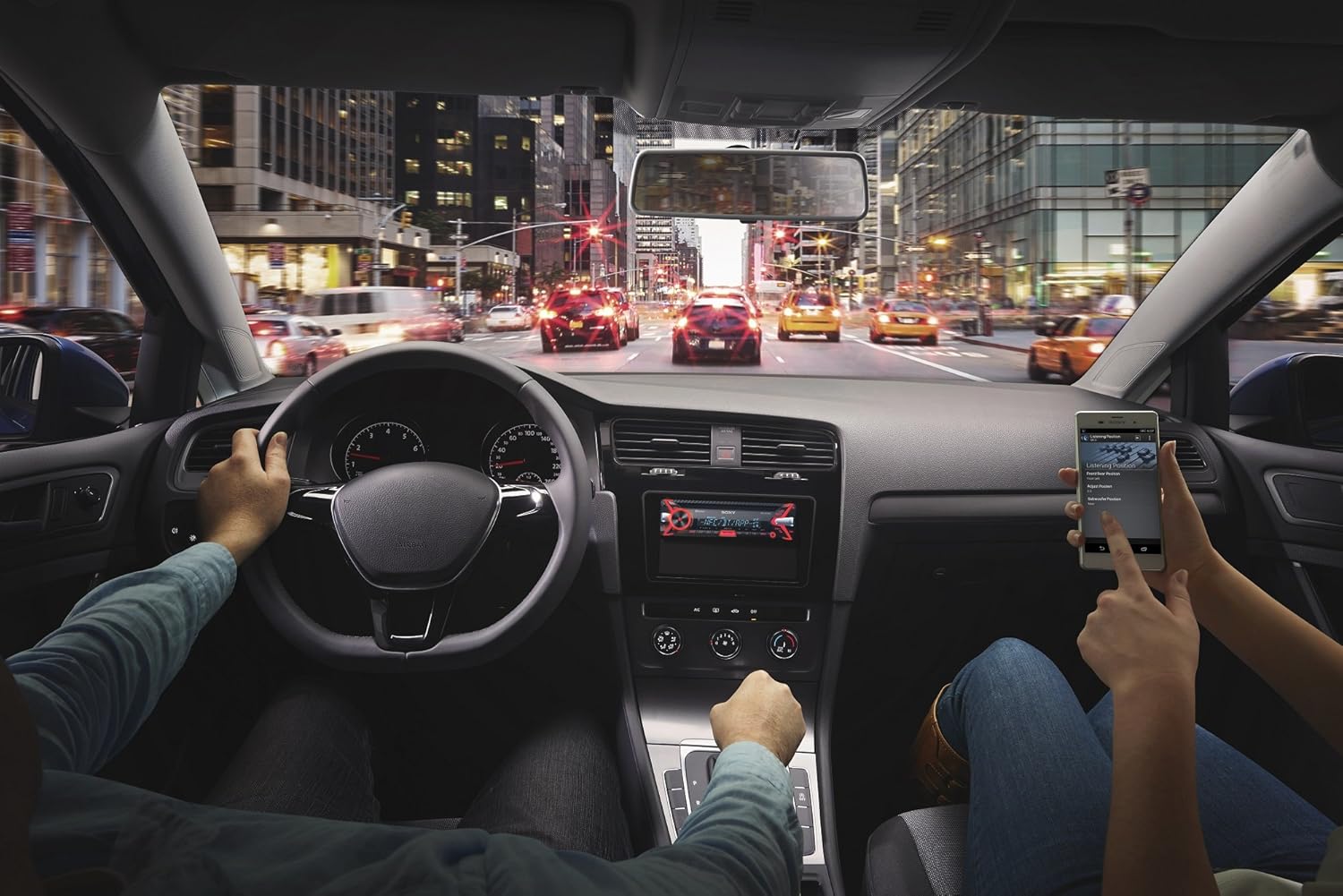
Foto 5.2: An in-car scene demonstrating smartphone integration with the car stereo. The driver is focused on the road, while a passenger interacts with a smartphone, likely controlling music or navigation through the Sony MEX-N4200BT receiver.
- Na-ejikọta:
- Gbanwuo Bluetooth na ekwentị gị.
- On the receiver, select the Bluetooth source.
- Chọọ maka available devices on your smartphone and select "MEX-N4200BT".
- Kwenye koodu njikọ ma ọ bụrụ na kpaliri ya.
- Hands-Free Calling (HFP, PBAP):
- Once paired, you can make and receive calls through the receiver.
- Use the CALL buttons on the front panel.
- The external microphone ensures clear voice transmission.
- The unit supports Phone Book Access Profile (PBAP) to display caller names.
- Audio Streaming (A2DP, AVRCP):
- Stream music wirelessly from your smartphone to the receiver.
- Use the receiver's controls (SEEK buttons) or your smartphone to play, pause, and skip tracks.
- Supports Advanced Audio Distribution Profile (A2DP) for high-quality audio and Audio/Video Remote Control Profile (AVRCP) for basic remote functions.
- Njikọ Bluetooth abụọ: The unit allows connecting two Bluetooth devices simultaneously. One for full functionality (hands-free, audio streaming) and a second for hands-free calling only.
5.3 USB playback
Connect a USB device (flash drive, smartphone) to the front USB port for audio playback.
- Supported audio formats include MP3, WMA, and FLAC.
- Use the SEEK buttons to navigate folders and tracks.
- The USB port also provides charging for connected devices.
5.4 CD/MP3 Playback
Insert a CD into the disc slot. The unit will automatically switch to the CD source and begin playback.
- Supports CD, CD-R, and CD-RW discs.
- Plays MP3/WMA files burned onto CDs.
- Press the EJECT button to remove a disc.
5.5 Radio (AM/FM)
Select the Tuner source to listen to AM/FM radio.
- Akwụkwọ ntuziaka: Press and hold SEEK buttons to manually tune.
- Chọọ Ntugharị: Press SEEK buttons briefly to automatically search for the next strong station.
- Atọrọ atọ: Store your favorite stations using the numbered buttons (1-6). Press and hold a numbered button to save the current station.
Ntinye inyeaka 5.6
Connect external audio devices (e.g., portable music players) to the front 3.5mm auxiliary input jack using a stereo mini-plug cable.
5.7 Ntọala ụda
Customize your audio experience using the built-in sound adjustment features.

Foto 5.3: A smartphone screen showing a graphic equalizer interface, allowing precise adjustment of audio frequencies across 10 bands, from 32 Hz to 16 kHz. This illustrates the detailed sound customization available through the unit or its companion app.
- Ihe nhazi ihe eserese 10-band: Access through the MENU button to fine-tune audio frequencies for optimal sound quality. Adjust bass, mid-range, and treble levels.
- Mega Bass: This feature enhances low-frequency sounds for a more powerful bass response.
- Tupuamp Nsonaazụ: The unit provides 2 sets of preamp outputs (front, rear, and subwoofer) for connecting external amplifiers, allowing for a more powerful and customizable sound system.

Foto 5.4: A close-up of the Sony MEX-N4200BT front panel, with a finger pressing the prominent 'MEGA BASS' button, indicating activation of the bass enhancement feature.
5.8 Njikọta Ama Ama
The receiver is compatible with Apple iPhone (iOS) and Android devices, offering control over various applications.
- Njikwa ngwa: Use compatible apps like Pandora, Spotify, and iHeartRadio directly through the receiver's controls or via the Sony SongPal app (if installed on your smartphone).
- Njikwa olu: Utilize your smartphone's voice assistant (e.g., Siri, Google Assistant) through the receiver for hands-free commands, navigation, and communication.
6. Nlekọta
- Na-ehicha Ngalaba: Jiri ákwà dị nro ma kpọọ nkụ hichaa ihe mkpuchi ihu. Maka unyi siri ike, dampen akwa na mmiri. Zere ihe nhicha ma ọ bụ ihe mgbaze.
- Detaching the Faceplate: The faceplate is detachable for theft deterrence. Press the release button (usually near the top left of the faceplate) and gently pull the faceplate off. Store it in the provided case.
- Oghere CD: Keep the CD slot free of dust and debris. Do not insert anything other than standard CDs.
7. Nchọpụta nsogbu
If you encounter issues, refer to the table below for common problems and solutions before contacting support.
| Nsogbu | Ihe nwere ike ime | Ngwọta |
|---|---|---|
| Enweghị ike | Fuuz gbawara agbawa; waya na-ezighi ezi; batrị ụgbọala a gbapụrụ. | Check and replace fuse (10A); verify wiring connections; charge vehicle battery. |
| Enweghị ụda | Volume too low; mute activated; speaker wires disconnected; incorrect source selected. | Increase volume; deactivate mute; check speaker connections; select correct audio source. |
| Bluetooth anaghị ejikọ/ejikọ | Bluetooth off on phone/receiver; device out of range; pairing mode not active. | Ensure Bluetooth is on; bring devices closer; activate pairing mode on receiver. |
| CD error | Dirty or scratched disc; disc inserted incorrectly. | Clean disc; ensure disc is inserted correctly with label side up. |
| Achọpụtaghị ngwaọrụ USB | Enweghị nkwado file format; damaged USB device; improper connection. | Gbaa mbọ hụ files are MP3/WMA/FLAC; try a different USB device; re-insert USB device. |
8. Nkọwapụta
| Njirimara | Nkọwa |
|---|---|
| Nọmba nlereanya | MEX-N4200BT |
| Nha chassis | Otu-DIN |
| Mmepụta Ike (Ọkwa kachasị elu) | 55 watts x 4 ọwa |
| Mpụta ike (RMS) | 20 watts x 4 ọwa |
| Tupuamp Voltage | 2 volts |
| Tupuamp Nsonaazụ | 2 Sets (Front, Rear, Subwoofer) |
| Ụdị ngosi | LCD |
| Teknụzụ Njikọta | Enyemaka, Bluetooth, USB |
| Ụdị Bluetooth | 3.0 + EDR certified |
| Bluetooth Profiles Akwadoro | HFP, PBAP, A2DP, AVRCP, SPP |
| Akwadoro mkpọgharị mgbasa ozi | CD, CD-R/RW, MP3, WMA, WAV, AAC, FLAC (via USB) |
| Ihe nha nhata | 10-band graphic equalizer |
| Ntinye USB | USB n'ihu |
| Ntinye inyeaka | N'ihu 3.5mm |
| Ngwa dakọtara | Ama ekwentị (gam akporo, iOS) |
| Ibu Ibu | 2.64 pound (ihe dị ka 1.2 n'arọ) |
| Akụkụ ngwaahịa | 9.82 x 9.5 x 9.07 sentimita (ihe dịka 24.9 x 24.1 x 23.0 cm) |
9. Akwụkwọ ikike na nkwado
9.1 Akwụkwọ ikike nke onye nrụpụta
This Sony MEX-N4200BT receiver comes with a Akwụkwọ ikike onye nrụpụta afọ 1. Biko dowe ihe akaebe nke ịzụrụ ihe maka akwụkwọ ikike. Akwụkwọ ikike ahụ na-ekpuchi ntụpọ dị na akụrụngwa yana arụ ọrụ n'okpuru ojiji nkịtị. Ọ naghị ekpuchi mmebi mebiri site na iji, ihe mberede, mgbanwe na-akwadoghị, ma ọ bụ nrụnye na-ezighi ezi.
9.2 Nkwado ndị ahịa
For technical assistance, troubleshooting beyond this manual, or warranty service, please contact Sony customer support. Refer to the official Sony website for the most current contact information, including phone numbers and online support resources.