1. Okwu mmalite
This manual provides instructions for the proper setup, operation, and maintenance of your Amazon Basics Large Portable Bluetooth Speaker (Model BTV3_2). Please read this manual thoroughly before using the product to ensure optimal performance and safety.
2. Ozi nchekwa
- Do not expose the speaker to water or excessive moisture.
- Zere itinye igwe okwu n'akụkụ ebe okpomọkụ ma ọ bụ n'anwụ kpọmkwem.
- Agbalịla ịgbasa ma ọ bụ gbanwee igwe okwu ahụ. Nke a ga-eme ka akwụkwọ ikike ahụ ghara ịdị irè.
- Use only the provided AC power adapter for charging.
- Debe ọkà okwu n'ebe ụmụaka nọ.
3. Ihe ngwugwu
Chọpụta na ihe niile dị na ngwugwu:
- Amazon Basics Large Portable Bluetooth Speaker
- Ada Ada AC

Nkọwa: This image shows the Amazon Basics Large Portable Bluetooth Speaker securely placed within its brown cardboard packaging, indicating how the product is received.
4. Ngwaahịa gafereview
4.1. N'ihu View

Nkọwa: This image displays the front of the Amazon Basics Large Portable Bluetooth Speaker, featuring a black mesh grille that covers the speaker drivers.
4.2. Top Panel Controls

Nkọwa: This image shows the top panel of the speaker with four circular buttons and a small LED indicator. From left to right, the buttons are: Volume Down (-), Play/Pause, Volume Up (+), and Bluetooth Pairing/Call Answer. Below the buttons, a small Bluetooth logo and an LED indicator are visible.
- - (Volume Down): Na-ebelata olu ọdịyo.
- Gwuo/kwụsịtụ: Na-egwu ma ọ bụ kwụsịtụ ịkpọghachi ọdịyo.
- + (Volume Up): Na-abawanye olu ọdịyo.
- Bluetooth/Call: Initiates Bluetooth pairing mode or answers/ends phone calls.
- Ihe ngosi LED: Displays power and Bluetooth status.
4.3. Side Panel Ports

Nkọwa: This image shows the right side panel of the speaker, featuring a power switch, a DC input port for charging, and an AUX input port for wired audio connections.
- Gbanyụọ/gbanyụọ Na-agbanyụ ma ọ bụ gbanyụọ ọkà okwu.
- DC n'ọdụ ụgbọ mmiri: Connects to the AC power adapter for charging.
- Ọdụ ụgbọ mmiri AUX: Connects to audio devices using a 3.5mm stereo cable (not included).
5. Nhazi
5.1. gingchaji Okwu Okwu
- Connect the provided AC power adapter to the DC IN port on the side of the speaker.
- Tinye ihe nkwụnye ike AC n'ime oghere dị n'ime mgbidi.
- The LED indicator will illuminate to show charging status. A full charge provides up to 8 hours of playback.
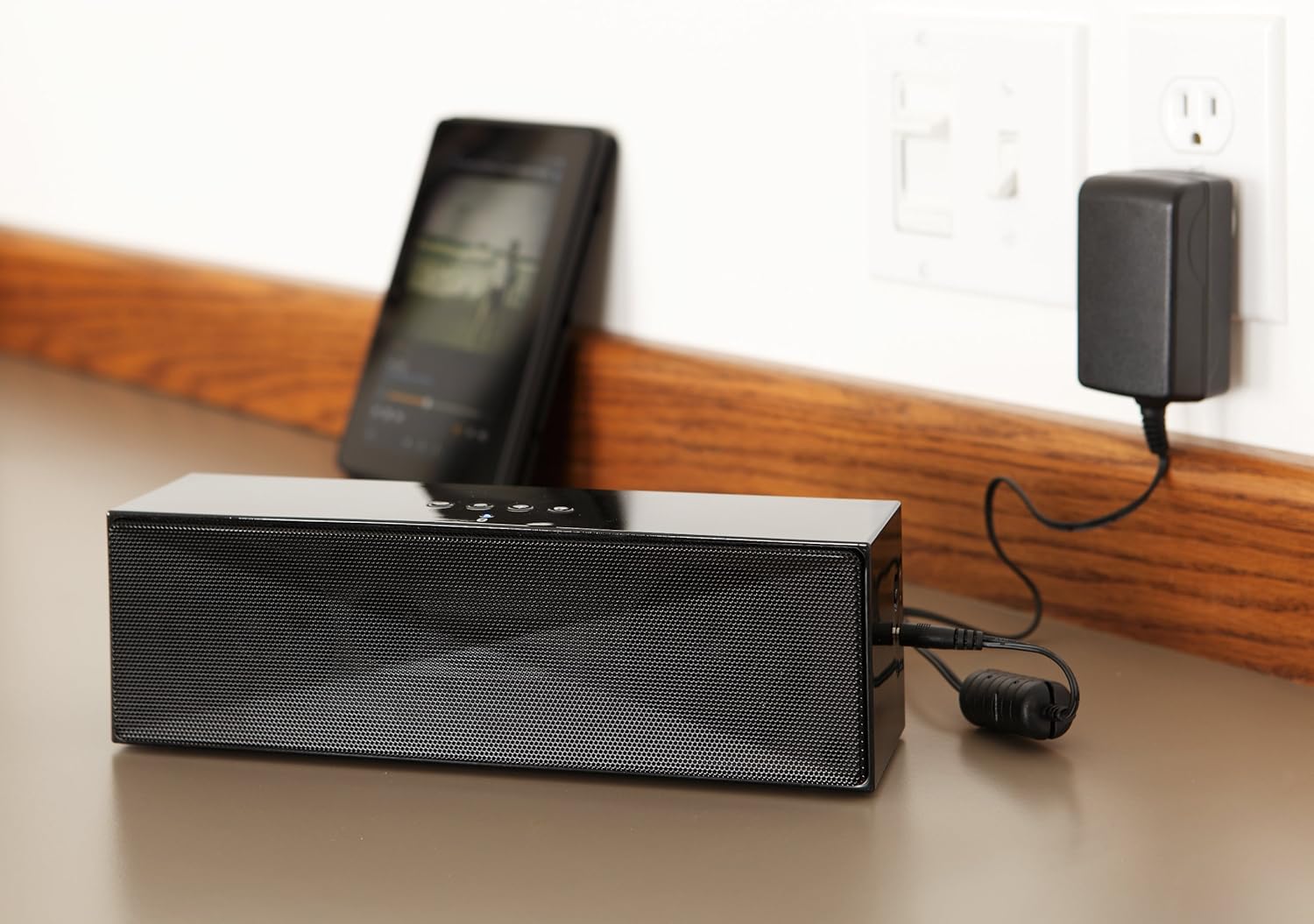
Nkọwa: This image shows the speaker placed on a surface, with its AC power adapter plugged into a wall outlet, illustrating the charging process.
5.2. Ịgbanye / gbanyụọ
Slide the ON/OFF switch located on the side panel to the "ON" position to power on the speaker. Slide it to the "OFF" position to power off.
6. Ntuziaka ọrụ
6.1. Njikọ Bluetooth
- Ensure the speaker is powered on. The LED indicator will flash, indicating it is in pairing mode.
- Na ngwaọrụ Bluetooth gị (ama, mbadamba, laptọọpụ), mee ka Bluetooth rụọ ọrụ ma chọọ ngwaọrụ ndị dị.
- Select "Amazon Basics BTV3_2" from the list of devices.
- Once paired, the LED indicator on the speaker will glow solid blue.
- The speaker can connect to devices up to 30 feet (10 meters) away.

Nkọwa: This image shows the speaker positioned next to a tablet displaying a music playback interface, demonstrating a typical Bluetooth connection scenario.
6.2. Ijikọ site na eriri AUX
- Connect one end of a 3.5mm stereo audio cable (not included) to the AUX port on the speaker.
- Jikọọ nsọtụ nke ọzọ nke eriri ahụ na jaak mmepụta ọdịyo nke ngwaọrụ gị.
- The speaker will automatically switch to AUX input mode.
6.3. Oku na-enweghị aka
The speaker features a built-in microphone for hands-free calls when connected via Bluetooth.
- Na-aza oku: Press the Bluetooth/Call button once.
- Ịkwụsị oku: Press the Bluetooth/Call button once during a call.
- Ịjụ oku: Press and hold the Bluetooth/Call button.
7. Nlekọta
- Clean the speaker with a soft, dry cloth. Do not use liquid cleaners or aerosols.
- Chekwaa ọkà okwu n'ebe dị jụụ ma kpọọ nkụ mgbe ọ naghị eji ya ogologo oge.
- Zere idobe ọkà okwu ma ọ bụ idobe ya na mmetụta siri ike.
8. Nchọpụta nsogbu
| Nsogbu | Ihe nwere ike ime | Ngwọta |
|---|---|---|
| Ọkà okwu anaghị agba ọkụ. | Batrị agwụla. | Connect the speaker to the AC power adapter and charge it. |
| Enweghị ike ijikọ site na Bluetooth. | Speaker is not in pairing mode; device Bluetooth is off; device is out of range. | Ensure speaker LED is flashing; enable Bluetooth on your device; move device closer to the speaker (within 30 feet/10 meters). |
| Enweghị ụda ma ọ bụ obere olu. | Volume on speaker or connected device is too low; incorrect input source. | Increase volume on both the speaker and your connected device. Ensure correct connection (Bluetooth or AUX). |
| Speaker turns off automatically when using AUX. | Automatic power-off feature activated due to prolonged silence. | This model may have an automatic power-off feature after a period of inactivity or silence, even when connected via AUX. To resume playback, power the speaker off and then on again using the side switch. |
| Mgbagwoju anya ụda. | Volume too high; weak battery; interference. | Reduce volume; charge the speaker; move away from other electronic devices. |
9. Nkọwapụta
| Njirimara | Nkọwa |
|---|---|
| Nọmba nlereanya | BTV3_2 |
| Akụkụ (L x W x H) | 10.2 x 2.9 x 3.1 sentimita (25.9 x 7.4 x 7.9 cm) |
| Ibu | 1.61 pound (0.73 n'arọ) |
| Mmepụta Ọkà Okwu | 2 x 5W (mkpokọta 10W) |
| Njikọta | Bluetooth, 3.5mm AUX |
| Oke Bluetooth | Ruo 30 ụkwụ (mita 10) |
| Ndụ batrị | Ruo awa iri abụọ |
| Ike batrị | 8000 mAh |
| Igwe okwu arụnyere n'ime ya | Ee |
| Isi Iyi Ike | Battery Powered, AC Adapter |
| Ihe onwunwe | Plastic |

Nkọwa: This image provides a visual representation of the speaker's dimensions, showing its length (10.2"), width (2.9"), and height (3.1").
10. Akwụkwọ ikike na nkwado
For warranty information and customer support, please refer to the documentation included with your purchase or visit the official Amazon Basics websaịtị. Debe ihe akaebe nke ịzụrụ maka akwụkwọ ikike.
Nkwado n'ịntanetị: Amazon Basics Store


