Okwu mmalite
The AT&T TL86103 is an advanced 2-line corded/cordless telephone system designed for both home and small business environments. It offers versatile connectivity, allowing you to manage calls from up to two landlines and two cellular phones simultaneously. Key features include a digital answering system with two mailboxes, Connect-to-Cell Bluetooth technology, caller ID announcement, and a line-power mode for continued operation during power outages. This manual provides detailed instructions for setting up, operating, and maintaining your phone system.

Figure 1: The AT&T TL86103 base unit and cordless handset.
Melite
1. Ihe ngwugwu
- Isi eriri waya
- Ekwentị enweghị eriri
- Ihe nkwụnye ọkụ
- Ụdọ ekwentị
- AAA Batteries (for handset)
2. Ijikọ ngalaba ntọala
- Connect the power adapter to the base unit and a wall outlet.
- Connect up to two telephone line cords to the LINE 1 and LINE 2 jacks on the base unit and to your wall telephone jacks.

Figure 2: The phone system is suitable for business or home use.
3. Installing and Charging Handset Batteries
- Open the battery compartment on the back of the cordless handset.
- Insert the provided AAA batteries, observing polarity.
- Place the cordless handset in its charging cradle. Allow at least 16 hours for the initial charge.
4. Connect-to-Cell Setup (Bluetooth)
The Connect-to-Cell feature allows you to make and receive cellular calls using your AT&T phone system. You can pair up to four Bluetooth-enabled cell phones, with two active connections at any time.
- On the base unit, press the MENU bọtịnụ.
- Gaa na Bluetooth ma họrọ Tinye ekwentị.
- Follow the on-screen prompts to put your cell phone in Bluetooth pairing mode.
- Select the AT&T phone system from your cell phone's Bluetooth device list.
- Kwado koodu njikọ na ngwaọrụ abụọ ahụ.

Figure 3: Bluetooth Connect-to-Cell feature allows seamless integration with mobile devices.
5. Ọdụ ụgbọ mmiri USB Chaja
The base unit includes two built-in USB ports for charging your mobile phones while they are connected via Bluetooth. Simply plug your phone's USB charging cable into one of the ports.

Figure 4: Convenient USB ports for charging mobile devices.
Operating Your Phone System
1. Ịkpọ na ịnata oku
- Oku ekwentị ala: Pịa Akara 1 or Akara 2, then dial the number.
- Cellular Calls: Pịa CELL A or CELL B, then dial the number.
- To answer a call, lift the handset or press Ọkà okwu.

Figure 5: The system supports 2 landlines and 2 cell lines for virtual multi-line advantage.
2. Digital Answering System
The system features a digital answering system with two separate mailboxes, ideal for separating business and personal messages. Each mailbox offers up to 22 minutes of recording time.
- To turn the answering system ON/OFF, press MKWUO/ Gbanyụọ.
- To access messages for Line 1, press MAIL BOX 1. For Line 2, press MAIL BOX 2.

Figure 6: Digital answering system with two distinct mailboxes.
3. Caller ID Announce
When an incoming call is received, the phone system announces the name of the caller (if available in your phonebook or Caller ID service) or the number.

Figure 7: Caller ID Announce feature for convenient call screening.
4. Phonebook Directory
The system can store up to 200 names and numbers in its internal phonebook. Additionally, you can download up to 6,000 cellular phonebook entries from your connected mobile devices.
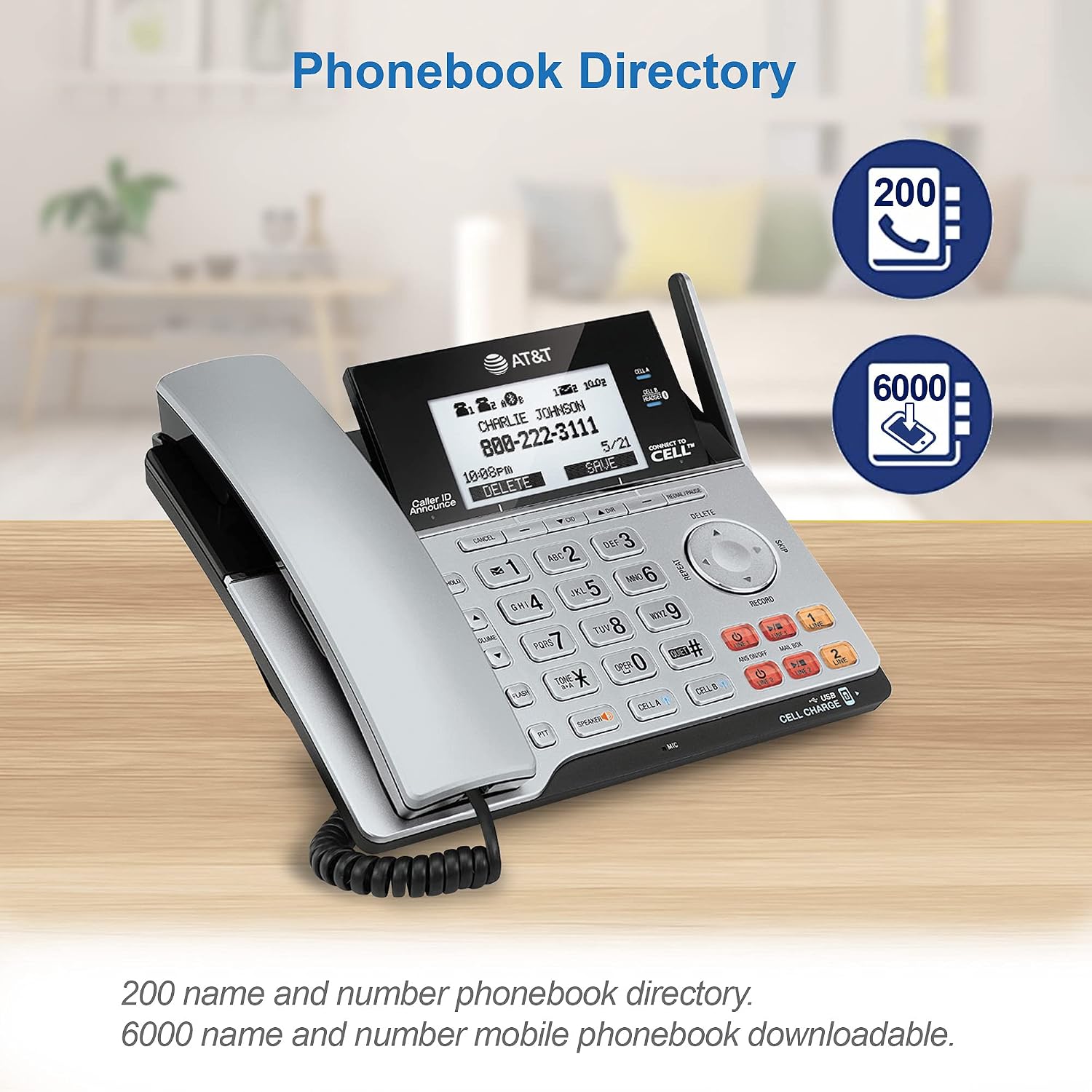
Figure 8: Manage contacts with the integrated phonebook and mobile phonebook download.
5. Cordless Handset Features
- Igwe okwu: Pịa Ọkà okwu button on the handset during a call.
- Mpempe eriri: Attach the included belt clip for hands-free mobility.
- Jack ekweisi 2.5mm: Connect a compatible 2.5mm headset (not included) for private conversations.
- Push-to- Talk (PTT): Use the PTT button for instant, two-way communication between handsets (if multiple handsets are registered).

Figure 9: Thoughtful design details for enhanced usability and mobility.
6. Line Power Mode
N'ihe omume nke ike ịtage, the corded base unit can operate using line power, allowing you to make and receive calls on the corded handset (Line 1 only) without external power.
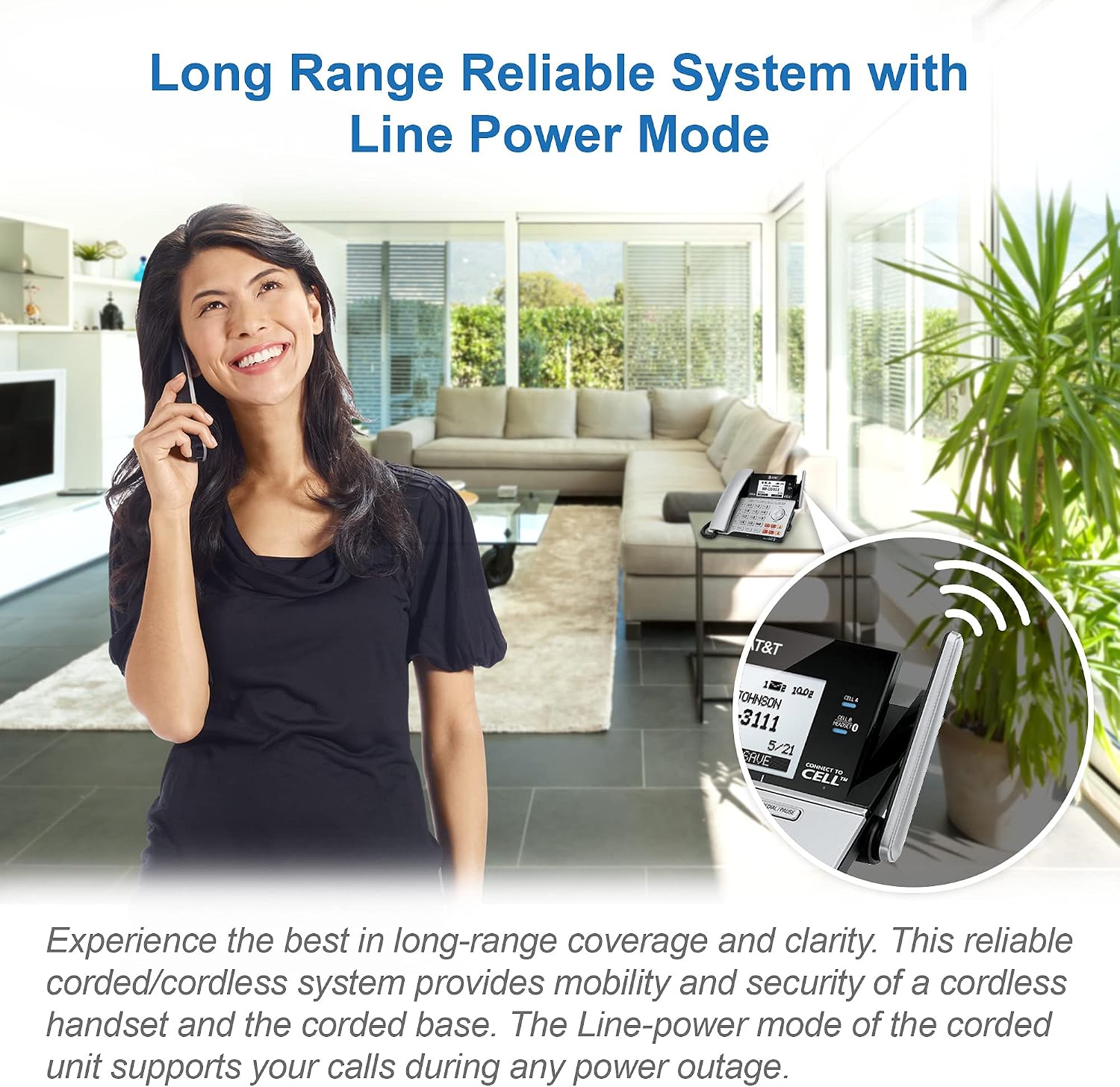
Figure 10: Reliable communication even during power outages with Line Power Mode.
Nlekọta
- Nhicha: Jiri ihe dị nro hichaa elu ekwentị ahụ, damp cloth. Do not use cleaning sprays or harsh chemicals.
- Nlekọta batrị: Replace handset batteries when the low battery indicator appears. Use only the specified battery type.
- Ebe: Place the base unit in a central location away from other electronic devices to maximize range and minimize interference.
Nchọpụta nsogbu
| Nsogbu | Ngwọta |
|---|---|
| Enweghị ụda ọkpụkpọ | Ensure all telephone line cords are securely connected to the base unit and wall jacks. Check if the power adapter is properly connected. |
| Cannot make/receive cell calls | Verify your cell phone is paired and within range of the base unit. Ensure Bluetooth is enabled on your cell phone. |
| Answering system not recording | Check if the answering system is turned ON. Ensure there is sufficient recording time available in the mailbox. |
| Ọdịmma oku na-adịghị mma / kwụ ọtọ | Relocate the base unit away from other electronic devices (Wi-Fi routers, microwaves). Check for loose connections. |
Nkọwapụta
- Nọmba nlereanya: TL86103
- Akụkụ ngwaahịa: 8.6 x 7.9 x 6 sentimita asatọ
- Ibu ihe: 1 pound
- Ụdị ekwentị: Ụdọ/Enweghị eriri
- Number of Lines: 2 (Landline) + 2 (Cellular via Bluetooth)
- Ụdị Sistemu na-aza: Digital, 2 Mailboxes
- Oge ndekọ: Up to 22 minutes per mailbox
- Ikike akwụkwọ ekwentị: 200 (internal), 6000 (downloadable from cell)
- Mgbasawanye: Ruo ekwentị asatọ
- Batrị: 2 AAA batteries (included for handset)
- Isi mmalite ike: Corded Electric (with Line Power Mode)
- Agba: Ọlaọcha/Oji
Akwụkwọ ikike na nkwado
For detailed warranty information and technical support, please refer to the official user guide or contact VTech customer service.
Ụdị dijitalụ nke ntuziaka onye ọrụ dị ebe a: AT&T TL86103 User Guide (PDF)