1. Okwu mmalite
The Radial StageBug SB-5W is a compact, 2-channel wall-mount stereo direct box designed to convert unbalanced consumer-level audio signals into balanced, professional-level signals. This device is ideal for integrating laptops, smartphones, CD players, and other consumer audio devices into professional sound systems, reducing noise and ensuring optimal audio quality. Its wall-mount design allows for discreet and permanent installation in studios, venues, or control rooms.
2. Ozi nchekwa
Please read and understand all safety instructions before operating this device. Failure to do so may result in injury or damage to the unit or other equipment.
- Nchekwa Eletriki: This unit contains passive components and does not require external power. Ensure all connected equipment is properly grounded to prevent electrical hazards.
- Nwụnye: Installation should be performed by a qualified professional in accordance with local electrical codes. Ensure the mounting location is secure and free from moisture.
- gburugburu: Do not expose the unit to water, excessive moisture, or extreme temperatures. Operate in a well-ventilated area.
- Nhicha: Disconnect all cables before cleaning. Use a dry, soft cloth. Do not use liquid cleaners or solvents.
- Ije ozi: Anwala ịrụzi ngalaba a n'onwe gị. Nye ndị ọrụ ruru eru ọrụ niile.
3. Atụmatụ igodo
- Wall-mounted design for permanent installation.
- Dual isolation transformers for noise reduction.
- 1/8-inch TRS and L/R RCA input terminals.
- Front-panel level control.
- Mono fold-down switch for summing stereo signals.
- Ground-lift switch to eliminate hum and buzz.
- Converts unbalanced consumer signals to balanced pro-level outputs.
4. Ntọala na nwụnye
The Radial StageBug SB-5W is designed for installation into a standard electrical junction box. Professional installation is recommended.
4.1 Nwụnye anụ ahụ
- Ensure power is off to the junction box before beginning installation.
- Mount the SB-5W into a standard electrical junction box using appropriate screws.
- Secure the faceplate to the unit.
4.2 Isi mmalite ntinye eji ejikọta
The SB-5W accepts two types of stereo input connections: a 1/8-inch (3.5mm) TRS stereo jack and a pair of RCA (Left/Right) jacks.
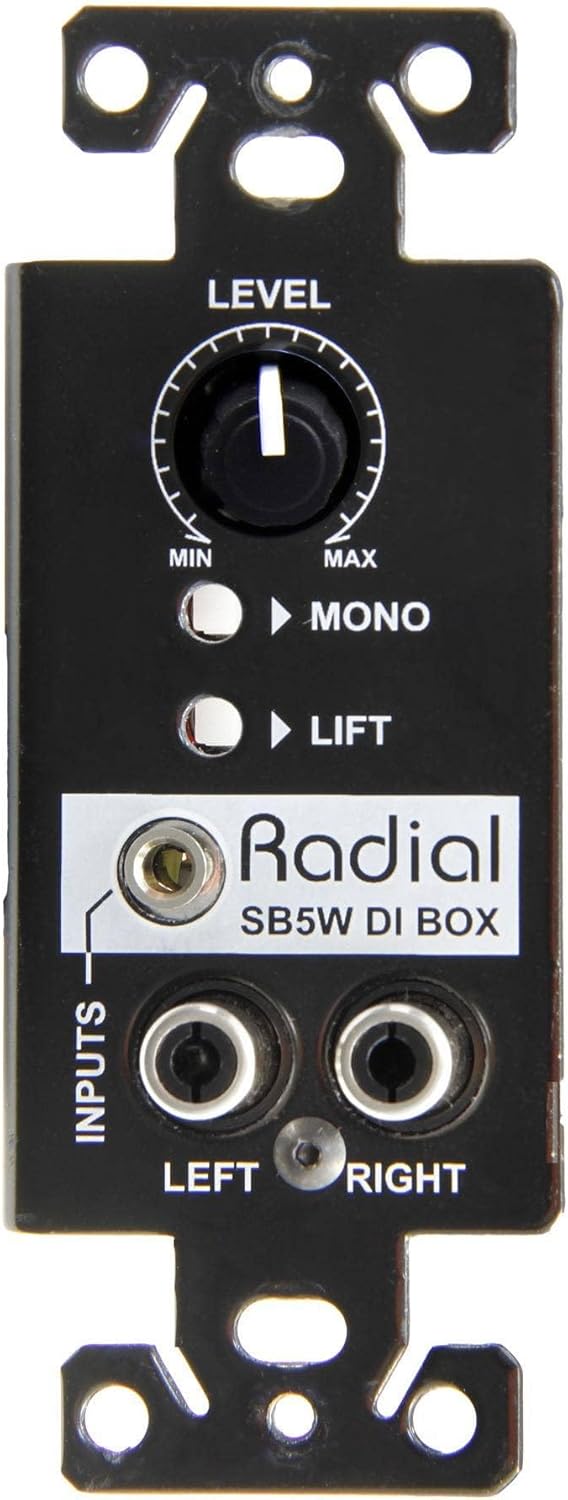
Figure 1: Front panel of the Radial StageBug SB-5W with 1/8-inch TRS and RCA inputs.
- 1/8-inch TRS Input: Connect your laptop, smartphone, or tablet directly to the 1/8-inch TRS input jack.
- Ntinye RCA: For devices with RCA stereo outputs (e.g., CD players, turntables), connect the Left and Right RCA cables to the corresponding jacks.

Figure 2: Connecting a laptop to the SB-5W.

Figure 3: Connecting a CD player to the SB-5W.
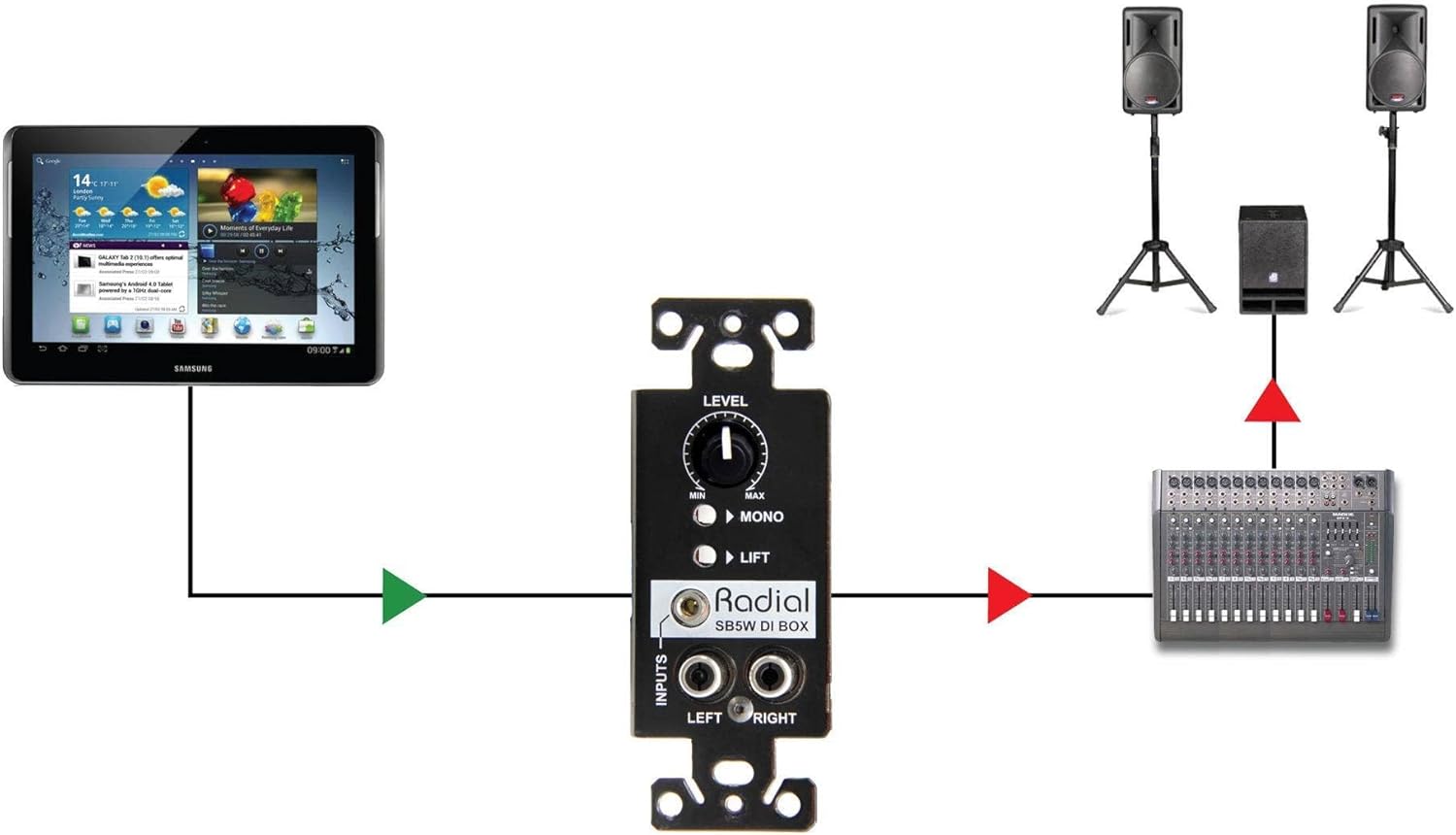
Figure 4: Connecting a tablet to the SB-5W.
4.3 Connecting Outputs to a Mixer/Console
The SB-5W provides balanced outputs via terminal blocks on the rear of the unit. These outputs are designed to be hard-wired to your console or mixing board using standard twisted-pair balanced audio cable.

Ọgụgụ 5: N'azụ view showing output terminal blocks.
- Connect the balanced audio cables from the SB-5W's output terminal blocks to the appropriate input channels on your mixing console or audio interface.
- Ensure correct polarity and channel assignment (Left/Right).
5. Operating the SB-5W
The SB-5W features a level control, a mono fold-down switch, and a ground-lift switch on its front panel for easy access and signal management.
Figure 6: Front panel controls.
5.1 Level Control
The large knob labeled Ọkwa adjusts the output volume of the stereo signal. Rotate clockwise to increase the level and counter-clockwise to decrease it. Start with the level at minimum and gradually increase it to achieve the desired output volume without clipping at your mixer.
5.2 Mono Fold-Down Switch
The button labeled MONO, when engaged, sums the left and right stereo input signals into a single mono output. This is useful when feeding a mono sound system or when you need to check for phase issues in a stereo mix. When disengaged, the unit operates in stereo.
5.3 Ground-Lift Switch
The button labeled Ebuli elu activates the ground-lift function. This switch disconnects the audio ground from the chassis ground, which can help eliminate hum and buzz caused by ground loops between the source device and the connected audio system. If you experience hum, try engaging this switch. If the hum persists, ensure all equipment is properly grounded and check cable connections.
6. Nlekọta
The Radial StageBug SB-5W is a robust and passive device designed for long-term reliability with minimal maintenance.
- Nhicha: Periodically wipe the unit's surface with a dry, soft cloth to remove dust. Avoid using abrasive cleaners or solvents, as these can damage the finish and labels.
- Nyocha: Occasionally check all cable connections for secure fit. Ensure the unit is free from physical damage.
- gburugburu: Maintain a stable environment, avoiding extreme temperatures, humidity, or direct sunlight, which can shorten the lifespan of electronic components.
7. Nchọpụta nsogbu
If you encounter issues with your Radial StageBug SB-5W, refer to the following common problems and solutions:
| Nsogbu | Ihe nwere ike ime | Ngwọta |
|---|---|---|
| Enweghị mmepụta ụda |
|
|
| Hum ma ọ bụ Buzz |
|
|
| Olu agbagọ |
|
|
| Only one channel (Left or Right) is working |
|
|
If the problem persists after trying these solutions, contact Radial Engineering customer support or a qualified technician.
8. Nkọwapụta
- Ụdị: R800 0155
- Ibu ihe: 0.01 ounces
- Akụkụ ngwaahịa: 5.1 x 2.85 x 2.15 sentimita asatọ
- Ụdị njikọ: 1/8-inch TRS, RCA
- Wattage: 5 watts (passive device, refers to maximum signal handling)
- Ọwa ntinye: 2 (Stereo)
- Ọwa mmepụta: 2 (Balanced, via terminal blocks)
- Njikwa: Level, Mono Fold-Down, Ground Lift
- Nnọpụ iche: Dual isolation transformers
9. Akwụkwọ ikike & Nkwado
Radial Engineering products are designed for durability and performance. For specific warranty details, please refer to the warranty card included with your product or visit the official Radial Engineering website. For technical support, troubleshooting assistance beyond this manual, or service inquiries, please contact Radial Engineering customer support directly through their websaịtị ma ọ bụ ụlọ ọrụ enyere ikike.
Akụrụngwa dị n'ịntanetị: For the latest information, FAQs, and support, please visit the Injinia Radial websaịtị.


