Okwu mmalite
The Prime TNOREM02 is an outdoor remote control system designed to provide convenient wireless operation for two grounded electrical devices. It includes a receiver unit with two 3-prong grounded outlets and a wireless transmitter (remote control) for switching connected devices on and off from a distance. This manual provides essential information for the safe and effective use of your Prime TNOREM02.
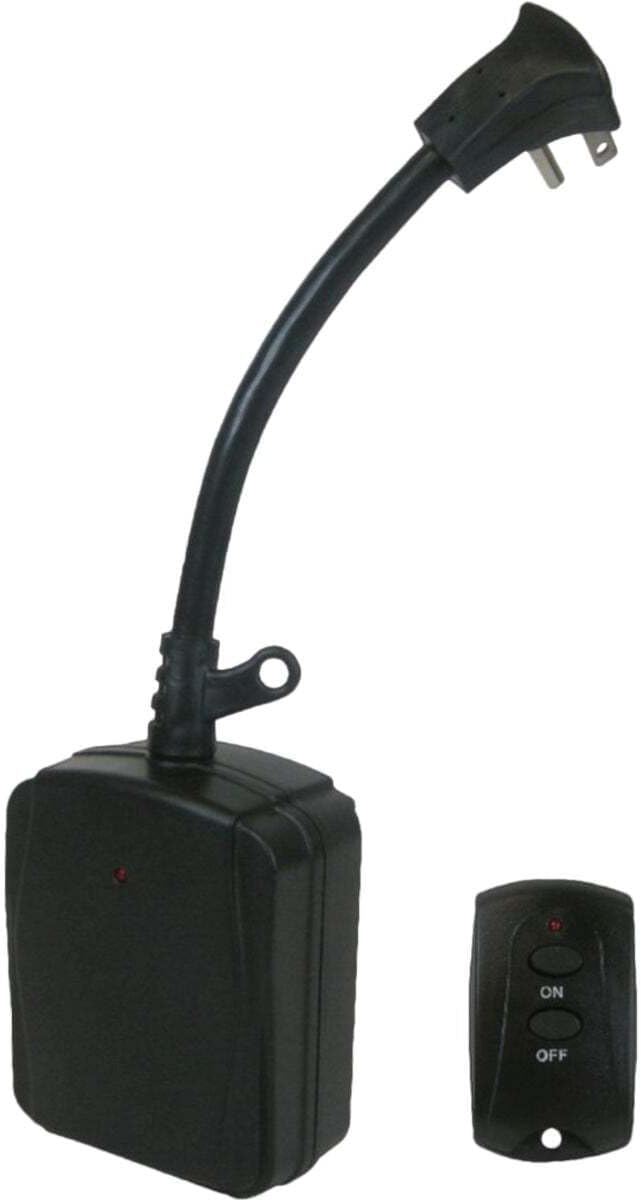
Image: The Prime TNOREM02 outdoor remote control system, showing the receiver unit with its power cord and the compact wireless transmitter.
Ozi nchekwa
Biko gụọ ma ghọta ntuziaka nchekwa niile tupu i jiri ngwaahịa a. Ọdịda ịgbaso ntuziaka ndị a nwere ike ibute ujo ọkụ eletrik, ọkụ ma ọ bụ mmerụ ahụ dị egwu.
- Eji naanị n'èzí: This product is designed for outdoor use. Ensure all connections are protected from direct exposure to water.
- Nda ala: The receiver unit features two 3-prong grounded outlets and a grounded plug. Always connect to a properly grounded outdoor receptacle.
- Ọdụdọ Eletriki: Do not exceed the maximum electrical rating of 15 Amps, 1875 Watts, 125 Volts, or 1/3 Horsepower. Overloading can cause overheating and fire.
- Nchekwa mmiri: While designed for outdoor use, avoid submerging the unit in water. Ensure the outlets are facing downwards when installed to prevent water accumulation.
- Njikwa ụdọ: Route cords to prevent tripping hazards and protect them from damage.
- Atụmatụ ịdọ aka ná ntị 65: Ngwaahịa a nwere ike ịnwe kemịkalụ mara steeti California na-ebute ọrịa kansa na ntụpọ ọmụmụ ma ọ bụ mmerụ ahụ ọmụmụ ọzọ. Saa aka ma emechaa.
- Nchekwa batrị: The remote control uses a CR2032 3V button-cell battery. Keep batteries out of reach of children. If swallowed, seek immediate medical attention.
Ihe ngwugwu
Chọpụta na ihe niile dị na ngwugwu:
- 1 x Prime TNOREM02 2-Outlet Outdoor Remote Control Receiver
- 1 x Wireless Transmitter (Remote Control)
- 1 x CR2032 3V Button-Cell Battery (pre-installed in transmitter)
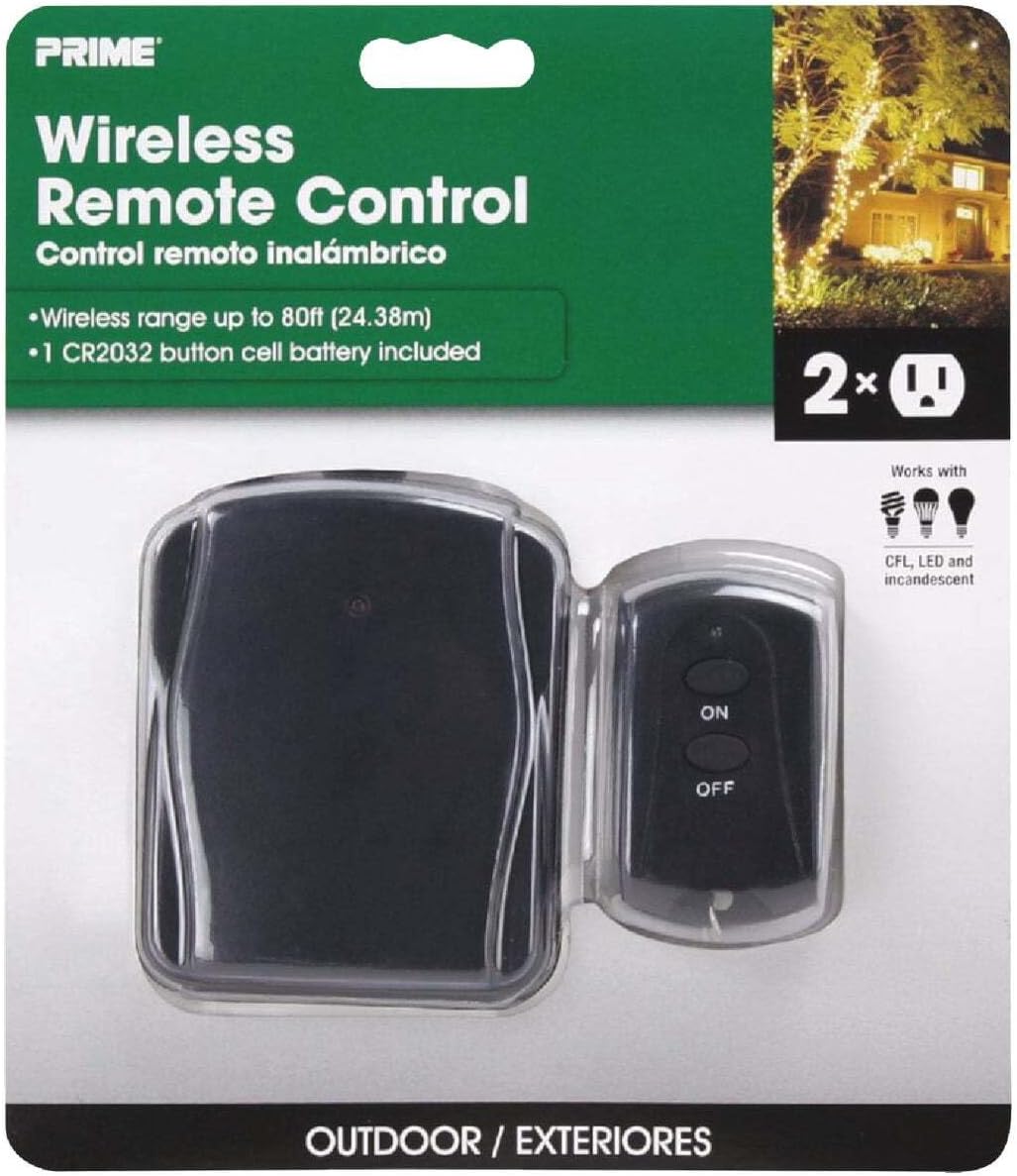
Image: The Prime TNOREM02 product packaging, showing the receiver and remote control clearly visible through the clear plastic.
Njirimara ngwaahịa
- Ụlọ ahịa ala abụọ: Two 3-prong grounded outlets for connecting multiple devices.
- Ịrụ ọrụ ikuku: Control devices from up to 80 feet away using the included transmitter.
- Enyere n'èzí: Durable construction suitable for outdoor environments.
- "Reversed" Ground-Pin: Patented design allows for use with right-angle and larger transformer plugs without blocking the second outlet.
- Simple On/Off Control: Easy-to-use 2-button remote for instant power control.
- Batrị gụnyere: Transmitter comes with a replaceable CR2032 3V button-cell battery.

Foto: A nso nso view of the Prime TNOREM02 receiver unit, highlighting the two 3-prong grounded outlets.
Melite
- Họrọ ebe: Choose a suitable outdoor location for the receiver unit. Ensure it is protected from direct heavy rain and positioned where its outlets face downwards.
- Plug in Receiver: Connect the receiver unit's grounded plug into a standard 3-prong outdoor electrical outlet.
- Jikọọ Ngwaọrụ: Plug the devices you wish to control into the two grounded outlets on the receiver unit. Ensure the total wattage of connected devices does not exceed 1875 Watts.
- Prepare Transmitter: The CR2032 3V button-cell battery is pre-installed in the wireless transmitter. If the remote does not respond, check the battery.

Image: The Prime TNOREM02 receiver unit installed outdoors, connected to two green extension cords, with a hand holding the remote control to operate connected lights.
Ntuziaka ọrụ
Using the Prime TNOREM02 is straightforward:
- Ka ịgbanwuo: Pịa ON button on the wireless transmitter. The indicator light on the receiver unit should illuminate, and connected devices will receive power.
- Gbanyụọ: Pịa Gbanyụọ button on the wireless transmitter. The indicator light on the receiver unit should turn off, and connected devices will lose power.
- Oke: The wireless transmitter has an operating range of up to 80 feet. Obstructions such as walls or dense foliage may reduce this range.
Nlekọta
The Prime TNOREM02 requires minimal maintenance. The primary maintenance task is replacing the battery in the wireless transmitter.
Replacing the Transmitter Battery:
- Locate the battery compartment on the back of the wireless transmitter.
- Using a small screwdriver or coin, carefully open the battery compartment cover.
- Remove the old CR2032 3V button-cell battery.
- Insert a new CR2032 3V button-cell battery with the positive (+) side facing up.
- Dochie mkpuchi nke batrị batrị nke ọma.
- Test the remote control to ensure it is functioning correctly.
Periodically inspect the receiver unit and its cords for any signs of damage, wear, or corrosion. Discontinue use if any damage is observed.
Nchọpụta nsogbu
| Nsogbu | Ihe nwere ike ime | Ngwọta |
|---|---|---|
| Devices do not turn ON/OFF. |
|
|
| E belatara oke ikuku. |
|
|
| Unit stopped working after a period of use. |
|
|
Nkọwapụta
| Njirimara | Nkọwa |
|---|---|
| Nọmba nlereanya | TNOREM02 |
| Ụdị | Isi |
| Ọnụọgụ nke ụlọ ahịa | 2 (mkpụrụ atọ e ji ihe kpuchie) |
| Ụdị waya | SJTW 14/3 Gauge |
| Ụdị nkwụnye | Right Angle, Grounded |
| Ojiji | N'èzí |
| Max Watts | 1875 Watt |
| Oke Amps | 15 Amps |
| Oke volt | 125 volts |
| Max Horsepower | 1 / 3 HP |
| Ikuku iche | Ruo 80 ụkwụ |
| Batrị nnyefe | CR2032 3V Button-Cell |
| Akụkụ ngwaahịa | 8 x 6.2 x 2.1 sentimita (ihe dị ka) |
| Ibu Ibu | 0.01 ounces (for remote control) |
| Teknụzụ Njikọta | Bluetooth |
| Asambodo | Not explicitly detailed, but designed for outdoor electrical use. |
Akwụkwọ ikike na nkwado
Specific warranty information for the Prime TNOREM02 is not provided in the available product details. For warranty claims or technical support, please contact Prime customer service directly. Retain your proof of purchase for any warranty inquiries.
For further assistance, refer to the official Prime websaịtị ma ọ bụ kpọtụrụ ọwa nkwado ndị ahịa ha.


