Okwu mmalite
Welcome and thank you for choosing the AUNA CM280 USB Condenser Microphone. This manual provides essential information for setting up, operating, and maintaining your microphone. Please read it thoroughly to ensure proper use and to maximize your recording experience.
The AUNA CM280 is a high-quality USB studio microphone designed for recording, podcasting, and other audio applications. It features a 32mm electric membrane, a cardioid polar pattern, and a direct monitoring headphone output. Its plug-and-play compatibility with Windows and macOS ensures easy setup without the need for manual driver installation.
Ozi nchekwa
Iji gbochie mmebi ma hụ na arụ ọrụ dị mma, biko leba anya na ihe ndị a gbasara nchekwa:
- Do not expose the microphone to water, moisture, or extreme temperatures.
- Avoid dropping or subjecting the microphone to strong impacts.
- Do not attempt to open or modify the microphone. Refer all servicing to qualified personnel.
- Use only the provided USB cable for connection and power.
- Debe igwe okwu ka ọ ghara ịdị ike ndọta.
- Clean the microphone with a soft, dry cloth. Do not use liquid cleaners.
Ihe ngwugwu
Carefully unpack your AUNA CM280 microphone and ensure all items are present:
- AUNA CM280 Microphone Unit
- Tebụl Tripod
- eriri USB
- Transport Pouch
- User Manual (German and English)

Image: The AUNA CM280 microphone shown with its table tripod, USB connection cable, and a soft blue transport pouch.
Ngwaahịa gafereview
Familiarize yourself with the main components and features of your AUNA CM280 microphone:
- 32mm Electric Membrane: High-quality condenser capsule for clear audio capture.
- Ụkpụrụ Polar Cardioid: Primarily picks up sound from the front, reducing unwanted noise from the sides and rear.
- Ọdụ ụgbọ mmiri USB: For connecting to your computer and receiving power.
- 3.5mm mmepụta ekweisi: For direct, latency-free monitoring of your audio.
- Njikwa olu ekweisi: Adjust the monitoring level directly on the microphone.
- Mute Circuit: Quickly mute the microphone output.
- Ikanam ọnọdụ: Indicates microphone status (ready, mute, overdrive).
- Integrated Wind Protection: Helps reduce plosives and breath noise.
- 5/8" Tripod Thread: For mounting on the included table tripod or other compatible stands.
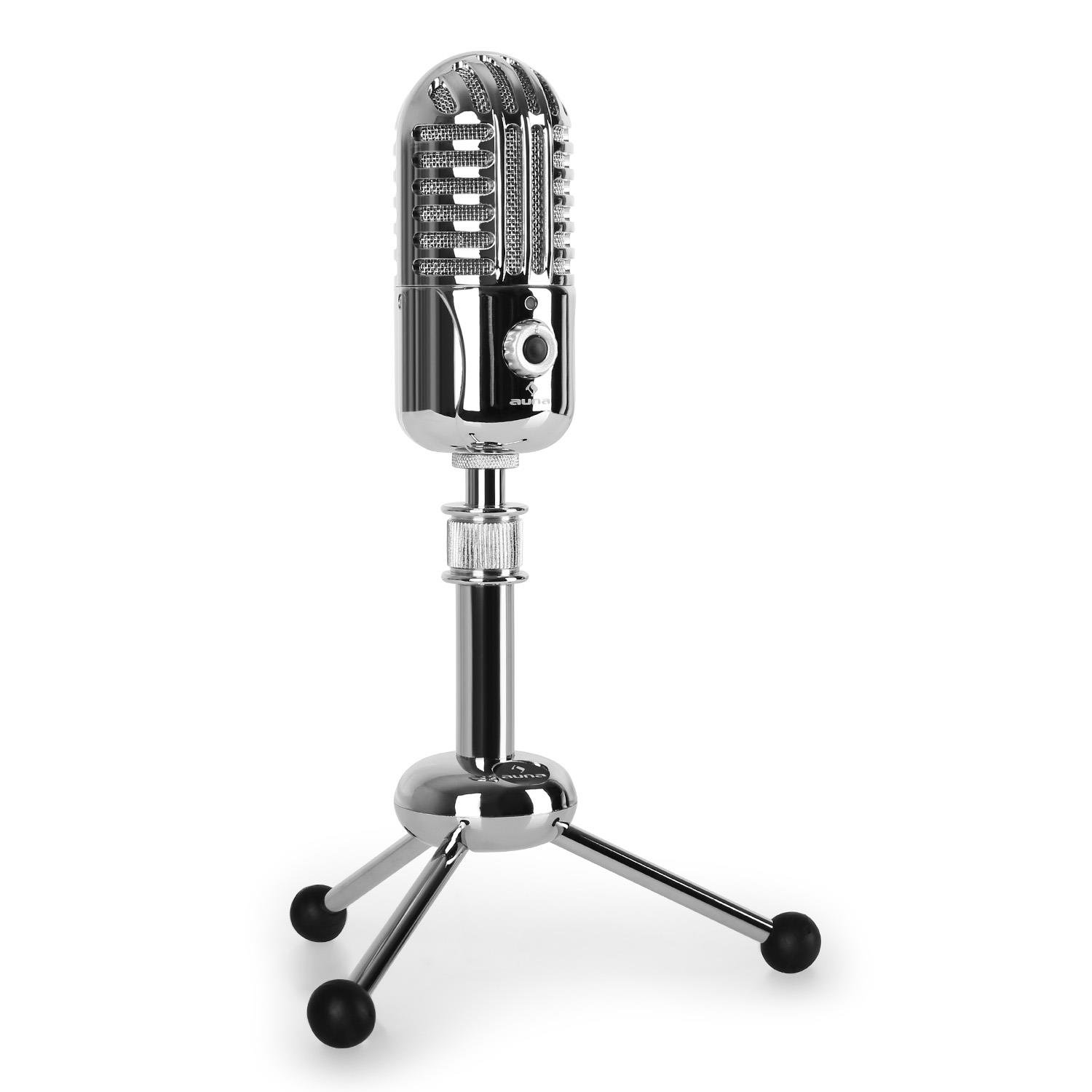
Foto: N'ihu view of the AUNA CM280 microphone on its stand.

Foto: N'azụ view of the AUNA CM280 microphone, highlighting the USB connection port and the 3.5mm headphone output for direct monitoring.
Ntọala na nwụnye
1. Ijikọ na kọmputa gị
- Place the AUNA CM280 microphone on a stable surface using the included table tripod.
- Connect one end of the supplied USB cable to the USB port on the back of the microphone.
- Connect the other end of the USB cable to an available USB port on your computer (Windows PC or Mac).
2. Nwụnye ọkwọ ụgbọala
The AUNA CM280 is a Plug & Play device. Your operating system (Windows or macOS) will automatically detect and install the necessary drivers upon connection. No manual driver installation is required.
3. Initial Configuration (Windows/macOS)
After connecting, you may need to select the AUNA CM280 as your default audio input and output device in your system settings and recording software.
- Windows: Go to Control Panel > Sound > Recording tab. Select "AUNA CM280" as the default device. In the Playback tab, you can also select it for headphone monitoring.
- MacOS: Go to System Preferences > Sound > Input tab. Select "AUNA CM280". Do the same in the Output tab for headphone monitoring.
Ensure your recording software (e.g., Audacity, GarageBand, OBS) is also configured to use the AUNA CM280 as its audio input device.
Ntuziaka ọrụ
Ntinye igwe okwu
For optimal sound quality, position the microphone directly in front of the sound source (e.g., your mouth) within a few inches. The cardioid polar pattern means it is most sensitive to sounds coming from the front.
nlekota ekweisi
Connect your headphones to the 3.5mm jack on the back of the microphone. Use the headphone volume control knob on the microphone to adjust your monitoring level. This provides direct, latency-free monitoring of your audio.
Mechie Ọrụ
The microphone features a mute circuit. Press the dedicated button (if available, or refer to the specific control on your model) to mute or unmute the microphone. This is useful for temporary pauses during recording or calls.
Ọnọdụ LED egosi
The microphone's status LED provides visual feedback:
- Acha anụnụ anụnụ: Microphone is ready for use.
- Edo edo: Emechiri igwe okwu.
- Uhie: Indicates an overdrive or clipping signal. Adjust your input gain or move further from the microphone to prevent distortion.
Ndekọ Atụmatụ
- Acoustics ime ụlọ: Record in a quiet environment to minimize background noise.
- Ihe nzacha mmapụta: Consider using an external pop filter to further reduce plosive sounds (P, B) and protect the microphone capsule.
- Nweta Staging: Set your input gain in your software to a level where the signal is strong but does not peak into the red (overdrive).
Nlekọta na nlekọta
Proper care will extend the life of your AUNA CM280 microphone:
- Nhicha: Wipe the microphone body with a soft, dry, lint-free cloth. Do not use abrasive cleaners, solvents, or chemical sprays.
- Nchekwa: When not in use, store the microphone in its transport pouch to protect it from dust and scratches. Keep it in a cool, dry place.
- Ijikwa: Always handle the microphone with care. Avoid touching the microphone grille directly.
Nchọpụta nsogbu
If you encounter issues with your AUNA CM280 microphone, try the following solutions:
- Enweghị ụda/igwe okwu ahụghị:
- Gbaa mbọ hụ na ejikọrọ eriri USB na nchekwa ma igwe okwu na kọmputa gị.
- Gbalịa ọdụ ụgbọ USB dị iche na kọmputa gị.
- Malitegharịa ekwentị gị na kọmputa.
- Verify that the AUNA CM280 is selected as the default input device in your operating system's sound settings and your recording software.
- Poor Sound Quality/Distortion:
- Check the status LED. If it's red, the signal is overdriving. Reduce the input gain in your software or move further from the microphone.
- Ensure the microphone is positioned correctly and not too close to the sound source.
- Check for environmental noise or vibrations that might be picked up.
- Okwu nlekota ekweisi:
- Gbaa mbọ hụ na etinyere ekweisi nke ọma na jakị 3.5mm.
- Adjust the headphone volume knob on the microphone.
- Verify that the AUNA CM280 is selected as the output device for monitoring in your system's sound settings or recording software.
Nkọwa nka nka
| Njirimara | Nkọwapụta |
|---|---|
| Njikọ | USB port, 3.5 mm headphone jack |
| Nwụnye ọkwọ ụgbọala | Automatic (Plug & Play) |
| Nzaghachi ugboro ugboro | 20 Hz - 20 kHz |
| Nrụgide ụda kacha | 120 dB |
| Signgbaàmà-na-Noise ruru | 96 dB |
| D/A-A/D Converter | 44.1/48 kHz, 16 bit |
| Mpịakọta ekweisi | Enwere ike idozi |
| Ogbi Circuit | Ee |
| Tripod Eriri | 5/8 nke anụ ọhịa |
| Ọnọdụ LED | Three colors (Blue: Ready, Yellow: Mute, Red: Overdrive) |
| Ịnye ọkụ | Site na USB |
| Ihe onwunwe | Metal, polycarbonate |
| Ibu | 300 grams |
| Akụkụ (L x W x H) | 50 x 50 x 110 millimeters |
| Ụkpụrụ Polar | Unidirectional (Cardioid) |
| Ngwa dakọtara | Kọmputa nkeonwe, Laptọọpụ |
Akwụkwọ ikike na nkwado
AUNA products are designed for reliability and performance. For information regarding warranty coverage, technical support, or service, please refer to the warranty card included with your product or visit the official AUNA websaịtị. Debe ihe akaebe nke ịzụrụ maka akwụkwọ ikike.


