1. Okwu mmalite
Thank you for choosing the Neumann TLM 107 Large-Diaphragm Multipattern Condenser Microphone. This microphone is engineered for professional audio recording, offering exceptional clarity and versatility across a wide range of sound sources. Its advanced design provides a remarkably flat frequency response, ensuring accurate sound capture. The TLM 107 features multiple polar patterns, switchable high-pass filters, and pad settings, making it adaptable to various recording environments and applications.
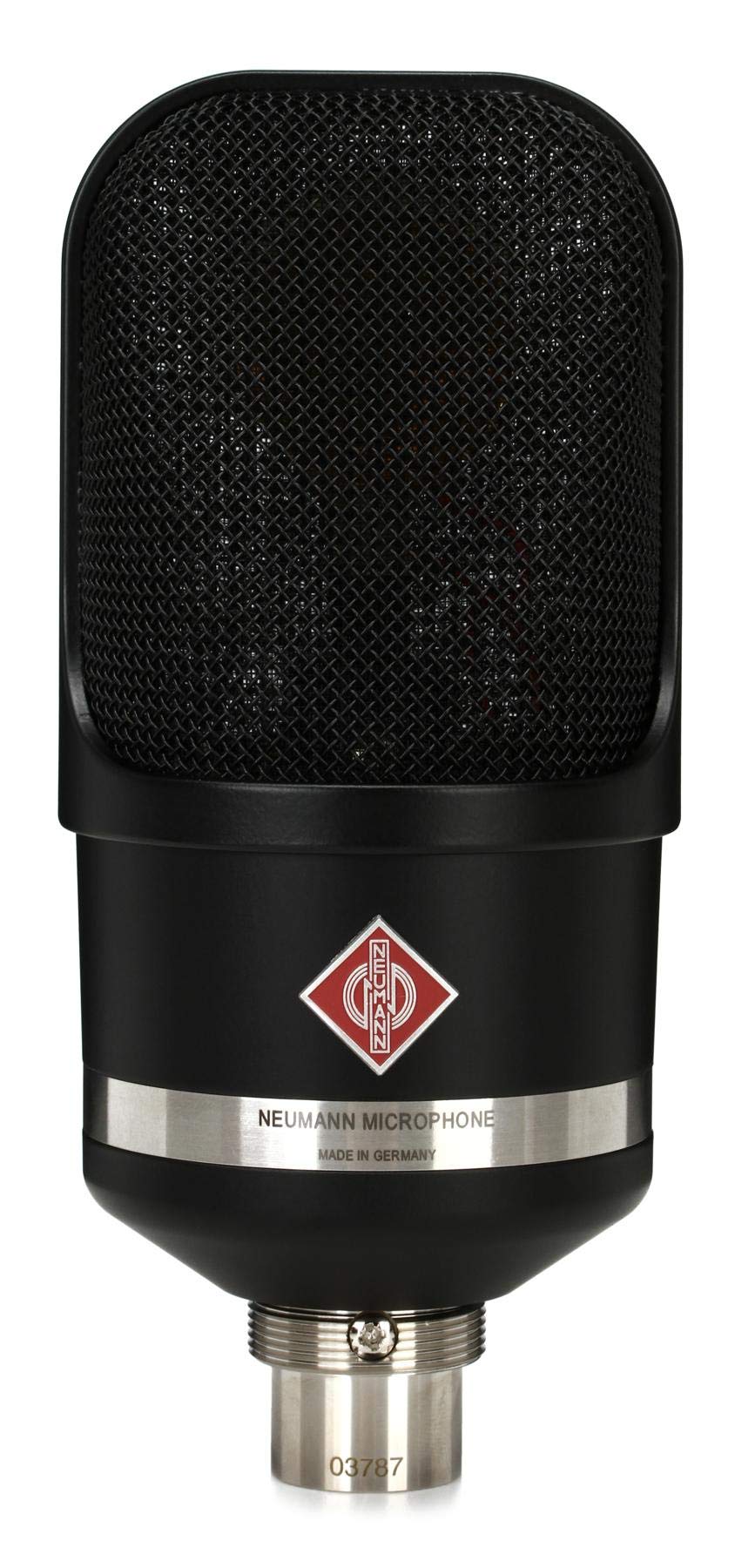
Figure 1: The Neumann TLM 107 Large-Diaphragm Condenser Microphone in Matte Black. This image shows the microphone's sleek design and robust construction, highlighting its professional appearance.
2. Atụmatụ igodo
- Large-Diaphragm Condenser Design: Provides high sensitivity and a wide frequency response for detailed audio capture.
- Multipattern Capability: Offers five selectable polar patterns (Omnidirectional, Wide Cardioid, Cardioid, Hypercardioid, Figure-8) for versatile recording applications.
- Nzaghachi ugboro ole dị larịị: Ensures accurate and uncolored sound reproduction across the audible spectrum.
- 3-Position High-Pass Filter: Reduces unwanted low-frequency noise and rumble, selectable at two frequencies.
- 3-Position Pad: Attenuates the input signal by -6 dB or -12 dB, allowing the microphone to handle high sound pressure levels (SPL) without distortion.
- Intuitive Navigation Switch: A single rotary switch on the rear of the microphone provides easy access to all essential settings (polar pattern, pad, high-pass filter).
- Mwube Ọla siri ike: Ensures durability and reliability in professional studio environments.
3. Nhazi ntuziaka
- Iwepu: Carefully remove the TLM 107 microphone and any included accessories from its packaging. Inspect for any signs of damage.
- Ịkwanye: Attach the TLM 107 to a suitable microphone stand using the provided stand mount or an optional shock mount. Ensure the microphone is securely fastened.
- Ijikọ na Audio Interface/Mixer:
- Connect one end of an XLR cable (not included) to the XLR connector at the base of the TLM 107.
- Connect the other end of the XLR cable to an available microphone input on your audio interface, mixer, or preampna -emegharị ihe.
- Ensure your audio device provides + 48V ike phantom, as the TLM 107 is a condenser microphone and requires it for operation. Activate phantom power on the corresponding input channel.
- Ngwa dakọtara: The TLM 107 is compatible with personal computers and laptops when used with an appropriate audio interface that supplies phantom power.
4. Ntuziaka ọrụ
The Neumann TLM 107 features an intuitive navigation switch on the rear of the microphone for adjusting its settings. This single rotary switch allows you to cycle through and select the desired polar pattern, pad, and high-pass filter settings.
4.1. Polar Patterns
The TLM 107 offers five distinct polar patterns, allowing you to optimize the microphone's directional characteristics for different recording scenarios:
- Omnidirectional: Captures sound equally from all directions. Ideal for room ambiance, group vocals, or instruments where natural room sound is desired.
- Wide Cardioid: A broader pickup pattern than standard cardioid, offering a more open sound while still providing some rejection of rear sounds. Useful for ensembles or larger sound sources.
- Cardioid: The most common pattern, picking up sound primarily from the front and rejecting sound from the rear. Excellent for isolating individual instruments or vocals.
- Hypercardioid: A tighter pattern than cardioid, with more rejection from the sides and a small lobe of sensitivity at the rear. Useful for maximum isolation in live or multi-mic setups.
- Foto-8: Picks up sound equally from the front and rear, while rejecting sound from the sides. Ideal for Blumlein stereo recording, M/S stereo recording, or two-person interviews.
4.2. High-Pass Filter
The 3-position high-pass filter helps to eliminate unwanted low-frequency noise such as rumble, handling noise, or proximity effect. Use the navigation switch to select:
- Ewepụghị: No high-pass filtering applied.
- Iyo 1: Engages a gentle low-frequency roll-off.
- Iyo 2: Engages a steeper low-frequency roll-off for more aggressive noise reduction.
4.3. Pad Settings
For recording very loud sound sources, the TLM 107 includes a 3-position pad to prevent overloading the microphone's internal circuitry or your preamplifier. Use the navigation switch to select:
- 0dB: No attenuation (standard setting).
- -6 dB: Reduces the input signal by 6 decibels.
- -12 dB: Reduces the input signal by 12 decibels.
5. Nlekọta
- Nhicha: Use a soft, dry cloth to wipe the microphone body. Avoid using liquid cleaners or solvents, as they can damage the finish or internal components. Do not attempt to clean the capsule directly.
- Nchekwa: When not in use, store the TLM 107 in its original packaging or a protective case to shield it from dust, moisture, and physical impact. Store in a cool, dry environment.
- Ijikwa: Always handle the microphone with care. Avoid dropping it or subjecting it to strong vibrations.
6. Nchọpụta nsogbu
| Nsogbu | Ihe nwere ike ime | Ngwọta |
|---|---|---|
| Enweghị mmepụta ụda |
|
|
| Distorted or clipped sound |
|
|
| Excessive low-frequency rumble/noise |
|
|
7. Nka na ụzụ nkọwa
| Aha Nlereanya | TLM 107 |
| Ụdị | Neumann |
| Ihe kpatara ụdị igwe okwu | Naanị igwe okwu |
| Ụkpụrụ Polar | Multipattern (Omnidirectional, Wide Cardioid, Cardioid, Hypercardioid, Figure-8) |
| Teknụzụ Njikọta | XLR |
| Ụdị njikọ | XLR |
| Isi Iyi Ike | Corded Electric (requires +48V Phantom Power) |
| Nzaghachi ugboro ugboro | 8 KHz (Note: This typically refers to the upper limit; full range usually 20Hz-20kHz) |
| Signgbaàmà-na-Noise ruru | 87 dB |
| Ibu Ibu | Pound 2.62 (1.19 n'arọ) |
| Akụkụ ngwaahịa (L x W x H) | 10.35 x 4.8 x 4 sentimita (26.3 x 12.2 x 10.2 cm) |
| Ihe onwunwe | Ọla |
| Ngwa gụnyere | Igwe okwu |
| Eji akwadoro | Voice Recording, Video Recording, Singing |
| Onye nrụpụta | Neumann |
| Nọmba Nlereanya ihe | 008667 |
| UPC | 615104086678 |
8. Akwụkwọ ikike na nkwado
For detailed warranty information, please refer to the warranty card included with your product or visit the official Neumann website. For technical support, service, or inquiries, please contact Neumann customer service or your authorized Neumann dealer.
Neumann Official Websaịtị: www.neumann.com


