Okwu mmalite
This manual provides essential information for the proper use and care of your Beats Studio Wireless Over-Ear Headphones. Please read these instructions carefully before using your headphones to ensure optimal performance and longevity. The Beats Studio Wireless headphones offer a premium audio experience with wireless connectivity and Adaptive Noise Canceling technology.
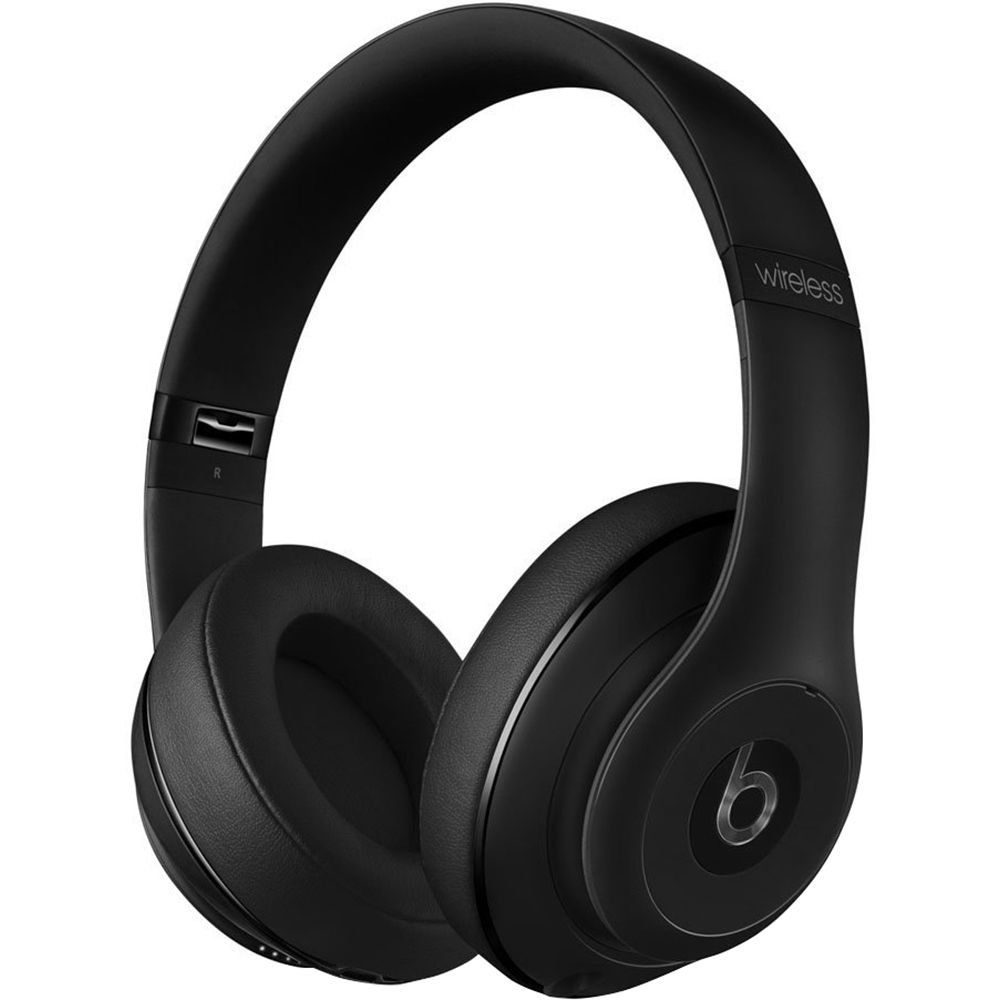
Image: Beats Studio Wireless Over-Ear Headphones in Matte Black, showcasing imewe mara mma.
Kedu ihe dị na Igbe ahụ
Chọpụta na ihe niile dị na ngwugwu gị:
- Beats Studio Wireless over-ear headphones
- 3.5mm audio cable with RemoteTalk (for wired connection and controls)
- Standard 3.5 mm audio cable (for wired connection without RemoteTalk features)
- USB 2.0 cable (USB-A to USB Micro-B) for charging
- Hard-shell carrying case with carabiner clip

Image: The Beats Studio Wireless headphones, hard-shell carrying case, and various cables laid out from the packaging.
Melite
1. Ịchaji ekweisi
Before first use, fully charge your Beats Studio Wireless headphones. A full charge provides approximately 12 hours of wireless playback or 20 hours of wired playback with Adaptive Noise Canceling enabled.
- Connect the small end of the USB 2.0 cable (USB-A to USB Micro-B) to the Micro-USB port on the right earcup of the headphones.
- Connect the larger end of the USB cable to a USB power adapter (not included) or a powered USB port on a computer.
- The Fuel Gauge LEDs on the right earcup will indicate charging status. When all five LEDs are solid white, the headphones are fully charged.
Mara: The headphones cannot be used while charging.
2. Njikọ Bluetooth
Pair your headphones with your Bluetooth-enabled device for wireless audio.
- Ensure your headphones are charged and powered off.
- Press and hold the power button on the right earcup for 3-5 seconds until the Fuel Gauge LEDs begin to pulse. This indicates pairing mode.
- Na ngwaọrụ gị, gaa na ntọala Bluetooth wee mee ka Bluetooth rụọ ọrụ.
- Select "Beats Studio Wireless" from the list of available devices.
- Once paired, the Fuel Gauge LEDs will turn solid white.
The headphones have a Bluetooth range of up to 30 feet (9 meters).
3. Njikọ eriri
For a wired connection, use the provided 3.5mm audio cables.
- Plug one end of the 3.5mm audio cable into the audio input port on the left earcup.
- Tinye nsọtụ nke ọzọ n'ime jakị mmepụta ọdịyo 3.5mm nke ngwaọrụ gị.
The RemoteTalk cable allows for inline control of music and calls when connected to compatible devices.
Ntuziaka ọrụ
1. Gbanyụọ / gbanyụọ
- Iji gbanye: Press and hold the power button on the right earcup until the Fuel Gauge LEDs illuminate.
- Iji gbanyụọ: Press and hold the power button until the Fuel Gauge LEDs turn off.
2. Controls (Wireless Mode)
The "b" button on the left earcup and the volume buttons control playback and calls.
- Gwuo/kwụsịtụ: Press the "b" button once.
- Track na-esote: Press the "b" button twice quickly.
- Gara aga Track: Press the "b" button three times quickly.
- Olu elu: Press the top volume button.
- Olu ala: Press the bottom volume button.
- Azịza/Kwụsị Oku: Press the "b" button once during an incoming call or active call.
- Jụ oku: Press and hold the "b" button for 2 seconds during an incoming call.
- Mee ka onye enyemaka olu rụọ ọrụ: Press and hold the "b" button for 2 seconds (functionality depends on device).
3. Adaptive Noise Canceling (ANC)
The Beats Studio Wireless headphones feature Dual-Mode Adaptive Noise Canceling. ANC is automatically active when the headphones are powered on. There are two modes:
- Full ANC: Engaged when listening to music or media, providing maximum noise reduction.
- ANC Only: When the audio cable is unplugged and the headphones are powered on, ANC will automatically switch to a more aggressive mode to reduce external noise without playing audio.
Nlekọta
1. Nhicha
To maintain the appearance and performance of your headphones:
- Jiri ákwà dị nro, kpọrọ nkụ, nke na-enweghị ihe e ji ehicha ákwà hichaa iko ntị na ihe e ji ekpuchi isi.
- Ejila ihe mkpocha abrasive, mmanya, ma ọ bụ ihe mgbaze kemịkal.
- Zere ịbanye mmiri n'ime oghere ọ bụla.
2. Nchekwa
When not in use, store your headphones in the provided hard-shell carrying case to protect them from damage.
- Fold the headphones carefully to fit into the case.
- Keep headphones away from extreme temperatures and humidity.
3. Nlekọta batrị
Ka ịgbatị ndụ batrị:
- Zere ịchaji batrị ugboro ugboro.
- Chajie ekweisi gị mgbe niile, ọbụlagodi ma ọ bụrụ na ejirighị ya ruo ogologo oge.
- Chekwaa n'ebe dị jụụ, kpọrọ nkụ.
Nchọpụta nsogbu
If you encounter issues with your Beats Studio Wireless headphones, try the following solutions:
Enweghị Ike / Anaghị agbanye
- Ensure the headphones are fully charged. Connect them to a power source using the USB cable.
- Lelee eriri USB na ọdụ ụgbọ mmiri maka mmebi ọ bụla.
No Sound / Intermittent Audio
- Ikuku:
- Ensure headphones are paired and connected to your device.
- Check the volume levels on both the headphones and your device.
- Move closer to your device to avoid interference or exceeding Bluetooth range.
- Try unpairing and re-pairing the headphones with your device.
- Mara:
- Ensure the 3.5mm audio cable is securely plugged into both the headphones and your audio source.
- Try a different 3.5mm audio cable if available.
Okwu ijikọ
- Ensure the headphones are in pairing mode (pulsing Fuel Gauge LEDs).
- Gbanyụọ wee gbanye Bluetooth nke ngwaọrụ gị.
- Forget "Beats Studio Wireless" from your device's Bluetooth list and attempt to pair again.
- Hụ na ngwaọrụ Bluetooth ndị ọzọ anaghị egbochi usoro njikọta ahụ.
Adaptive Noise Canceling (ANC) Not Working
- Ensure the headphones are powered on. ANC requires power.
- Check for any obstructions around the external microphones on the earcups.
Nkọwapụta
Key technical specifications for the Beats Studio Wireless Over-Ear Headphones:
- Aha nlereanya: Ụlọ ihe nkiri
- Teknụzụ Njikọta: Bluetooth (Wireless), 3.5 mm Jack (Wired)
- Teknụzụ nzikọrịta ozi ikuku: Bluetooth
- Ogologo Bluetooth: Ruo 30 ụkwụ (mita 9)
- Njikwa mkpọtụ: Active Noise Cancellation (Dual-Mode Adaptive Noise Canceling)
- Ndụ batrị: Approximately 12 hours (wireless), 20 hours (wired with ANC)
- Ụdị batrị: 1 Lithium Ion battery (rechargeable)
- Ụdị njikwa: Media Control (on-earcup "b" button, volume buttons)
- Igwe okwu: Ewuru maka oku na-enweghị aka
- Ihe kpatara ụdị: N'elu Ntị
- Ntinye ntị: N'elu Ntị
- Ihe: Plastic
- Ibu ihe: Ihe dị ka ounce 9.2 (Kilogram 0.26)
- Akụkụ ngwaahịa: 9.6 x 7.3 x 4.5 sentimita asatọ
- Onye nrụpụta: Ụgwọ nke ụlọ ọrụ Beats Electronics, LLC
- Ụbọchị mbụ dị: Disemba 1, 2013

Foto: A nso nso view of the headphone's inner band, displaying the model number B0501.
Akwụkwọ ikike na nkwado
For warranty information and customer support, please refer to the official Beats websaịtị ma ọ bụ kpọtụrụ ndị ahịa ha ozugbo. Debe ihe akaebe nke ịzụrụ ihe maka akwụkwọ ikike.
Mara: This product is an older model. Specific warranty terms may vary based on purchase date and region. Please consult the manufacturer's official resources for the most accurate and up-to-date information.
Maka enyemaka ọzọ, gaa na: Nkwado Beats


