1. Okwu mmalite
This instruction manual provides essential information for the proper installation, operation, and maintenance of your Speco Technologies SPC15 PA Speaker. Please read this manual thoroughly before using the product to ensure optimal performance and safety. Keep this manual for future reference.
2. Ozi nchekwa
Observe the following safety precautions to prevent damage to the speaker and ensure user safety:
- Do not expose the speaker to extreme temperatures, humidity, or direct sunlight for extended periods.
- Gbaa mbọ hụ na echekwabara njikọ niile tupu ịgbanye sistemụ.
- Do not attempt to open or service the speaker yourself. Refer all servicing to qualified personnel.
- Jiri naanị isi iyi ike na ngwa ndị akọwapụtara.
- Avoid placing the speaker in locations where it may be subject to strong vibrations or impacts.
- This speaker is designed for Public Address Systems and outdoor use. While it features water-resistant properties, it is not fully waterproof. Avoid submerging the unit.
3. Ihe ngwugwu
Chọpụta na ihe niile dị na ngwugwu:
- Speco Technologies SPC15 PA Speaker
- Mgbochi Mgbidi Mgbidi
- Akwụkwọ ntuziaka (akwụkwọ a)
4. Ngwaahịa gafereview
The Speco Technologies SPC15 is an 8-inch aluminum PA horn speaker designed for public address systems and outdoor applications. It features a robust construction and delivers clear audio output.
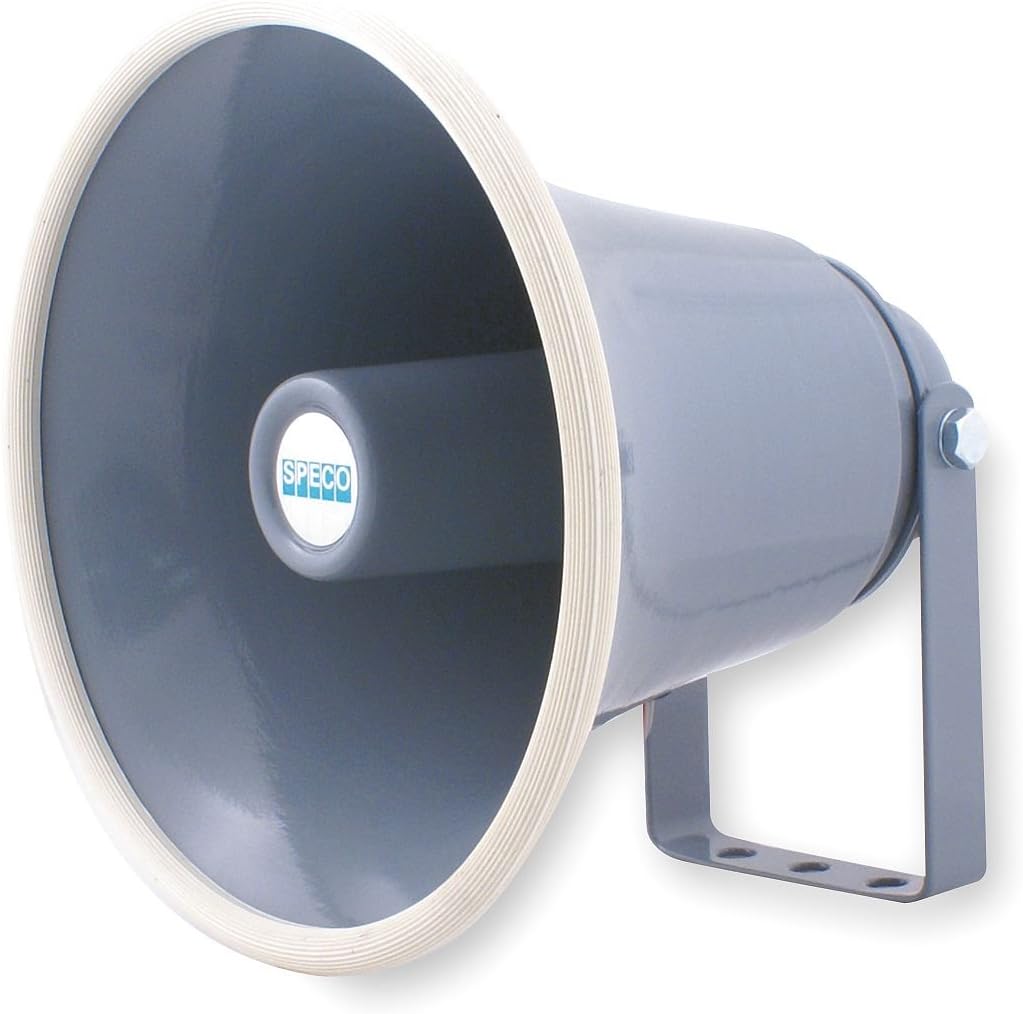
Figure 1: Speco Technologies SPC15 PA Speaker. This image shows a grey, horn-shaped PA speaker with a white rim and the 'SPECO' logo on the center of the horn. A sturdy mounting bracket is attached to its cylindrical body.
5. Nhazi
5.1 Ịkwalite Ọkà Okwu
The SPC15 speaker is designed for wall mounting using the included bracket. Choose a suitable location that provides optimal sound dispersion and is structurally sound to support the speaker's weight (approximately 3 pounds).
- Họrọ ebe: Identify a wall or sturdy surface for mounting. Consider the speaker's intended coverage area.
- Kaa akara ebe a na-egwupụta ihe: Use the wall mount bracket as a template to mark the drilling points on the chosen surface.
- Oghere egwu egwu: Drill appropriate pilot holes for the mounting screws (not included, select based on wall material).
- Ihe nkwado echekwara: Attach the wall mount bracket securely to the surface using suitable screws and anchors.
- Attach Speaker: Fasten the speaker to the mounted bracket. Adjust the angle for desired sound direction.
5.2 Connecting the Speaker
The SPC15 speaker supports both wired and Bluetooth connectivity.
- Njikọ waya: Connect the speaker to your public address system or amplifier using appropriate speaker wire. Ensure correct polarity (+ to + and - to -) for optimal sound quality. The speaker has an impedance of 8 Ohms.
- Njikọ Bluetooth:
- Ike na ọkà okwu.
- Activate Bluetooth pairing mode on the speaker (refer to your specific PA system's instructions if integrated, or the speaker's control interface if standalone).
- On your Bluetooth-enabled device (e.g., gaming console, home theater, karaoke machine, projector, television), search for available Bluetooth devices.
- Select "SPC15" (or similar identifier) from the list to pair.
- Once paired, audio will be routed through the speaker.
6. Ntuziaka ọrụ
The SPC15 speaker is primarily designed for public address systems. Operation will largely depend on the connected audio source and control system.
- Gbanyụọ/ Gbanyụọ: Ensure the speaker is connected to a power source. Power on the connected ampsistemụ ma ọ bụ usoro PA.
- Njikwa olu: Adjust the volume using the controls on your connected audio source (e.g., amplifier, mixer, Bluetooth device).
- Njikwa olu: If your connected system supports voice control and is configured to manage the speaker, you may use voice commands to adjust settings or playback. Refer to your system's manual for specific voice control functionalities.
- Nhọrọ Isi iyi ọdịyo: Select the desired audio input (e.g., microphone, music player, Bluetooth) from your connected PA system.
7. Nlekọta
Regular maintenance helps prolong the life and performance of your speaker.
- Nhicha: Wipe the speaker's exterior with a soft, dry cloth. For stubborn dirt, use a slightly damp ákwà na ihe nhicha dị nro, wee hichaa ya ozugbo. Ejila ihe nhicha ma ọ bụ ihe mgbaze eme ihe.
- Nyocha: Periodically check the mounting bracket and connections for tightness and signs of wear.
- Nchekwa gburugburu: While water-resistant, protect the speaker from heavy rain or direct water jets to prevent internal damage.
8. Nchọpụta nsogbu
If you encounter issues with your SPC15 speaker, refer to the following common problems and solutions:
| Nsogbu | Ihe nwere ike ime | Ngwọta |
|---|---|---|
| Enweghị mmepụta ụda |
|
|
| Ụda agbagọ |
|
|
| Nsogbu njikọta Bluetooth |
|
|
If the problem persists, contact Speco Technologies customer support for assistance.
9. Nkọwapụta
| Njirimara | Nkọwa |
|---|---|
| Ụdị | Teknụzụ Speco |
| Aha Nlereanya | SPC15 |
| Ụdị Ọkà Okwu | Outdoor, PA Horn Speaker |
| Ụdị nkwụnye | Ugwu mgbidi |
| Njirimara Pụrụ Iche | Mmiri na-eguzogide |
| Eji akwadoro | Public Address Systems |
| Nha Ọkà Okwu | 8 sentimita asatọ |
| Agba | Black (as per product description, though image is grey) |
| Ibu Ibu | Pound 3 (1.36 n'arọ) |
| Mgbochi | 8 ohms |
| Ike Nwepu kacha | 25 Watt |
| Nzaghachi ugboro ugboro | 200Hz - 15kHz |
| Mmetụta | 110dB |
| Teknụzụ Njikọta | Bluetooth, Wired |
| Usoro njikwa | Voice (via compatible systems) |
| Akụkụ ngwaahịa | 8.7 x 8.7 x 8.7 sentimita (22.1 x 22.1 x 22.1 cm) |
| Ihe onwunwe | Aluminom |
| UPC | 634746244192 |
10. Akwụkwọ ikike Ozi
The Speco Technologies SPC15 PA Speaker comes with a Limited Warranty. For specific terms and conditions, please refer to the warranty card included with your product or visit the official Speco Technologies websaịtị. Debe ihe akaebe nke ịzụrụ maka akwụkwọ ikike.
11. Nkwado ndị ahịa
For technical assistance, troubleshooting beyond this manual, or warranty inquiries, please contact Speco Technologies customer support:
- Websaịtị: Visit the official Speco Technologies websaịtị maka akụrụngwa nkwado, FAQs, na ozi kọntaktị.
- Ekwentị/Email: Refer to the contact details provided on the manufacturer's webngwugwu saịtị ma ọ bụ ngwaahịa.


