Okwu mmalite
This manual provides detailed instructions for the safe and proper installation, operation, and maintenance of your Ematic EMW3301 Full Motion TV Wall Mount. Please read this manual thoroughly before installation and retain it for future reference. This wall mount is designed to securely hold LCD, LED, and OLED televisions ranging from 10 to 49 inches in size and weighing up to 66 lbs (30 kg).
Ozi nchekwa
- Ike ibu: Do not exceed the maximum weight capacity of 66 lbs (30 kg). Exceeding this limit can result in serious injury or equipment damage.
- Nha ihuenyo: This mount is designed for TVs between 10 and 49 inches. While some larger TVs may fit VESA patterns, ensure the weight does not exceed 66 lbs.
- Elu ugwu: The wall mount must be securely installed into a solid wall (concrete, brick) or into wood studs. Do not install into drywall alone. If unsure about your wall type, consult a qualified professional.
- Ngwa: Use appropriate tools for installation. Ensure all screws are tightened securely but do not overtighten.
- Mgbakọ: Do not attempt to assemble or install the unit if any parts are missing or damaged. Contact customer support for replacement parts.
- Ụmụaka: Debe obere akụkụ n'ebe ụmụaka nọ.
Ihe ngwugwu
Nyochaa na akụrụngwa niile dị na emebighị ya tupu ịmalite nrụnye.
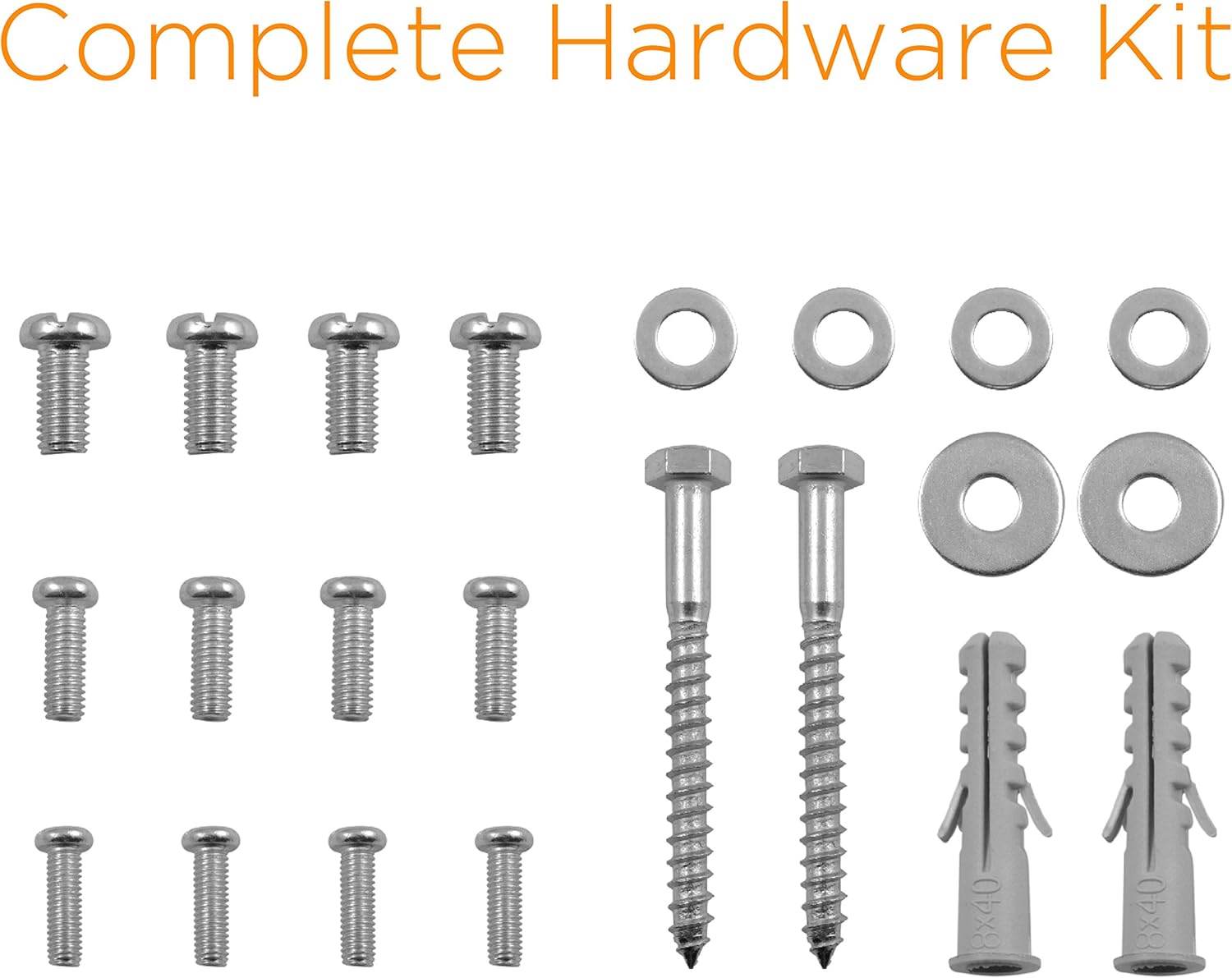
Image: Complete hardware kit for the Ematic EMW3301 TV wall mount, showing various screws, washers, and wall anchors.
- Full Motion TV Wall Mount Assembly
- Mounting Hardware Kit (various screws, washers, wall anchors)
- 6ft HDMI Cable
Mara: A stud finder, drill, drill bits, level, and screwdriver are required for installation and are not included.
Nkọwapụta
| Nọmba nlereanya | EMW3301 |
| Nha TV dakọtara | 10 ruo 49 sentimita asatọ |
| Ikike ịdị arọ kacha | 66 lbs (30 n'arọ) |
| Ndakọrịta VESA | 75x75mm, 100x100mm, 100x200mm, 200x200mm |
| Ụdị mmegharị | Full Motion (Articulating, Tilt, Swivel) |
| Tit Range | +15° ruo -5° |
| Ogologo Swivel | Up to 180° (depending on TV size and wall distance) |
| Mgbatị sitere na Mgbidi | 2.6 sentimita (apịaji) ruo 10.6 inch (gbatiri) |
| Ihe onwunwe | Aluminom |
| Akụkụ ngwaahịa | 10.71 x 10.71 x 8.66 sentimita asatọ |
| Ibu Ibu | 3.28 pound |
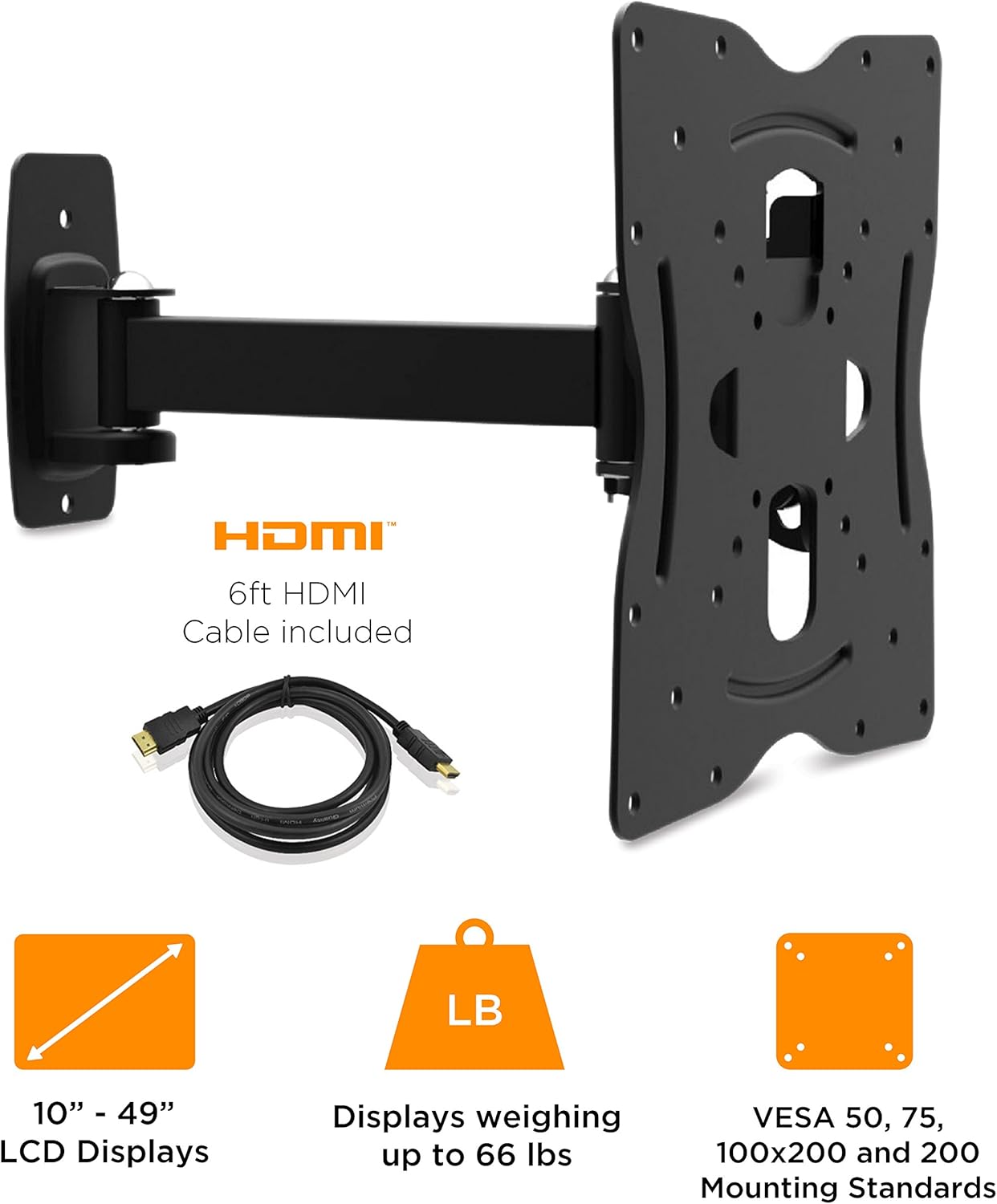
Image: Visual representation of the Ematic EMW3301 wall mount's key features, including an included HDMI cable, compatibility with 10-49 inch LCD displays, a 66 lbs weight capacity, and VESA mounting standards.
Ntuziaka nwụnye
Tupu ịmalite: Ensure you have all necessary tools and components. Read all safety warnings. It is recommended to have two people for installation, especially when lifting the TV.
Kwụpụ 1: Kpebie ebe a na-agbago
- Locate the desired position for your TV on the wall.
- Use a stud finder to locate the center of a wood stud. Mark the stud location. For concrete or brick walls, ensure the wall can support the combined weight of the mount and TV.
- Use a level to ensure the mounting position is straight.
Nzọụkwụ 2: Tinye eriri TV na TV
- Carefully place your TV face down on a soft, clean surface to prevent screen damage.
- Chọpụta oghere VESA na-agbago n'azụ TV gị.
- Select the appropriate screws and washers from the hardware kit that fit your TV's VESA holes. Ensure screws are long enough to secure the bracket but not so long that they damage internal components.
- Attach the TV bracket portion of the mount to the back of your TV, aligning the holes. Tighten screws securely.
Step 3: Mount Wall Plate to Wall
- Hold the wall plate against the wall at your marked location. Use a level to ensure it is perfectly horizontal.
- Mark the drill holes through the wall plate onto the wall.
- Drill pilot holes at the marked locations. For wood studs, use a smaller drill bit than the lag bolts. For concrete/brick, use a masonry drill bit and insert the provided wall anchors.
- Secure the wall plate to the wall using the lag bolts and washers. Tighten all bolts firmly.
Step 4: Attach TV to Wall Mount
- With assistance, carefully lift the TV with the attached TV bracket.
- Align the TV bracket with the arm of the wall mount and slide it into place.
- Secure the TV to the mount using the locking screws or mechanisms provided. Ensure the TV is firmly attached and cannot be accidentally dislodged.

Image: The Ematic EMW3301 full motion TV wall mount shown fully assembled and extended, ready for a television to be mounted.
Ntuziaka ọrụ
The Ematic EMW3301 mount offers full motion capabilities for optimal viewakụkụ .

Image: Diagram illustrating the tilt, swivel, and pan movements of the Ematic EMW3301 TV wall mount, showing 180° swivel and +15°/-5° tilt ranges.
- Swivel: Gently push or pull the TV to swivel it left or right. The mount allows for up to 180° swivel, depending on the size of your TV and its distance from the wall.
- Gbaa: To adjust the vertical viewing angle, grasp the top and bottom edges of your TV and gently tilt it forward or backward. The mount supports a tilt range of +15° (upward) to -5° (downward).
- Mgbatị/Nlaghachi azụ: The articulating arm allows the TV to extend up to 10.6 inches from the wall or fold back to a compact 2.6 inches. Gently pull the TV forward or push it back towards the wall.

Image: Illustration of the Ematic EMW3301 wall mount's collapsible design, demonstrating how it folds to 2.6 inches from the wall for a flush appearance and cable management.
Nlekọta
- Nyocha oge niile: Periodically check all mounting screws and bolts to ensure they remain tight and secure. Loose connections can lead to instability.
- Nhicha: Clean the mount with a soft, dry cloth. Avoid abrasive cleaners or solvents that could damage the finish.
- mmanu mmanu: The articulating joints are designed for smooth movement. If movement becomes stiff, a small amount of silicone-based lubricant can be applied to the pivot points.
Nchọpụta nsogbu
| Nsogbu | Ihe nwere ike ime | Ngwọta |
|---|---|---|
| TV is not level after installation. | Mgbidi mgbidi anaghị adị larịị mgbe a na-etinye ya. | Remove TV, loosen wall plate screws, adjust with a level, and re-tighten. Re-hang TV. |
| Ugwu ahụ na-enwe mmetụta nke enweghị ike ịrụ ọrụ ma ọ bụ na-ama jijiji. | Screws are loose; incorrect wall type; TV exceeds weight limit. | Check all screws for tightness. Ensure installation into solid studs or concrete. Verify TV weight is within 66 lbs limit. |
| TV mounting screws do not fit. | Incorrect screw size/length for TV's VESA holes. | Refer to your TV's manual for correct VESA screw specifications. Obtain appropriate screws if those provided do not fit. |
| Difficulty adjusting tilt or swivel. | Joints are too tight or require lubrication. | Check for any adjustment bolts that might be overtightened. Apply a small amount of silicone lubricant to the pivot points if necessary. |
Akwụkwọ ikike na nkwado
For warranty information or technical support regarding your Ematic EMW3301 Full Motion TV Wall Mount, please refer to the warranty card included with your purchase or visit the official Ematic websaịtị. Debe nnata nzụta gị dị ka ihe akaebe nke ịzụrụ ihe maka akwụkwọ ikike ọ bụla.
Onye nrụpụta: XO Vision


