1. Okwu mmalite
This manual provides essential information for the safe and efficient operation of your Keystone KSTAD70B 70-Pint Dehumidifier. This unit is designed to remove up to 70 pints of moisture from the air daily, suitable for rooms up to 4500 square feet. Key features include electronic controls with an LED display, a 24-hour timer, a transparent water level indicator, and a full bucket alert with automatic shutoff. It also offers a continuous draining option and a removable, easy-to-clean dust filter with a clean-filter alert. The auto-restart function preserves your settings after a power outage, and rolling casters facilitate easy movement.
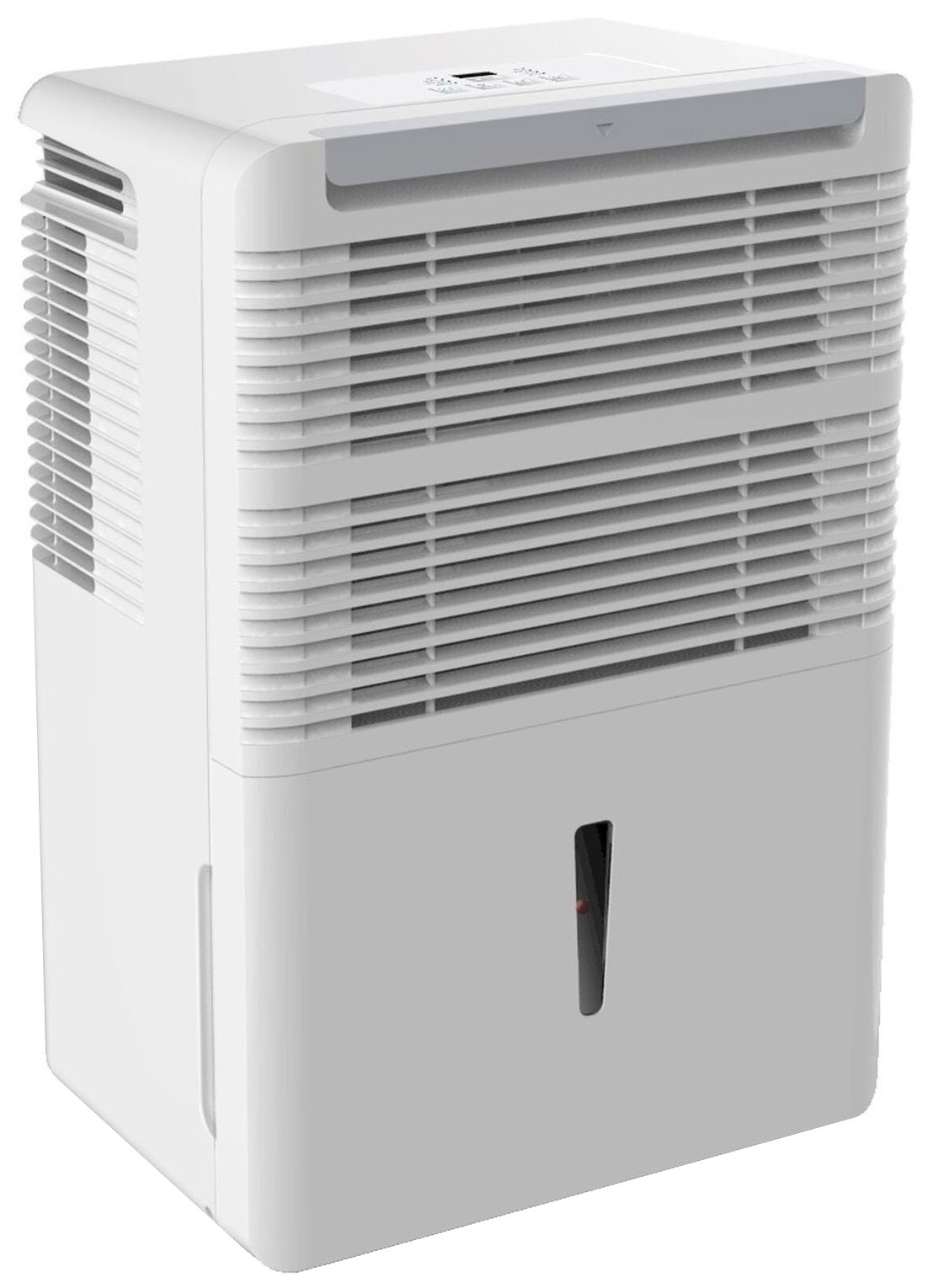
Foto 1: N'ihu view of the Keystone KSTAD70B Dehumidifier.
2. Ozi nchekwa
Please read all safety instructions before operating the dehumidifier to prevent injury or damage. Keep this manual for future reference.
- Always connect the unit to a properly grounded electrical outlet of the correct voltage.
- Ejila eriri ma ọ bụ plọg mebiri emebi rụọ ọrụ ahụ.
- Ensure adequate clearance (at least 12-18 inches) around the air intake and outlet to prevent overheating and ensure efficient operation.
- Emechila ikuku ikuku.
- Do not use the dehumidifier near water or in excessively wet environments.
- Kwupu ngwa ngwa tupu ihicha ma ọ bụ ịrụ ọrụ ọ bụla.
- Ezubere ngwa a maka iji ndị mmadụ (gụnyere ụmụaka) nwere ike anụ ahụ, mmetụta uche ma ọ bụ nke uche, ma ọ bụ enweghị ahụmịhe na ihe ọmụma, ma ọ bụrụ na enyereghị ha nlekọta ma ọ bụ ntụziaka gbasara iji ngwa ahụ site n'aka onye na-ahụ maka nchekwa ha.
- Do not use chemical solvents or abrasive cleaners on the unit.
3. Nhazi na ntinye
3.1 Nwepu
Jiri nlezianya wepụ ihe na-eme ka mmiri ghara iru mmiri n'ime ngwugwu ya. Debe ihe ndị e ji ekpuchi ihe maka nchekwa ma ọ bụ ibuga n'ọdịnihu. Lelee ihe ọ bụla mebiri na mbupu.
3.2 Ntinye
For optimal performance, place the dehumidifier in a location where air can circulate freely around it. The unit circulates air from the sides, not the top. Therefore, avoid placing it directly in a corner or against walls. Maintain a minimum clearance of 12-18 inches (30-45 cm) on all sides to ensure proper airflow.
3.3 Ike mbido
Tinye eriri ọkụ n'ime oghere eletrik gbadoro ụkwụ. Ngalaba ahụ adịla njikere ịrụ ọrụ.
4. Ntuziaka ọrụ
4.1 Ogwe njikwa gafereview

Figure 2: Control panel of the Keystone KSTAD70B Dehumidifier.
The control panel features an LED display and various buttons for setting the dehumidifier's functions:
- Bọtịnụ ike: Gbanyụọ ma ọ bụ gbanyụọ unit ahụ.
- Bọtịnụ bọtịnụ: Adjusts fan speed (typically Low, Medium, High).
- Bọtịnụ ngụ oge: Na-edobe ngụ oge ngbanye/ gbanyụọ elekere 24.
- Àkụ elu/ala: Adjust humidity level settings or timer duration.
- Ihe ngosi nzacha: Illuminates when the air filter needs cleaning.
- Ihe ngosi zuru oke: Illuminates when the water bucket is full and needs emptying.
- Cont. (Continuous) Indicator: Illuminates when the unit is set for continuous operation.
- Ụdị Turbo: Activates maximum dehumidification.
- Ụdị nkịtị: Standard dehumidification operation.
- Mwepu akpaaka: Automatically defrosts the coils if ice builds up.
4.2 Ịtọ ọkwa iru mmiri achọrọ
Press the Up or Down arrow buttons to set your desired humidity level. The unit will operate until the set humidity is reached, then cycle on and off to maintain it. The recommended humidity range for comfort is typically between 45% and 55%.
4.3 Continuous Operation
To run the dehumidifier continuously, select the 'Cont.' setting. In this mode, the unit will operate regardless of the ambient humidity level. Note that when continuous operation is selected, the humidity setpoint buttons will not respond.
4.4 Ọrụ ngụ oge
Use the Timer button to program the unit to turn on or off automatically after a set number of hours (up to 24 hours).
4.5 Auto-Restart
The unit features an auto-restart function that saves your settings. In the event of a power outage, the dehumidifier will automatically resume operation with the last settings once power is restored.
5. Nlekọta
Ndozi mgbe niile na-eme ka arụ ọrụ kacha mma yana ogologo ndụ nke dehumidifier gị.
5.1 Emptying the Water Bucket
When the water bucket is full, the 'Full' indicator light will illuminate, and the unit will automatically shut off. Carefully remove the bucket and empty the collected water. Reinsert the bucket firmly until it clicks into place to resume operation.

Figure 3: Removing the water collection bucket.

Figure 4: Transparent water level indicator.
5.2 Continuous Draining Option
For continuous operation without emptying the bucket, you can connect a standard garden hose (not included) to the unit's low-level drain. The unit includes an adapter with a clear hose that pushes onto a smooth plastic fitting inside the unit. This adapter has male hose threads for attaching a garden hose. Ensure the hose is routed downwards to a suitable drain to allow gravity to remove the water.
5.3 Na-ehicha ihe nzacha ikuku
The 'Filter' indicator light will remind you when it's time to clean the air filter. A clean filter ensures efficient operation and better air quality. To clean, lift the filter straight up from the top at the front corner of the unit and slide it out. Wash the filter with warm, soapy water, rinse thoroughly, and allow it to air dry completely before reinserting.

Figure 5: Removing the air filter for cleaning.
6. Nchọpụta nsogbu
Before contacting support, try these common troubleshooting steps:
| Nsogbu | Ihe nwere ike ime | Ngwọta |
|---|---|---|
| Dehumidifier anaghị agbanwuo. | No power; power cord loose; 'Full' indicator on. | Check power supply; ensure cord is plugged in; empty water bucket. |
| Unit na-agba ọsọ mana ọ naghị ewepu mmiri. | Air filter clogged; room temperature too low; unit size too small for area. | Clean air filter; ensure room temperature is above 41°F (5°C); consider unit placement. |
| Ngalaba na-eme mkpọtụ. | Nkeji anaghị adị larịị; ihe mgbochi fan. | Place on a flat, stable surface; check for obstructions in fan area. |
| Mmiri na-agbapụta site na unit. | Water bucket not properly seated; continuous drain hose loose or clogged. | Ensure bucket is fully inserted; check continuous drain hose connection and clear any blockages. |
7. Nkọwapụta
| Njirimara | Nkọwa |
|---|---|
| Ụdị | Nkume isi |
| Aha Nlereanya | KSTAD70B |
| Dehumidification ikike | 70 pints kwa ụbọchị |
| Nha ime ụlọ akwadoro | Ruo 4500 Square Feet |
| Agba | Ọcha |
| Atụmatụ pụrụ iche | Automatic Restart, Automatic Shutoff |
| Ọnụọgụ nke Ọsọ ọsọ | 3 |
| Ụdị ọrụ | Normal, Turbo, Auto-Defrost |
| Wattage | 720 watt |
| Ibu Ibu | 40 pound |
| Akụkụ ngwaahịa (L x W x H) | 11.25 x 15.5 x 23.25 sentimita asatọ |
| Eji akwadoro | Ebe obibi |
8. Akwụkwọ ikike Ozi
The Keystone KSTAD70B Dehumidifier comes with a 1-afọ akwụkwọ ikike on parts and labor, and a ikike afọ 5 nwere oke on the sealed system. Please refer to the physical warranty card included with your product for full terms and conditions.
9. Nkwado ndị ahịa
For product registration, warranty claims, or technical assistance, please refer to the contact information provided in the physical instruction manual that came with your dehumidifier. Online registration or direct manufacturer contact information may not be readily available; therefore, retaining your original manual is important for support inquiries.


