1. Okwu mmalite na gafereview
The Alpine VIE-X007-WS-E is a dedicated in-dash car navigation system designed for specific vehicle models, featuring a high-definition 7-inch wide VGA LED LCD display. This unit provides clear and detailed maps, high-quality video playback, and integrates advanced features for an enhanced driving experience. It includes a 32GB SDHC memory for map and music data, a built-in terrestrial digital TV tuner, and Bluetooth connectivity for hands-free calling and audio streaming. The system is 'Tuned by Alpine' to ensure optimal acoustic settings and vehicle-specific functionalities.
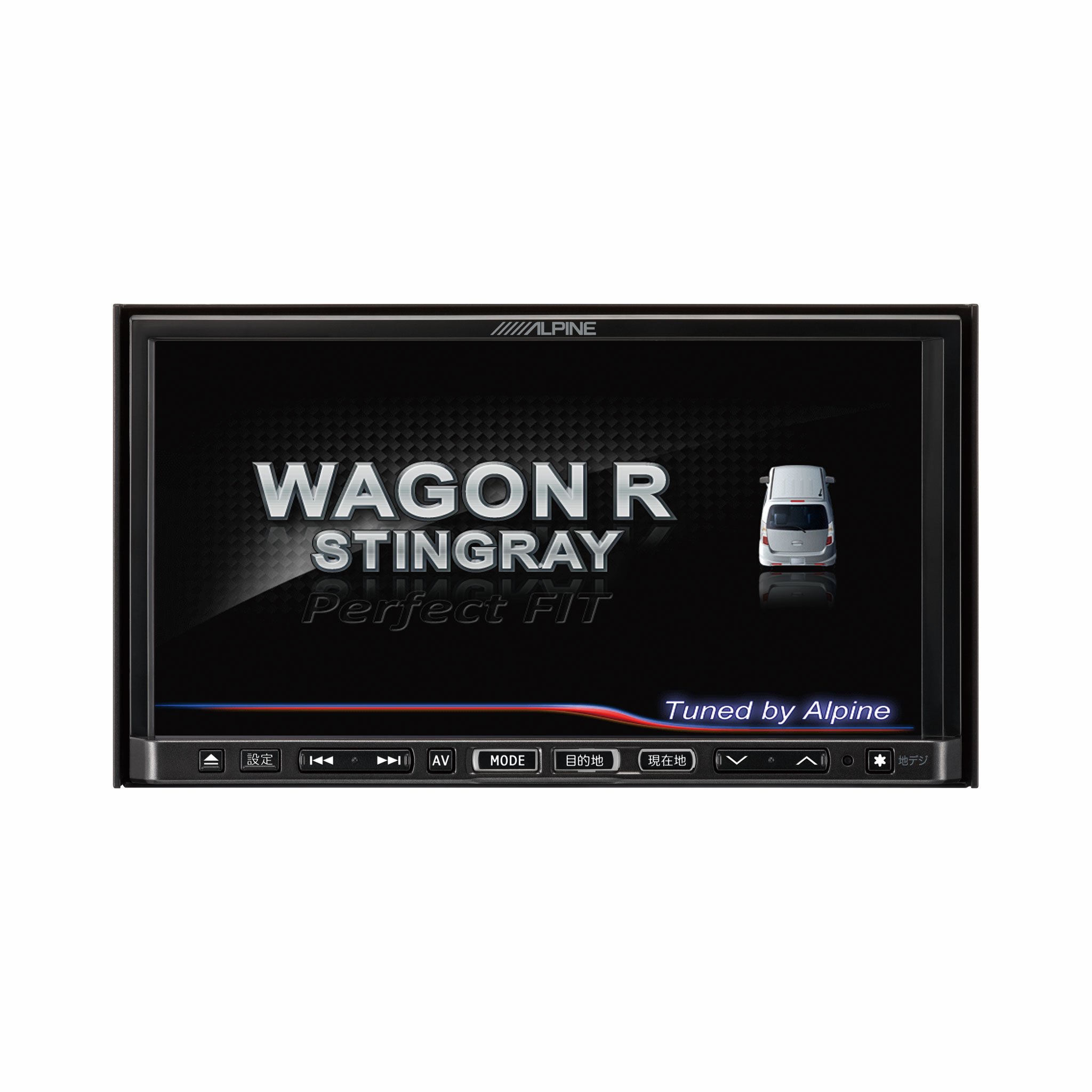
Foto 1.1: N'ihu view of the Alpine VIE-X007-WS-E In-Dash Car Navigation System, showcasing its 7-inch display and control interface.
2. Atụmatụ igodo
- Ngosipụta: 7-inch LED / WVGA Touch Panel Monitor for clear visuals and intuitive control.
- Nchekwa: 32GB SD memory (16GB for Map Data + 16GB for Music Data).
- Tuner: Built-in Terrestrial Digital TV Tuner (12 Segments/One Segment) for broadcast reception.
- Njikọta: Built-in Bluetooth for hands-free calling and Bluetooth audio support.
- Ndabere mgbasa ozi: Supports DVD/CD, FM/AM radio, SD Memory Card, iPod/iPhone, USB, and Walkman (connection cable not included).
- Ngwakọta ụgbọ ala: Alpine system link functions for rear vision camera and vehicle-specific settings.
3. Nhazi ntuziaka
Proper installation is crucial for optimal performance and safety. It is highly recommended that this unit be installed by a qualified professional car audio technician.
3.1. Nlebanya mbụ etinyere
- Gbaa mbọ hụ na agbapụrụ batrị ụgbọ ala tupu ịmalite nrụnye.
- Verify all necessary mounting hardware and wiring harnesses are present.
- Confirm compatibility with your specific vehicle model (Wagon R MH23 Stingray).
3.2. Njikọ njikọ
- Njikọ ike: Jikọọ ihe njide ike bụ isi na ọkụ eletrik nke ụgbọala ahụ, hụ na ọ dabara nke ọma.
- Njikọ Ọkà Okwu: Connect the speaker wires to the corresponding vehicle speakers, observing polarity.
- Njikọ antenna: Connect the GPS antenna and the terrestrial digital TV antenna to their respective inputs on the unit. Position antennas in locations with clear line of sight.
- Njikọ ngwaọrụ mpụga: Connect any optional devices such as a rear-view camera, USB devices, or iPod/iPhone using the appropriate cables (sold separately).
3.3. Ịkwanye Unit
- Carefully insert the unit into the vehicle's dashboard opening.
- Secure the unit using the provided mounting brackets and screws.
- Re-connect the vehicle's battery.
3.4. Gbanwee ike mbụ
- Turn on the vehicle's ignition. The unit should power on and display the Alpine logo.
- Follow any on-screen prompts for initial setup, such as language selection and time zone.
4. Ntuziaka ọrụ
This section provides general guidance on operating your Alpine navigation system.
4.1. Gbanyụọ / gbanyụọ
- The unit typically powers on automatically with the vehicle's ignition.
- To manually turn off or put the unit into standby, press and hold the power button (location may vary, refer to specific vehicle integration manual).
4.2. Touchscreen Ọrụ
- Navigate menus and select functions by lightly touching the screen icons.
- Use swipe gestures for scrolling through lists or maps.
4.3. Ọrụ Nsoroụzọ
- Accessing Navigation: Tap the 'Navigation' or 'Map' icon on the main menu.
- Ịbanye Ebe A Na-aga: Use the on-screen keyboard to input an address, point of interest (POI), or select from recent destinations.
- Ntuziaka ụzọ: Once a destination is set, the system will calculate a route and provide turn-by-turn voice guidance and visual cues.
- Maapụ View: Switch between 2D, 3D, and various zoom levels using the on-screen controls.
4.4. Mgbasa mgbasa ozi
- Redio: Select 'FM' or 'AM' from the main menu. Use the tuner controls to scan for stations or select presets.
- CD/DVD: Insert a disc into the slot. Playback should begin automatically or can be selected from the 'Disc' source.
- SD Card/USB: Insert an SD card or USB device. Select 'SD' or 'USB' as the source and browse for media files.
- Bluetooth Audio: Pair your Bluetooth device (see section 4.5) and select 'Bluetooth Audio' as the source to stream music.
- Igwe onyonyo dijitalụ nke ala: Select 'TV' from the main menu. The system will scan for available channels.
4.5. Njikọ Bluetooth
- On the unit, go to the 'Bluetooth' menu.
- Kwado Bluetooth na ekwentị mkpanaaka gị wee chọọ ngwaọrụ dị.
- Select 'Alpine VIE-X007-WS-E' (or similar name) from your device's list.
- Kwado koodu mmekọ na ngwaọrụ abụọ a ma ọ bụrụ na kpaliri ya.
- Ozugbo ejikọtara ya, ị nwere ike ịkpọ/nata oku wee bugharịa ọdịyo.
5. Nlekọta
Regular maintenance ensures the longevity and optimal performance of your navigation system.
5.1. Ichacha Unit
- Use a soft, dry cloth to wipe the display and control panel.
- Maka ihe ndị siri ike na ihuenyo, jiri obere dampen the cloth with a screen cleaner specifically designed for electronics. Do not spray cleaner directly onto the unit.
- Zere iji ihe nhicha, ihe mgbaze, ma ọ bụ kemịkal siri ike.
5.2. Software and Map Updates
- Periodically check the Alpine official website for available software and map updates.
- Follow the instructions provided with the update package carefully to ensure proper installation. Updates typically involve downloading files to an SD card or USB drive and inserting it into the unit.
5.3. Njikwa Kaadị SD
- Always eject the SD card safely through the unit's menu before physically removing it.
- Store the SD card in a protective case when not in use to prevent damage.
6. Nchọpụta nsogbu
Akụkụ a na-eleba anya n'okwu ndị nkịtị ị nwere ike izute yana ngwọta ha nwere ike ime.
| Nsogbu | Ihe nwere ike ime | Ngwọta |
|---|---|---|
| Unit anaghị agbanye ọkụ. | Njikọ ike rụrụ arụ, fuse fụọ, nsogbu batrị ụgbọ ala. | Check power wiring and fuse. Ensure vehicle battery is charged. Consult a professional if issues persist. |
| Enweghị akara GPS ma ọ bụ ọnọdụ na-ezighi ezi. | GPS antenna obstructed or improperly connected, unit in an area with poor satellite reception. | Gbaa mbọ hụ na antenna GPS nwere doro anya view of the sky. Check antenna connection. Move to an open area. |
| Bluetooth device fails to pair. | Bluetooth not enabled on device, incorrect pairing mode, interference. | Ensure Bluetooth is active on your device. Put the unit in pairing mode. Try re-pairing. Move closer to the unit. |
| Touchscreen is unresponsive. | Temporary software glitch, screen calibration issue. | Restart the unit (turn vehicle ignition off and on). If available, perform screen calibration via settings. |
| Enweghị ụda sitere na ndị ọkà okwu. | Olu dị obere, agbanyere ogbi, nsogbu wiwi ọkà okwu. | Mee ka olu dịkwuo elu. Lelee ma ọ bụrụ na ogbi na-arụ ọrụ. Lelee njikọ ndị na-ekwu okwu. |
If you encounter problems not listed here or if the suggested solutions do not resolve the issue, please contact Alpine customer support or a certified service center.
7. Nkọwapụta
| Njirimara | Nkọwapụta |
|---|---|
| Ụdị | Alpine |
| Nlereanya | VIE-X007-WS-E |
| Nha ihuenyo | 7 sentimita asatọ |
| Ụdị ngosi | WVGA LED LCD Touch Panel Monitor |
| Ike Nchekwa ebe nchekwa | 16 GB (for Map Data, total 32GB SDHC) |
| Atụmatụ pụrụ iche | Hands Free (Bluetooth) |
| Teknụzụ Njikọta | Bluetooth, USB |
| Ntinye Interface mmadụ | Ihuenyo mmetụ aka |
| Ụdị mgbasa ozi kwadoro | Memory, DVD, CD, FM/AM, SD Card, iPod/iPhone, USB, Walkman |
| Tuner arụnyere n'ime ya | Terrestrial Digital TV Tuner (12 Segments/One Segment) |
| Batrị gụnyere | Mba |
| Akụkụ ngwaahịa | 18.66 x 17.8 x 10 cm |
| Ibu Ibu | 6.44 n'arọ |
8. Akwụkwọ ikike na nkwado
Warranty information for the Alpine VIE-X007-WS-E is typically provided with the product packaging or at the point of purchase. Please refer to these documents for details regarding warranty coverage, terms, and conditions.
For technical support, service inquiries, or to find authorized service centers, please visit the official Alpine website or contact Alpine customer service directly. Ensure you have your product model number (VIE-X007-WS-E) and proof of purchase available when seeking support.
Alpine Official Websaịtị: www.alpine.com


