1. Ntuziaka nchekwa dị mkpa
Please read these safety instructions carefully before operating your monitor. Keep this manual for future reference.
- Etinyela ihe nlele ahụ n'elu ụgbọ ala na-anaghị akwụsi ike, ihe nkwụnye, ma ọ bụ tebụl.
- Akwụsịla oghere ikuku.
- Ejila mmiri dị nso.
- Jiri akwa kpọrọ nkụ hichaa naanị.
- Wepụ ihe nlele ahụ n'oge oké ifufe ma ọ bụ mgbe ejiri ya ruo ogologo oge.
- Tụtụ aka n'aka ndị ọrụ ruru eru.
2. Ihe ngwugwu
Chọpụta na ihe niile dị na ngwugwu gị:
- AOC E2060 Monitor
- Igwe ọkụ ọkụ
- USB VGA
- Akwụkwọ ntuziaka (akwụkwọ a)
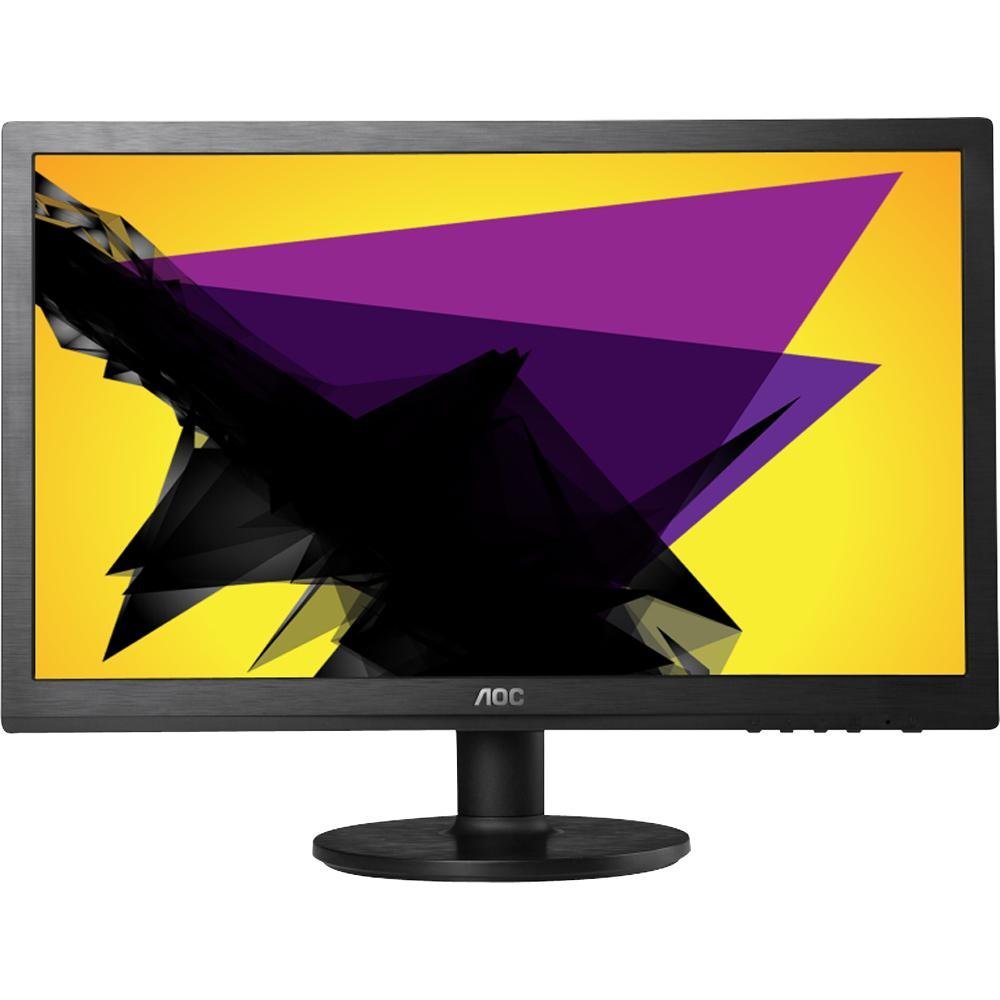
Image: The AOC E2060 20-inch LED Backlit Computer Monitor, showcasing bezel ya dị gịrịgịrị na nguzo ya.
3. Nhazi
3.1 Ịchịkọta Stand
- Jiri nlezianya wepụ ihe nlele ahụ n'ime ihe mkpuchi ya, tinye ya ihu ala n'elu ebe dị nro ma dị ọcha iji gbochie ọwa.
- Attach the stand base to the stand neck, ensuring it clicks securely into place or is fastened with the provided screw.
- Connect the assembled stand to the back of the monitor until it locks securely.
3.2 Njikọ eriri
Ensure your computer and monitor are powered off before making any connections.
- Njikọ ike: Jikọọ otu nsọtụ nke eriri ọkụ eletrik na ntinye ike nke ihe nlele ahụ, jikọọkwa nsọtụ nke ọzọ na oghere ọkụ eletrik nke ala.
- Njikọ vidiyo (VGA): Connect the VGA cable from your computer's VGA output port to the VGA input port on the monitor. Tighten the screws on the VGA connector to secure the connection.
4. Na-arụ ọrụ nlekota oru
4.1 Gbanyụọ ma ọ bụ gbanyụọ
Pịa bọtịnụ ike dị n'ihu ma ọ bụ ala nke ihe ngosi ahụ iji gbanye ya ma ọ bụ gbanyụọ ya. Ọkụ ihe ngosi ike ga-enwu mgbe ihe ngosi ahụ gbanyere.
4.2 Ngosipụta Ngosipụta (OSD) NchNhr
Ndepụta OSD na-enye gị ohere ịgbanwe ntọala nlele dị iche iche. Jiri bọtịnụ dị na bezel nke ihe nlele ahụ gaa n'ihu ma họrọ nhọrọ.
- Bọtịnụ menu: Pịa iji mepee menu OSD.
- Up/Down or Left/Right Buttons: Jiri ya iji lelee nhọrọ menu.
- Bọtịnụ Họrọ/Tinye: Pịa iji kwado nhọrọ ma ọ bụ tinye obere menu.
- Wepụ bọtịnụ: Press to exit the current menu or the OSD entirely.
4.3 Adjusting Picture Settings
N'ime menu OSD, ị nwere ike ịhazigharị ntọala dịka:
- Icha ọkụ: Na-agbanwe ìhè zuru oke nke ihuenyo ahụ.
- Ntughari: Na-edozi ọdịiche dị n'etiti ìhè na ebe gbara ọchịchịrị.
- Okpomọkụ agba: Changes the color balance (e.g., Warm, Cool, sRGB).
- Dezie na akpaaka: Optimizes the image automatically for analog (VGA) input.
5. Nlekọta
5.1 Na-ehicha ihe nleba anya
To ensure a long lifespan and optimal performance, clean your monitor regularly.
- Wepụ ihe nleba anya mgbe niile na oghere ọkụ tupu ihicha ya.
- Jiri akwa dị nro na nke enweghị mmiri ọkụ dampejiri mmiri mee ya ma ọ bụ ihe dị nro, ihe nhicha ihuenyo anaghị emebi emebi.
- Afesakwala ihe nhicha ozugbo na ihuenyo.
- Zere iji ihe nhicha dị ka benzene, thinner, ammonia, ma ọ bụ ihe ndị na-eme ka ọ dị nro.
5.2 Nchekwa
If storing the monitor for an extended period, ensure it is powered off, unplugged, and stored in a cool, dry place away from direct sunlight and extreme temperatures. Use original packaging if available.
6. Nchọpụta nsogbu
Ọ bụrụ na ịnwee nsogbu na ihe nleba anya gị, rụtụ aka na nsogbu na azịza ndị a na-ahụkarị:
- Enweghị ike: Ensure the power cable is securely connected to both the monitor and the electrical outlet. Check if the power outlet is functional.
- Enweghị mgbaama/ihuenyo oghere: Verify that the video cable (VGA) is correctly connected to both the monitor and the computer. Ensure the computer is powered on and not in sleep mode. Try restarting the computer.
- Image is Fuzzy/Distorted: For VGA connections, use the 'Auto Adjust' function in the OSD menu. Ensure the display resolution on your computer is set to the monitor's native resolution (1600x900).
- Colors are Incorrect: Adjust color settings in the OSD menu, or reset to factory defaults. Check your computer's display settings.
- Bọtịnụ anaghị aza: Unplug the monitor's power cable, wait 30 seconds, then plug it back in and try again.
If the problem persists after trying these steps, please contact AOC customer support.
7. Nkọwapụta
| Njirimara | Nkọwapụta |
|---|---|
| Ụdị | AOC |
| Aha Nlereanya | E2060 |
| Nha ihuenyo | 20 sentimita asatọ |
| Mkpebi ihuenyo | 1600 x 900 pikselụ |
| Ngosipụta teknụzụ | LED backlit |
| Teknụzụ Njikọta | VGA |
| Agba | Nwa |
| Ibu Ibu | 0.28 g (approx. 0.01 Ounces) |
| Nọmba Nlereanya ihe | e2060Sn |
| UPC | 685417047789 |
8. Akwụkwọ ikike na nkwado
For warranty information and technical support, please refer to the warranty card included with your product or visit the official AOC website. You can typically find support resources, FAQs, and contact information for your region there.
Please have your monitor's model number (E2060) and serial number ready when contacting support.


