1. Okwu mmalite
Thank you for choosing the Vivitar VIV-385HV Professional Flash. This advanced shoe-mount flash unit is designed to provide versatile and powerful lighting for your photography needs. Featuring a guide number of 126' (42m) at ISO 100 and 85mm, a zoom flash head, auto bounce control, and built-in vari-power control, the VIV-385HV offers enhanced creative control and reliable performance. Please read this manual thoroughly before using the flash to ensure proper operation and to maximize its capabilities.
2. Nchekwa nchekwa
- Do not disassemble or modify the flash unit. This can cause electric shock or damage the unit.
- Keep the flash unit dry. Do not expose it to rain, moisture, or high humidity. Water can cause electric shock or malfunction.
- Zere ka anya gị kpọọ ọkụ ozugbo. The intense light can temporarily impair vision.
- Jiri naanị batrị akọwapụtara. Incorrect battery types or improper installation can lead to leakage, overheating, or explosion.
- Debe ebe ụmụaka na-apụghị iru.
- Do not operate in the presence of flammable gases or liquids.
- Jikwaa nke ọma. Zere idobe ma ọ bụ idobe unit ahụ na mmetụta siri ike.
3. Ihe ngwugwu
Hụ na ihe ndị a niile dị na ngwugwu gị:
- Vivitar VIV-385HV Professional Flash Unit
- 20mm Wide Angle Lens (Diffuser)
- Efere na-egosipụta
- Akwụkwọ ntuziaka onye ọrụ
4. Ngwaahịa gafereview
Familiarize yourself with the main components of your Vivitar VIV-385HV flash unit:
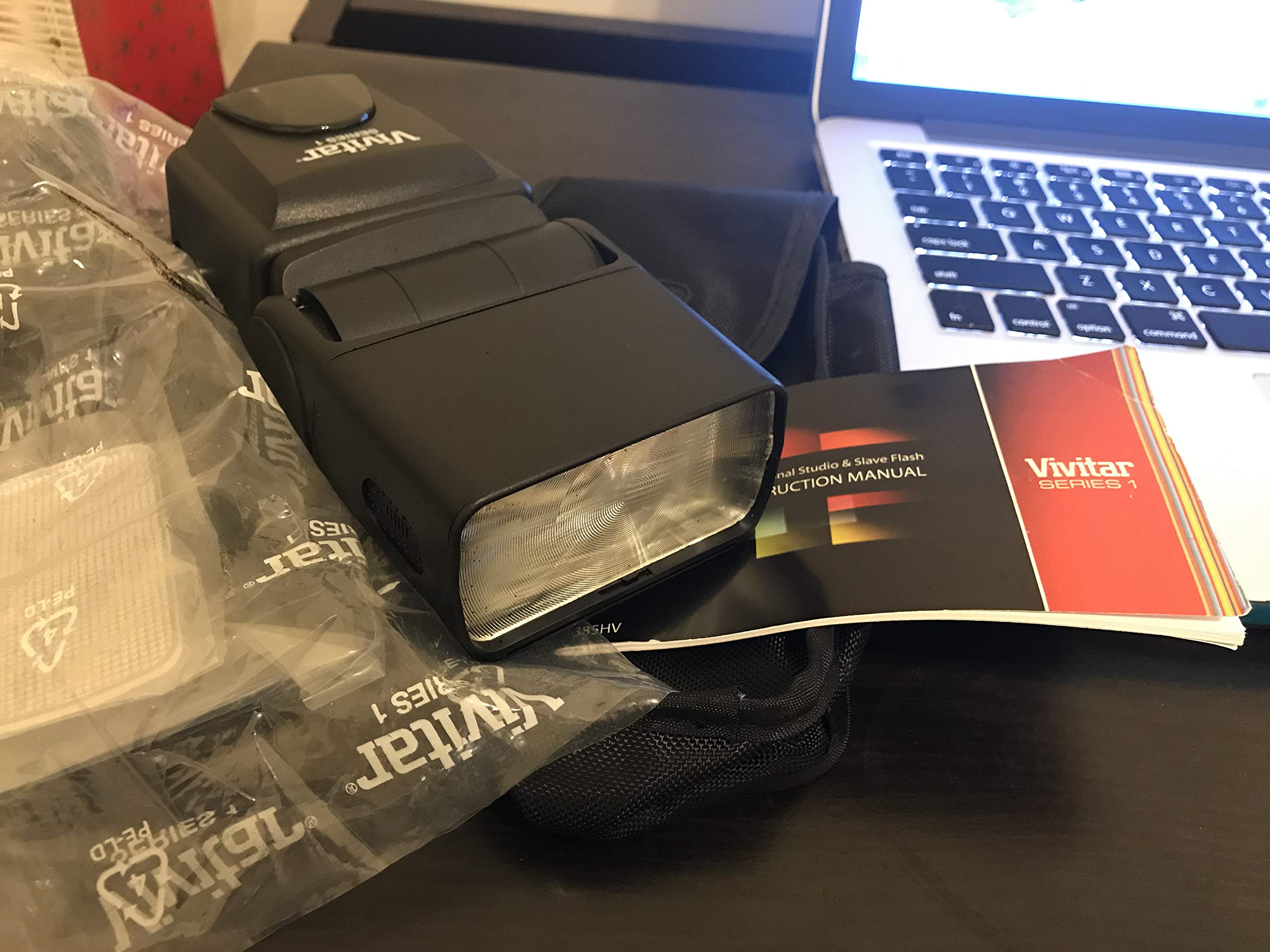
Figure 1: Vivitar VIV-385HV Professional Flash Unit. This image displays the main flash unit, typically showing the flash head, LCD screen, and control buttons.
- Isi Flash: Emits light. Can be zoomed and tilted/swiveled for bounce flash.
- Ngosipụta LCD: Shows current settings, mode, and battery status.
- bọtịnụ njikwa: For power, mode selection, power adjustment, and other settings.
- Ugwu akpụkpọ ụkwụ na-ekpo ọkụ: Connects the flash to your camera's hot shoe.
- Akụkụ batrị: Ọ na-ejide batrị AA.
- Ọdụ Mmekọrịta PC: For connecting to cameras or triggers via a PC sync cable.
5. Nhazi
5.1 Ntinye batrị
- Locate the battery compartment cover on the back or side of the flash unit.
- Open the cover by sliding or lifting it according to the indicator.
- Insert four (4) AA batteries, ensuring correct polarity (+/-) as indicated inside the compartment.
- Mechie mkpuchi nke batrị batrị nke ọma.
Mara: Always use fresh, high-quality AA alkaline or NiMH rechargeable batteries for optimal performance. Remove batteries if the flash will not be used for an extended period.
5.2 Mounting to Camera
- Hụ na agbanyụrụ ma igwefoto ma flash.
- Debe ihe mkpuchi akpụkpọ ụkwụ ọkụ nke flash ahụ n'ime oghere akpụkpọ ụkwụ ọkụ nke igwefoto gị.
- Tighten the locking mechanism (if present) on the flash unit to secure it firmly to the camera. Do not overtighten.
- Alternatively, the flash can be used off-camera via a PC sync cable connected to the PC sync port, or as a slave unit.
6. Ntuziaka ọrụ
6.1 Gbanyụọ ma ọ bụ gbanyụọ
- Press and hold the power button to turn the flash unit on or off.
- The LCD display will illuminate, showing the current settings.
6.2 Nhọrọ ọnọdụ
The VIV-385HV offers several operating modes:
- Ọnọdụ Akpaaka (A): The flash automatically adjusts its output based on the ambient light and subject distance. This mode utilizes the flash's auto aperture feature.
- Ụdị akwụkwọ ntuziaka (M): Allows you to manually set the flash power output (e.g., 1/1, 1/2, 1/4, up to 1/128). Use the control buttons to adjust the power level.
- Slave Mode (S): The flash will fire in sync with another flash unit. Set your camera's built-in flash or another external flash to fire, and the VIV-385HV will detect the light pulse and fire simultaneously.
Press the "Mode" button to cycle through the available modes.
6.3 Adjusting Flash Power (Manual Mode)
In Manual Mode, use the directional buttons or dial (if present) to increase or decrease the flash power output. The LCD will display the current power setting (e.g., 1/1 for full power, 1/8 for one-eighth power).
6.4 Zoom Flash Head
The flash head can be manually zoomed to match the focal length of your lens, optimizing light coverage. Adjust the zoom head by sliding it forward or backward. The current zoom setting (e.g., 28mm, 50mm, 85mm) will be displayed on the LCD.
6.5 Bounce Flash and Reflecting Plate
- Bounce Flash: The flash head can be tilted upwards and swiveled horizontally. This allows you to bounce the flash light off a ceiling or wall for softer, more natural illumination, reducing harsh shadows.
- Reflecting Plate: Pull out the small white reflecting plate from the flash head. When bouncing the flash, this plate can direct a small amount of light forward to add a catchlight to your subject's eyes.
6.6 Wide Angle Diffuser
For wider lens coverage (e.g., 20mm), pull out the built-in wide-angle diffuser from the flash head. This spreads the light over a broader area, ideal for wide-angle shots.
6.7 Advanced IGBT Circuit
The flash incorporates an Advanced IGBT (Insulated Gate Bipolar Transistor) circuit, which allows for precise control over flash duration and power output, contributing to consistent and efficient performance.
7. Nlekọta
- Nhicha: Use a soft, dry cloth to clean the flash unit. For stubborn dirt, lightly dampen the cloth with water and then wipe dry. Do not use solvents or abrasive cleaners.
- Nchekwa: Store the flash in a cool, dry place away from direct sunlight and extreme temperatures. Remove batteries if storing for an extended period to prevent leakage.
- Nlekọta batrị: Replace batteries when the low battery indicator appears on the LCD. Dispose of used batteries responsibly.
8. Nchọpụta nsogbu
| Nsogbu | Ihe nwere ike ime | Ngwọta |
|---|---|---|
| Flash anaghị agba ọkụ. |
|
|
| Flash anaghị agba ọkụ. |
|
|
| Flash settings reset after power cycle or sleep. |
|
|
| Flash does not fire in Auto mode in bright daylight (for fill flash). |
|
|
9. Nkọwapụta
| Nọmba nlereanya | VIV-385HV |
| Nọmba ntuziaka | 126' (42 m) at ISO 100 @ 85mm |
| Nhazi okirikiri | Advanced IGBT Circuit |
| Ụdị ọkụ | Auto, Manual, Slave |
| Zoom Head | Ee |
| Bounce/Swivel Head | Ee |
| Njikwa ike | Built-In Vari-Power Control |
| Isi Iyi Ike | Batrị 4 x AA (anaghị etinye ya) |
| Akụkụ ngwaahịa | 9 x 5 x 4 sentimita asatọ |
| Ibu Ibu | 1.2 pound |
| Onye nrụpụta | Sakar International, Inc. |
10. Akwụkwọ ikike & Nkwado
For warranty information and technical support, please refer to the documentation included with your purchase or visit the official Vivitar website. Contact details for customer service are typically available on the manufacturer's support page.
Manufacturer: Sakar International, Inc.


