1. Ngwaahịa gafereview
Nke ViewSonic PJD5353 is a short throw DLP projector designed for business and education environments. It offers XGA 1024x768 native resolution, 2500 ANSI lumens brightness, and a 3000:1 contrast ratio for clear and vibrant images. Its short throw lens allows for large images from a minimal distance, making it suitable for various room sizes.
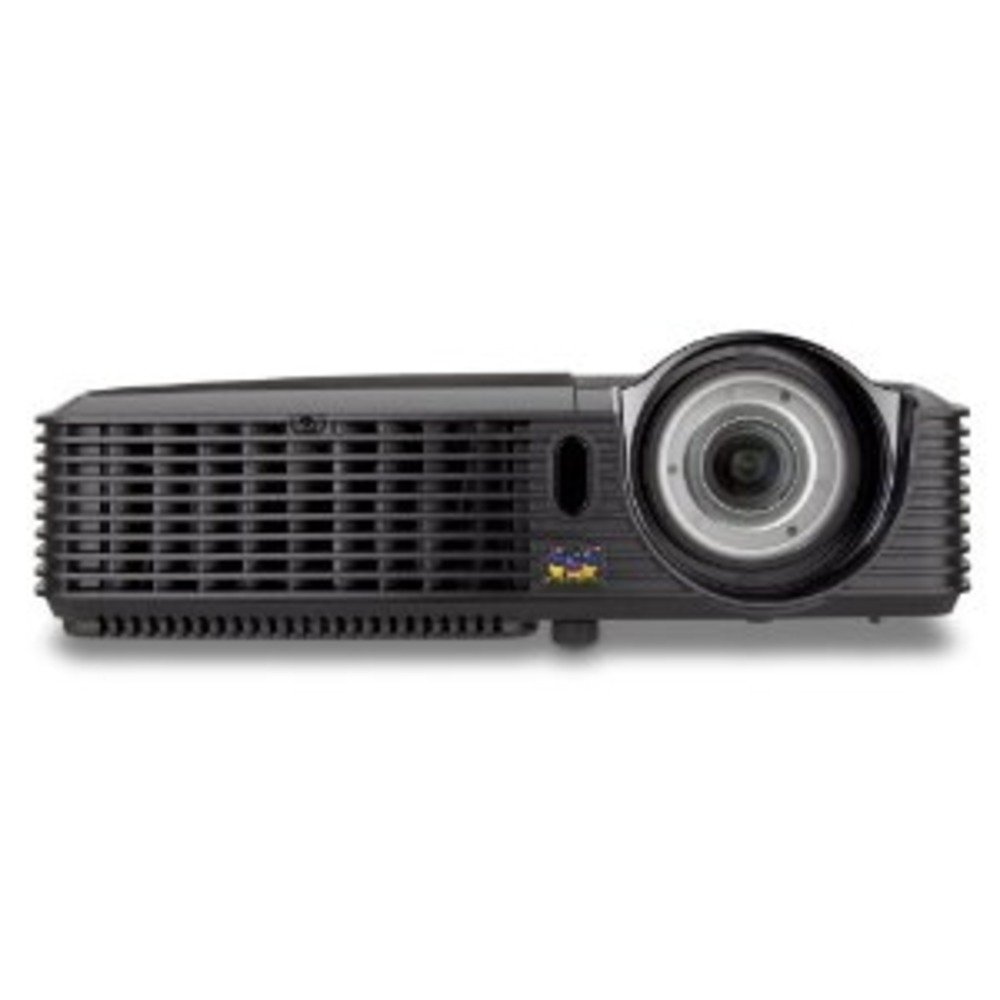
Foto 1.1: ViewSonic PJD5353 DLP Projector. This image displays the projector from an angled perspective, highlighting the projection lens on the front and the control panel located on the top surface.
Akụkụ ndị bụ isi:
- XGA 1024x768 DLP projector with 2500 ANSI Lumens and 3000:1 Contrast.
- Short Throw Ratio (TR 0.68) for large images in small spaces.
- Multiple input options: HDMI, dual RGB in, composite, S-video, RGB out, audio in/out, RS232.
- Supports HD 720p and 1080i/p via HDMI.
- 120Hz/3D-Ready technology powered by DLP Link for PC-based 3D applications.
- Digital keystone correction of +/- 40 degrees.
- Igwe okwu 1W agbakwunyere.
- Lightweight and portable at 5.7 lbs.
- Lamp life of 5000 hours (Normal mode) / 6000 hours (Eco mode).
- Apple Mac compatible.
- 8 preset picture modes (e.g., bright, cinema, whiteboard).
- Eco Mode for energy savings, extended lamp life, and reduced operating noise.
- Includes remote control with batteries.
2. Nhazi
2.1 Mwepu na ntinye
Carefully remove the projector and all accessories from the packaging. Place the projector on a stable, flat surface. Due to its short throw capability, the projector can be positioned close to the projection screen or wall. For example, a 50-inch image can be achieved from approximately 27 inches away.
2.2 Ijikọ ike
- Connect the power cord to the projector's power input.
- Tinye nsọtụ nke ọzọ nke eriri ọkụ n'ime oghere eletrik gbadoro ụkwụ.
2.3 Jikọọ Isi mmalite vidiyo
The PJD5353 offers various input ports for connecting different devices:
- HDMI: For high-definition digital video and audio. Supports HD 720p and 1080i/p signals.
- VGA (RGB In): For connecting computers via a VGA cable. Two VGA inputs are available.
- Vidiyo mejupụtara: Maka isi mmalite vidiyo nkọwa ọkọlọtọ.
- S-Video: For improved standard definition video sources.
- Audio Na: Maka ijikọ isi iyi ọdịyo mpụga.
Connect your desired video source (e.g., laptop, DVD player) to the corresponding input port on the projector using the appropriate cable.
2.4 Mgbanwe Ike Mmalite na Ndozi Lekwasị Anya
- Pịa bọtịnụ ike dị na projector ma ọ bụ njikwa ime ka ịgbanwuo unit ahụ. Ihe ngosi ọkụ ga-enwu.
- Nye obere oge maka ihe ngosi ihe onyonyo lamp to warm up and display an image.
- Adjust the focus ring around the lens until the image on the screen is sharp and clear.
- Use the keystone correction function (digital +/- 40 degrees) via the projector's menu or remote control to square the image if the projector is not perfectly perpendicular to the screen.
3. Ọrụ
3.1 Njikwa ntọala
The projector can be controlled using the control panel on the top of the unit or the included remote control.
- Bọtịnụ ike: Gbanyụọ ma ọ bụ gbanyụọ projector.
- Isi mmalite: Cycles through available input sources (HDMI, VGA1, VGA2, Video, S-Video).
- Bọtịnụ menu: Accesses the on-screen display (OSD) menu for settings adjustments.
- Bọtịnụ ụta: Gaa na nhọrọ menu OSD.
- Tinye bọtịnụ: Na-akwado nhọrọ dị na menu OSD.
- Keystone Buttons: Adjusts vertical keystone correction.
3.2 Ụdị Foto
The projector features 8 preset picture modes optimized for different viewing environments and content types. These include:
- Na-egbuke egbuke
- Ụlọ ihe nkiri
- Akwụkwọ ọcha
- And others.
Select the appropriate picture mode from the OSD menu to enhance your viewahụmahụ.
3.3 Eco Ọnọdụ
Activate Eco Mode to reduce power consumption, extend lamp life, and lower operating noise. This mode is ideal for situations where maximum brightness is not required.
Ọrụ 3.4 3D
The PJD5353 is 120Hz/3D-Ready, powered by DLP Link. To utilize 3D features, you will need compatible 3D content, a 3D-capable source device (e.g., PC with 3D software), and DLP Link 3D glasses (sold separately).
4. Nlekọta
4.1 Lamp Ndụ na nnọchi
Onye na-eme ihe nkiri lamp has an estimated life of 5000 hours in Normal mode and 6000 hours in Eco mode. When the lamp reaches the end of its life, a warning message may appear, or the lamp ọkụ egosi nwere ike na-enwu. Rụtụ aka na ntuziaka onye ọrụ zuru oke maka nkọwa zuru ezuamp replacement instructions. Always use genuine ViewSonic replacement lamps.
4.2 Nhicha
- Ihe ngosiputa Casing: Jiri nwayọọ, damp cloth with a mild detergent to clean the exterior. Avoid abrasive cleaners.
- oghere: Gently wipe the lens with a soft, lint-free cloth specifically designed for optical surfaces. Do not use liquid cleaners directly on the lens.
- Igwe ikuku ikuku: Periodically check and clean the air vents to ensure proper airflow and prevent overheating. Use a soft brush or compressed air.
Ịkpachara anya: Always unplug the projector from the power outlet before cleaning.
5. Nchọpụta nsogbu
Okwu na azịza ndị nkịtị:
- Enweghị onyonyo na ihuenyo:
- Gbaa mbọ hụ na agbanyere projector yana lamp na-enwu enwu.
- Verify that the video cable is securely connected to both the projector and the source device.
- Press the "Source" button on the projector or remote to select the correct input source.
- Check the resolution settings of your source device; ensure it is compatible with the projector's supported resolutions.
- Enweghị ụda:
- If using HDMI, ensure the audio is being sent through the HDMI cable.
- If using an analog audio cable, ensure it is properly connected to the "Audio In" port.
- Lelee ntọala olu na ma ihe ngosi ahụ ma ngwaọrụ isi mmalite ya.
- Ensure the integrated speaker is enabled in the projector's OSD menu.
- Njikwa anya anaghị arụ ọrụ:
- Check and replace the batteries in the remote control (2 AA batteries are included).
- Ensure there are no obstructions between the remote control and the projector's IR receiver.
- Tụnye ebe dịpụrụ adịpụ ozugbo na projector.
- Foto a gbagọrọ agbagọ ma ọ bụ ghara ịhụ anya:
- Gbanwee mgbanaka elekwasị anya na oghere.
- Use the keystone correction function to correct trapezoidal distortion.
- Ensure the projector is placed on a stable surface and is not vibrating.
For more detailed troubleshooting, refer to the complete user manual or visit the ViewNkwado Sonic websaịtị.
6. Nkọwapụta
| Njirimara | Nkọwa |
|---|---|
| Nọmba nlereanya | PJD5353 |
| Ngosipụta teknụzụ | DLP |
| Mkpebi obodo | XGA (1024 x 768) |
| Icha ọkụ | 2500 ANSI Oghere |
| Ọnụọgụ ọdịiche | 3000:1 |
| Tufu Ratio | 0.68 (Short Throw) |
| Keystone Ndozi | Digital +/- 40 degrees (Vertical) |
| Lamp Ndụ (Nkịtị/Eco) | 5000/6000 awa |
| Njikọta | HDMI, 2x VGA In, Composite Video, S-Video, Audio In/Out, RS232 |
| Nkwado HD | 720p, 1080i/p (via HDMI) |
| 3D dị njikere | 120Hz/DLP Link |
| Ọkà okwu agbakwunyere | 1W |
| Akụkụ ngwaahịa | 9.2 x 11.2 x 3.2 sentimita asatọ |
| Ibu Ibu | 5.7 pound |
| Ngwa gụnyere | Remote control with 2 AA batteries |
7. Akwụkwọ ikike & Nkwado
7.1 Ozi akwụkwọ ikike
Nke a ViewSonic product is covered by a limited warranty. For specific warranty terms and conditions, including duration and coverage details, please refer to the warranty card included with your product or visit the official ViewSonic websaịtị. Debe ihe akaebe nke ịzụrụ maka akwụkwọ ikike.
7.2 Nkwado ndị ahịa
For technical assistance, product registration, or to download the complete user manual, please visit the official ViewNkwado Sonic website or contact their customer service department. Contact information can typically be found on the ViewSonic websaịtị ma ọ bụ na nkwakọ ngwaahịa.


