1. Okwu mmalite
This manual provides comprehensive instructions for the setup, operation, and maintenance of your InFocus IN124 DLP Projector. Please read this manual thoroughly before using the projector to ensure proper functionality and to maximize its lifespan.
The InFocus IN124 is designed to deliver clear and bright projections, suitable for various environments including home cinema and business presentations. Its compact design and robust features make it a versatile display solution.
2. Ngwa ngwaahịa
Upon unboxing your InFocus IN124 DLP Projector, please verify that all the following components are included:
- InFocus IN124 DLP Projector Unit
- Njikwa anya
- Igwe ọkụ ọkụ
- VGA Cable (may vary by region/package)
- User Manual (this document, typically on CD or downloadable)
If any items are missing or damaged, please contact InFocus customer support immediately.
3. Nhazi
3.1 Ntinye anụ ahụ
Position the projector on a stable, flat surface or mount it securely to a ceiling. Ensure adequate ventilation around the unit to prevent overheating. Maintain a clear path between the projector lens and the projection surface (screen or wall).
3.2 Ngwa jikọọ
The InFocus IN124 supports various input sources. Connect your source device (e.g., laptop, DVD player, gaming console) to the projector using the appropriate cable.
- HDMI: Maka vidiyo dijitalụ na ọdịyo dị elu. Jikọọ eriri HDMI site na ngwaọrụ isi iyi gị na ọdụ ụgbọ mmiri HDMI dị na projector.
- VGA: For analog video input, commonly used with computers. Connect a VGA cable from your computer's VGA output to the VGA input on the projector.
- Vidiyo mejupụtara: For standard definition video. Connect a composite video cable (yellow RCA) to the corresponding port.
- Ntinye/Ọnụnụ: Connect external audio devices if needed.
3.3 Na-agbanye ike
Mgbe ejikọtara eriri niile dị mkpa:
- Connect the power cable to the projector and then to a power outlet.
- Press the power button on the projector's control panel or the remote control. The power indicator light will change, and the projector lamp ga-enwu enwu.
- Allow a few moments for the projector to warm up and display the image.
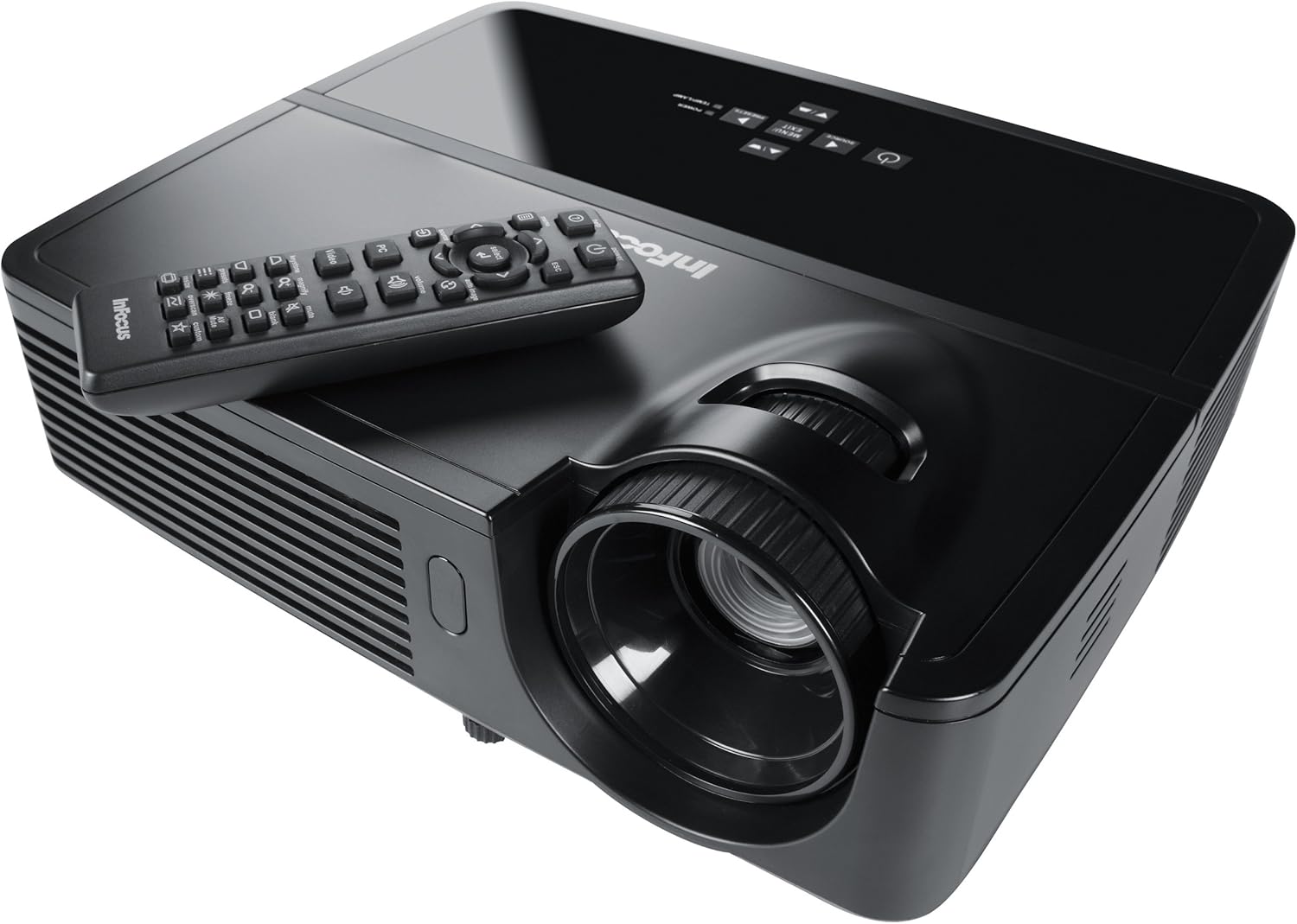
Figure 1: InFocus IN124 DLP Projector with its remote control. The image shows the top-down view of the black projector unit, highlighting the lens, ventilation grilles, and the control panel. The remote control is placed on top of the projector.
4. Na-arụ ọrụ Projector
4.1 Njikwa ntọala
The projector can be operated using the control panel on the unit or the included remote control.
- Bọtịnụ ike: Gbanyụọ ma ọ bụ gbanyụọ projector.
- Isi mmalite: Cycles through available input sources (HDMI, VGA, Video).
- Bọtịnụ menu: Accesses the on-screen display (OSD) menu for settings adjustments.
- Bọtịnụ ụta: Navigate through menu options and adjust values.
- Enter/Select Button: Na-akwado nhọrọ dị na menu.
- Bọtịnụ olu: Na-emezi ọkwa mmepụta ọdịyo.
- Ndozi isi okwu: Adjusts the image shape to correct trapezoidal distortion.
- Mgbado aka mgbanaka: Manually adjust the lens to sharpen the image.
4.2 Nhazi na Ntọala NchNhr
Press the "Menu" button to open the On-Screen Display (OSD). Use the arrow keys to navigate through categories such as "Picture," "Display," "Setup," and "Advanced." Press "Enter" to select a category or option. Adjust settings like brightness, contrast, color temperature, aspect ratio, and resolution to optimize your viewahụmahụ.
Ọrụ 4.3 3D
The InFocus IN124 is 3D-ready. To experience 3D content, you will need compatible 3D source material, a 3D-capable player, and active DLP Link 3D glasses (sold separately). Refer to your 3D source device's manual for specific setup instructions.
5. Nlekọta
Regular maintenance ensures optimal performance and extends the life of your projector.
5.1 Ihicha oghere
Use a soft, lint-free cloth specifically designed for optical lenses. Gently wipe the lens surface to remove dust or smudges. Avoid using abrasive cleaners or excessive force, which can scratch the lens.
5.2 Cleaning Air Filters
The projector has air filters to prevent dust from entering the internal components. Locate the filter cover (refer to the diagram in the full manual if available) and remove it. Clean the filter using a small brush or a vacuum cleaner with a brush attachment. Replace the filter securely.
5.3 Lamp Ndochi
Onye na-eme ihe nkiri lamp nwere njedebe ndụ. Mgbe lamp indicator light illuminates or the image becomes dim, it's time to replace the lamp. Always allow the projector to cool down completely before attempting lamp replacement. Consult the full service manual or a qualified technician for detailed lamp replacement procedures specific to the IN124 model.
6. Nchọpụta nsogbu
Akụkụ a na-eleba anya n'okwu ndị a na-ahụkarị ị nwere ike izute na projector gị.
| Nsogbu | Ihe nwere ike ime | Ngwọta |
|---|---|---|
| Ọnweghị onyonyo egosiri | Incorrect input source selected; Loose cable connection; Projector not powered on. | Press the "Source" button to cycle inputs; Check all cable connections; Ensure projector is powered on and lamp na-enwu. |
| Onyonyo na-agba agba | Out of focus; Incorrect resolution setting. | Adjust the focus ring on the lens; Adjust the resolution setting in the OSD menu or on your source device. |
| Foto a bụ trapezoidal | Ihe ngosi onyonyo anaghị adabara na ihuenyo ahụ. | Use the keystone correction feature (digital or manual) to square the image. Reposition the projector if possible. |
| Enweghị ọdịyo | Volume too low; Incorrect audio input selected; Muted. | Increase volume; Check audio cable connections; Ensure projector or source device is not muted. |
| Projector na-ekpo ọkụ ma mechie | Blocked ventilation; Dirty air filter. | Ensure clear space around vents; Clean air filter as per maintenance section. |
For issues not listed here, please refer to the comprehensive online support resources or contact InFocus customer service.
7. Nkọwapụta
Below are the key technical specifications for the InFocus IN124 DLP Projector:
| Njirimara | Nkọwa |
|---|---|
| Nọmba nlereanya | IN124 |
| Ngosipụta teknụzụ | DLP |
| Mkpebi obodo | 1280x720 (HD) |
| Icha ọkụ | Ihe ruru 3200 lumens |
| Ọnụọgụ ọdịiche | 3000:1 |
| Njikọta | HDMI, VGA, Composite Video |
| Atụmatụ pụrụ iche | 3D-njikere |
| Akụkụ ngwaahịa (L x W x H) | 12.99 x 12.99 x 5.9 sentimita asatọ |
| Ibu Ibu | 4.78 pound (2.17 n'arọ) |
| Ịnye ọkụ | 100-240 Volts at 50-60 Hz |
| Akwadoro ojiji | Ụlọ ihe nkiri |
8. Akwụkwọ ikike na nkwado
InFocus provides a limited warranty for the IN124 DLP Projector. For detailed warranty terms and conditions, please refer to the warranty card included with your product or visit the official InFocus websaịtị. Debe nnata nzụta gị dị ka ihe akaebe nke ịzụrụ maka nkwupụta ikike.
For technical support, troubleshooting assistance beyond this manual, or service requests, please contact InFocus customer support through their official website or the contact information provided in your product documentation. Online resources, including FAQs and driver downloads, may also be available.


