Okwu mmalite
Thank you for choosing the A4Tech V-Track N-500F-1 Glossy Grey USB Mouse. This manual provides essential information for setting up, operating, and maintaining your new mouse. The contoured design ensures maximum comfort and support during extended use, and the sturdy scroll wheel with a rubberized surface prevents slippage for precise control.
Melite
Follow these steps to set up your A4Tech V-Track N-500F-1 mouse:
- Jikọọ òké: Locate an available USB port on your computer. Insert the USB connector of the mouse firmly into the USB port.
- Nwụnye ọkwọ ụgbọala: Your operating system (Windows XP, Windows 7, Linux, etc.) should automatically detect and install the necessary drivers for the mouse. No additional software installation is typically required for basic functionality.
- Nyochaa arụmọrụ: Once connected, move the mouse to check if the cursor responds on your screen. Test the left and right click buttons, and the scroll wheel.
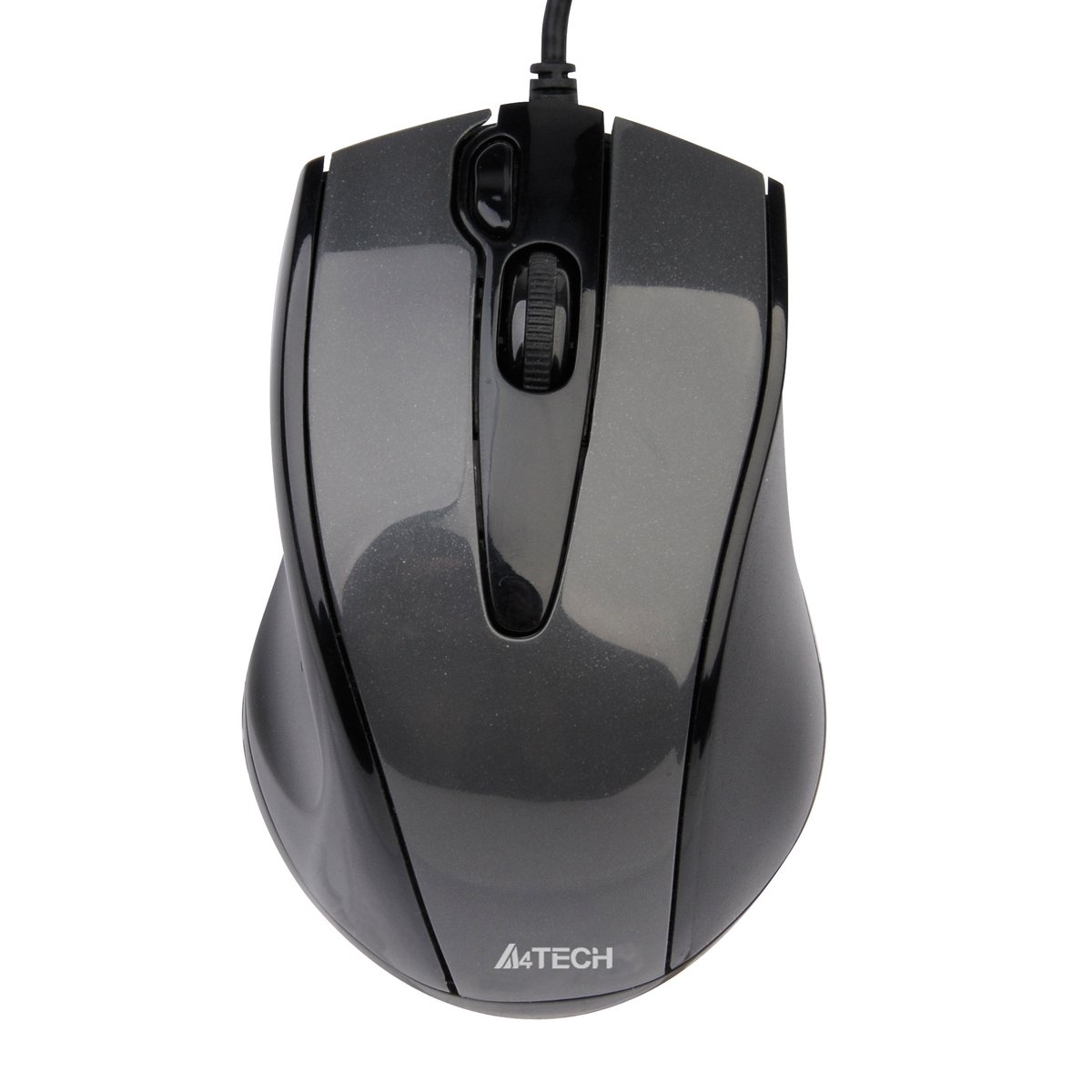
This image displays the A4Tech V-Track N-500F-1 mouse from a top-down perspective. It features a glossy grey finish, a central scroll wheel, and standard left and right click buttons. A USB cable extends from the front of the mouse.
Iji òké gị arụ ọrụ
The A4Tech V-Track N-500F-1 mouse is designed for intuitive use with standard computer functions.
- Pịa aka ekpe: Use the left button for selecting items, opening files, na ime ka njikọ rụọ ọrụ.
- Pịa aka nri: Use the right button to access context menus, offering additional options for selected items.
- Mpempe akwụkwọ mpịakọta: Roll the wheel up or down to navigate through documents and web pages. The scroll wheel can also be pressed down for a middle-click function, often used for opening links in new tabs or auto-scrolling.
- Bọtịnụ agbakwunyere: This mouse features an additional button, typically located near the scroll wheel or on the side. This button can often be customized through your operating system's mouse settings or A4Tech's proprietary software (if available) to perform various functions, such as screen capture, quick access to applications, or specific commands. Refer to your computer's settings for customization options.
Nlekọta na nlekọta
Iji hụ na ogologo ndụ gị na ịrụ ọrụ kacha mma, soro ntuziaka mmezi ndị a:
- Nhicha: Jiri akwa dị nro, kpọrọ nkụ hichapụ elu òké ahụ. Maka unyi isi ike, ntakịrị dampJiri mmiri ma ọ bụ ihe nhicha dị nro, nke na-anaghị afụ ụfụ kpuchie ákwà ahụ. Zere iji kemịkalụ siri ike ma ọ bụ ihe ndị na-eme ka ọ dị nro.
- ihicha ihe mmetụta: Occasionally, dust or debris may accumulate around the optical sensor on the underside of the mouse. Use a cotton swab or compressed air to gently clean the sensor area.
- Zere Mmiri mmiri: Do not immerse the mouse in water or expose it to excessive moisture.
- Nchekwa: Mgbe ejighị ya, chekwaa òké na ebe dị ọcha, kpọrọ nkụ pụọ na oke okpomọkụ.
Nchọpụta nsogbu
If you encounter issues with your A4Tech V-Track N-500F-1 mouse, refer to the table below for common problems and solutions:
| Nsogbu | Ihe nwere ike ime | Ngwọta |
|---|---|---|
| cursor òké anaghị agagharị. | Loose USB connection, faulty USB port, dirty sensor. | Ensure USB cable is securely plugged in. Try a different USB port. Clean the optical sensor. Restart your computer. |
| Bọtịnụ ma ọ bụ wheel mpịakọta anaghị anabata ya. | Software conflict, debris under buttons. | Restart your computer. Check for any conflicting software. Gently clean around the buttons. |
| Ntugharị cursor na-adịghị agbanwe agbanwe ma ọ bụ na-awụlikwa elu. | Dirty sensor, unsuitable mouse pad surface. | Clean the optical sensor. Use a clean, uniform mouse pad or surface. |
| Mouse is not detected by the computer. | Driver issue, hardware malfunction. | Try connecting to another computer to rule out mouse malfunction. Check Device Manager for driver status. |
Nkọwa nka nka
Below are the technical specifications for the A4Tech V-Track N-500F-1 mouse:
| Njirimara | Nkọwa |
|---|---|
| Ụdị | A4tech |
| Nlereanya | N-500F |
| Teknụzụ Njikọta | USB |
| Ngwaọrụ Akụrụngwa | USB 2.0 |
| Ọnụọgụ bọtịnụ | 4 |
| Ntuzi aka | Right |
| Agba | Agba ntụ |
| OS dakọtara | Linux, Windows XP, Windows 7 |
| Akụkụ ngwaahịa | 23.01 x 5.99 x 8.99 cm |
| Ibu Ibu | 158.76 g |
| Ụdị isi iyi ike | Igwe ọkụ eletrik |
Akwụkwọ ikike na nkwado
A4Tech products are manufactured to high-quality standards. For information regarding warranty coverage, technical support, or service, please refer to the warranty card included with your product or visit the official A4Tech websaịtị. Debe nnata nzụta gị dị ka ihe akaebe nke ịzụrụ maka nkwupụta ikike.


