1. Okwu mmalite
The KODAK PLAYSPORT (Zx5) HD Waterproof Pocket Video Camera is designed for capturing high-definition videos and photos in various environments. Its robust construction makes it shockproof, dustproof, and waterproof up to 10 feet (3 meters), ideal for active lifestyles. This manual provides essential information for setting up, operating, and maintaining your camera.

Foto 1: N'ihu view of the Kodak PlaySport (Zx5) HD Waterproof Pocket Video Camera in Black.
2. Kedu ihe dị na Igbe ahụ
- Kodak PlaySport (Zx5) HD Waterproof Pocket Video Camera
- Akwụkwọ ntuziaka onye ọrụ
3. Akụrụngwa Ngwaahịa
- Shockproof, dustproof, and waterproof up to 10 ft (3 meters)
- Kodak's Share button for easy sharing
- Full 1080p HD videos and 5 MP HD stills
- Built-in digital image stabilization for sharper videos
- On-camera editing capabilities
4. Nhazi
4.1 Ntinye batrị
- Locate the battery compartment door on the camera.
- Slide the latch to open the battery compartment.
- Insert the Lithium Ion battery, ensuring correct orientation according to the diagram inside the compartment.
- Close the battery compartment door securely until it latches.
4.2 Ntinye kaadị ebe nchekwa
The camera uses SDHC flash memory cards.
- With the battery compartment open, locate the SDHC card slot.
- Insert the SDHC card into the slot until it clicks into place.
- Mechie ọnụ ụzọ batrị batrị.
4.3 Ịchaji igwefoto
Use the provided USB cable to charge the camera. Connect the micro-USB end to the camera's charging port and the USB-A end to a compatible USB power adapter (not included) or a computer.
5. Ntuziaka ọrụ
5.1 Gbanyụọ ma ọ bụ gbanyụọ
Press and hold the power button located on the top of the camera to turn it on or off.
5.2 Ndekọ vidiyo
- Gbanwuo igwefoto.
- Press the dedicated record button (usually marked with a red dot) to start recording.
- Pịa bọtịnụ ndekọ ọzọ ka ịkwụsị ndekọ.
5.3 Ịse foto
- Gbanwuo igwefoto.
- Switch to photo mode if necessary (refer to on-screen menu).
- Pịa bọtịnụ mkpuchi ka ịsee foto.
5.4 Ọrụ mbugharị
Use the zoom controls (W for wide, T for telephoto) to adjust the digital zoom during recording or photo capture.
5.5 Nghaghachi
Access the playback mode via the menu to review your recorded videos and photos on the camera's 2-inch screen.
5.6 Connecting to a TV/Computer
The camera supports HDMI connectivity for viewing content on a TV. Use a mini-HDMI to HDMI cable (sold separately). For computer connection, use the USB cable to transfer files.
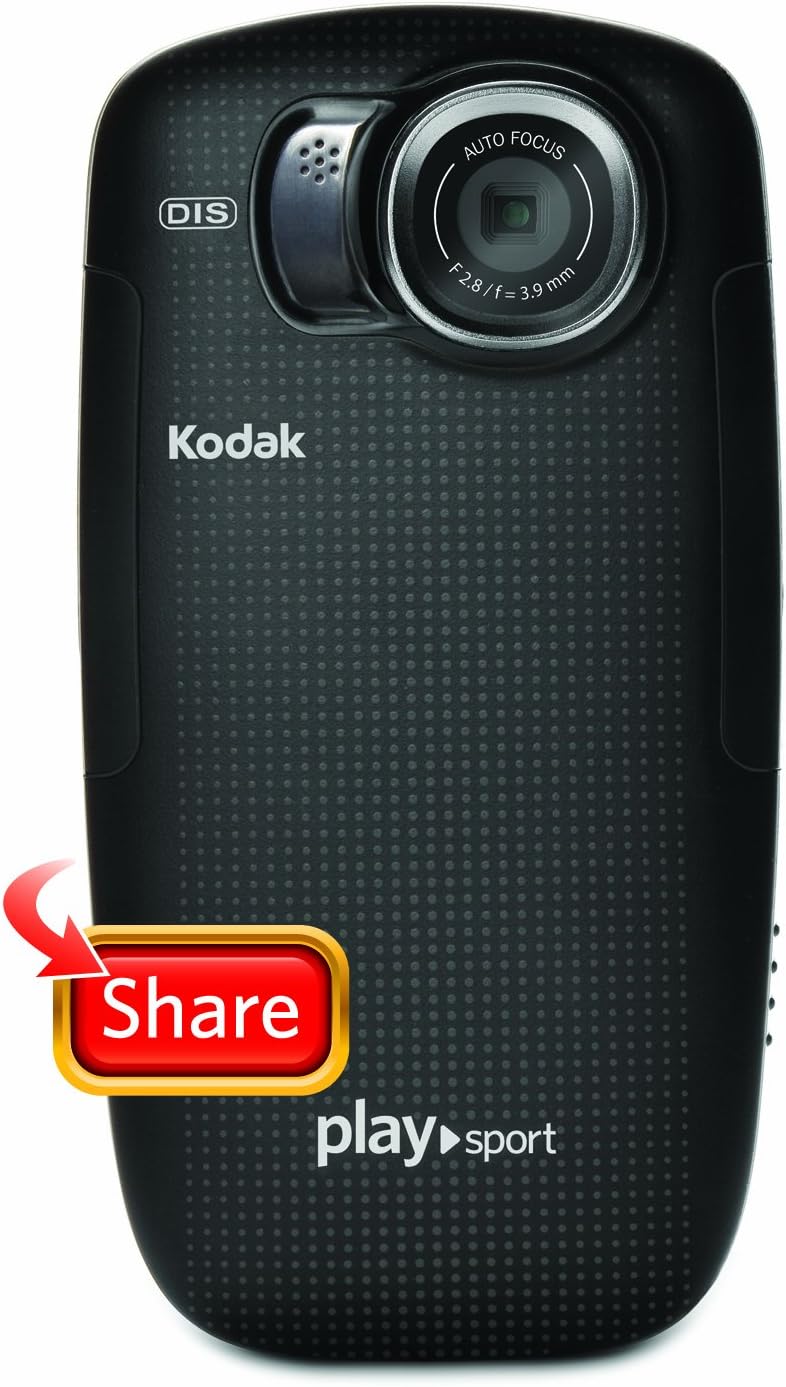
Foto nke atọ: Azụ view of the Kodak PlaySport (Zx5) showing the screen and control buttons.

Foto 3: N'ihu view of the Kodak PlaySport (Zx5) with the screen displaying a captured image.
6. Nlekọta
6.1 Nhicha
After using the camera in saltwater, rinse it thoroughly with fresh water and pat dry. Ensure all access flaps are open to dry completely to prevent salt buildup and hinge issues.
6.2 Nlekọta batrị
Charge the battery fully before each use. Store the camera and battery in a cool, dry place when not in use.
7. Nchọpụta nsogbu
7.1 Igwefoto anaghị agba ọkụ
- Gbaa mbọ hụ na etinyere batrị nke ọma na chajịkwa ya nke ọma.
- Pịa ma jide bọtịnụ ike maka sekọnd ole na ole.
7.2 Poor Audio Quality with External Microphone
Some users have reported issues with external microphone input. Ensure the microphone is properly connected. If issues persist, consider using the built-in microphone or alternative audio recording methods.
7.3 Access Flaps Jamming
Regularly clean and dry the camera, especially after saltwater exposure, to prevent salt or debris from causing the access flaps to jam.
7.4 On-Camera Editing Issues
For long videos, on-camera trimming may cause the device to lock up. It is recommended to offload videos to a computer and use dedicated video editing software for extensive edits.
8. Nkọwapụta
| Njirimara | Nkọwa |
|---|---|
| Ụdị | KODAK |
| Aha Nlereanya | PlaySport (Zx5) |
| Mkpebi ịse vidiyo | 1080p |
| Mkpebi ka dị irè | 5 MP |
| Ụdị ebe nchekwa Flash | SDHC |
| Nha ihuenyo | 2 sentimita asatọ |
| Ọkwa Nguzogide mmiri | Waterproof (up to 10 ft / 3 meters) |
| Ndozi onyonyo | Dijitalụ |
| Dijitalụ mbugharị | 4x |
| Teknụzụ Njikọta | HDMI, USB |
| Ibu Ibu | 125 grams |
9. Akwụkwọ ikike na nkwado
For warranty information or technical support, please refer to the documentation included with your product or visit the official KODAK support website. Contacting the manufacturer directly is recommended for any product-related inquiries.

Image 4: The Kodak PlaySport (Zx5) camera submerged in water, demonstrating its waterproof capability.


