Okwu mmalite
This manual provides comprehensive instructions for the Verbatim 2.4G Wireless Mini Travel Optical Mouse, Model 97471. It covers setup, operation, maintenance, and troubleshooting to ensure optimal performance and longevity of your device. This ultra-compact wireless mouse is designed for portability and ease of use with notebooks and netbooks.

Image: The Verbatim 2.4G Wireless Mini Travel Optical Mouse in blue, shown with its compact Nano receiver.
Ihe ngwugwu
Chọpụta na ihe niile dị na ngwugwu:
- Verbatim 2.4G Wireless Mini Travel Optical Mouse
- Nano USB nnata
- 1 x AAA batrị
- Ntuziaka mmalite ngwa ngwa
Achọrọ Sistemụ
The Verbatim 2.4G Wireless Mini Travel Optical Mouse is compatible with the following operating systems:
- Windows XP, Vista, Windows 7, and higher
- Mac OS X 10.1 na elu
- Linux kernel 2.6 and higher
A free USB 1.1 or 2.0 port is required for the Nano USB Receiver.
Ntuziaka nhazi
1. Wụnye batrị
- Chọta mkpuchi nke ebe batrị ahụ n'okpuru òké ahụ.
- Jiri nwayọọ slide ma ọ bụ welie ihe mkpuchi ahụ ka imeghe akụkụ ahụ.
- Tinye batrị AAA dị na ya, hụ na njedebe dị mma (+) na nke na-adịghị mma (-) kwekọrọ na akara ndị dị n'ime ngalaba ahụ.
- Dochie mkpuchi nke batrị batrị ruo mgbe ọ pịrị na ebe nchekwa.

Image: The underside of the mouse with the battery compartment open, showing the AAA battery and the Nano receiver stored inside.
2. Connect the Nano USB Receiver
- Remove the Nano USB receiver from its storage slot within the mouse's battery compartment (if stored there).
- Tinye ihe nnata USB Nano n'ime ọdụ USB dị na kọmputa gị.
- Kọmputa gị kwesịrị ịchọpụta ma wụnye draịva dị mkpa na akpaghị aka. Usoro a nwere ike were obere oge.
Ntuziaka ọrụ
Ịgbanyụ/ Gbanyụọ
The mouse typically powers on automatically when the receiver is connected and the mouse is moved. To conserve battery life, ensure the mouse is turned off when not in use. A power switch is usually located on the underside of the mouse.
Ojiji Njizi
- Bọtịnụ aka ekpe: Primary click function, used for selecting items, opening links, etc.
- Bọtịnụ aka nri: Secondary click function, typically opens context menus.
- Mpempe akwụkwọ mpịakọta: Roll up or down to navigate documents and web pages. The scroll wheel may also function as a middle button when pressed.
Nlekọta
Ngbanwe batrị
When the mouse performance degrades or stops responding, it is likely time to replace the AAA battery. Follow the battery installation steps outlined in the Setup section.
Nhicha
Iji hichaa òké gị, jiri ákwà dị nro, kpọrọ nkụ, nke na-enweghị ihe e ji ehicha ihe. Maka unyi siri ike, jiri obere ákwà hichaa ya.ampen the cloth with water. Avoid using harsh chemicals, solvents, or abrasive cleaners, as these can damage the mouse's surface or internal components.
Nchọpụta nsogbu
| Nsogbu | Ngwọta |
|---|---|
| Òké anaghị aza |
|
| Ntugharị cursor na-adịghị agbanwe agbanwe ma ọ bụ na-awụlikwa elu |
|
| Receiver not detected by computer |
|
Nkọwapụta
| Njirimara | Nkọwa |
|---|---|
| Nọmba nlereanya | 97471 |
| Akụkụ ngwaahịa | 3 x 2 x 1.25 sentimita (L x W x H) |
| Ibu Ibu | 2.4 ounces |
| Teknụzụ Njikọta | 2.4GHz ikuku |
| Teknụzụ nchọpụta ngagharị | Ngwa anya |
| Ụdị batrị | 1x AAA (included) |
| Interface | USB 2.0 (dakọtara na USB 1.1) |

Foto: N'elu-ala view of the Verbatim Mini Travel Mouse showing its approximate dimensions of 3 inches length and 2 inches width.
Ozi akwụkwọ ikike
This Verbatim product is covered by a Akwụkwọ ikike nke afọ 1 from the date of purchase. This warranty covers defects in materials and workmanship under normal use. For full terms and conditions, please refer to the official Verbatim warranty documentation or contact customer support.
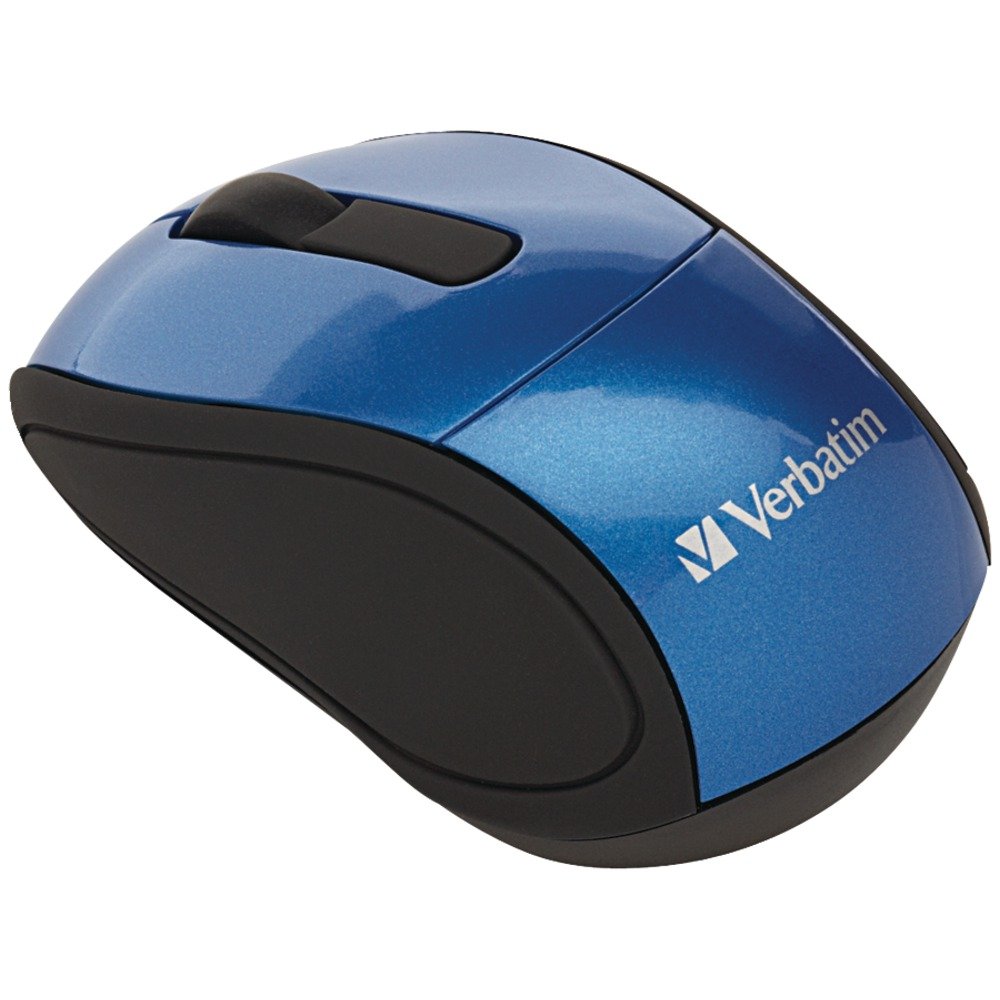
Image: A blue circular badge indicating a "1-Year Limited Warranty".
Nkwado
For further assistance, technical support, or warranty claims, please visit the official Verbatim website or contact their customer service department. Contact information can typically be found on the Verbatim website or in the Quick Start Guide included with your product.


