1. Okwu mmalite
This manual provides instructions for the proper setup, operation, and maintenance of your Taylor 7335 Digital Scale. This electronic scale is designed for accurate body weight measurement, combining a silver platform with a black textured mat for a secure, non-slip surface. It features a large, easy-to-read LCD display and is powered by a long-life lithium battery.
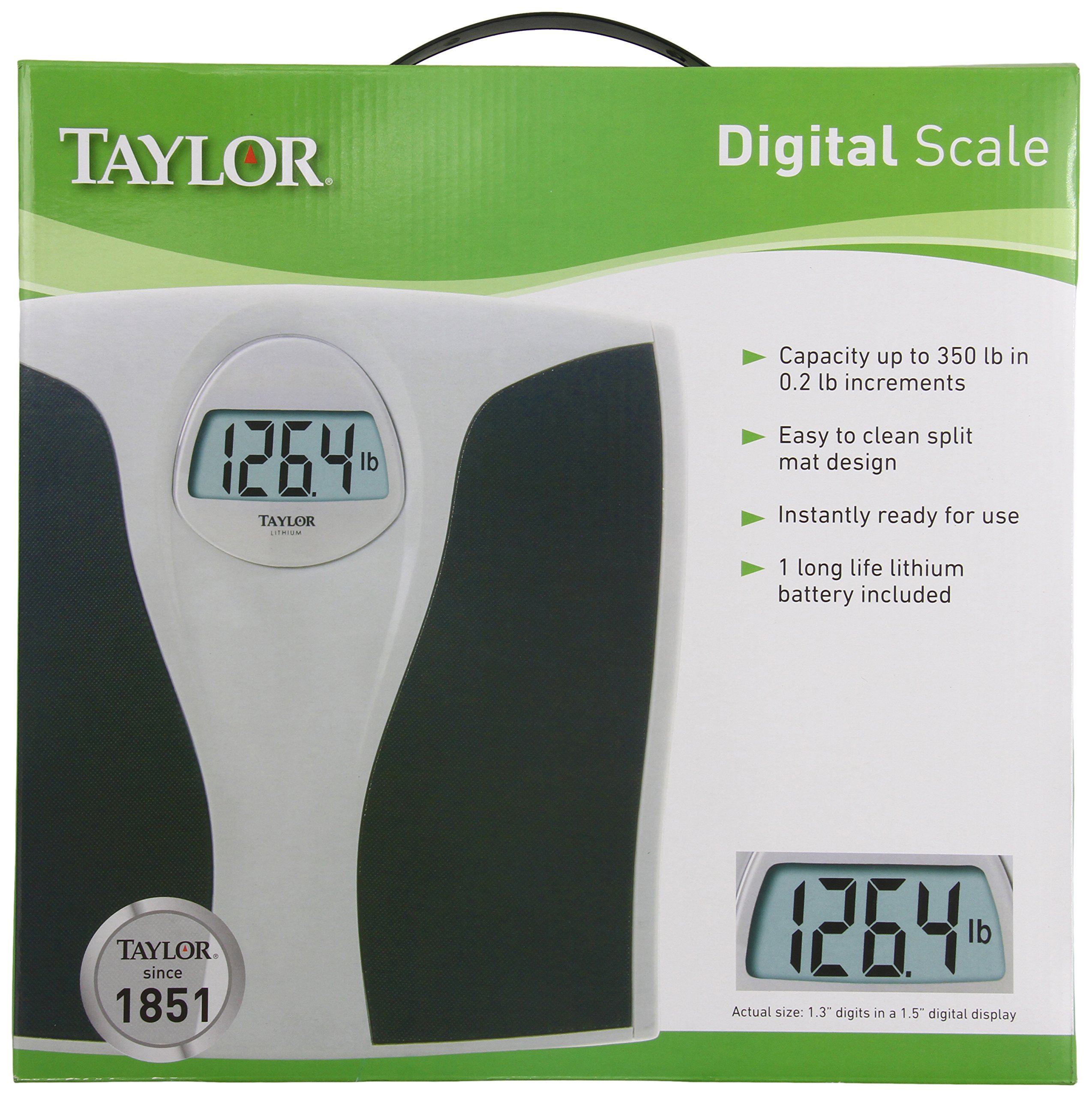
Foto 1.1: Taylor 7335 Digital Scale. This image displays the scale's overall design, including its large digital readout and the textured mat for user comfort and safety.
Akụkụ ndị bụ isi:
- Ike dị elu: Measures up to 350 lb (160 kg) in 0.2 lb (0.1 kg) increments.
- Nnukwu ọgụgụ: 1.3-inch digits on a 1.5-inch LCD display for clear visibility.
- Easy-To-Clean: Features a split mat design for simple maintenance.
- Long-Life Lithium Battery: Included for extended use.
- Nhazi na-adịgide adịgide: Silver platform with a premium black textured mat.
- Akwụkwọ ikike nke afọ 5: Ensures product reliability.
2. Nhazi
2.1 Nwepu
Carefully remove the scale from its packaging. Inspect the scale for any visible damage. Retain packaging for future storage or transport if needed.
2.2 Ntinye batrị
Your Taylor 7335 Digital Scale comes with a long-life lithium battery pre-installed. Before first use, ensure any protective plastic tab is removed from the battery compartment, typically located on the underside of the scale. If the display does not activate, check that the battery is correctly seated.
2.3 Ntinye
For accurate readings, place the scale on a hard, flat, and stable surface. Avoid placing the scale on carpets, rugs, or uneven flooring, as this can affect measurement accuracy.
3. Ntuziaka ọrụ
3.1 Inyocha ihe
- Gbaa mbọ hụ na ọnụ ọgụgụ ahụ dị n'elu ala siri ike, dịkwa larịị.
- Gently tap the scale with your foot to activate it. The display will show "0.0" or "0.00".
- Ozugbo e gosiri "0.0" ma ọ bụ "0.00", zọọ ụkwụ gị n'elu ihe a na-eme, guzoro otu ebe ma lekwasị anya n'elu ikpo okwu ahụ.
- Your weight will be displayed on the large LCD screen. The reading will flash or hold steady when the measurement is complete.
- Step off the scale. The display will hold your weight for a few seconds before automatically turning off.
3.2 Unit Conversion (Pounds/Kilograms)
The Taylor 7335 Digital Scale can display weight in both pounds (lb) and kilograms (kg). To switch between units, locate the unit switch button, usually on the underside of the scale near the battery compartment. Press this button to toggle between 'lb' and 'kg' modes.
4. Nlekọta
4.1 Nhicha
The scale features an easy-to-clean split mat design. To clean the scale, wipe the surface with a damp Ákwà na ncha dị nro. Ejila ihe nhicha a na-asacha ma ọ bụ mikpuo ihe mkpuchi ahụ n'ime mmiri. Hụ na ihe mkpuchi ahụ kpọrọ nkụ kpamkpam tupu e debe ya ma ọ bụ jiri ya ọzọ.
4.2 nnọchi batrị
While the included lithium battery is designed for long life, it will eventually require replacement. If the display becomes dim or shows an error message related to low battery, replace the battery with a new, equivalent lithium battery. Refer to the battery compartment for the specific battery type.
4.3 Nchekwa
Chekwaa ọnụ ọgụgụ ahụ n'ebe dị jụụ, nke kpọrọ nkụ na-adịghị na oke okpomọkụ na iru mmiri. Zere idobe ihe ndị dị arọ n'ọ̀tụ̀tụ̀ mgbe ejighị ya.
5. Nchọpụta nsogbu
- Inaccurate or Inconsistent Readings:
- Ensure the scale is placed on a hard, flat, and stable surface. Carpets or uneven floors can cause inaccuracies.
- Step onto the scale gently and stand still. Shifting weight can affect the reading.
- Perform a re-calibration: Step on the scale, let it display a reading, then step off. Wait for it to turn off, then step on again.
- Check battery level. A low battery can lead to inconsistent performance.
- Display Shows "Lo" or is Dim:
This indicates a low battery. Replace the lithium battery with a new one.
- Display Shows "Err" or Overload Indicator:
This typically means the scale's maximum capacity (350 lb / 160 kg) has been exceeded. Remove weight immediately to prevent damage.
- Ọkwa anaghị agbanwu:
Check if the battery is correctly installed and if any protective tab has been removed. Replace the battery if necessary.
6. Nkọwapụta
| Nọmba nlereanya | 7335 |
| Ụdị | Taylor |
| Ike ibu | 350 lb (160 n'arọ) |
| Mmụba ibu | 0.2 lb (0.1 n'arọ) |
| Ngosipụta | 1.5" LCD with 1.3" digits |
| Isi Iyi Ike | 1 x Long-life Lithium Battery (included) |
| Akụkụ ngwaahịa | 2 x 13 x 14 sentimita asatọ |
| Ibu Ibu | 3.5 pound |
| Agba | Black (with Silver platform) |
| Ihe onwunwe | Silver platform, textured mat |
| UPC | 077784007433 |
7. Akwụkwọ ikike na nkwado
7.1 Akwụkwọ ikike nwere oke
Your Taylor 7335 Digital Scale is covered by a Akwụkwọ ikike dị afọ ise (5).. Akwụkwọ ikike a na-ekpuchi ntụpọ dị na ngwa na arụ ọrụ n'okpuru ojiji nkịtị. Biko dowe ihe akaebe nke ịzụrụ ihe maka akwụkwọ ikike.
7.2 Nkwado ndị ahịa
For technical assistance, warranty inquiries, or replacement parts, please contact Taylor Precision Products.
- Onye nrụpụta: Ngwaahịa Taylor Precision
- adreesị: Oak Brook, IL 60523, U.S.A.
- Websaịtị: www.taylorusa.com
7.3 Ọrụ gburugburu
Taylor is committed to the conservation of natural resources. Please properly recycle this packaging and the product at the end of its life cycle according to local regulations.


