Okwu mmalite
This manual provides detailed instructions for the installation, operation, and maintenance of your Leviton SSJ7-40 1-Gang 1-Receptacle Stainless Steel Midway Size Wallplate. Designed for durability and a clean aesthetic, this wallplate is suitable for various residential and commercial applications, covering a single 1.406-inch diameter locking/straight blade type receptacle.
The SSJ7-40 features a brushed stainless steel finish, offering a non-magnetic and robust solution for your electrical installations. It is UL and CSA approved, ensuring compliance with safety standards.
Ozi nchekwa
Ịdọ aka ná ntị: To avoid fire, shock, or death, always turn off power at the circuit breaker or fuse box before wiring or servicing. This product must be installed in accordance with national and local electrical codes.
- Gbaa mbọ hụ na agbapụrụ ike tupu echichi.
- Ọ bụrụ na ịmaghị maka akụkụ ọ bụla nke ntuziaka ndị a, kpọtụrụ onye ọrụ ọkụ eletrik tozuru etozu.
- Do not use this wallplate for applications other than its intended purpose.
- Inspect the wallplate for any damage before installation. Do not install damaged products.
Ihe ngwugwu
- Leviton SSJ7-40 1-Gang 1-Receptacle Stainless Steel Wallplate
- Mounting Screws (typically two, matching the wallplate finish)
Ntọala na nwụnye
Follow these steps to properly install your Leviton SSJ7-40 wallplate:
- Gbanyụọ ike: Locate the circuit breaker or fuse that controls the power to the receptacle where the wallplate will be installed. Turn off the power completely. Verify power is off using a voltagọ bụ onye nyocha.
- Remove Old Wallplate (if applicable): Carefully unscrew and remove the existing wallplate.
-
Prepare the Wallplate: The Leviton SSJ7-40 wallplate may come with a protective blue film to prevent scratches during shipping and installation. Gently peel off this film from the front surface of the wallplate before mounting.

Image: Leviton SSJ7-40 wallplate showing the blue protective film that needs to be removed before installation.

Image: A hand gently peeling off the blue protective film from the corner of the stainless steel wallplate.
-
Position the Wallplate: Align the new Leviton SSJ7-40 wallplate over the receptacle, ensuring the opening perfectly matches the device.
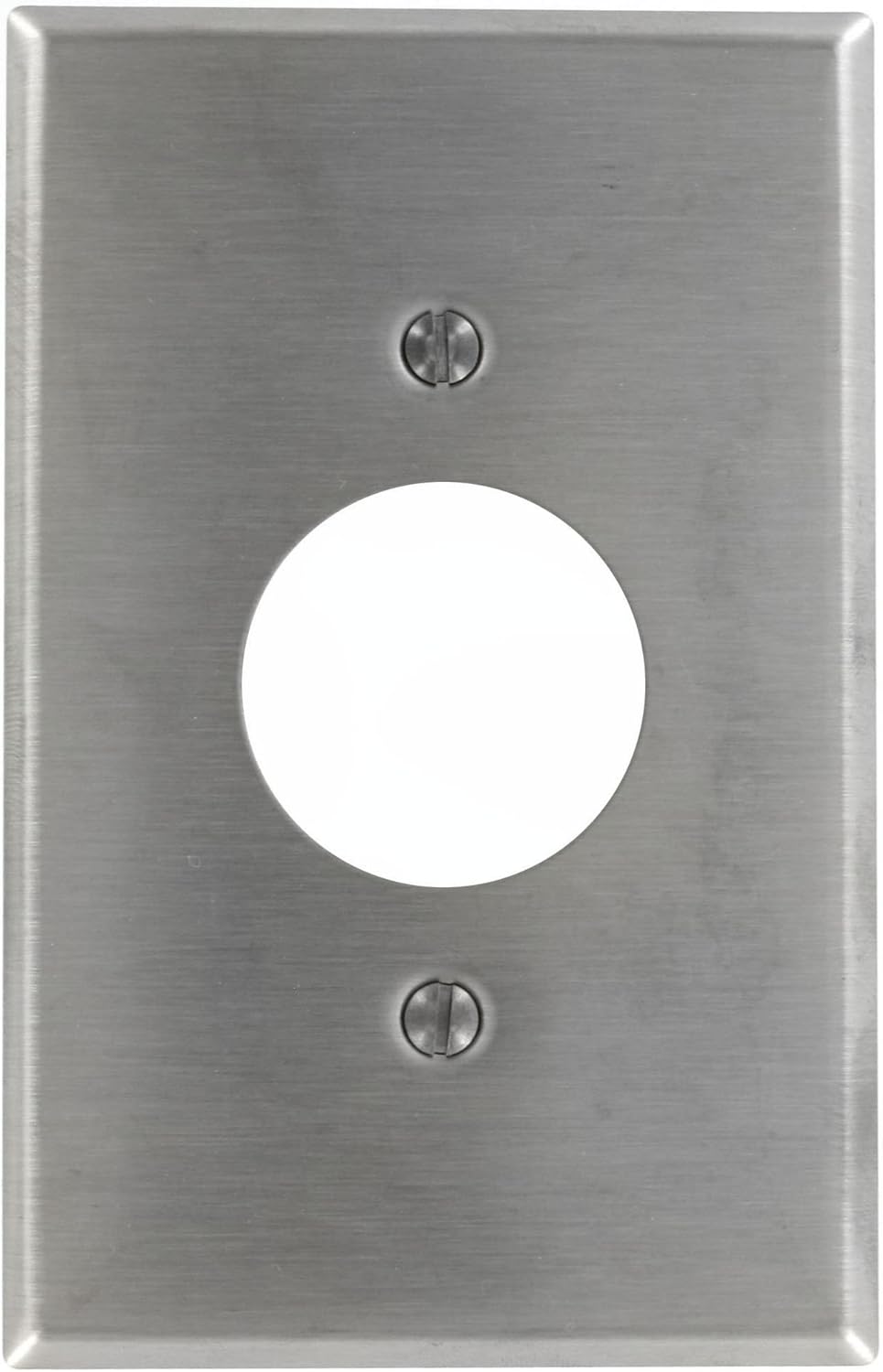
Image: The Leviton SSJ7-40 wallplate, ready for installation over a single receptacle.
- Secure the Wallplate: Insert the provided mounting screws into the designated holes on the wallplate and carefully tighten them with a screwdriver. Do not overtighten, as this can damage the wallplate or the receptacle.
- Weghachi ike: Ozugbo etinyere mgbidi ahụ nke ọma, gbanye ike ahụ ọzọ na ihe na-agbaji sekit ma ọ bụ igbe fuse.
Ntuziaka ọrụ
The Leviton SSJ7-40 wallplate functions as a protective and aesthetic cover for a single 1.406-inch diameter locking/straight blade type receptacle. Once installed, it requires no further operation. Its purpose is to safely enclose the electrical wiring and provide a finished appearance.
Nlekọta
To maintain the appearance and integrity of your stainless steel wallplate:
- Nhicha: Jiri nwayọ hichaa elu ya, damp cloth. For stubborn marks, a mild soap solution can be used. Avoid abrasive cleaners, scouring pads, or harsh chemicals, as these can scratch or damage the brushed stainless steel finish.
- Nyocha: Periodically check the wallplate for any signs of damage, loosening, or discoloration. If any issues are found, ensure power is off before inspecting further or replacing.
Nchọpụta nsogbu
| Nsogbu | Ihe nwere ike ime | Ngwọta |
|---|---|---|
| Wallplate does not fit flush. | Receptacle not properly seated in the electrical box, or mounting screws are overtightened/uneven. | Ensure power is off. Loosen receptacle mounting screws, adjust receptacle position, then re-tighten. Re-install wallplate, ensuring screws are tightened evenly but not excessively. |
| Scratches or marks on the wallplate. | Protective film not removed, or abrasive cleaning materials used. | If protective film is still present, carefully peel it off. For existing scratches, consider replacement for aesthetic reasons. Use only soft cloths and mild cleaners for maintenance. |
| Wallplate appears loose. | Ihe nkedo skru adịghị atọ ụtọ. | Ensure power is off. Gently tighten the mounting screws until the wallplate is secure. Do not overtighten. |
Nkọwapụta
| Nọmba nlereanya | SSJ7-40 |
| Nhazi | 1-Gang, 1-Receptacle (1.406-inch diameter hole) |
| Ihe onwunwe | 302 igwe anaghị agba nchara |
| Ụdị mmecha | Igwe anaghị agba nchara ahịhịa |
| Agba | Non-Magnetic Stainless Steel |
| Designated Size | Midway |
| Akụkụ (Ngwaahịa) | 6.63 x 4.13 x 0.25 sentimita (ihe dị ka) |
| Ibu Ibu | 2.11 ounces |
| Nkwenye | UL, CSA |
| Ụdị nwụnye | Ịkpọba-na |
Ozi akwụkwọ ikike
This Leviton product is covered by a manufacturer's warranty. For specific details regarding the warranty period and terms, please refer to the documentation included with your purchase or visit the official Leviton websaịtị. Debe ihe akaebe nke ịzụrụ maka akwụkwọ ikike.
Nkwado
For technical assistance, product inquiries, or further support, please contact Leviton customer service. You can find contact information and additional resources on the official Leviton websaịtị:
When contacting support, please have your product model number (SSJ7-40) available.


