Okwu mmalite
This manual provides instructions for the proper use and maintenance of the ProMaster PRO Quick Release Plate, model BH23. This plate is designed for use with the BH23 Head and FW23T Tripod, facilitating quick attachment and detachment of cameras to your tripod system.
Ngwaahịa gafereview
The ProMaster PRO Quick Release Plate BH23 is a compact accessory designed to enhance the efficiency of your photography setup. It allows for rapid mounting and dismounting of your camera from compatible tripod heads.
Atụmatụ igodo
- Akụkụ: Approximately 1.75 x 0.5 x 0.5 inches (Length x Width x Height).
- Ihe mgbakwasị ụkwụ: Features a standard 1/4-inch mounting screw for camera attachment.
- ndakọrịta: Specifically designed for ProMaster BH23 Head and FW23T Tripod systems.
Ngwa
- Quick Release Plate (1 unit)
- Integrated 1/4-inch camera mounting screw
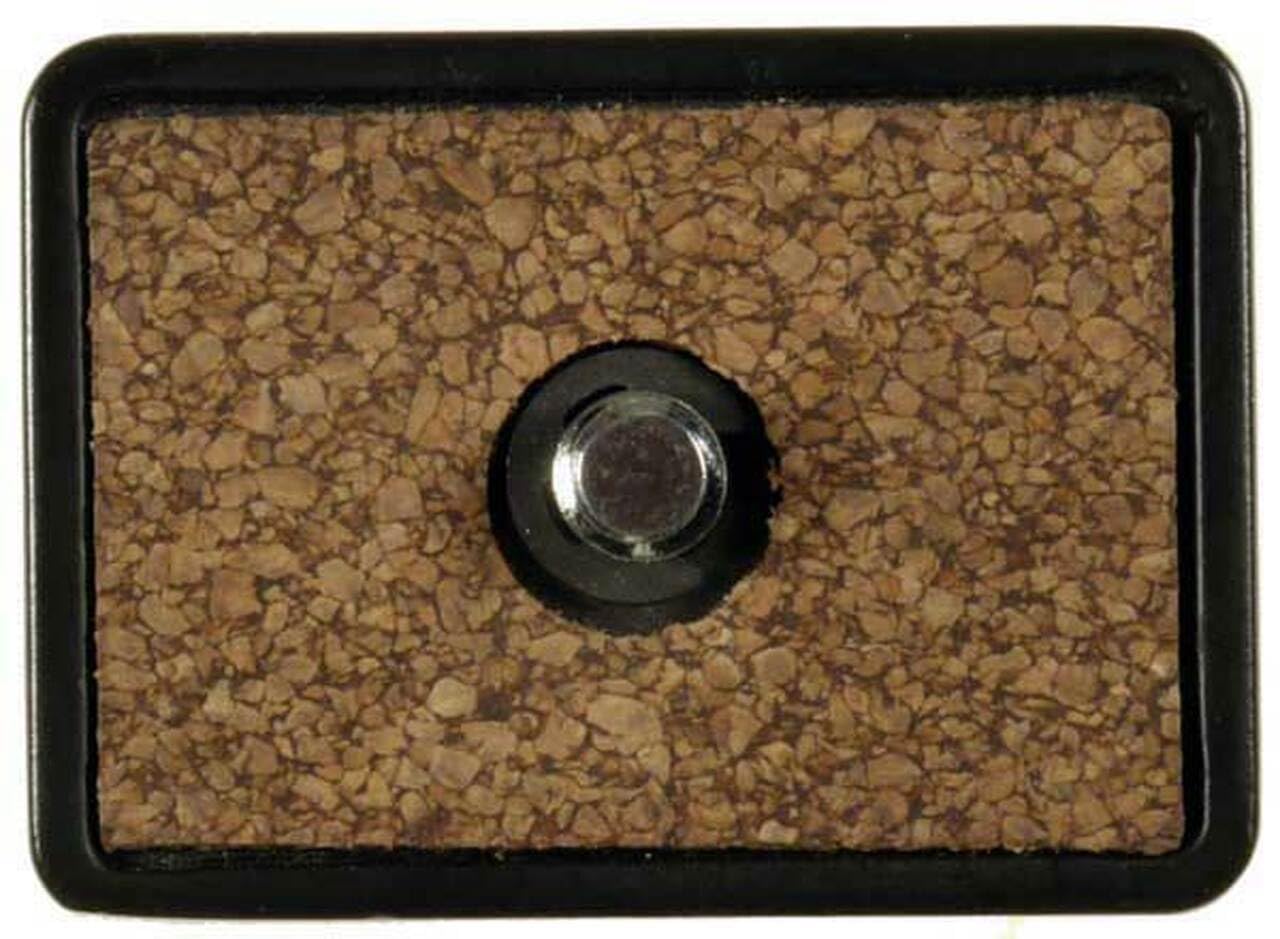
Image: The ProMaster PRO Quick Release Plate BH23. This rectangular plate features a 1/4-inch screw for attaching to a camera and is designed to slide into a compatible tripod head.
Ntuziaka nhazi
- Attach to Camera: Locate the tripod mount on the bottom of your camera. Align the 1/4-inch mounting screw on the quick release plate with the camera's tripod mount. Turn the screw clockwise until the plate is securely fastened to the camera. Ensure it is tight enough to prevent rotation but do not overtighten.
- Insert into Tripod Head: With the plate attached to your camera, locate the quick release receiver on your ProMaster BH23 Head. Open the locking mechanism on the tripod head (if applicable). Slide the quick release plate, with the camera attached, into the receiver until it clicks or locks into place.
- Chekwaa igwefoto: Engage the locking lever or knob on the tripod head to firmly secure the quick release plate and camera. Gently test the camera's stability to ensure it is properly seated and locked before use.
Ntuziaka ọrụ
Once the quick release plate is properly installed, operating it is straightforward.
- Ịkwanye igwefoto: Ensure the quick release mechanism on the tripod head is open. Align the plate on your camera with the slot in the tripod head and slide it in until it seats fully. Close the locking lever or tighten the knob on the tripod head to secure the camera.
- Dismounting the Camera: To remove your camera, loosen or open the locking lever/knob on the tripod head. Carefully slide the quick release plate and camera out of the receiver.
Nlekọta
Proper maintenance ensures the longevity and reliable performance of your quick release plate.
- Nhicha: Wipe the plate with a soft, dry cloth to remove dust and debris. Avoid using harsh chemicals or abrasive materials, which can damage the finish or functionality.
- Nyocha: Periodically inspect the 1/4-inch mounting screw for any signs of wear or damage. Ensure the screw remains firmly attached to the plate.
- Nchekwa: Store the quick release plate in a clean, dry environment when not in use.
Nchọpụta nsogbu
| Nsogbu | Ihe nwere ike ime | Ngwọta |
|---|---|---|
| Plate does not fit into tripod head. | Incompatibility with tripod head or obstruction. | Ensure the tripod head is a ProMaster BH23 Head or compatible model. Check for any debris in the tripod head's receiver. |
| Camera feels loose or shakes after mounting. | Plate not fully secured to camera or tripod head. Wear on the plate or head mechanism. | Tighten the 1/4-inch screw on the camera. Ensure the quick release plate is fully seated and locked in the tripod head. If wear is evident after prolonged use, consider replacing the plate or inspecting the tripod head for wear. |
| Difficulty attaching/detaching plate. | Locking mechanism on tripod head is stiff or obstructed. | Ensure the locking mechanism on the tripod head is fully open or loosened. Clean any debris from the plate and receiver. |
Nkọwapụta
- Ụdị: BH23
- Akụkụ (LxWxH): 1.75 x 0.5 x 0.5 sentimita (ihe dị ka)
- Arọ: 1.13 ounces
- Ihe mgbakwasị ụkwụ: 1/4-inch standard
- Ngwa dakọtara: Cameras with 1/4-inch tripod mount
- Compatible Tripod Heads: ProMaster BH23 Head
- Compatible Tripods: ProMaster FW23T Tripod
Ozi akwụkwọ ikike
ProMaster products are designed for reliability and performance. For specific warranty terms and conditions, please refer to the warranty card included with your original purchase or visit the official ProMaster websaịtị. Debe ihe akaebe nke ịzụrụ ihe maka akwụkwọ ikike ọ bụla.
Nkwado ndị ahịa
If you encounter any issues or have questions regarding your ProMaster PRO Quick Release Plate BH23 that are not covered in this manual, please contact ProMaster customer support. Contact information can typically be found on the official ProMaster websaịtị ma ọ bụ na nkwakọ ngwaahịa gị.
Ị nwere ike ịga na ProMaster Store on Amazon maka ozi ndị ọzọ na ngwaahịa ngwaahịa.


