1. Okwu mmalite
This manual provides essential information for the safe and effective use of your Kodak Easyshare M530 Digital Camera. Please read it thoroughly before operating the device and retain it for future reference. The Kodak Easyshare M530 is a compact digital camera featuring a 12-megapixel sensor, 3x optical zoom, and a 2.7-inch LCD screen, designed for capturing high-quality photos and videos with ease.
2. Kedu ihe dị na Igbe ahụ
- Kodak Easyshare M530 Igwefoto Dijitalụ
- eriri USB
- Batrị Lithium-ion enwere ike ịgbanye
- Eriri aka
- Akwụkwọ ntuziaka (akwụkwọ a)
3. Igwefoto gafereview
Mara ihe ndị dị na igwefoto gị nke ọma.

Foto 1: N'ihu view of the Kodak Easyshare M530 Digital Camera, showing the lens, flash, and brand logo.

Foto 2: Azu view of the Kodak Easyshare M530 Digital Camera, displaying the 2.7-inch LCD screen and control buttons.

Foto 3: N'elu view of the Kodak Easyshare M530 Digital Camera, highlighting the power button and shutter release.

Foto 4: Akụkụ view of the Kodak Easyshare M530 Digital Camera, illustrating the USB port for connectivity.
4. Nhazi
4.1. Ịwụnye batrị
- Mepee mkpuchi nke batrị dị n'okpuru igwefoto ahụ.
- Insert the rechargeable Lithium-Ion battery with the contacts facing the correct direction, as indicated inside the compartment.
- Mechie mkpuchi nke batrị batrị nke ọma ruo mgbe ọ pịrị na ya.
4.2. Ịwụnye kaadị ebe nchekwa
The camera supports SD/SDHC memory cards (not included).
- Mepee mkpuchi oghere kaadị ebe nchekwa, nke a na-ahụkarị nso ebe batrị dị.
- Insert the SD/SDHC card with the label facing the front of the camera until it clicks into place.
- Mechie mkpuchi oghere kaadị ebe nchekwa.
4.3. Ịchaji batrị
- Ensure the battery is correctly installed in the camera.
- Connect the supplied USB cable to the camera's USB port.
- Jikọọ nsọtụ nke ọzọ nke eriri USB na ihe nkwụnye ọkụ USB dakọtara ma ọ bụ ọdụ ụgbọ USB nke kọmputa.
- The charging indicator light will illuminate. Charging is complete when the light turns off or changes color (refer to camera display for exact status).
5. Na-arụ ọrụ igwefoto
5.1. Gbanyụọ / gbanyụọ
- Iji gbanye: Pịa Ike bọtịnụ dị n'elu igwefoto.
- Ka ịgbanyụ: Pịa ma jide Ike button until the camera shuts down.
5.2. Ise foto
- Gbanwuo igwefoto.
- Jiri ihuenyo LCD nke dị sentimita 2.7 mee ka foto gị dị nkọ.
- Pịa Ihe mkpuchi button halfway down to focus. The focus frame will turn green when focus is achieved.
- Pịa Ihe mkpuchi button all the way down to capture the photo.
5.3. Ndekọ vidiyo
- Switch the camera to video mode (refer to your camera's specific mode dial or menu for this option).
- Pịa Ihe mkpuchi button to start recording. A red indicator will typically appear on the screen.
- Pịa Ihe mkpuchi bọtịnụ ọzọ ka ịkwụsị ndekọ.
5.4. Ọrụ mbugharị
Use the zoom lever (often labeled W for Wide and T for Telephoto) to adjust the 3x optical zoom.
- Pịa ihe mkpị ahụ gaa n'ihu T to zoom in (telephoto).
- Pịa ihe mkpị ahụ gaa n'ihu W to zoom out (wide-angle).
5.5. Ụdị Flash
Pịa Flash button (often indicated by a lightning bolt icon) to cycle through available flash modes:
- Flash akpaaka: Camera automatically determines if flash is needed.
- Fill Flash: Flash fires for every shot.
- Red-Eye Reduction: Fires a pre-flash to reduce red-eye effect.
- Flash Off: Flash is disabled.
5.6. Mkpuviewfoto na vidiyo
- Pịa Review button (often indicated by a play icon).
- Use the directional pad to navigate through your captured images and videos.
- Pịa OK or Họrọ bọtịnụ ka view ihe ahọpụtara.
5.7. Smart Capture and Face Recognition
The Kodak Easyshare M530 features Smart Capture, which automatically adjusts camera settings for optimal results, and Face Recognition, which detects and optimizes settings for faces in your shots.
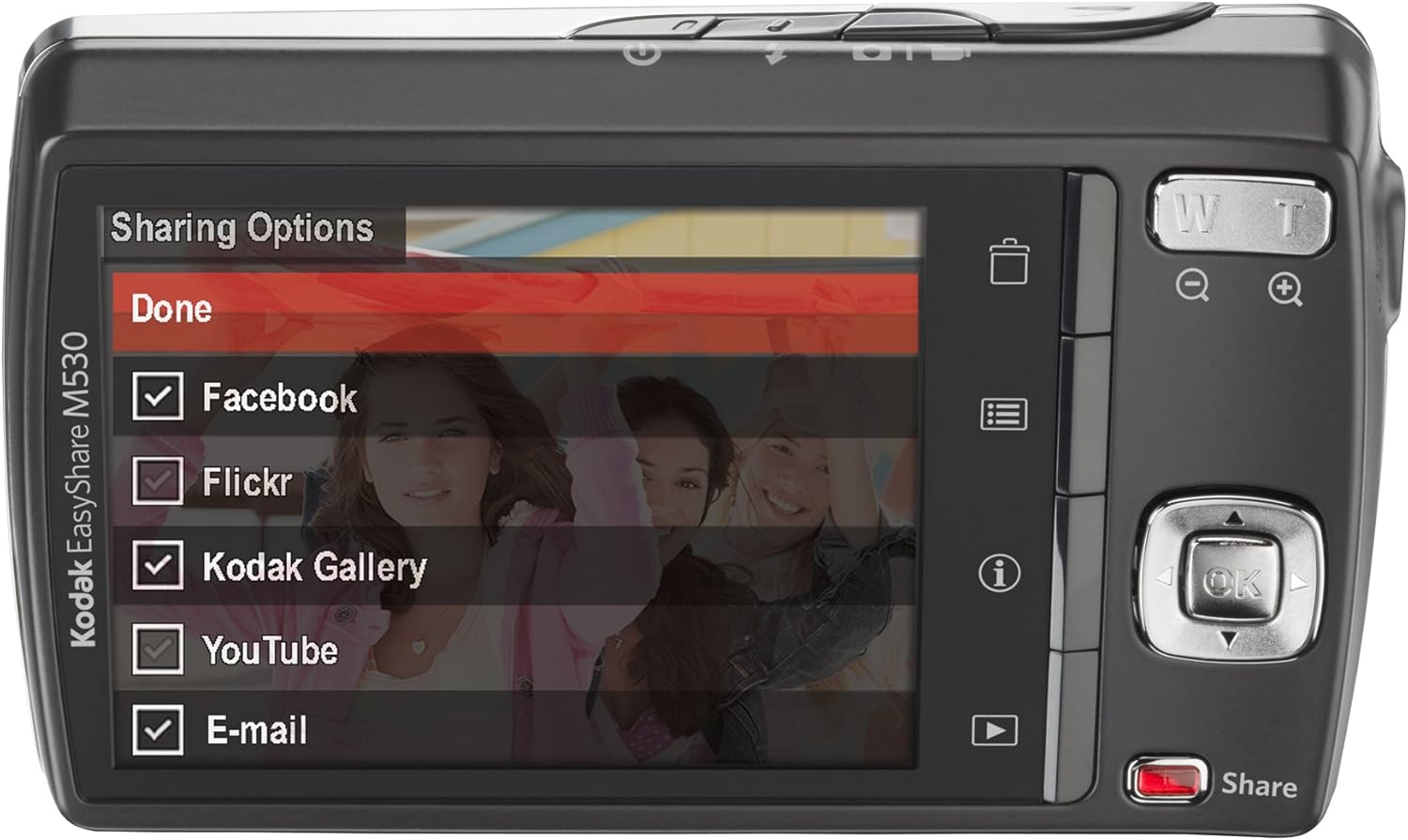
Foto 5: The camera's LCD screen displaying sharing options, including Facebook, Flickr, Kodak Gallery, YouTube, and Email.
5.8. Sharing Your Content
Utilize the dedicated Share button for easy uploading of your photos and videos to various platforms when connected to a computer with Kodak's EasyShare software.
6. Nlekọta
6.1. Na-ehicha igwefoto
- Jiri ákwà dị nro, nke na-enweghị ihe e ji ehicha ahụ, hichaa ahụ igwefoto ahụ.
- For the lens and LCD screen, use a specialized lens cleaning cloth and solution. Avoid harsh chemicals.
6.2. Nlekọta batrị
- Chekwaa batrị n'ebe dị jụụ, kpọrọ nkụ mgbe anaghị eji ya.
- Zere ikpughe batrị na oke okpomọkụ.
- Chajie batrị ahụ nke ọma tupu echekwa ya ogologo oge.
6.3. Nchekwa
When storing the camera for long periods, remove the battery and memory card. Store the camera in a dry, dust-free environment, preferably in a camera bag.
7. Nchọpụta nsogbu
| Nsogbu | Ihe nwere ike ime | Ngwọta |
|---|---|---|
| Igwefoto anaghị agbanwu | Batrị dị ala ma ọ bụ mebie | Chajie batrị zuru oke. |
| Battery incorrectly inserted | Reinsert the battery correctly. | |
| Onyonyo efu | Igwefoto ịma jijiji | Hold the camera steady or use a tripod. |
| Subject out of focus | Ensure the camera focuses before fully pressing the shutter. | |
| Njehie kaadị ebe nchekwa | Card not inserted correctly or corrupted | Reinsert the card. If the problem persists, try formatting the card (this will erase all data) or use a different card. |
| Flash anaghị agba ọkụ | Flash mode set to 'Off' | Change the flash mode to Auto or Fill Flash. |
8. Nkọwapụta
- Mkpebi ihe mmetụta foto: 12 MP
- Mbugharị anya: 3x
- Nha ihuenyo: 2.7 Inches (LCD)
- Mkpebi vidiyo: 640 x 480 (30 fps)
- Ụdị batrị: Lithium ion
- Ndozi onyonyo: Ọ dịghị
- Akwadoro File Usoro: RAW
- Teknụzụ Njikọta: USB
- Ibu ihe: 0.33 pound
- Agba: Blue (for this specific model variant)
9. Akwụkwọ ikike na nkwado
Your Kodak Easyshare M530 Digital Camera comes with a 30-day warranty from the manufacturer, Eastman Kodak Company. This warranty covers defects in materials and workmanship under normal use. For warranty claims or technical support, please refer to the contact information provided with your purchase documentation or visit the official Kodak support websaịtị.
Maka nkwado na akụrụngwa, ị nwere ike ịga na KODAK Store on Amazon.


