Okwu mmalite
This manual provides instructions for the KODAK Easyshare C190 Digital Camera. Please read this manual thoroughly before using your camera to ensure proper operation and to maximize its features. Keep this manual for future reference.
Melite
1. Ịkwapụ ihe n'ime igwefoto ahụ
Jiri nlezianya wepụ ihe niile dị na nkwakọ ngwaahịa. Gbaa mbọ hụ na ihe ndị a dị:
- KODAK Easyshare C190 Digital Camera
- eriri nkwojiaka
- eriri USB
- Akwụkwọ ntuziaka onye ọrụ (akwụkwọ a)
- Note: Batteries and SD/SDHC memory card are not included and must be purchased separately.
2. Ịwụnye batrị
The KODAK Easyshare C190 uses AA batteries. Locate the battery compartment on the bottom or side of the camera. Open the compartment cover, insert two fresh AA batteries, ensuring correct polarity (+/-), then close the cover securely.
3. Ịtinye kaadị ebe nchekwa
The camera supports SD and SDHC memory cards. Open the memory card slot cover, typically located near the battery compartment. Insert the memory card with the metal contacts facing the correct direction (refer to the diagram inside the compartment). Push until it clicks into place. Close the cover.
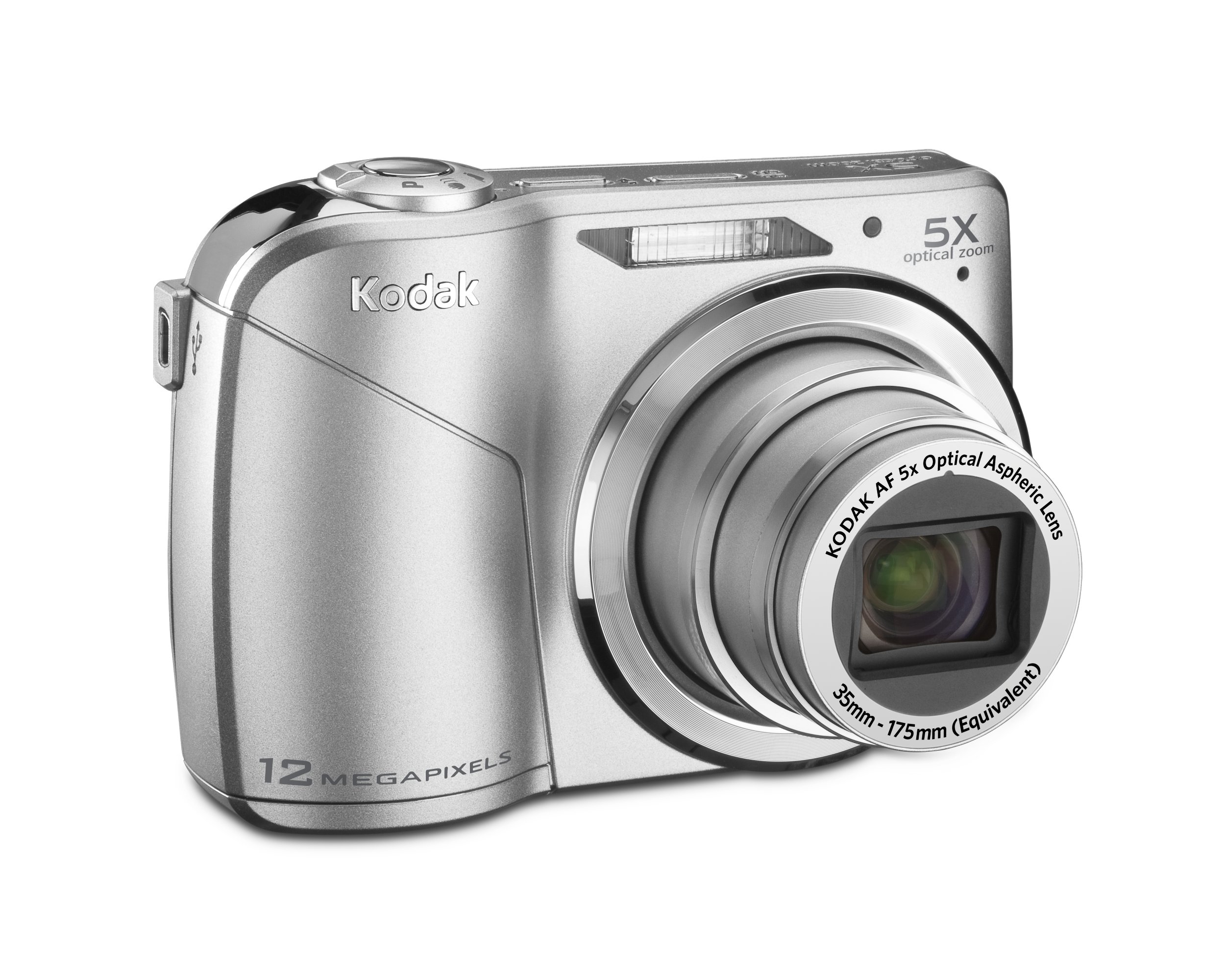
Image: KODAK Easyshare C190 Digital Camera. This image shows the overall design of the camera, including the lens and LCD screen.
Na-arụ ọrụ igwefoto
1. Ịgbanye / gbanyụọ
Pịa Ike button, usually located on the top of the camera, to turn it on. Press and hold the button again to turn it off.
2. Ise foto
- Họrọ Ụdị: Use the mode dial (if present) or menu to select a shooting mode (e.g., Auto, Program, Scene). The camera features Ngosipụta amamihe, which automatically identifies the scene and adjusts settings for optimal results.
- Hazie ogbunigwe gị: Use the 2.7-inch LCD screen to compose your image.
- Bugharịa: Use the zoom lever/buttons to adjust the 5x optical zoom.
- Gbado anya: Press the shutter button halfway down to allow the camera to focus. The camera will confirm focus, often with a green box or beep.
- Were: Press the shutter button fully down to take the picture. The camera has a 12-megapixel resolution for detailed images.
3. Ndekọ vidiyo
Switch the camera to video mode (if available via a dedicated button or mode dial). Press the shutter button to start recording and press it again to stop. Videos are recorded without sound during zoom operations.
4. Viewing and Managing Photos/Videos
Pịa Review or Ngwughachi bọtịnụ ka view your captured images and videos on the 2.7-inch LCD screen. Use the directional pad to navigate through your media. Options for deleting, protecting, or sharing may be available through the menu.
5. Na-ebufe Files na kọmpụta
Connect the camera to your computer using the provided USB cable. The camera should appear as a removable drive. You can then copy photos and videos directly to your computer. KODAK Easyshare software may be available for enhanced management and sharing features.
Nlekọta
1. Na-ehicha igwefoto
- oghere: Use a soft, lint-free cloth specifically designed for camera lenses. Gently wipe in a circular motion. Avoid harsh chemicals.
- Ihuenyo LCD: Use a soft, dry cloth. For stubborn smudges, a specialized LCD screen cleaner can be used sparingly.
- Igwe igwefoto: Wipe with a soft, dry cloth. Do not use water or cleaning solutions directly on the camera.
2. Nlekọta batrị
Remove batteries when the camera will not be used for an extended period to prevent leakage. Store batteries in a cool, dry place. Dispose of used batteries according to local regulations.
3. Nchekwa
Store the camera in a dry, dust-free environment, away from extreme temperatures and direct sunlight. Use a camera case for protection during transport.
Nchọpụta nsogbu
| Nsogbu | Ihe kpatara/ Ngwọta nwere ike ime |
|---|---|
| Igwefoto anaghị agba ọkụ. |
|
| Ozi "Njehie Kaadị Ebe Nchekwa". |
|
| Foto ndị ahụ adịghị mma. |
|
| LCD screen is difficult to see in bright light. |
|
Nkọwapụta
- Aha nlereanya: KODAK Easyshare C190
- Mkpebi: 12-megapixel
- Mbugharị anya: 5x
- Ihuenyo LCD: 2.7-anụ ọhịa
- Ndozi onyonyo: Dijitalụ, ngwa anya
- Teknụzụ ihe mmetụta foto: CCD
- Akwadoro File Usoro: JPEG
- Ogologo Fokalụ kacha elu: 175 millimeters
- Oke oghere: 2.8 millimeters
- Opekempe ISO gbasaara: 64
- Meter: Multi, etiti-arọ, ntụpọ
- Nkwado kaadị ebe nchekwa: SD/SDHC (not included)
- Akụkụ ngwaahịa: 3.78 x 0.75 x 2.32 sentimita asatọ
- Ibu ihe: 4.8 ounces
- Onye nrụpụta: Kodak
- Nọmba Nlereanya ihe: 8871840
Akwụkwọ ikike na nkwado
For warranty information and technical support, please refer to the documentation provided at the time of purchase or visit the official KODAK support websaịtị. Debe ihe akaebe nke ịzụrụ maka akwụkwọ ikike.
Official KODAK Store: KODAK Store on Amazon


