1. Okwu mmalite
The OM SYSTEM OLYMPUS MF-2 adapter is designed to allow the use of Olympus OM system lenses on Micro Four Thirds camera bodies. This adapter provides a mechanical connection between the two lens mounts, enabling photographers to utilize their existing OM system lenses with modern Micro Four Thirds cameras.
Akụkụ ndị bụ isi:
- Enables mounting of Olympus OM lenses onto Micro Four Thirds camera bodies.
- Constructed for secure and precise fit.
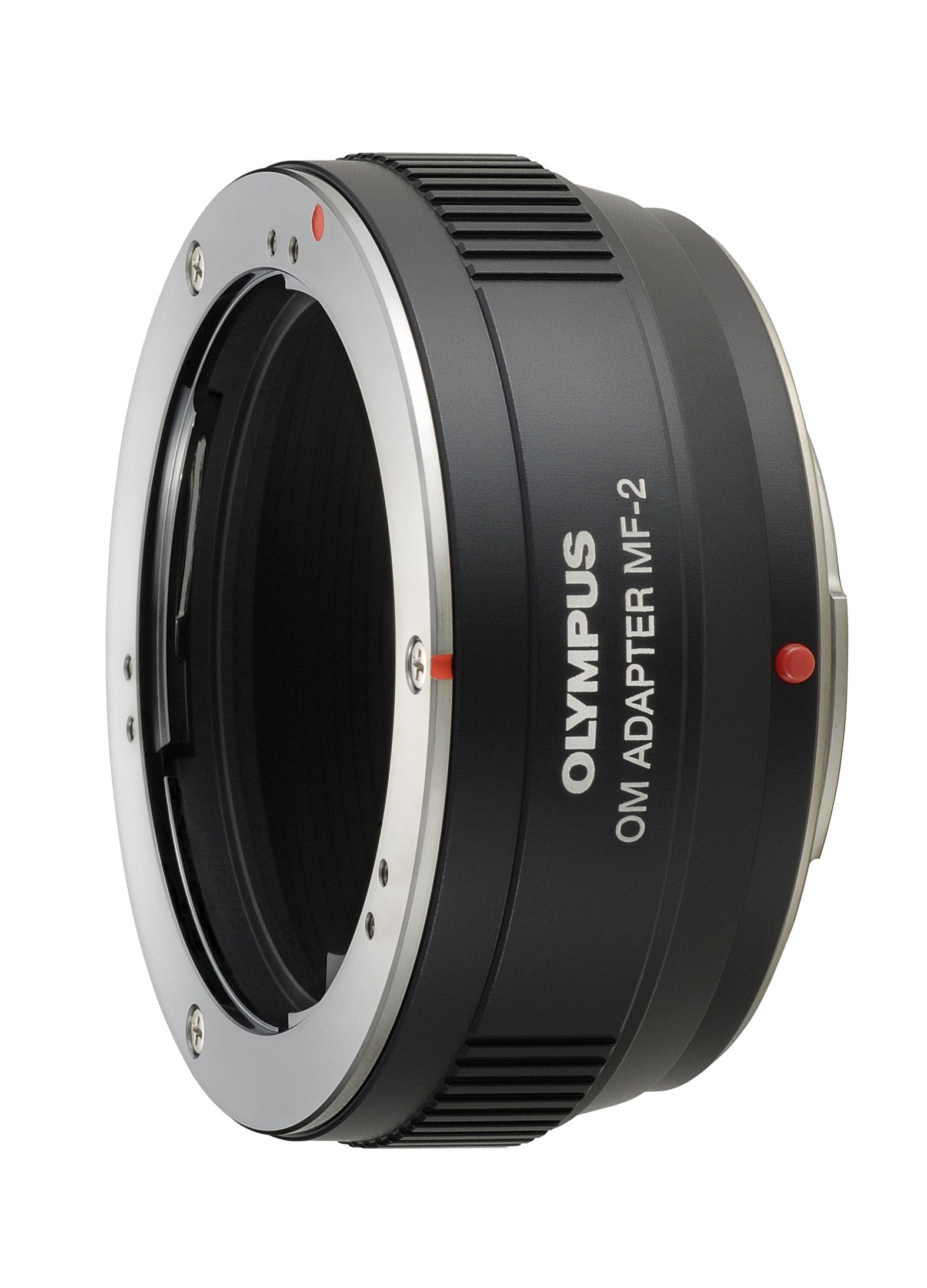
Image 1.1: The Olympus MF-2 OM Lens to Micro Four Thirds Adapter. This image shows the adapter from a front-facing perspective, highlighting its robust construction and the OM mount side.
2. Ntọala na nwụnye
Follow these steps to correctly attach the OM SYSTEM OLYMPUS MF-2 adapter and an OM system lens to your Micro Four Thirds camera body.
- Kwadebe igwefoto: Ensure your Micro Four Thirds camera is powered off. Remove the body cap from your camera.
- Attach Adapter to Camera: Align the red dot on the MF-2 adapter with the red dot on your camera's lens mount. Gently twist the adapter clockwise until it clicks into place, indicating it is securely locked.
- Prepare the OM Lens: Remove the rear lens cap from your OM system lens.
- Attach OM Lens to Adapter: Align the red dot on the OM lens with the red dot on the MF-2 adapter. Gently twist the lens clockwise until it clicks into place.
To remove the lens and adapter, reverse these steps. Always press the lens release button on the camera body (for the adapter) or the adapter (for the OM lens) before twisting to detach.
3. Ntuziaka ọrụ
The OM SYSTEM OLYMPUS MF-2 adapter facilitates a mechanical connection only. Electronic communication between the lens and camera is not supported. Therefore, specific operational considerations apply:
- Manual Focusing Only: Autofocus functionality will not be available. All focusing must be performed manually using the focus ring on the OM system lens.
- Manual or Aperture Priority Shooting Modes: The camera should be set to either Manual (M) or Aperture Priority (A) shooting mode. Program (P) and Shutter Priority (S) modes may not function correctly due to the lack of electronic aperture control.
- "Stop-down" Metering: Accurate exposure requires "stop-down" metering. This means you must manually set the desired aperture on the OM lens's aperture ring mbụ metering for exposure. The camera will then meter the light passing through the lens at the selected aperture.
- Manual Aperture Adjustment: The aperture must be adjusted directly on the OM lens's aperture ring. The camera body will not be able to control the lens aperture.
Familiarize yourself with your camera's manual focusing aids, such as focus peaking or magnification, to achieve precise focus with OM system lenses.
4. Nlekọta na nlekọta
Proper care of your MF-2 adapter will ensure its longevity and reliable performance.
- Nhicha: Use a clean, dry microfiber cloth to wipe the exterior of the adapter. Avoid using harsh chemicals or abrasive materials. For stubborn smudges, a slightly dampened cloth with water can be used, followed by immediate drying.
- Nchekwa: When not in use, store the adapter with both front and rear caps attached to prevent dust and debris from entering. Keep it in a dry, cool place away from direct sunlight and extreme temperatures.
- Ijikwa: Always handle the adapter by its body. Avoid touching the lens mount contacts (if any, though this adapter is mechanical) or the interior surfaces.
5. Nchọpụta nsogbu
If you encounter issues while using the MF-2 adapter, consider the following:
- Lens Anaghị ejikọta nke ọma: Ensure proper alignment of the red dots on both the lens-to-adapter and adapter-to-camera connections. Apply gentle pressure and twist until a click is heard. Do not force the connection.
- Exposure Issues: Remember that "stop-down" metering is required. Ensure you are setting the aperture on the OM lens itself before taking a meter reading or capturing an image. The camera's internal light meter will react to the light passing through the stopped-down lens.
- Foto ndị na-adịghị ahụkebe: Verify that you are manually focusing correctly. Utilize your camera's focus peaking or magnification features to confirm sharp focus. Also, ensure your camera is set to a suitable shutter speed to avoid motion blur, especially with longer focal length OM lenses.
- Camera Not Firing: Some Micro Four Thirds cameras have a setting like "Shoot without lens" or "Release shutter without lens." This setting must be enabled for the camera to operate with a purely mechanical adapter like the MF-2, as the camera does not detect an electronically connected lens. Consult your camera's manual for this specific setting.
6. Nkọwapụta
| Njirimara | Nkọwa |
|---|---|
| Nọmba nlereanya | MF-2 |
| Akụkụ ngwaahịa | 6 x 6 x 6 sentimita asatọ (nha ihe dịka ngwugwu) |
| Ibu Ibu | 2.4 ounces |
| Lens Mount (Camera Side) | Micro Anọ Atọ |
| Lens Mount (Lens Side) | Olympus OM System |
| Na-elekwasị anya | Manual Focus Only |
| Mita | Stop-down Metering Only |
7. Akwụkwọ ikike na nkwado
For information regarding warranty coverage, product support, or service, please refer to the official Olympus documentation that accompanied your purchase or visit the official Olympus website. You may also find additional resources and contact information on the Olympus Brand Store on Amazon.


