Okwu mmalite
This manual provides essential information for the safe and efficient operation, installation, and maintenance of your Karcher Electronic Pressure Switch 6.997-357.0. This device is designed to automatically control the operation of a pump, providing dry-run protection to prevent damage.
The electronic pressure switch automatically switches the pump on and off based on water demand, making it ideal for converting a standard garden pump into an electronic booster pump. Its integrated dry-run protection feature safeguards the pump by automatically shutting it off if no water is detected on the suction side.
Ntuziaka nchekwa
Please read and understand all safety instructions before installing or operating the device. Failure to follow these instructions may result in electric shock, fire, serious injury, or property damage.
- Nchekwa Eletriki: Always disconnect power before performing any installation, maintenance, or repair work. Ensure all electrical connections are made by a qualified electrician and comply with local regulations.
- Nrụgide mmiri: Ensure the system's water pressure does not exceed the maximum operating pressure of the device or connected pump.
- Gburugburu nwụnye: Install the device in a location protected from freezing temperatures, direct sunlight, and excessive moisture.
- Ezubere iji: Use this device only for its intended purpose as an electronic pressure switch with dry-run protection for pumps. Do not modify the device.
- Ụmụaka na Ndị Ọrụ Na-enweghị Ikike: Keep children and unauthorized personnel away from the device during operation.
Ihe ngwugwu
Nyochaa na akụrụngwa niile dị na emebighị ya mgbe ebupụ ya.
- Karcher Electronic Pressure Switch with Dry Run Protection (Model 6.997-357.0)
- Akwụkwọ ntuziaka (akwụkwọ a)
Ntọala na nwụnye
Proper installation is crucial for the correct function and longevity of the electronic pressure switch.
1. Ịkwanye ngwaọrụ
The pressure switch should be installed vertically, with the water inlet at the bottom and the outlet at the top, to ensure proper air bleeding and sensor function. Securely mount the device to a stable surface using appropriate fasteners (not included).
2. Njikọ mmiri
Connect the pump's discharge outlet to the inlet of the pressure switch. Connect the water supply line to the outlet of the pressure switch. Ensure all connections are watertight using thread sealant tape or appropriate gaskets. Avoid overtightening connections.
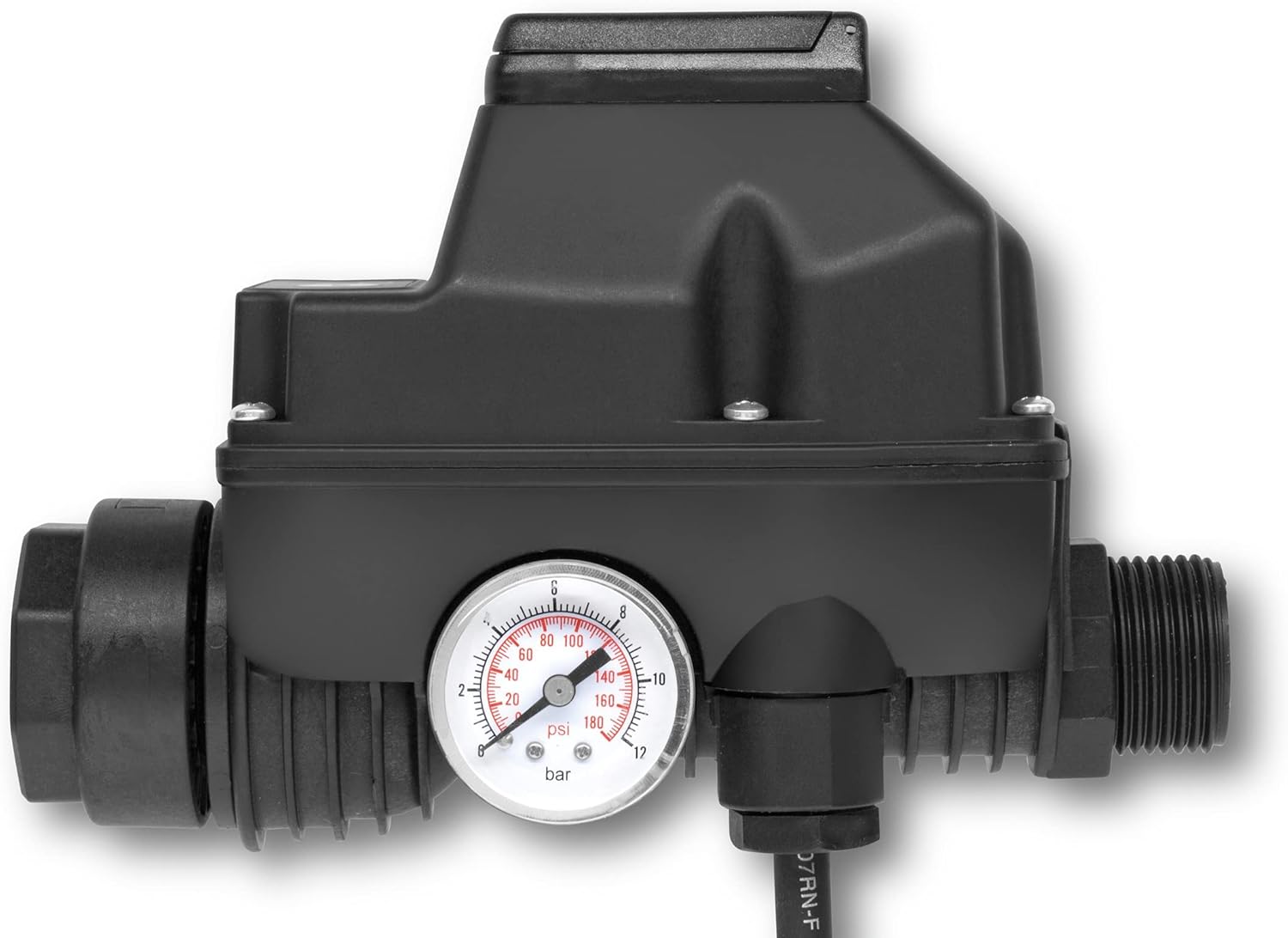
Foto nke 1: Akụkụ view of the Karcher Electronic Pressure Switch, showing the pressure gauge and threaded inlet/outlet connections. The gauge displays pressure in bar and psi.
3. Njikọ eletrik
Connect the power supply to the pressure switch and the pressure switch to the pump's power input. Refer to the wiring diagram provided with your pump and the pressure switch for specific connections. Ensure all electrical connections are secure and protected from moisture.
Ihe dị mkpa: This device operates on 12 Volts (DC). Verify compatibility with your pump and power supply before connecting.
Ntuziaka ọrụ
The Karcher Electronic Pressure Switch is designed for automatic operation.
Ọrụ akpaaka
Once installed and powered, the device will automatically switch the connected pump on when water demand is detected (e.g., opening a tap) and switch it off when water flow stops. The integrated pressure gauge provides a visual indication of the system pressure.
Nchedo-agba ọsọ
If the pump runs without water on the suction side, the dry-run protection feature will automatically shut off the pump to prevent damage. This is indicated by a specific light on the control panel.
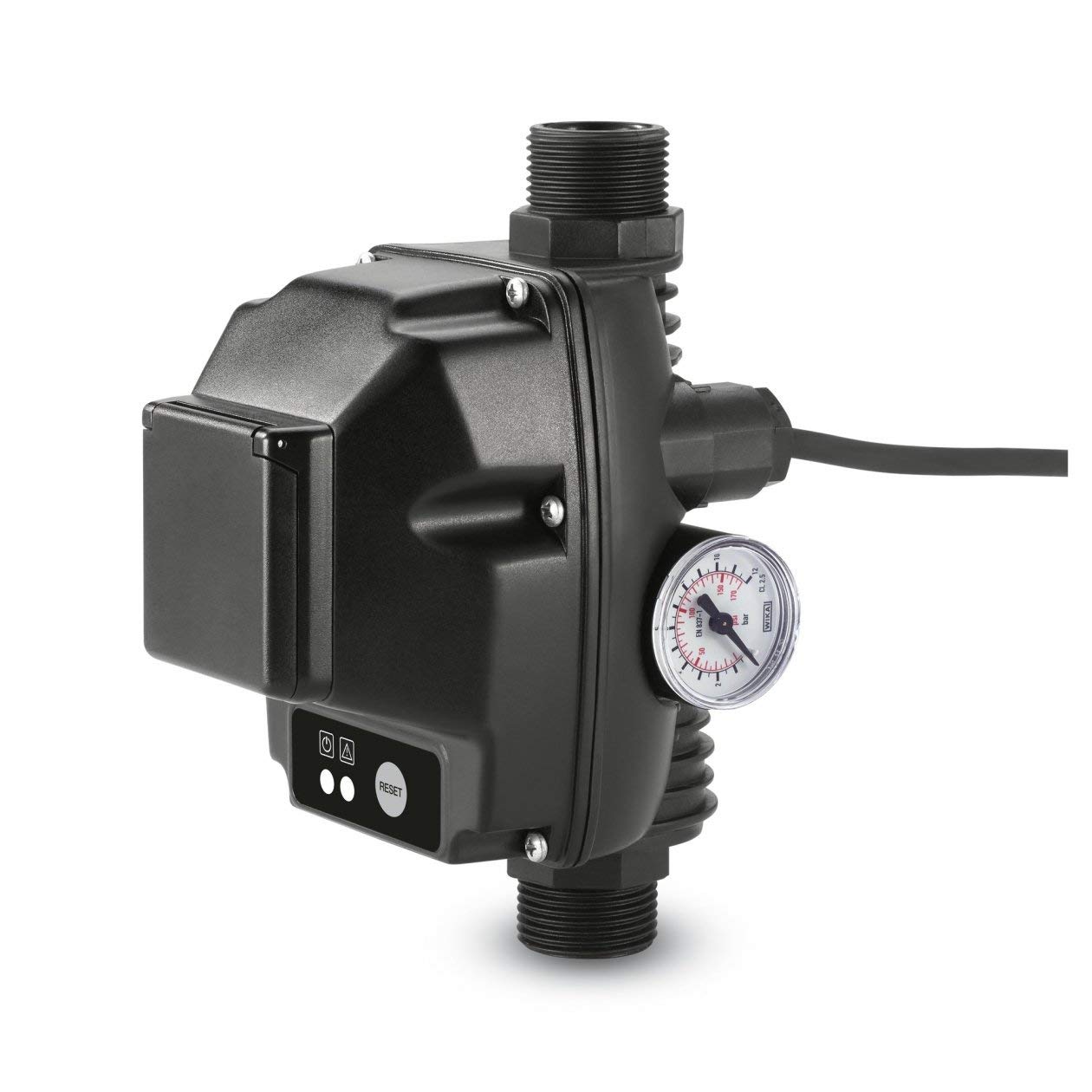
Foto nke 2: N'ihu view of the Karcher Electronic Pressure Switch, showing the power indicator, fault indicator, and the 'RESET' button.
Ịtọgharịa ngwaọrụ
If the dry-run protection activates, the pump will stop, and a fault indicator light will illuminate. To reset the device and restart the pump, ensure there is water available on the suction side, then press the Tụgharịa button located on the front panel (refer to Image 2).
Nlekọta
Regular maintenance ensures optimal performance and extends the lifespan of your pressure switch.
- Nhicha: Periodically clean the exterior of the device with a damp akwa . Ejila kemịkalụ siri ike ma ọ bụ ihe mkpocha abrasive.
- Nyocha njikọ: Regularly inspect all water and electrical connections for leaks or corrosion. Tighten connections as necessary.
- Oge oyi: In areas prone to freezing temperatures, disconnect and drain the device and connected pump to prevent damage from ice expansion. Store in a dry, frost-free location.
Nchọpụta nsogbu
Lee tebụl na-esonụ maka nsogbu ndị a na-enwekarị na ngwọta ha.
| Nsogbu | Ihe nwere ike ime | Ngwọta |
|---|---|---|
| Mgbapụta anaghị ebido. | Enweghị ọkụ. Dry-run protection activated. Pump adịghị arụ ọrụ. | Lelee njikọ ike. Ensure water supply, then press Tụgharịa. Inspect pump for issues. |
| Mgbapụta ọkụ na-aga n'ihu. | Mbelata na sistem. Constant water demand. | Check all connections and pipes for leaks. Ensure all taps are closed. |
| Dry-run protection activates frequently. | Enweghi oke mmiri. Air in the suction line. | Verify water source and supply. Bleed air from the pump and suction line. |
| Mmiri na-agbapụta site na njikọ. | Njikọ rụrụ arụ. Damaged seals/thread tape. | Tighten connections. Apply new thread sealant tape or replace gaskets. |
If the problem persists after attempting these solutions, please contact Karcher customer support.
Nkọwapụta
| Ụdị | Karcher |
| Nọmba nlereanya | 6.997-357.0 |
| Voltage | 12 volts (DC) |
| Ibu Ibu | 0.96 Kilogram (2.11 pound) |
| Ihe onwunwe | One or more values from [Metal, Steel, Rubber, Ethylene Propylene Diene Monomer, Acrylonitrile Butadiene Styrene, Brass, Iron, Plastic, Copper, Bronze, Polyvinyl Chloride, Polyoxymethylene] |
| Akụkụ ngwaahịa | 53.15"L x 39.37"W x 74.8"H (Note: These dimensions appear to be for a larger product, possibly a pressure washer, not the switch itself. Please refer to product packaging for accurate switch dimensions.) |
| Ngwa gụnyere | Kärcher Electronic pressure switch with dry run protection |
| GTIN | 04039784223240 |
Mara: Nkọwapụta ga-agbanwe na-enweghị ọkwa.
Akwụkwọ ikike na nkwado
For warranty information, technical support, or to purchase replacement parts, please contact Karcher customer service. Refer to your product packaging or the official Karcher website for the most up-to-date contact details and warranty terms applicable to your region.
Akụrụngwa dị n'ịntanetị: www.karcher.com


