1. Ngwaahịa gafereview
The D-Link DES-1008D is an 8-port Fast Ethernet unmanaged desktop switch designed to expand network connectivity for small workgroups. This device allows for flexible connection of Ethernet and Fast Ethernet devices, automatically detecting network speed and negotiating between 10BASE-T and 100BASE-TX, as well as full and half-duplex modes. Its plug-and-play design ensures simple operation without complex configuration.

Figure 1: D-Link DES-1008D 8-Port Fast Ethernet Unmanaged Desktop Switch (Silver/Blue model).
Atụmatụ gụnyere:
- 8 10/100 Mbps auto-sensing ports for flexible network integration.
- Unmanaged design for simple plug-and-play installation.
- Automatic MDI/MDIX crossover for all ports, eliminating the need for crossover cables.
- Fanless operation for silent performance.
2. Ihe ngwugwu
Chọpụta na ngwungwu gị nwere ihe ndị a:
- D-Link DES-1008D 8-Port ngwa ngwa Ethernet Mgbanwe Desktop anaghị ejikwa
- Ihe nkwụnye ọkụ
- Quick Install Guide and Documentation
Ọ bụrụ na ihe ọ bụla n'ime ihe ndị a efughị ma ọ bụ mebie, biko kpọtụrụ onye na-ere ere D-Link nke mpaghara gị maka enyemaka.
3. Nhazi ntuziaka
The DES-1008D switch is designed for easy installation. Follow these steps to set up your device:
- Nkwanye: Place the switch on a flat, stable surface or mount it to a wall. Ensure adequate ventilation around the device.
- Njikọ Ike: Connect the provided power adapter to the power input port on the switch and then plug the adapter into a standard electrical outlet. The Power LED on the switch should illuminate.
- Jikọọ ngwaọrụ netwọk: Connect your network devices (e.g., computers, printers, network-attached storage, routers) to any of the 8 Fast Ethernet ports on the switch using standard Ethernet cables. The Link/Act LED for each connected port should illuminate, indicating an active connection.
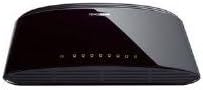
Ọgụgụ 2: N'azụ view of the D-Link DES-1008D (Black model) showing Ethernet ports and power input.
The switch will automatically detect the speed and duplex mode of the connected devices. No further configuration is required for basic operation.
4. Ntuziaka ọrụ
The D-Link DES-1008D is an unmanaged switch, meaning it operates automatically without user configuration. Once powered on and devices are connected, it functions as a central hub for your network traffic.
Ihe ngosi LED:
Ihe mgba ọkụ ahụ nwere ihe ngosi LED iji nye ozi ọnọdụ:
- Igwe ọkụ ọkụ: Na-enwu mgbe ihe mgbanwe ahụ na-enweta ike.
- Igwe ọkụ njikọ/ Act (kwa ọdụ ụgbọ mmiri):
- Green siri ike: Na-egosi njikọ netwọk dị irè na 100 Mbps.
- Amber siri ike: Na-egosi njikọ netwọk dị irè na 10 Mbps.
- Na-egbuke egbuke: Indicates network activity (data transmission or reception) on that port.
- Gbanyụọ: Enweghị ngwaọrụ ejikọrọ, ma ọ bụ agbanyụrụ ngwaọrụ ejikọrọ.
Nyefee data:
The switch facilitates data transfer between connected devices. Each port supports auto-negotiation for speed (10/100 Mbps) and duplex mode (full/half-duplex), ensuring optimal performance for each connection. In full-duplex mode, a workstation can achieve up to 200 Mbps data transfer rate.
5. Nlekọta
To ensure optimal performance and longevity of your D-Link DES-1008D switch, consider the following maintenance guidelines:
- gburugburu: Operate the switch within its specified temperature range (up to 40°C). Avoid placing it in direct sunlight or near heat sources.
- Igwe ikuku: Ensure that the ventilation openings on the switch are not blocked. Proper airflow is crucial for heat dissipation.
- Nhicha: Keep the switch clean and free of dust. Use a soft, dry cloth for cleaning. Do not use liquid or aerosol cleaners.
- Ịnye ọkụ: Use only the power adapter supplied with the device. Using an incorrect power adapter may damage the switch and void the warranty.
- Njikwa USB: Organize network cables to prevent strain on the ports and to maintain a tidy setup.
6. Nchọpụta nsogbu
If you encounter issues with your D-Link DES-1008D switch, refer to the following troubleshooting tips:
- Enweghị ike LED:
- Gbaa mbọ hụ na ejikọrọ ihe nkwụnye ọkụ ahụ na ngbanwe yana igwe eletrik na-arụ ọrụ.
- Chọpụta na oghere eletrik na-arụ ọrụ site na ịtinye ngwaọrụ ọzọ.
- No Link/Act LED for a Connected Device:
- Lelee ma eriri Ethernet ahụ dị n'ime ma ọdụ ụgbọ mmiri mgba ọkụ ma ngwaọrụ netwọk ahụ nke ọma.
- Gbaa mbọ hụ na agbanyere ngwaọrụ netwọk ejikọrọ ma na-arụ ọrụ nke ọma.
- Gbalịa eriri Ethernet dị iche.
- Gbalịa jikọọ na ọdụ ụgbọ mmiri dị iche na mgba ọkụ.
- Verify that the cable length does not exceed the maximum recommended length for Ethernet (100 meters).
- Ịrụ ọrụ netwọk dị nwayọ:
- Ensure all connected devices are operating at their optimal speed. The Link/Act LED color indicates the connection speed (Green for 100 Mbps, Amber for 10 Mbps).
- Check for excessive network traffic or bandwidth-intensive applications on your network.
- Verify that your network cables are not damaged.
- Njikọta na-adịte aka:
- Lelee maka njikọ eriri adịghị.
- Ensure the switch is placed in an area with good ventilation to prevent overheating.
- Jiri eriri na ngwaọrụ dị iche iche nwalee iji kewapụ okwu ahụ.
If problems persist after following these steps, contact D-Link technical support for further assistance.
7. Nkọwapụta
| Njirimara | Nkọwa |
|---|---|
| Nọmba nlereanya | DES-1008D |
| Ọnụọgụ nke ọdụ ụgbọ mmiri | 8 |
| Ụdị interface | RJ45 |
| Ọnụego mbufe data | 10/100 Megabits Per Second (Mbps) |
| Ike ịgbanwee | 1.6 Gbps (anaghị egbochi) |
| Ụkpụrụ | IEEE 802.3 10BASE-T Ethernet, IEEE 802.3u 100BASE-TX Fast Ethernet, IEEE 802.3x Flow Control |
| MDI/MDIX akpaaka | Na-akwado na ọdụ ụgbọ mmiri niile |
| Ntinye ike | 230 Volts (AC) (via external power adapter) |
| Oriri ike | Low power consumption (fanless design) |
| Akụkụ (L x W x H) | 6.5" x 4.41" x 1.42" (165mm x 112mm x 36mm approx.) |
| Ibu Ibu | 8.9 ounce (gram 252) |
| Ihe gbasara ikpe | Plastic |
| Okpomọkụ na-arụ ọrụ | 0°C ruo 40°C (32°F ruo 104°F) |
| Okpomọkụ nchekwa | -10°C ruo 70°C (14°F ruo 158°F) |
| Iru mmiri na-arụ ọrụ | 10% ruo 90% na-abụghị condensing |
| Asambodo | FCC Class B, CE Class B, VCCI Class B, C-Tick, RoHS |
8. Akwụkwọ ikike na nkwado
The D-Link DES-1008D switch comes with a limited 2-year warranty. For specific terms and conditions, please refer to the warranty documentation included with your product or visit the official D-Link websaịtị.
For technical support, product registration, or to download the latest firmware and documentation, please visit the D-Link support portal:
When contacting support, please have your product model number (DES-1008D) and serial number ready.


