1. Okwu mmalite
This manual provides detailed instructions for utilizing the Spectrum Language Arts Grade 4 Workbook. Designed for students aged 9-10, this workbook supports the development of essential English Language Arts (ELA) skills, including grammar, parts of speech, vocabulary, and sentence structure. It is suitable for both classroom and homeschool environments.
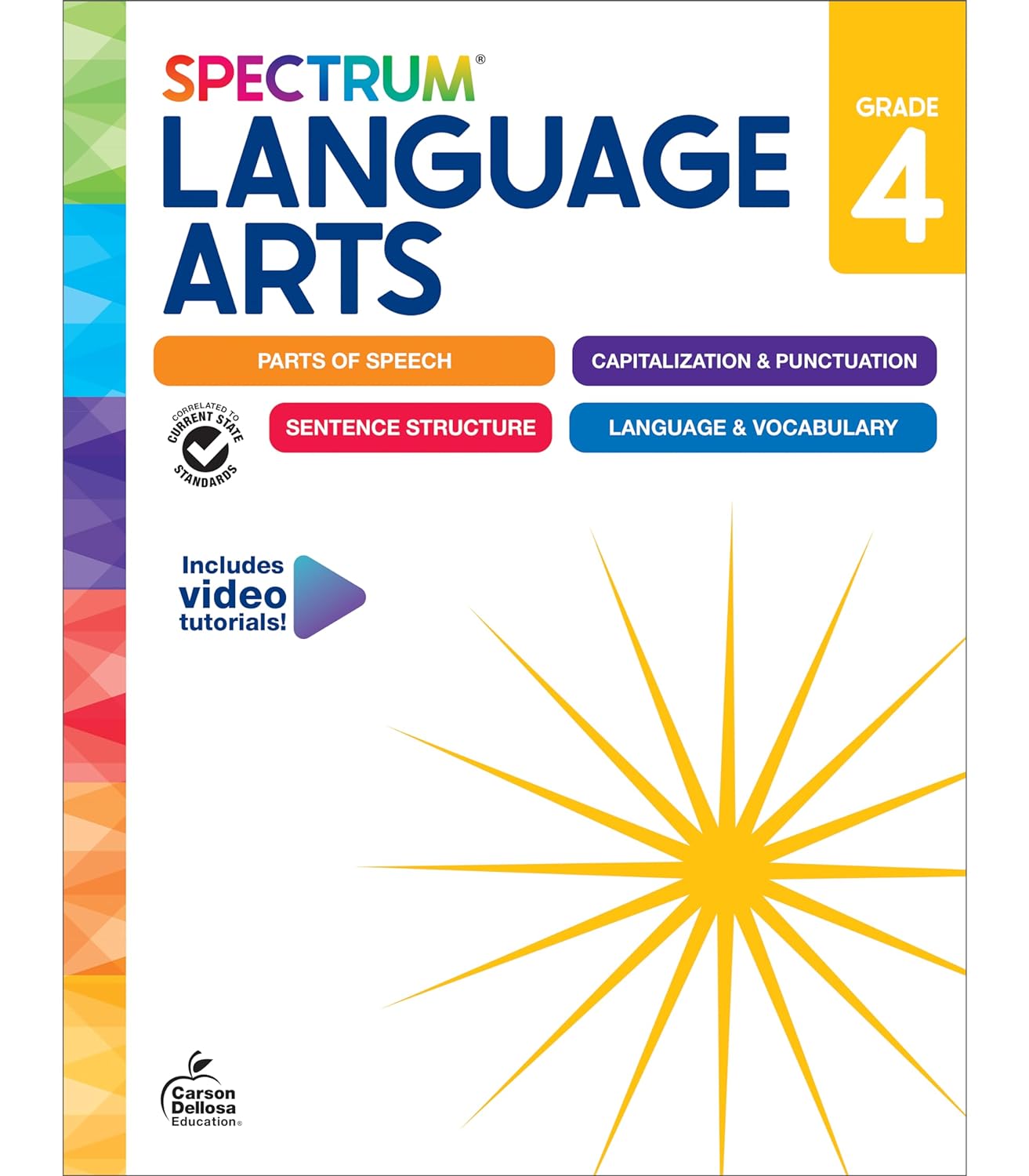
Figure 1.1: Front cover of the Spectrum Language Arts Grade 4 workbook.
2. Workbook Structure and Content Areas
The Spectrum Language Arts Grade 4 Workbook is organized into chapters, each focusing on specific ELA concepts. The content is designed to build foundational skills progressively.
2.1. Core Content Areas
- Parts of Speech: Covers nouns, pronouns, verbs, adjectives, adverbs, prepositions, and conjunctions.
- Capitalization & Punctuation: Focuses on proper capitalization rules and correct use of punctuation marks.
- Sentence Structure: Explores different types of sentences, sentence fragments, compound sentences, and direct objects.
- Language & Vocabulary: Enhances vocabulary, understanding of idioms, proverbs, and various language concepts.

Nyocha 2.1: Sample pages illustrating the workbook's Table of Contents, detailing topics covered.
3. Atụmatụ igodo
The workbook incorporates several features to support learning and provide guidance.
3.1. Chapter Introductions
Each chapter begins with introductory text providing background information on the skills taught. These sections include helpful definitions, tools, tips, and a skills checklist to ensure comprehensive practice.

Ọgụgụ 3.1: Ọpụample of chapter introduction pages, detailing background information, helpful definitions, and a skills checklist for parents.
3.2. Lesson Structure
Each chapter contains:
- Lessons: Pages that begin with a definition, followed by step-by-step instructions and examples, concluding with independent practice.
- Enrichment: Activities designed to encourage deeper understanding and critical thinking, allowing students to apply learned skills in different contexts.
- Chapter Reviews: End-of-chapter assessments to gauge student progress and reinforce skills.

Figure 3.2: Visual representation of the components within each chapter: Lessons, Enrichment activities, and Chapter Reviews.
3.3. Assessments and Answer Key
The workbook includes Learning Checkpoints and a Final Test to monitor progress. An Answer Key is provided at the back of the book for checking work and tracking accuracy.

Figure 3.3: Illustration of how Learning Checkpoints, Final Tests, and the Answer Key are structured to reinforce knowledge and track progress.
3.4. Video Tutorials via QR Codes
QR codes are integrated throughout the workbook, providing access to free video tutorials that explain and break down specific concepts. To access, scan the QR code with a compatible device.

Nyocha 3.4: Sample page demonstrating the integration of QR codes for accessing free instructional video tutorials. An example video tutorial can be found at https://qrs.ly/recziny.
4. Using the Workbook
4.1. Nhazi
Ensure the student has a quiet workspace, pencils, and an eraser. A device capable of scanning QR codes (e.g., smartphone or tablet) is recommended for accessing video tutorials.
4.2. Operating (Working Through Lessons)
- Read Chapter Introductions: Begin each chapter by reviewing the background information, definitions, and skills checklist.
- Complete Lessons: Follow the instructions, examples, and practice exercises for each lesson.
- Engage with Enrichment: Utilize enrichment activities to deepen understanding and apply skills.
- Perform Reviews and Checkpoints: Complete chapter reviews and learning checkpoints to assess comprehension.
- Take the Final Test: Use the comprehensive final test to evaluate overall learning.
- Use the Answer Key: Refer to the answer key at the back of the book to check answers and identify areas needing further practice.
- Scan QR Codes: For additional support, scan QR codes on relevant pages to access video tutorials.
5. Nduzi Nne na Nna
Parents and educators play a crucial role in supporting the student's learning journey. The workbook includes specific features to assist you:
- Parent Support Pages: Located at the beginning of each chapter, these pages offer helpful definitions, tools, tips, and a skills list.
- Skills Checklist: Use this checklist to track the specific grade-level skills your student is practicing.
- Nkuzi vidiyo: Encourage the use of QR code-linked videos for concepts that require additional explanation.
6. Nlekọta na nchọpụta nsogbu
6.1. Workbook Maintenance
Keep the workbook in a clean, dry place. Encourage students to write neatly and use erasers for corrections to maintain readability.
6.2. Troubleshooting Learning Challenges
- Difficulty with a Concept: Review the chapter introduction, re-read the lesson, and utilize the QR code video tutorials for further explanation.
- Incorrect Answers: Use the answer key to identify errors. Discuss the reasoning behind the correct answers with the student.
- Lack of Engagement: Incorporate the suggested 'Tools and Tips' from the parent support pages, which often include ideas for making learning more interactive.
7. Nkọwapụta
| Njirimara | Nkọwa |
|---|---|
| Onye mbipụta | Spectrum |
| Ụbọchị mbipụta | Maachị 14, 2024 |
| Mbipụta | Akwụkwọ ọrụ |
| Asụsụ | Bekee |
| Ogologo Bipụta | 192 ibe |
| ISBN-10 | 148387138X |
| ISBN-13 | 978-1483871387 |
| Ibu Ibu | 1 pound |
| Afọ Ọgụgụ | 9-10 afọ |
| Akụkụ | 11 x 8.4 x 0.5 sentimita asatọ |
| Ọkwa ọkwa | 4 na elu |

Figure 7.1: Image illustrating the physical dimensions of a Spectrum Language Arts workbook.
8. About Spectrum
For over 20 years, Spectrum resources have provided comprehensive support to meet the individual needs of learners. Whether used at home or in the classroom, Spectrum's research-supported instruction and activities offer additional practice with grade-level concepts, reinforce skills, complement existing curricula, and help address learning gaps.
9. Akwụkwọ ikike na nkwado
As an educational workbook, this product does not typically come with a manufacturer's warranty. For questions regarding content or educational support, please refer to the publisher's official website or contact their customer service channels, if available.


