
Okwu mmalite
Thank you for choosing the Monster Open Ear BC300 Swimming Headphones. These bone conduction headphones are designed for comfort and versatility, offering both Bluetooth connectivity and an integrated MP3 player with 32GB storage. With an IPX8 waterproof rating, they are suitable for various activities, including swimming, running, and cycling, allowing you to stay aware of your surroundings while enjoying your audio.
Ihe ngwugwu
- Monster Open Ear BC300 Swimming Headphones
- Igwe Oji Magnetik
- Akwụkwọ ntuziaka onye ọrụ
Ngwaahịa gafereview
Familiarize yourself with the components and controls of your BC300 headphones.
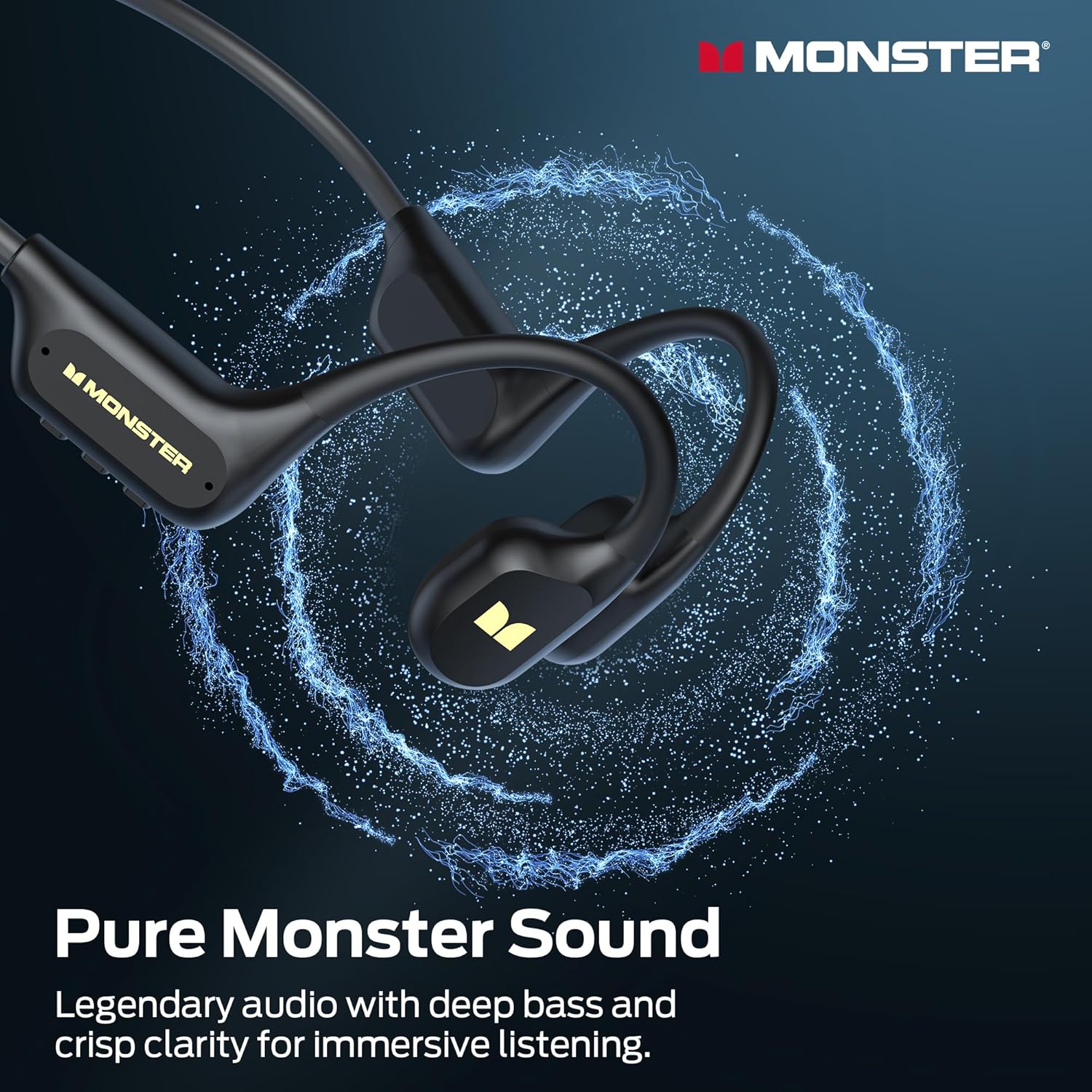
Image: The Monster BC300 headphones, showcasing their open-ear design and flexible neckband.
Njikwa na egosi:
- Bọtịnụ Ike/Ọtụtụ Ọrụ: Gbanye/gbanyụọ, Gwuo/Kwụsị, Zaa/Kwụsị oku.
- Elu elu (+): Mee ka olu dịkwuo elu, egwu na-esote (pịa ogologo).
- Mpịakọta ọnụ (-): Belata olu, Egwu gara aga (pịa ogologo).
- Bọtịnụ Mgbanwe Ụdị: Toggle between Bluetooth mode and MP3 mode.
- Ọdụ ụgbọ mmiri magnetik: Maka ịchaji na ịnyefe data.
- Ihe ngosi LED: Na-egosi ike, chaja, na ọnọdụ njikọ.
Melite
1. Ịchaji ekweisi
Tupu iji nke mbụ, chajịa ekweisi gị nke ọma.
- Connect the magnetic charging cable to the charging port on the headphones.
- Jikọọ nsọtụ nke ọzọ nke eriri na ihe nkwụnye ọkụ USB (anaghị etinye ya) ma ọ bụ ọdụ ụgbọ USB nke kọmputa.
- The LED indicator will show charging status (e.g., red while charging, blue when fully charged).
- A full charge takes approximately 2 hours and provides up to 10 hours of playback.

Image: The Monster BC300 headphones connected to a laptop via its magnetic charging cable, illustrating the charging process and data transfer capability.
2. Ịgbanye / gbanyụọ
- Ike Na: Press and hold the Power/Multi-function button for 3 seconds until the LED indicator flashes blue.
- Gbanyụọ: Press and hold the Power/Multi-function button for 5 seconds until the LED indicator flashes red and then turns off.
3. Njikọ Bluetooth
Pair your headphones with a Bluetooth-enabled device.
- Gbaa mbọ hụ na agbanyụrụ ekweisi.
- Press and hold the Power/Multi-function button for 5-7 seconds until the LED indicator flashes red and blue alternately, indicating pairing mode.
- Na ngwaọrụ gị (smartphone, tabletị, kọmpụta), mee ka Bluetooth nwee ike wee chọọ ngwaọrụ dị.
- Select "Monster BC300" from the list.
- Once paired, the LED indicator will flash blue slowly.
4. Using MP3 Mode (Internal Storage)
The headphones have 32GB of internal storage for music playback without a connected device.
Na-ebufe egwu Files:
- Connect the headphones to your computer using the magnetic charging cable.
- The headphones will appear as a removable disk drive on your computer.
- Dọrọ ma dobe ọdịyo ịchọrọ files (e.g., MP3 format) into the headphone's storage folder.
- Safely eject the device from your computer before disconnecting the cable.
Switching to MP3 Mode:
- While the headphones are powered on, press the Mode Switch button to toggle between Bluetooth and MP3 modes.
- A voice prompt will indicate the current mode.
- Mara: MP3 mode is recommended for underwater use as Bluetooth signals do not transmit effectively through water.
Ntuziaka ọrụ
Njikwa ndị bụ isi:
| Ọrụ | Omume |
|---|---|
| Gbanyụọ/ Gbanyụọ | Press and hold Power button (3s for On, 5s for Off) |
| Gwuo/kwụsịtụ | Obere pịa bọtịnụ Ike |
| Elu elu | Short press '+' button |
| Mpịakọta ọnụ | Short press '-' button |
| Track na-esote | Long press '+' button |
| Egwu gara aga | Long press '-' button |
| Zaa/Kwụsị Oku | Obere pịa bọtịnụ Ike |
| Jụ oku | Pịa bọtịnụ ike ogologo |
| Switch Mode (Bluetooth/MP3) | Short press Mode Switch button |
Yi ekweisi
Place the headphones with the transducers resting on your cheekbones, just in front of your ears. The neckband should rest comfortably behind your head.

Image: A person wearing the Monster BC300 headphones during a basketball game, demonstrating the secure and comfortable fit during physical activity.

Image: A person wearing the Monster BC300 headphones while cycling, showing how they fit comfortably with a helmet, maintaining open awareness of surroundings.
Underwater Use (IPX8 Waterproof)
The BC300 headphones are IPX8 rated, suitable for submersion up to 2 meters for 2 hours.
- Always switch to Ụdị MP3 before entering water. Bluetooth signals do not transmit effectively underwater.
- Ensure the magnetic charging port is clean and dry before and after use to prevent corrosion.
- Rinse the headphones with fresh water after swimming in chlorinated or saltwater, then dry thoroughly.

Image: A person swimming underwater while wearing the Monster BC300 headphones and goggles, demonstrating their IPX8 waterproof capability for aquatic activities.
Nlekọta
- Nhicha: Jiri nwayọ hichaa ekweisi, damp akwa . Ejila kemịkalụ siri ike ma ọ bụ ihe mkpocha abrasive.
- ihicha: After exposure to water, especially after swimming, ensure the headphones are completely dry before charging or connecting to a computer. Gently shake off excess water and wipe with a dry cloth.
- Nchekwa: Chekwaa ekweisi n'ebe dị jụụ, kpọrọ nkụ na-adịghị na ìhè anyanwụ kpọmkwem na oke okpomọkụ.
- Nchaji ọdụ ụgbọ mmiri: Keep the magnetic charging contacts clean and free of debris to ensure proper charging and data transfer.
Nchọpụta nsogbu
| Nsogbu | Ngwọta enwere ike |
|---|---|
| Ekweisi agaghị agbanyụ. | Charge the headphones fully. Ensure the Power button is pressed and held for 3 seconds. |
| Enweghị ike ijikọ site na Bluetooth. | Ensure headphones are in pairing mode (flashing red/blue). Turn off and on Bluetooth on your device. Move closer to the device. |
| Enweghị ụda na ọnọdụ Bluetooth. | Check volume levels on both headphones and connected device. Ensure headphones are correctly paired. Try re-pairing. |
| No sound in MP3 mode. | Ensure headphones are switched to MP3 mode. Check if music files are properly loaded onto the internal storage. Adjust volume. |
| Headphones not recognized by computer. | Ensure the magnetic charging cable is securely connected. Try a different USB port or cable. Ensure headphones are powered on. |
| Poor sound quality underwater. | Ensure you are using MP3 mode for underwater listening. Bluetooth is not effective underwater. |
Nkọwapụta
- Ụdị: E129
- Akara: Nnukwu anụ ọhịa
- Njikọta: Bluetooth 6.0
- Ogologo Bluetooth: 10 mita
- Nchekwa ime: 32GB (up to 8,000 songs)
- Nguzogide mmiri: IPX8 (submersible up to 2 meters for 2 hours)
- Ndụ batrị: Egwuru egwu ruo awa anọ
- Oge nchaji: Ihe dị ka awa 2
- Ụdị Nchaji: Nchaji magnetik
- Ntinye ntị: Over Ear (Open Ear design)
- Ụdị ọkwọ ụgbọala ọdịyo: Bone Conduction Driver
- Nha ọkwọ ụgbọ ala ọdịyo: 13 millimeters
- Ụdị njikwa: Njikwa bọtịnụ
- Akụkụ ngwugwu: 15.7 x 11.99 x 5.69 cm
- Arọ: 191 g
Ozi akwụkwọ ikike
The Monster Open Ear BC300 Swimming Headphones come with a Akwụkwọ ikike nke afọ 1 site na ụbọchị azụrụ ya. Akwụkwọ ikike a na-ekpuchi ntụpọ nrụpụta na ọrụ aka n'oge ojiji nkịtị. Ọ naghị ekpuchi mmebi sitere na ojiji na-ezighị ezi, ihe mberede, mgbanwe na-akwadoghị, ma ọ bụ mmebi nkịtị. Biko debe ihe akaebe nke ịzụrụ ihe gị maka nkwupụta akwụkwọ ikike.
Nkwado
For further assistance, technical support, or warranty inquiries, please contact Monster customer service through their official website or the retailer where you purchased the product. Please have your model number (E129) and proof of purchase ready.
You can visit the official Monster store for more information: Monster Official Store