
1. Okwu mmalite
Thank you for choosing the WOOX MX0294 34-inch Ceiling Fan. This manual provides essential information for the safe installation, operation, and maintenance of your new ceiling fan. Please read these instructions thoroughly before installation and keep them for future reference.
2. Ntuziaka nchekwa
- Gbaa mbọ hụ na agbapụrụ isi ọkụ ọkụ tupu echichi, mmezi, ma ọ bụ ihicha.
- Ekwesịrị ịrụ ọrụ nrụnye site n'aka onye ọrụ ọkụ eletrik ruru eru dịka koodu eletriki mpaghara si dị.
- The mounting structure must be capable of supporting the weight of the fan (minimum 15 kg).
- Hụ na njikọ eletriki niile dị nchebe ma rube isi n'iwu mpaghara.
- Etinyekwala ihe n'ime agụba fan mgbe fan na-arụ ọrụ.
- Keep children away from the fan during operation.
- Emebere fan a maka naanị ime ụlọ.
3. Ihe ngwugwu
Biko lelee na akụrụngwa niile dị na enweghị mmebi:
- Ulo ụlọ Fan moto
- Fan Blades (3 x ABS, maple leaf type)
- Ikanam Light Kit
- Njikwa anya na Wall Mount
- Arịọnụ mgbodo na Hardware
- Akwụkwọ ntuziaka
4. Ntọala na nwụnye
Follow these steps for proper installation of your WOOX MX0294 ceiling fan.
4.1 Ịkwanye Fan
Secure the mounting bracket to a ceiling joist or a suitable support structure. Ensure the bracket is firmly attached and can support the fan's weight.
4.2 Njikọ njikọ
Connect the electrical wires from the ceiling to the fan's wiring according to the provided wiring diagram. Ensure all connections are tight and insulated.
4.3 Attaching the Fan Body and Blades
Carefully lift the fan motor housing and attach it to the mounting bracket. Secure it with the provided screws. Then, attach the three ABS blades to the motor housing.
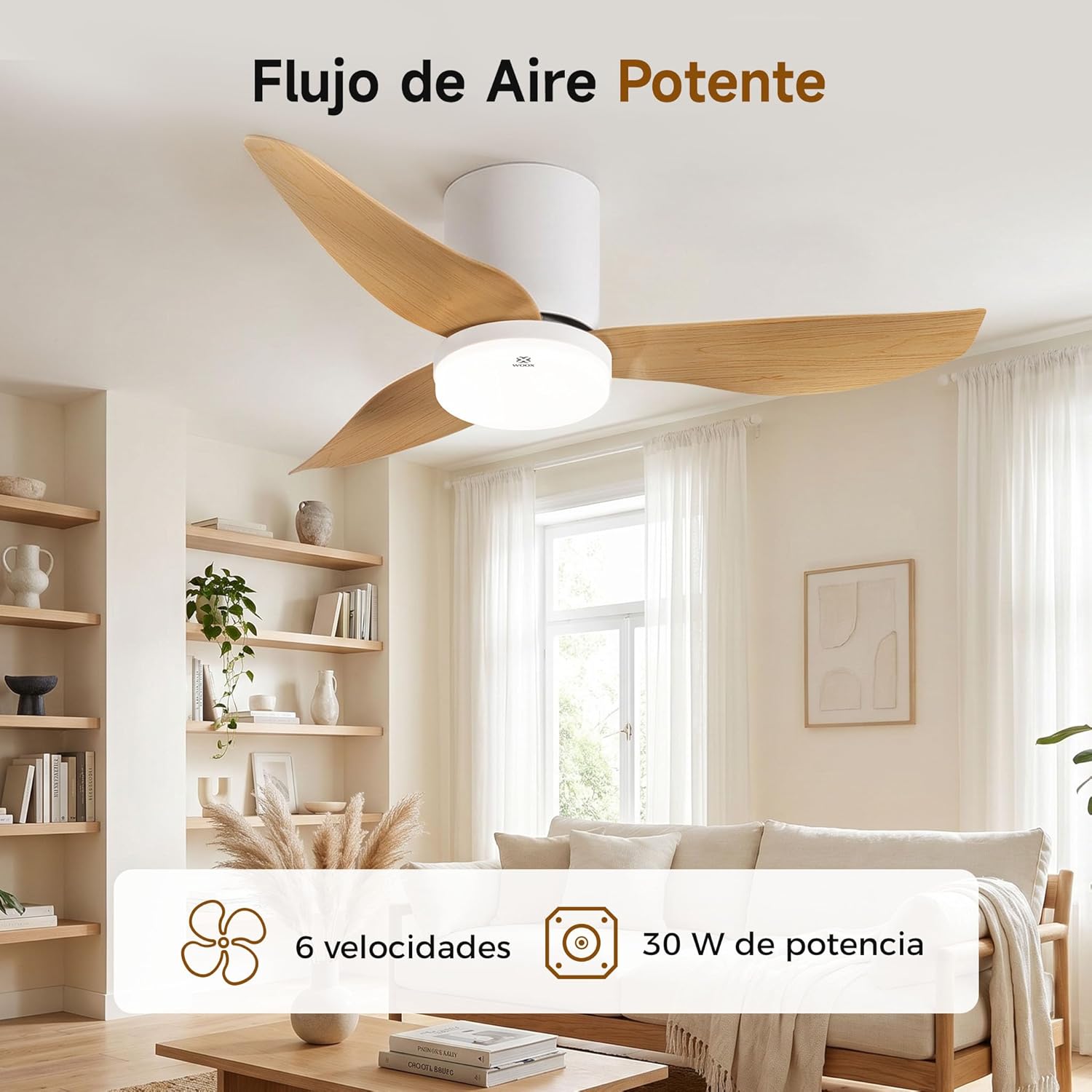
Image: The WOOX MX0294 ceiling fan installed, demonstrating powerful airflow. This image shows the fan's overall appearance and its ability to circulate air effectively.
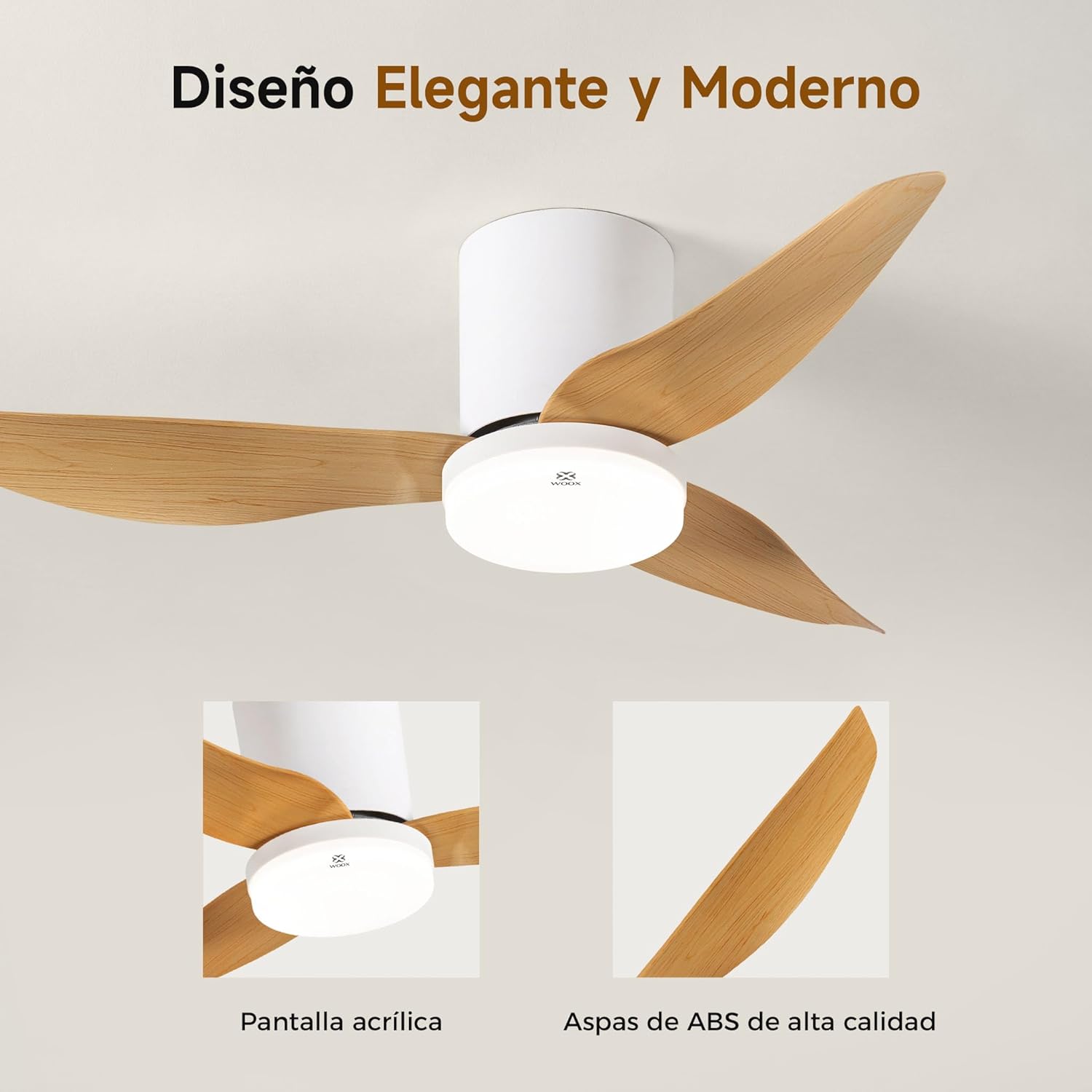
Foto: nkọwa zuru ezu view of the WOOX MX0294 ceiling fan, highlighting its elegant and modern design. The image focuses on the acrylic light screen and the high-quality ABS blades.
4.4 Installing the LED Light Kit
Connect the LED light kit to the fan's electrical connections and secure it to the bottom of the fan housing.
5. Ntuziaka ọrụ
Your WOOX MX0294 ceiling fan is controlled by a smart remote control.
5.1 Ọrụ njikwa anya

Image: The smart remote control for the WOOX MX0294 ceiling fan, showing buttons for fan speed, light control, timer, natural wind mode, and night light mode.
- Gbanyụọ/ Gbanyụọ: Pịa bọtịnụ ike ka ịgbanwuo fan ma gbanye ma ọ bụ gbanyụọ.
- Ọsọ onye ofufe: Use the speed buttons (1-6) to adjust the fan's airflow. There are 6 adjustable speeds.
- Gbanyụọ/ Gbanyụọ: Separate button to control the light.
- Okpomọkụ Agba ọkụ: Cycle through 3 color temperatures: 6500K (Cool White), 4000K (Natural White), and 3000K (Warm White).
- Ntucha ọkụ: Adjust the brightness of the 15W LED light continuously from 0% to 100%.
- Ọrụ ngụ oge: Set the fan to turn off automatically after 2 hours (2H) or 4 hours (4H).
- Inverse Function (Summer/Winter Mode): Change the direction of the fan blades to optimize air circulation for different seasons.
- Ụdị ikuku eke: Na-eme ka ikuku dị n'okike site n'ọsọ ọsọ dị iche iche.
- Ụdị ìhè abalị: Na-arụ ọrụ ntọala ọkụ dị obere maka ojiji abalị.

Image: The WOOX MX0294 fan light demonstrating its three adjustable color temperatures: 6500K (Cool White), 4000K (Natural White), and 3000K (Warm White).

Image: The WOOX MX0294 fan light illustrating its 15W dimmable brightness feature, allowing continuous adjustment from 0% to 100%.

Image: The WOOX MX0294 fan demonstrating its year-round inverse function, showing downward airflow for cooling in summer and upward airflow for circulating warm air in winter.
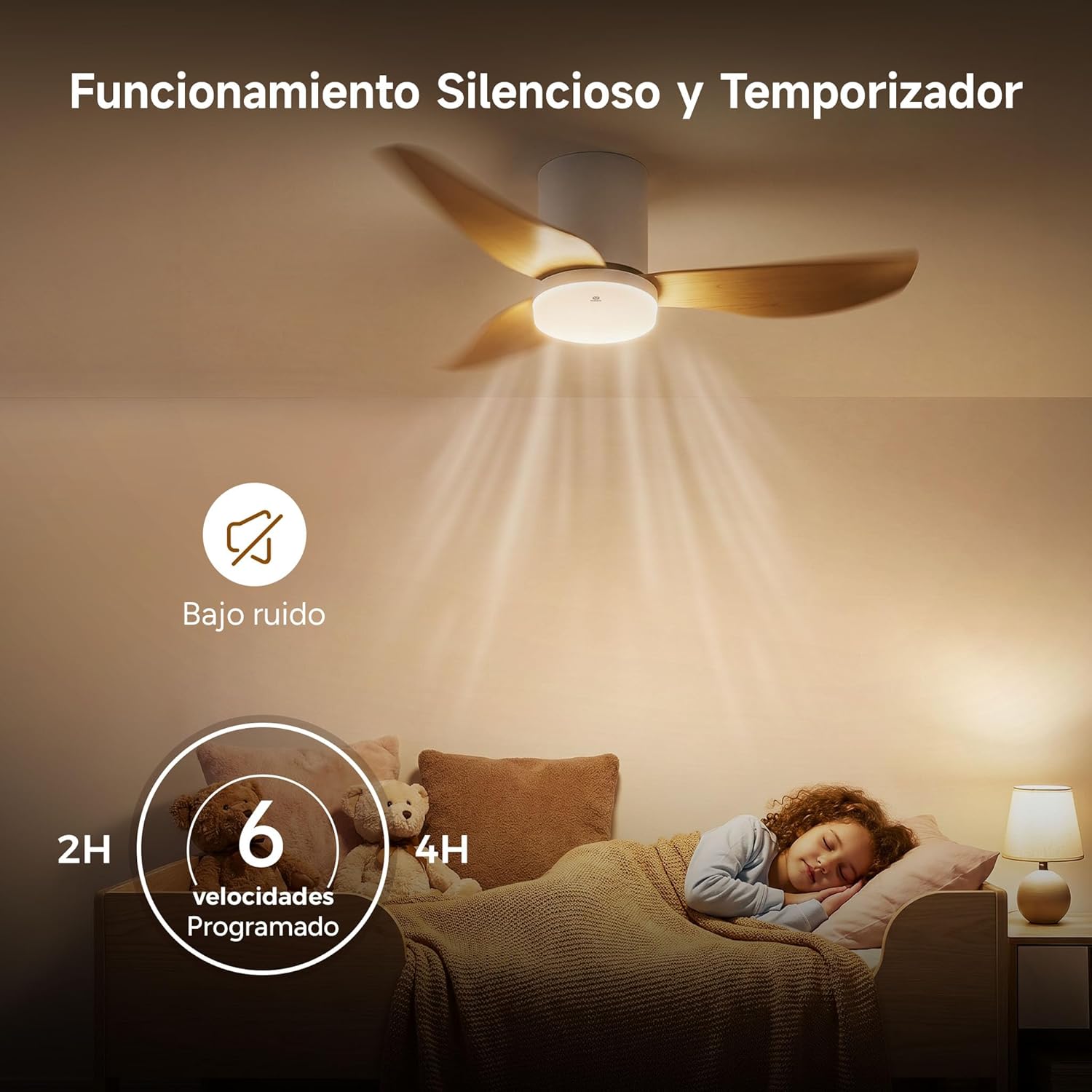
Image: The WOOX MX0294 fan highlighting its silent operation and programmable timer settings for 2 hours and 4 hours, ideal for undisturbed sleep.
6. Nlekọta
Nlekọta anya mgbe niile na-eme ka arụmọrụ kacha mma na ogologo ndụ nke onye na-akwado uko ụlọ gị.
- Nhicha: Jiri ihe dị nro na-efesa agụba fan na ụlọ moto mgbe niile, damp akwa . Ejila ihe nchacha abrasive ma ọ bụ ihe mgbaze.
- Na-emechi: Periodically check and tighten all screws on the fan blades and mounting hardware.
- mmanu mmanu: A na-ete mmanụ ọkụ na-adịgide adịgide ma ọ dịghị achọ mmanụ ọzọ.
7. Nchọpụta nsogbu
Ọ bụrụ na ị zutere nsogbu gị na onye ofufe gị, rụtụ aka na nsogbu na azịza ndị a na-ahụkarị:
- Onye ofufe anaghị ebido:
- Lelee ma ejikọrọ ọkụ eletrik.
- Ensure the remote control batteries are working.
- Hụ na njikọ waya niile dị nchebe.
- Fan Wobbly:
- Gbaa mbọ hụ na akpọchiri skru agụba niile.
- Check that the mounting bracket is securely installed.
- Ìhè Anaghị arụ ọrụ:
- Check light wiring connections.
- Ensure the light is turned on via the remote.
- Njikwa anya anaghị aza:
- Dochie batrị njikwa anya.
- Ensure there are no obstructions between the remote and the fan receiver.
8. Nkọwapụta
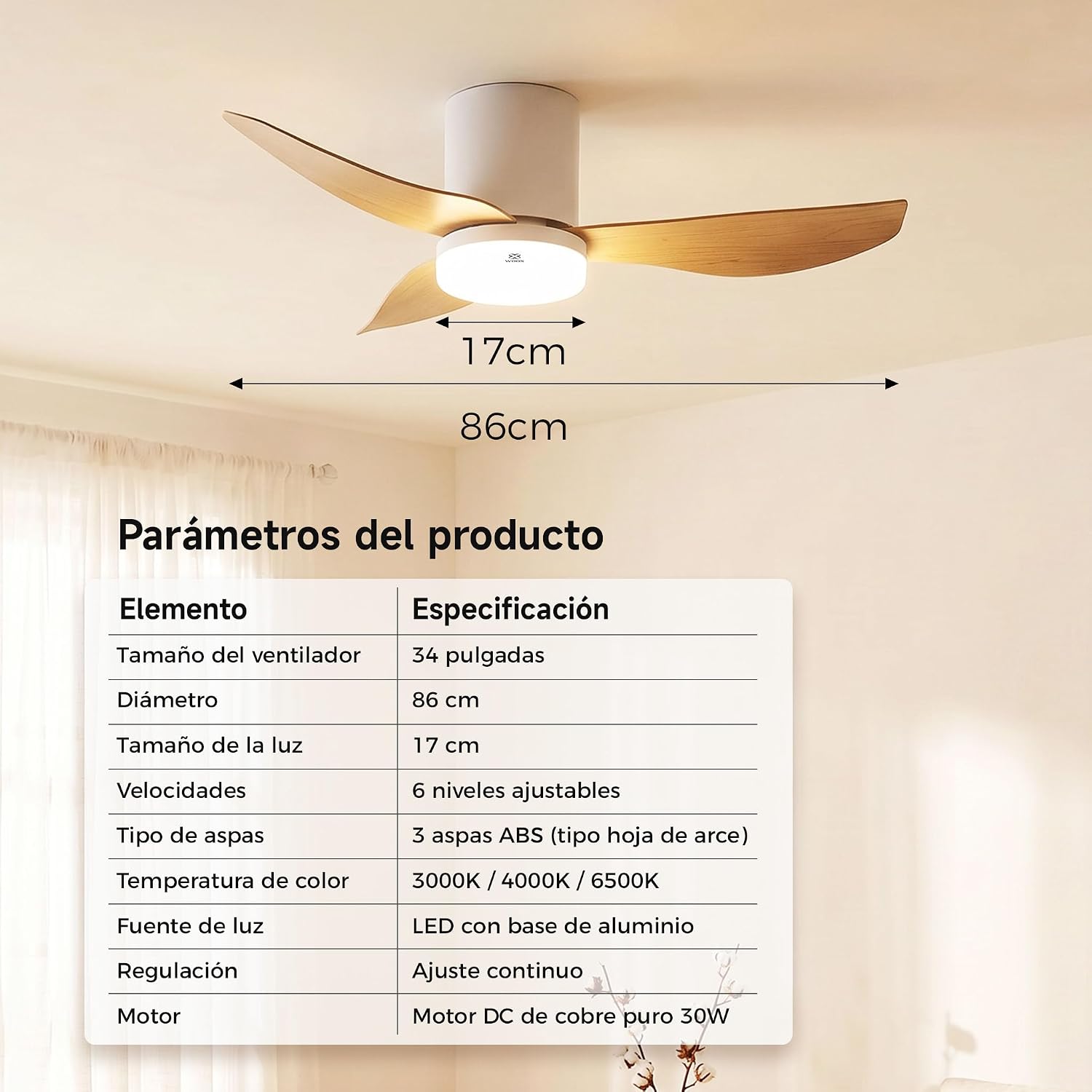
Image: A table detailing the product parameters of the WOOX MX0294 ceiling fan, including fan size, diameter, light size, speeds, blade type, color temperature, light source, dimming, and motor type.
| Oke | Nkọwapụta |
|---|---|
| Nha Fans | 34 sentimita asatọ |
| Dayameta | 86 cm |
| Nha ọkụ | 17 cm |
| Ọsọ ọsọ | 6 nhazi ọkwa |
| Ụdị agụba | 3 ABS blades (maple leaf type) |
| Okpomọkụ agba | 3000K/4000K/6500K |
| Isi Iyi Ìhè | LED with aluminum base (15W) |
| Na-ebelata | Continuous adjustment |
| moto | Pure copper DC 30W motor |
| Akụkụ ngwaahịa (D x W x H) | 40 x 40 x 114 cm (packaging/overall) |
| Agba | Ọcha |
9. Akwụkwọ ikike na nkwado
WOOX products are designed for quality and reliability. This product comes with a standard manufacturer's warranty against defects in materials and workmanship. Please refer to your purchase documentation for specific warranty terms and duration.
For technical support, troubleshooting assistance, or warranty claims, please contact your retailer or the WOOX customer service department. Keep your proof of purchase for warranty validation.