
Okwu mmalite
Thank you for choosing the GOBOULT Y1 v2.0 Wireless Earbuds. This manual provides essential information for setting up, operating, and maintaining your earbuds to ensure optimal performance and longevity. Please read it carefully before use.
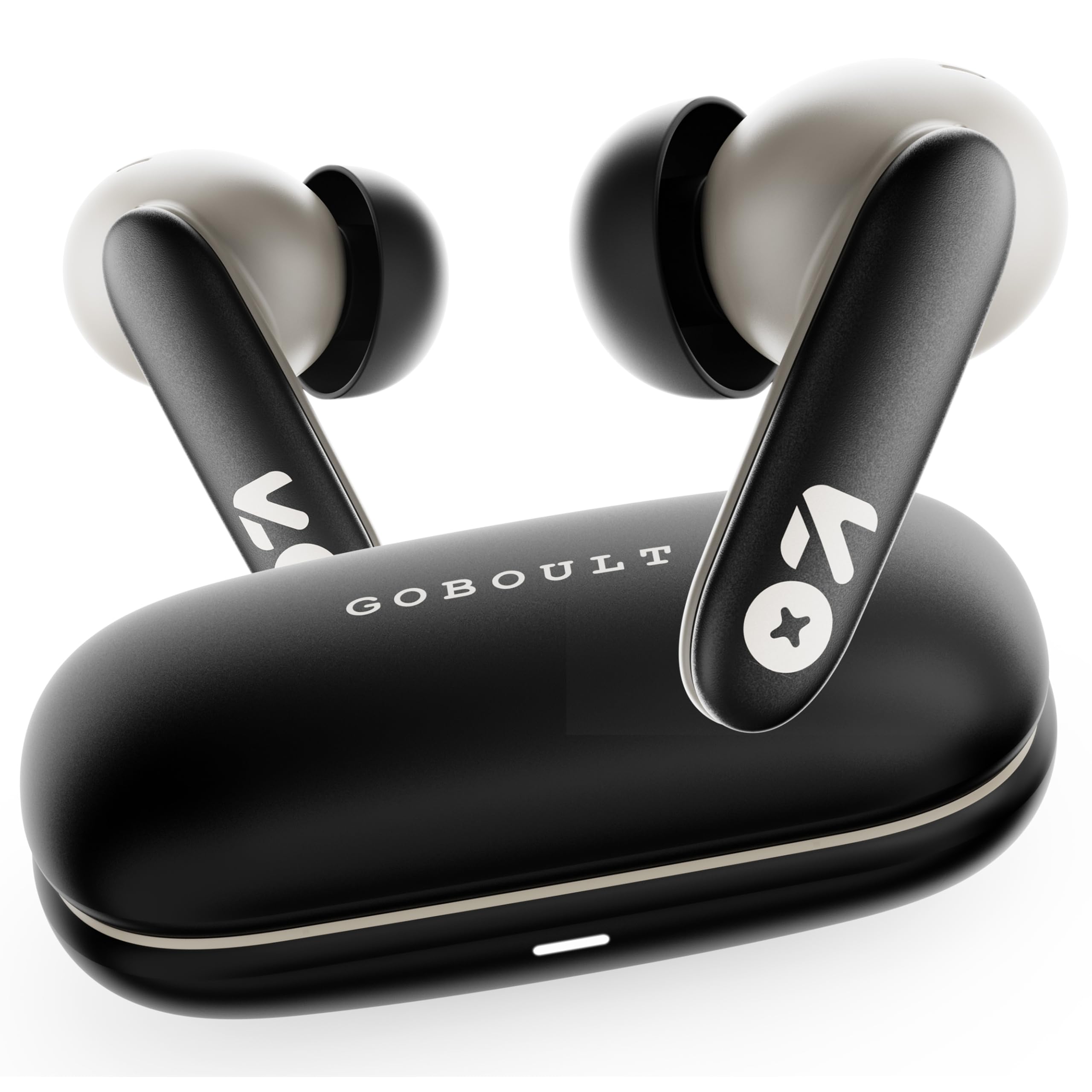
Image: GOBOULT Y1 v2.0 Wireless Earbuds and their charging case, showcasing imewe mara mma.
Kedu ihe dị na Igbe ahụ
- GOBOULT Y1 v2.0 Wireless Earbuds
- Nchaji case
- USB Type-C Nchaji USB
- Nkịta ntị (nha dị iche iche)
- Akwụkwọ ntuziaka onye ọrụ
- Akwụkwọ ikike kaadị
Njirimara ngwaahịa
The GOBOULT Y1 v2.0 earbuds are designed with advanced features for an enhanced audio experience:
- Ogologo oge egwuregwu: Ruo awa iri ise nke oge egwuregwu zuru oke na igbe chaja.
- Bluetooth Bluetooth: Ensures fast, stable, and efficient wireless connectivity.
- Zen Quad Mic ENC: Environmental Noise Cancellation with four microphones for clear calls.
- Ọdịda ala: 45ms ultra-low latency for gaming and video synchronization.
- Njikwa mmetụ: Intuitive touch sensors for managing music, calls, and voice assistant.
- Dual Device Pairing: Connect and switch seamlessly between two devices.
- 13mm Bass Driver: Na-enye ụda bass dị ike na ụda doro anya.
- AMP Nkwado ngwa: Customize audio settings and controls via the dedicated application.
- IPX5 Mgbochi mmiri: Protection against sweat and light splashes.
- Nchaji ngwa ngwa: Type-C port for quick charging of the case.

Foto: Ofeview of GOBOULT Y1 v2.0 features including sleek design, AMP App support, Bluetooth 6.0, 60 hours battery life, and dual device pairing.
Ntuziaka nhazi
1. Ịchaji ihe ntị na akpa
Tupu ojiji nke mbụ, chajie nke ọma ntị na akpa nchaji.
- Tinye ntị ntị n'ime akpa nchaji. Gbaa mbọ hụ na ha nọ ọdụ nke ọma.
- Jikọọ eriri USB Ụdị-C n'ọdụ ụgbọ mmiri na-ebufe n'okwu ahụ yana na isi iyi ọkụ.
- The LED indicator on the case will show charging status. A full charge typically takes approximately 1.5-2 hours.

Image: The GOBOULT Y1 v2.0 earbuds and charging case, highlighting the 60-hour battery life and Type-C fast charging capability.
2. Initial Pairing (Single Device)
- Mepee igbe nchaji. Igwe ntị ga-abanye na ọnọdụ njikọta na-akpaghị aka.
- Na ngwaọrụ gị (smartphone, mbadamba, wdg), gbanye Bluetooth.
- Chọọ maka available Bluetooth devices and select "GOBOULT Y1 v2.0".
- Ozugbo ejikọtara, ị ga-anụ olu nkwenye.
3. Njikọ Ngwaọrụ Abụọ
The Y1 v2.0 supports connecting to two devices simultaneously.
- Jikọta ekweisi na ngwaọrụ mbụ gị dịka akọwara na "Mmalite Njikọta".
- Gbanyụọ Bluetooth na ngwaọrụ mbụ. Igwe ntị ga-abanyekwa ọnọdụ njikọ.
- Jikọọ ntị ntị na ngwaọrụ nke abụọ gị.
- Mee ka Bluetooth gbanye ọzọ na ngwaọrụ mbụ. Ekwe ntị ndị ahụ kwesịrị ijikọ na ngwaọrụ abụọ ahụ na akpaghị aka.
- To switch between devices, simply play audio on the desired device.

Image: The GOBOULT Y1 v2.0 earbuds connected to both a laptop and a smartphone, illustrating the dual device pairing feature.
Ntuziaka ọrụ
1. Aka njikwa
The earbuds feature intuitive touch controls on their stems:
| Omume | Ọrụ |
|---|---|
| Otu mgbata (aka ekpe/aka nri) | Kpọọ/Kwụsị Egwu, Zaa/Kwụsị Oku |
| Pịa ugboro abụọ (aka nri) | Track na-esote |
| Pịa ugboro abụọ (aka ekpe) | Egwu gara aga |
| Pịa ugboro atọ (aka ekpe/aka nri) | Mee ka onye enyemaka olu rụọ ọrụ |
| Pịa ogologo (aka ekpe/aka nri) | Jụ oku |
| Long Press (Right) | Elu elu |
| Long Press (Left) | Mpịakọta ọnụ |

Image: Visual representation of touch controls for music playback and call management, along with the IPX5 water resistance rating.
2. Onye enyemaka olu
Activate your device's voice assistant (Siri, Google Assistant) by triple-tapping either earbud. You can then issue commands like making calls or playing music.

Image: The GOBOULT Y1 v2.0 earbuds highlighting Bluetooth 6.0 for stable connection and integration with AI voice assistants like Siri and Google Assistant.
3. Gaming Mode (Low Latency)
For an optimized gaming experience, activate the 45ms ultra-low latency gaming mode. Refer to the AMP App or specific touch control gestures (if available) for activation.

Image: The GOBOULT Y1 v2.0 earbuds illustrating the 45ms ultra-low latency Gaming Mode.
4. AMP Nkwado ngwa
Download the GOBOULT AMP App to unlock advanced customization options:
- Adjust Equalizer (EQ) settings for personalized sound.
- Hazie njikwa mmetụ aka.
- Access additional features like Water Ejection mode.

Image: Screenshot of the GOBOULT AMP App interface, demonstrating equalizer adjustments and other customization features.
Nlekọta
1. Nhicha
Ịdị ọcha mgbe niile na-enyere aka ịnọgide na-adị mma na ịdị ọcha.
- Jiri akwa dị nro, kpọrọ nkụ, akwa na-enweghị lint ka ihichapụ ntị ntị na akpa nchaji.
- Gently remove any earwax or debris from the ear tips and speaker mesh using a small brush or cotton swab.
- Ejila ihe mkpocha abrasive, mmanya, ma ọ bụ ihe mgbaze kemịkal.
2. Mgbochi mmiri (IPX5)
The GOBOULT Y1 v2.0 earbuds are rated IPX5 water resistant, meaning they are protected against low-pressure water jets from any direction. This makes them suitable for workouts and light rain.
- Ejila nkpu ntị ntị n'ime mmiri.
- Okwu ikpe na-abụghị mmiri na-eguzogide ọgwụ.
- Gbaa mbọ hụ na ekwe ntị akpọnwụwo tupu ịdoghachi ya na chaja iji gbochie mmebi.
Nchọpụta nsogbu
| Nsogbu | Ngwọta |
|---|---|
| Igwe ntị anaghị ejikọta ọnụ | Hụ na e nwere ọkụ eletrik na ntị gị. Gbanyụọ ma gbanye Bluetooth na ngwaọrụ gị. Chefuo ngwaọrụ ahụ na ntọala Bluetooth wee jikọta ya ọzọ. |
| Naanị otu earbud na-arụ ọrụ | Place both earbuds back in the case, close it, then open again. Ensure both are charged. Reset earbuds if issue persists. |
| Obere olu ma ọ bụ ogo ụda adịghị mma | Clean earbud speaker mesh. Adjust volume on both earbuds and connected device. Try different ear tip sizes for a better seal. |
| Nchaji anaghị akwụ ụgwọ | Check USB Type-C cable and power adapter. Ensure connections are secure. |
Nkọwapụta
| Njirimara | Nkọwa |
|---|---|
| Ụdị | GOBOULT |
| Aha Nlereanya | Y1 v2.0 (Airbass) |
| Ntinye ntị | Na Ntị |
| Njikwa mkpọtụ | Nkagbu mkpọtụ gburugburu (ENC) |
| Ụdị Bluetooth | 6.0 |
| Oke Bluetooth | 10 mita |
| Ndụ batrị (Ngụkọta) | Ruo awa 60 |
| Nha ọkwọ ụgbọ ala ọdịyo | 13 Millimita |
| Oge Latịn | 45 Milliseconds (Gaming Mode) |
| Nzaghachi ugboro ugboro | 20 Hz - 20,000 Hz |
| Ọkwa Nguzogide mmiri | IPX5 |
| Usoro njikwa | Touch Control, App |
| Ngwa dakọtara | Android, iOS, Desktops, Laptops, Tablets |
| Ibu Ibu | 50 grams |

Image: A detailed comparison table showing the specifications of GOBOULT Y1 v2.0 versus the previous Y1 model, highlighting improvements.
Akwụkwọ ikike na nkwado
The GOBOULT Y1 v2.0 Wireless Earbuds come with a Akwụkwọ ikike nke onye nrụpụta afọ 1 from the date of purchase. This warranty covers manufacturing defects.
For warranty claims, technical support, or any product-related inquiries, please refer to the contact information provided on your warranty card or visit the official GOBOULT support websaịtị.