
1. Okwu mmalite
Thank you for choosing the Oilsky M502 MP3 Player. This device combines a powerful Android 13.0 operating system with extensive media capabilities, including Bluetooth, Wi-Fi, a high-definition touchscreen, and dual cameras. It is designed for versatile entertainment and communication. This manual provides essential information for setting up, operating, and maintaining your device.

Foto 1.1: N'ihu view of the Oilsky M502 MP3 Player, showcasing its sleek design and large touchscreen.
2. Kedu ihe dị na Igbe ahụ
Biko lelee ọdịnaya nke ngwugwu mgbe ị na-ebupụ igbe:
- 1 x Oilsky M502 MP3 Player
- 1 x Akwụkwọ ntuziaka onye ọrụ
- 1 x Ihe nkiri nchekwa
- 1 x eriri USB
- 1 x Igwe ntị

Image 2.1: The Oilsky M502 MP3 Player and its included accessories: USB cable, earphones, protective film, and user manual.
3. Ngwaahịa gafereview
Akụkụ ndị bụ isi:
- Sistemụ nrụọrụ: Android 13.0
- Ihe nhazi: MTK 6762 Octa-core processor
- Ebe nchekwa: 4GB RAM + 128GB Internal Storage (expandable up to 1TB via MicroSD card)
- Ngosipụta: 5.5-inch HD Touchscreen (1440x720 resolution, IPS wider viewangle)
- Njikọta: Bluetooth 5.0, Dual-band Wi-Fi (2.4GHz/5GHz), USB
- Igwefoto: 13MP Rear Camera, 5MP Front Camera
- Batrị: 2500mAh Lithium-ion (approx. 30 hours music playback, 5 hours video playback)
- Ngwa etinyegoro mbụ: Spotify, Pandora, Amazon Music, Audible, Tidal, Deezer, etc.
- Ụdị egwu akwadoro: MP3, WAV, APE, FLAC, AAC
- Ụdị vidiyo akwadoro: AVI, MKV, RMVB, MP4, MPG, MOV
Visual Overview:

Image 3.1: Device powered by Android 13.0 and MTK 6762 octa-core chip for smooth performance.

Image 3.2: Bluetooth 5.0 for stable wireless connections to speakers, headsets, mobile phones, and computers.

Image 3.3: Capture moments with the 13MP rear camera and 5MP front camera.

Image 3.4: Large storage capacity with 128GB built-in and up to 1TB expandable storage.

Image 3.5: 1440P HD full-format video player with a 5.5-inch full touch screen and IPS display.

Image 3.6: Powerful music app (HiByMusic player) supporting various formats and features.
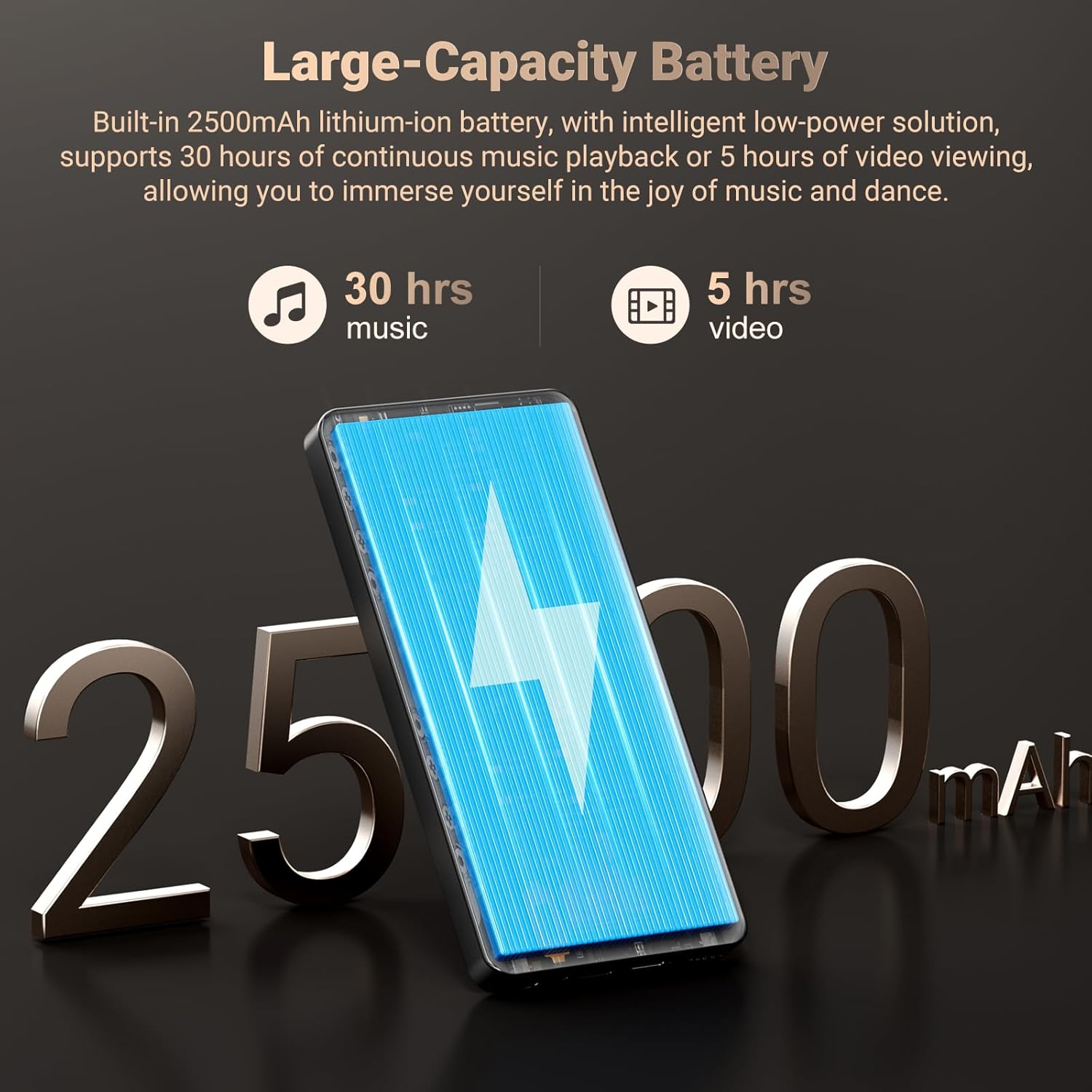
Image 3.7: Long-lasting 2500mAh battery for extended music and video playback.

Image 3.8: Access to streaming apps and local music playback for a rich audio experience.
Ihe karịrị vidiyo ngwaahịaview
Vidiyo 3.1: Onye ọrụ gọọmentị gafereview of the Oilsky 128GB MP3 Player, highlighting its key features and functionalities.
4. Nhazi
4.1 Ịchaji ngwaọrụ
Before first use, fully charge the MP3 player. Connect the provided USB cable to the device's charging port and the other end to a USB power adapter (not included) or a computer's USB port. The charging indicator will show the charging status.
4.2 Gbanyụọ/ gbanyụọ
- Iji gbanye: Press and hold the Power button on the side of the device until the screen lights up.
- Iji gbanyụọ: Pịa ma jide bọtịnụ Ike, wee họrọ 'Gbanyụọ' site na nhọrọ ndị na-apụta na ihuenyo.
4.3 Ntọala mbụ
Upon first power-on, follow the on-screen prompts to complete the initial setup, which includes selecting your language, connecting to a Wi-Fi network, and setting up your Google account (optional, but recommended for app downloads).
4.4 Ịtinye kaadị MicroSD
To expand storage, locate the MicroSD card slot on the device. Gently insert a MicroSD card (up to 1TB, not included) into the slot until it clicks into place. Ensure the card is inserted in the correct orientation.
5. Ntuziaka ọrụ
5.1 Nghaghachi egwu
The device features a professional-grade music player. You can play local music files or stream from pre-installed apps.
- Egwu mpaghara: Transfer MP3, WAV, APE, FLAC, AAC files to the device's internal storage or MicroSD card. Use the built-in music app to scan folders, create playlists, and search for tracks.
- gụgharia: Connect to Wi-Fi and open pre-installed apps like Spotify, Pandora, Amazon Music, etc., to stream music online.
- Bluetooth Audio: Pair with Bluetooth headphones or speakers via Settings > Connected devices > Bluetooth.
5.2 Nkpọghachi vidiyo
The 5.5-inch HD screen supports 720P/1440P video playback.
- Transfer AVI, MKV, RMVB, MP4, MPG, MOV video files na ngwaọrụ.
- Open the video player app to browse and play your videos.
Ọrụ igwefoto 5.3
The device includes a 13MP rear camera and a 5MP front camera.
- Open the Camera app from the home screen.
- Gbanwee n'etiti igwefoto dị n'ihu na n'azụ dịka ọ dị mkpa.
- Pịa bọtịnụ mkpọchi iji see foto ma ọ bụ dekọọ vidiyo.
5.4 Ngwa njikwa
As an Android device, you can install and manage applications.
- Ịwụnye ngwa: Open the Google Play Store app, search for desired applications, and tap 'Install'.
- Iwepụ ngwa: Go to Settings > Apps > See all apps, select the app, and tap 'Uninstall'. Pre-installed apps can also be uninstalled if not needed.
5.5 Njikọta
- Wi-Fi: Gaa na Ntọala> Netwọk & ịntanetị> Wi-Fi iji jikọọ na netwọk dị.
- Bluetooth: Go to Settings > Connected devices > Bluetooth to pair with other Bluetooth devices for audio or file nyefe
- USB: Jikọọ ngwaọrụ na kọmputa site na iji eriri USB maka file transfer. Select the 'File transfer' option on the device when prompted.
6. Njikwa Nne na Nna
The Oilsky M502 includes parental control features to manage content access and screen time, making it suitable for children.
- Access parental control settings through the device's system settings.
- Set restrictions on app usage, screen time limits, and content filtering to ensure age-appropriate access.
- Google Chrome can be disabled if desired.

Foto 6.1: Ọpụample of parental control settings, allowing for screen time limits and app restrictions.
7. Nlekọta
- Nhicha: Jiri akwa dị nro dị nro hichaa ngwaọrụ ahụ. Zere ndị na-ehicha mmiri mmiri ma ọ bụ ihe abrasive.
- Nlekọta batrị: To prolong battery life, avoid extreme temperatures and do not let the battery fully discharge frequently. Charge the device regularly.
- Mmelite ngwanrọ: Periodically check for system updates in Settings > System > System update to ensure optimal performance and security.
- Njikwa nchekwa: Na-ekpochapụ mgbe niile na-adịghị mkpa files na iwepụ ngwa ndị a na-ejighị iji mee ka ohere nchekwa dị ma nọgide na-arụ ọrụ.
8. Nchọpụta nsogbu
| Nsogbu | Ngwọta enwere ike |
|---|---|
| Ngwaọrụ anaghị agbanwu ọkụ | Ensure the device is charged. Connect to a charger for at least 30 minutes. If unresponsive, perform a forced restart by holding the power button for 10-15 seconds. |
| Enweghị ike ijikọ na Wi-Fi | Check if Wi-Fi is enabled in settings. Ensure the password is correct. Restart the device and the Wi-Fi router. |
| Njikọ Bluetooth ada ada | Ensure Bluetooth is enabled on both devices. Place devices close to each other. Restart both devices and try pairing again. |
| Ngwa na-adị nwayọọ ma ọ bụ na-ajụ oyi | Close background apps. Clear app cache (Settings > Apps > [App Name] > Storage & cache > Clear cache). Ensure sufficient storage space is available. Restart the device. |
| MicroSD card not detected | Ensure the card is inserted correctly. Try reinserting the card. Test with another MicroSD card if possible. |
| Ọdịmma igwefoto adịghị mma | Ensure the camera lens is clean. Take photos in well-lit environments. |
9. Nkọwapụta
| Njirimara | Nkọwa |
|---|---|
| Ụdị | Oilsky |
| Aha Nlereanya | M502 |
| Sistemụ nrụọrụ | Android 13.0 |
| Ike Nchekwa ebe nchekwa | 128 GB (expandable up to 1TB) |
| Nha ihuenyo | 5.5 sentimita asatọ |
| Ngosipụta teknụzụ | IPS or TFT |
| Teknụzụ Njikọta | Bluetooth, USB, Wi-Fi (2.4GHz/5GHz) |
| Atụmatụ pụrụ iche | 1440P Full Formats, App Installation, Equalizer, FM Radio, WIFI, Dual Cameras (13MP Rear, 5MP Front) |
| Ụdị mgbasa ozi akwadoro | MP3, WAV, APE, FLAC, AAC (Audio); AVI, MKV, RMVB, MP4, MPG, MOV (Video) |
| Ngwa dakọtara | Igwe ekweisi, Ọkà Okwu |
| Batrị | 2500mAh lithium-ion |
| Agba | Nwa |
10. Akwụkwọ ikike na nkwado
The Oilsky M502 MP3 Player comes with a 1-afọ akwụkwọ ikike site na ụbọchị ịzụrụ, na-ekpuchi ntụpọ nrụpụta. Biko dowe ihe akaebe nke ịzụrụ ihe maka akwụkwọ ikike.
For technical support, troubleshooting assistance, or warranty inquiries, please contact Oilsky customer service through the retailer's platform or the official Oilsky website. Refer to the contact information provided with your purchase or on the product packaging.
Always refer to the latest information available on the official Oilsky support channels for the most up-to-date assistance.