
1. Okwu mmalite
Thank you for choosing the xinwld Air3 Pro Wireless Earbuds. This manual provides detailed instructions on how to set up, operate, and maintain your new earbuds. Please read this manual carefully before use to ensure optimal performance and longevity of your device. Keep this manual for future reference.
2. Ihe ngwugwu
Gbaa mbọ hụ na ihe niile dị na ngwugwu:
- xinwld Air3 Pro Wireless Earbuds (Left and Right)
- Nchaji case
- USB Type-C Nchaji USB
- Multiple Ear Tip Sizes (S, M, L)
- Akwụkwọ ntuziaka onye ọrụ
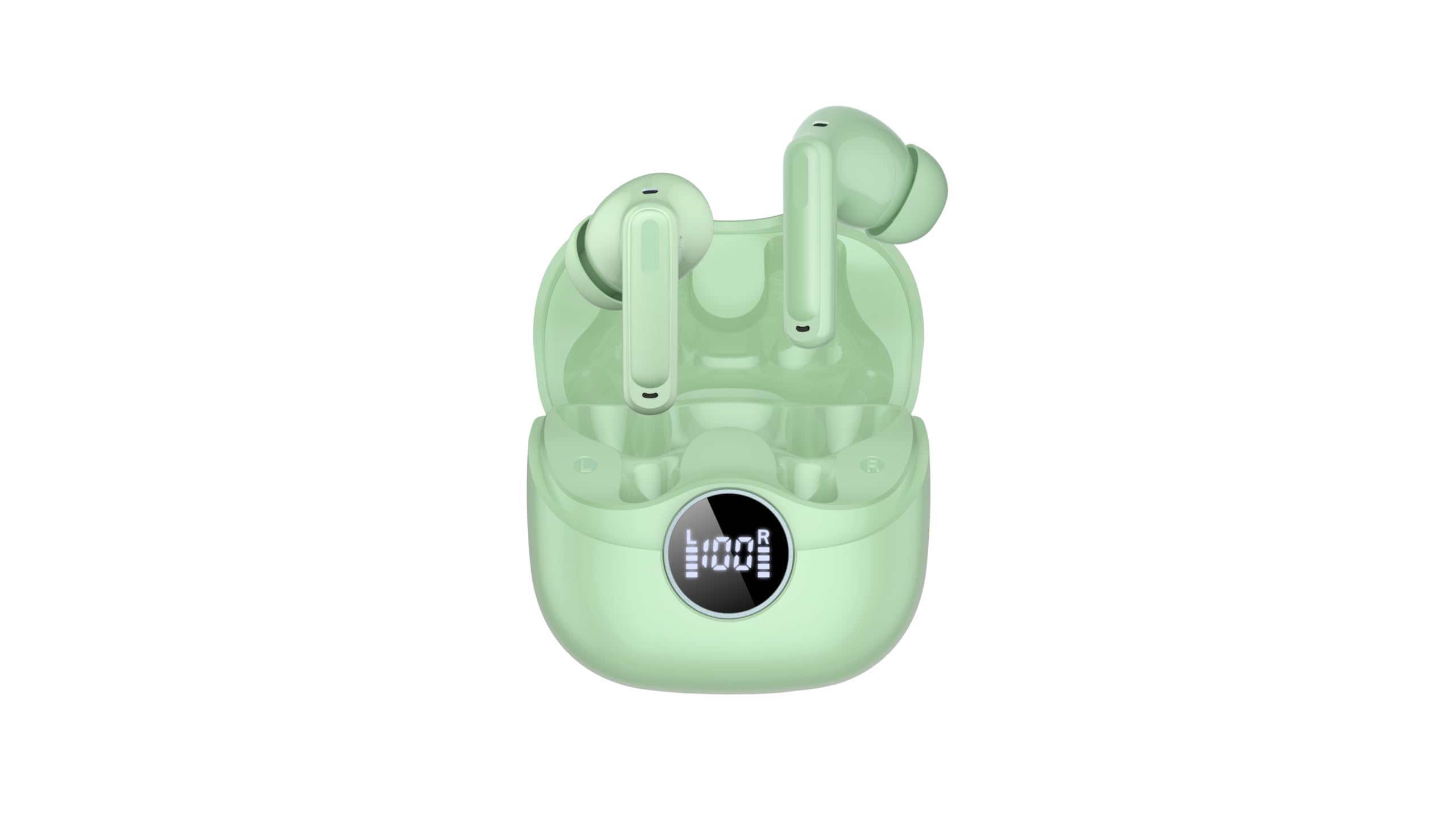
Image 2.1: xinwld Air3 Pro Wireless Earbuds and Charging Case with accessories.
3. Ngwaahịa gafereview
The xinwld Air3 Pro Wireless Earbuds are designed for a superior audio experience with advanced features.
Akụkụ ndị bụ isi:
- Bluetooth Bluetooth: Na-enye njikọ ikuku kwụsiri ike ma dị irè.
- 4 ENC Noise Cancelling Microphones: Enhances call clarity by reducing environmental noise.
- HiFi Stereo Deep Bass: Delivers rich, immersive audio quality.
- Oge egwuregwu awa 40: Extended battery life with the charging case.
- Ihe mgbochi mmiri IP7: Resistant to sweat and rain, suitable for workouts and outdoor activities.
- Ikanam Display: Shows battery status of the charging case and individual earbuds.
- Njikwa mmetụ: Intuitive control for music, calls, and voice assistant.
Foto 3.1: nso nso view of the xinwld Air3 Pro Wireless Earbuds.
4. Ịchaji
The earbuds and charging case come with a partial charge. It is recommended to fully charge them before first use.
Ịchaji ikpe nchaji:
- Jikọọ eriri USB Type-C enyere na ọdụ chaja dị na akpa ahụ.
- Jikọọ nsọtụ nke ọzọ nke eriri na ihe nkwụnye ọkụ USB (anaghị etinye ya) ma ọ bụ ọdụ ụgbọ USB nke kọmputa.
- The LED display on the case will show the charging progress. A full charge typically takes about 1 hour.
Ịchaji ekwe ntị:
- Place the earbuds into their respective slots in the charging case. Ensure the charging contacts align.
- Close the charging case lid. The earbuds will automatically begin charging.
- The LED display on the case will indicate the charging status of each earbud.
Mara: The earbuds can be recharged 2-3 times by a fully charged case, providing up to 40 hours of total playtime.
5. Initial Setup and Bluetooth Pairing
Follow these steps to pair your xinwld Air3 Pro earbuds with your device:
- Eriri ntị chajị: Gbaa mbọ hụ na ejirila earbuds na okwu ịchaji ụgwọ nke ọma.
- Ike Na: Open the charging case lid. The earbuds will automatically power on and enter pairing mode. You may see indicator lights flashing on the earbuds.
- Mee ka Bluetooth rụọ ọrụ: On your smartphone, tablet, or other Bluetooth-enabled device, go to the Bluetooth settings and turn on Bluetooth.
- Chọọ maka Ngwaọrụ: In the list of available devices, select "Air3 Pro".
- Jikọọ: Once selected, your device should connect to the earbuds. A voice prompt or indicator light change will confirm successful pairing.
- Ojiji na-esote: After the initial pairing, the earbuds will automatically connect to the last paired device when removed from the charging case, provided Bluetooth is enabled on your device.
Mara: If pairing fails, place the earbuds back into the case, close the lid, and repeat the steps. Ensure the earbuds are close to your device during pairing.
6. Ntuziaka ọrụ
Njikwa mmetụ:
The xinwld Air3 Pro earbuds feature intuitive touch controls on each earbud. The specific functions may vary slightly depending on your device and application.
| Omume | Ihe ntị aka ekpe | Nri ntị aka nri |
|---|---|---|
| Kpọọ/kwụsịtụ egwu | Otu mgbata | Otu mgbata |
| Track na-esote | Pịa ugboro abụọ | Pịa ugboro abụọ |
| Egwu gara aga | Pịa ugboro atọ | Pịa ugboro atọ |
| Zaa/Kwụsị Oku | Otu mgbata | Otu mgbata |
| Jụ oku | Ogologo Pịa (2s) | Ogologo Pịa (2s) |
| Mee ka onye enyemaka olu rụọ ọrụ | Ogologo Pịa (2s) | Ogologo Pịa (2s) |
Yi akwa ntị:
For optimal sound quality and comfort, ensure the earbuds are worn correctly.
- Select Ear Tips: Choose the ear tips that provide the best seal and comfort for your ears.
- Tinye ntị ntị: Jiri nwayọọ tinye ihe ntị ntị ọ bụla n'ime ọwa ntị gị.
- Hazie Ọkwa: Rotate the earbud slightly until it fits snugly and securely. The microphone should be pointing towards your mouth for clear calls.
7. Nlekọta na nlekọta
Nlekọta kwesịrị ekwesị na-eme ka ntị ntị gị dị ogologo ma rụọ ọrụ nke ọma.
- Nhicha: Jiri akwa dị nro, kpọrọ nkụ na-adịghị na-ehicha ntị ntị na chaja mgbe niile. Ejila kemịkalụ siri ike ma ọ bụ ihe abrasive.
- ihicha ndụmọdụ ntị: Wepụ nsọtụ ntị gị ma jiri ncha na mmiri dị nro hichaa ha ma ọ bụrụ na ọ dị mkpa. Hụ na ha kpọrọ nkụ kpamkpam tupu ị tinye ha ọzọ.
- Nchekwa: Mgbe ị na-ejighị ya, debe ntị ntị gị n'ime akpa chaja ha iji chebe ha pụọ na uzuzu na mmebi.
- Nlekọta batrị: Avoid fully discharging the battery frequently. Charge the earbuds and case regularly, even if not in use for extended periods, to maintain battery health.
- Nguzogide mmiri: While IP7 waterproof, avoid prolonged submersion in water. Dry the earbuds completely if they get wet before placing them back in the charging case.
- Zere oke okpomọkụ: Do not expose the earbuds or charging case to extreme temperatures (hot or cold) or high humidity.
8. Nchọpụta nsogbu
Ọ bụrụ na ị hụ nsogbu na ntị gị, lee nsogbu na ngwọta ndị a na-ahụkarị:
- Igwe ntị anaghị ejikọta ya na ngwaọrụ:
- Gbaa mbọ hụ na agbanyere Bluetooth na ngwaọrụ gị.
- Hụ na e nwere ihe e ji ekwe ntị chajị ma hapụ ya ka ọ dị n'ime akpa chajị.
- Forget "Air3 Pro" from your device's Bluetooth list and try pairing again.
- Restart your device and the earbuds (by placing them back in the case and taking them out).
- Enweghị ụda sitere na otu ntị ma ọ bụ abụọ:
- Lelee ọkwa olu na ma ngwaọrụ gị yana ntị ntị.
- Gbaa mbọ hụ na ejikọrọ ekwe ntị nke ọma na ngwaọrụ gị.
- Try resetting the earbuds (refer to the manual for specific reset instructions if available, or try placing them in the case, closing, and reopening).
- Clean any debris from the earbud speaker mesh.
- Nchaji anaghị akwụ ụgwọ:
- Gbaa mbọ hụ na ejikọrọ eriri USB Type-C nke ọma na ma ikpe ahụ yana isi iyi ike.
- Gbalịa eriri USB ma ọ bụ ihe nkwụnye ọkụ dị iche.
- Lelee maka ihe ọ bụla dị n'ọdụ chaja nke akpa ahụ.
- Ogo oku na-adịghị mma:
- Gbaa mbọ hụ na ekwe ntị na-anọdụ ala nke ọma na ntị gị.
- Check for strong environmental noise; the ENC feature works best within its limits.
- Ensure your device has good network reception.
9. Nkọwapụta ngwaahịa
Detailed technical specifications for the xinwld Air3 Pro Wireless Earbuds:
| Njirimara | Nkọwapụta |
|---|---|
| Aha Nlereanya | Air3 Pro |
| Teknụzụ Njikọta | Ikuku (Bluetooth) |
| Ụdị Bluetooth | 5.4 |
| Atụmatụ Njikwa Mkpọtụ | Nkagbu mkpọtụ gburugburu (ENC) |
| Ndụ batrị | Ruo elekere 40 (ya na igbe nchaji) |
| Ọkwa Nguzogide mmiri | Ihe mgbochi mmiri IP7 |
| Usoro njikwa | Metụ aka |
| Ụdị ntị | Na Ntị |
| Ụdị ọkwọ ụgbọ ala ọdịyo | Bass ọkwọ ụgbọala |
| Ngwa dakọtara | Smartphones, Laptops, Tablets, Smart Speakers |
| Ibu Ibu | 0.071 ounces (earbuds) |
10. Ozi nchekwa
Biko gụọ ma soro ntuziaka nchekwa ndị a iji gbochie mmerụ ahụ ma ọ bụ mmebi na ngwaọrụ gị:
- Do not disassemble, repair, or modify the product. This may cause fire, electric shock, or complete damage to the product.
- Keep the earbuds and charging case away from extreme temperatures, direct sunlight, and high humidity.
- Avoid using the earbuds at excessively high volumes for prolonged periods to prevent hearing damage.
- Keep out of reach of children and pets to prevent accidental ingestion of small parts.
- Do not use the earbuds in situations where you need to hear your surroundings, such as driving, cycling, or walking in traffic.
- Jiri naanị eriri na nkwụnye ụgwọ enyere ma ọ bụ gbaara ezi àmà.
11. Akwụkwọ ikike na nkwado
xinwld products are designed and manufactured to the highest quality standards. For warranty information, technical support, or customer service inquiries, please refer to the warranty card included in your package or contact xinwld customer support through the retailer where you purchased the product. Please have your product model number (Air3 Pro) and ASIN (B0GHC3X3BP) ready when contacting support.