
Okwu mmalite
This manual provides detailed instructions for the setup, operation, and maintenance of your AT&T DECT 6.0 Cordless Phone, model BL108-3. Please read this guide thoroughly to ensure proper use and to take full advantage of all features, including Smart Call Blocker, Bluetooth Connect to Cell, and the digital answering machine.
Ihe ngwugwu
Chọpụta na ngwungwu gị nwere ihe ndị a:
- Ngalaba ntọala
- 3 Ekwe ntị na-enweghị eriri
- 3 Ihe Ike
- 2 Chargers (for additional handsets)
- Ụdọ ekwentị
- Igwe batrị 6
- Ntuziaka mmalite ngwa ngwa
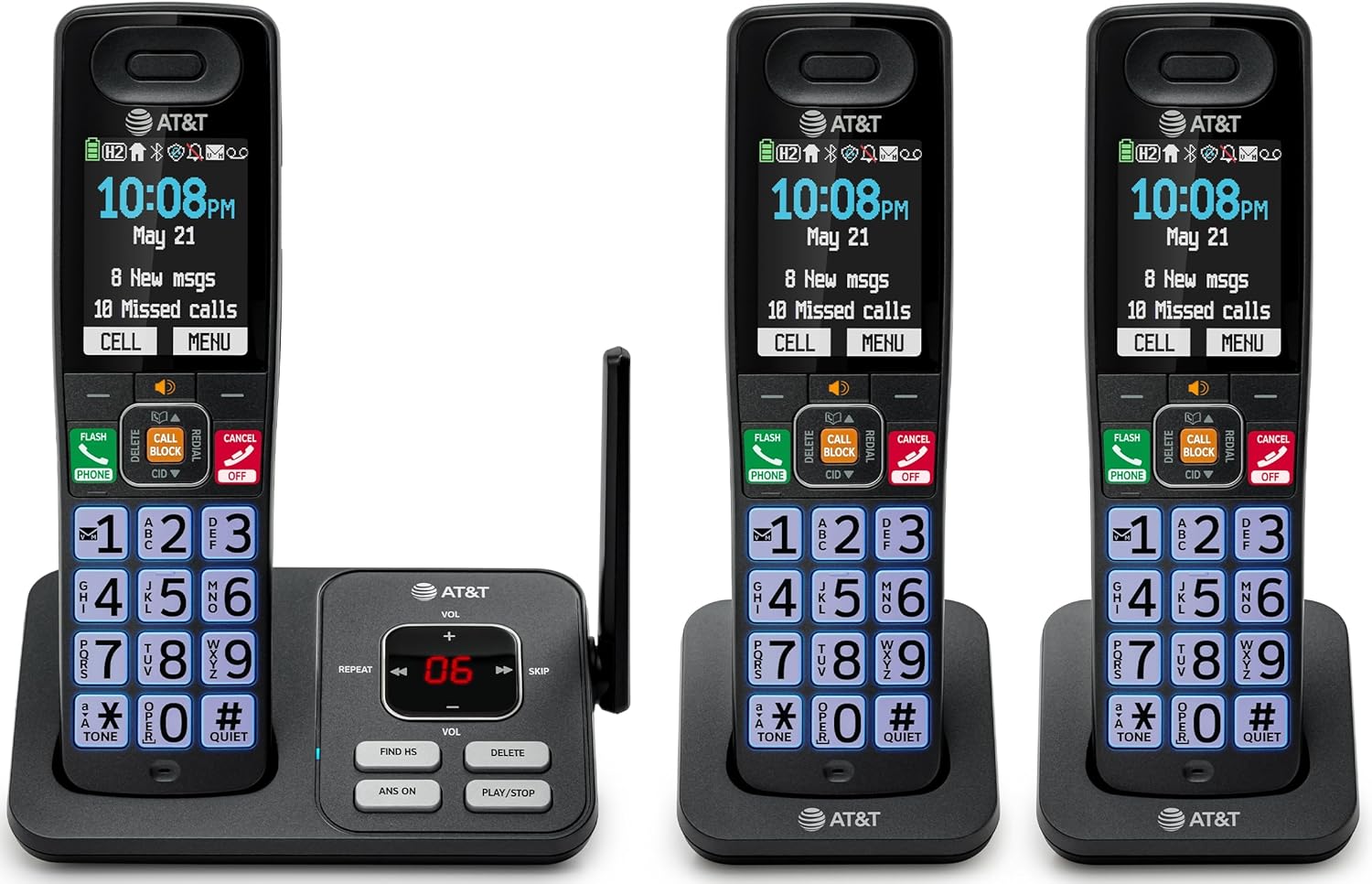
Image: The complete AT&T BL108-3 cordless phone system, showing the base unit and three handsets.
Melite
1. Base Unit and Power Connection
- Debe ngalaba ntọala n'elu larịị ma kwụsie ike.
- Jikọọ otu nsọtụ nke eriri ekwentị ahụ na jaket TELLINE dị na isi ngwaọrụ ahụ.
- Connect the other end of the telephone line cord to a telephone wall jack.
- Plug one power adapter into the POWER jack on the base unit.
- Plug the other end of the power adapter into an electrical outlet not controlled by a wall switch.
2. Ntinye na Nchaji Batrị Ekwentị
- Mepee mkpuchi mkpuchi batrị n'azụ ekwentị ọ bụla.
- Insert the provided battery cells, ensuring correct polarity (+ and -).
- Mechie mkpuchi oghere batrị.
- Place each handset in its respective charger or the base unit cradle. The CHARGE light on the handset will illuminate.
- Allow the handsets to charge for at least 10 hours before initial use.
3. Additional Charger Setup
- Plug the power adapters for the additional chargers into electrical outlets not controlled by a wall switch.
- Place the additional handsets into these chargers to charge.
Ntuziaka ọrụ
Ịkpọ na ịnata oku
- To make a call: Press Ekwentị, then dial the number.
- To answer a call: Press Ekwentị ma ọ bụ igodo ọkpụkpọ ọ bụla.
- Ka ịkwụsị oku: Pịa Gbanyụọ/Kwụsị or place the handset in the cradle.
Ihe mgbochi Smart Call
The Smart Call Blocker feature automatically filters out robocalls. You can also manually block unwanted numbers.
- To block a number during a call: Press the dedicated Oku na-akpọ igodo.
- The block directory can store up to 1,000 entries.

Image: A close-up of the handset displaying the "Smart Call Block" screen, with the "CALL BLOCK" button highlighted on the base unit.
Bluetooth Connect to Cell
Pair your smartphone with the BL108-3 system to make and receive mobile calls through any of the cordless handsets.
- Na ngalaba ntọala, pịa MENU, then navigate to "Bluetooth" and select "Pair Cell".
- Kwado Bluetooth na ama gị wee chọọ ngwaọrụ dịnụ.
- Select the AT&T phone from the list on your smartphone to pair.
- Once paired, mobile calls can be made and received using the cordless handsets.

Image: A visual representation of the "Connect to Cell" feature, showing a handset on a nightstand wirelessly connected to a smartphone.
Video: Demonstrates the seamless Bluetooth connection to a cell phone, allowing calls to be made and received through the AT&T cordless handset.
Igwe aza azịza dijitalụ
The integrated digital answering system records up to 22 minutes of messages.
- To play messages: Press KWURU/Kwụsị on the base unit or handset.
- To skip messages: Press MAKA.
- To delete messages: Press HIchapụ.

Image: The phone's base unit and handset displaying an incoming message on the answering system, with a visual of a message being left.
Caller ID Announce
The handset speaks the caller's name aloud, allowing you to screen calls without picking up the phone.
- Ensure Caller ID service is subscribed through your telephone service provider.
- The feature is active by default.

Image: The handset and base unit showing a call coming in, with a speech bubble indicating "Call from Johnson" to illustrate the Caller ID Announce feature.
Intercom Between Handsets
You can use the handsets to communicate with each other, or transfer calls.
- To initiate an intercom call: Press AKTERKỌ on a handset, then select the desired handset number.
- To transfer a call: During an external call, press AKTERKỌ, select the handset, and then hang up after the other handset answers.

Image: Two handsets, one on the base and one on a charger, with arrows indicating communication between them, illustrating the intercom feature.
Phonebook Directory
Store up to 1500 names and numbers in the phonebook for quick dialing.
- To add an entry: Press MENU, navigate to "Phonebook", then "Add New Entry".
- To dial from phonebook: Press Ekwentị, mgbe ahụ DIR, select the entry, and press Ekwentị ọzọ.

Image: The handset screen showing a phonebook list with alphabetical navigation, demonstrating the phonebook directory feature.
Full-Duplex Handset Speakerphone
Allows both parties to speak and be heard simultaneously during a speakerphone call.
- To activate speakerphone during a call: Press Ọkà okwu.
- To switch back to handset mode: Press Ekwentị.

Image: A person using the handset in speakerphone mode while working on a laptop, with speech bubbles indicating a two-way conversation.
Ọnọdụ dị jụụ
Temporarily silences all handset and base unit ringers for a set period.
- To activate: Press and hold #KWUO na handset.
- Iji gbanyụọ: Pịa ma jide #KWUO ọzọ.

Image: The handset screen showing "Quiet mode on" with a sleeping person in the background, illustrating the Quiet Mode feature.
Ọnọdụ ECO
Reduces power consumption for optimal battery performance.
- ECO mode is typically enabled by default to conserve energy.
- Refer to the full user manual for options to adjust or disable this feature if needed.

Image: The handset and base unit in a setting with wind turbines in the background, and the screen showing "ECO mode", symbolizing energy efficiency.
Ọkụ ọkụ arụnyere n'ime ya
For safety at night or in emergencies, the handset includes a built-in flashlight.
- To activate the flashlight: Locate the flashlight button on the side of the handset and press it.

Image: A close-up of the handset's side, showing the flashlight beam and the "FLASHLIGHT" label, indicating its location and function.
Nlekọta
- Nhicha: Jiri nwayọ hichaa ekwentị na nkeji ntọala, damp cloth. Do not use cleaning sprays or harsh chemicals.
- Nlekọta batrị: For optimal battery life, fully charge the handsets for 10 hours before first use. If the phone will be unused for an extended period, remove the batteries.
- Ọnọdụ gburugburu: Avoid exposing the phone to extreme temperatures, direct sunlight, or moisture.
Nchọpụta nsogbu
| Nsogbu | Ngwọta |
|---|---|
| Enweghị ụda ọkpụkpọ |
|
| Ekwentị anaghị akwụ ụgwọ |
|
| Ọdịmma oku adịghị mma ma ọ bụ kwụ ọtọ |
|
| Cannot make/receive Bluetooth calls |
|
Nkọwapụta
| Njirimara | Nkọwa |
|---|---|
| Ụdị | AT&T |
| Nọmba nlereanya | BL108-3 |
| Ụdị ekwentị | Enweghị eriri (DECT 6.0) |
| Agba | Nwa |
| Ekwentị dị n'ime ya | 3 |
| Ngosipụta | 2.4" Color Backlit Display |
| Ụdị Sistemu na-aza | Digital (up to 22 minutes recording time) |
| Ihe ngbochi oku | Smart Call Blocker (up to 1,000 entries) |
| Bluetooth | Connect to Cell (smartphone pairing) |
| Oge Njikere Ekwentị | 6 ụbọchị |
| NJ onye ọkpụkpọ | Yes, with Announce feature |
| Ikike akwụkwọ ekwentị | Up to 1500 names and numbers |
| Igwe okwu | Full-Duplex Handset Speakerphone |
| Akụkụ (Nkeji ntọala) | 5.63 x 2.99 x 7.4 sentimita (L x W x H) |
| Isi Iyi Ike | Igwe ọkụ eletrik |
| Ihe onwunwe | Plastic |
| UPC | 650530034121 |

Image: Diagram showing the dimensions of the AT&T BL108-3 base unit and a handset.
Ozi akwụkwọ ikike
Your AT&T BL108-3 Cordless Phone comes with a Akwụkwọ ikike dị afọ 1. Please retain your purchase receipt as proof of purchase. For detailed warranty terms and conditions, refer to the full user manual or contact AT&T customer support.
Nkwado
For further assistance, technical support, or to order replacement parts, please visit the official AT&T support website or contact their customer service. You can often find FAQs and additional resources online.
- Nkwado n'ịntanetị: Gaa leta AT&T Wireless Support (or search for AT&T Landline Phone Support).
- Ndị ọrụ nlekọta ndị ahịa: Refer to your Quick Start Guide for specific contact numbers.