
1. Okwu mmalite
Thank you for choosing the VGR V-879T Professional Hair Clipper. This high-performance grooming tool is designed for both professional salon use and home styling, offering precision and efficiency. It features a powerful 7500 RPM motor and an innovative DLC-coated ceramic blade for a smooth, accurate cut while minimizing friction and heat. The ergonomic design includes an eye-catching ornate pattern, available in gold and blue. A convenient LED display shows battery level and operating speed. The 1500mAh lithium battery provides 300 minutes of use after a 2.5-hour charge. This manual provides essential information for safe and effective use of your new hair clipper.
2. Ntuziaka nchekwa
- Gụọ ntuziaka niile tupu i jiri ngwa a.
- Keep the appliance away from water. Do not use it near bathtubs, showers, basins, ma ọ bụ arịa ndị ọzọ nwere mmiri.
- Eminyela ngwa ahụ n'ime mmiri ma ọ bụ ihe mmiri ndị ọzọ.
- Kwupu ngwa ngwa mgbe niile ozugbo ejirichara yana tupu ihicha ya.
- Do not use the appliance if the cord or plug is damaged, or if it is not working properly.
- Debe eriri ahụ ka ọ ghara ikpo ọkụ.
- Ezubere ngwa a maka iji ndị mmadụ (gụnyere ụmụaka) nwere ike anụ ahụ, mmetụta uche ma ọ bụ nke uche, ma ọ bụ enweghị ahụmịhe na ihe ọmụma, ma ọ bụrụ na enyereghị ha nlekọta ma ọ bụ ntụziaka gbasara iji ngwa ahụ site n'aka onye na-ahụ maka nchekwa ha.
- Ekwesịrị ilekọta ụmụaka ka ha hụ na ha ejighi ngwa eji egwu egwu egwu.
- Jiri naanị ihe mgbakwunye nke onye nrụpụta nyere.
- Do not attempt to repair the appliance yourself. Contact qualified service personnel for repairs.
3. Ihe ngwugwu
The VGR V-879T Professional Hair Clipper package includes the following items:
- VGR V-879T Hair Clipper
- 4 Ntuziaka Combs (3mm, 5mm, 7mm, 9mm)
- Nhicha ahịhịa
- Igwe nchaji USB
- Akwụkwọ ntuziaka onye ọrụ
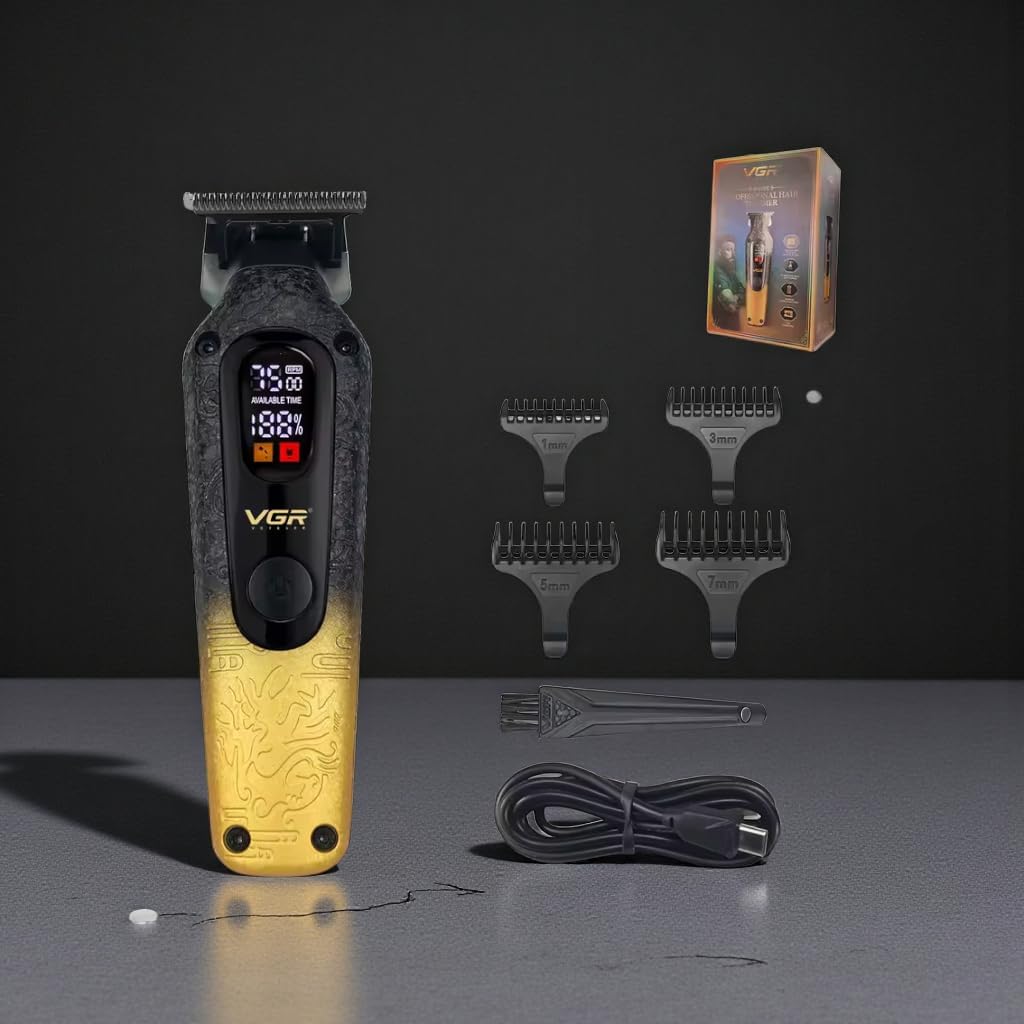
Image: VGR V-879T Hair Clipper (gold variant) with its complete set of accessories, including guide combs, cleaning brush, and USB charging cable.
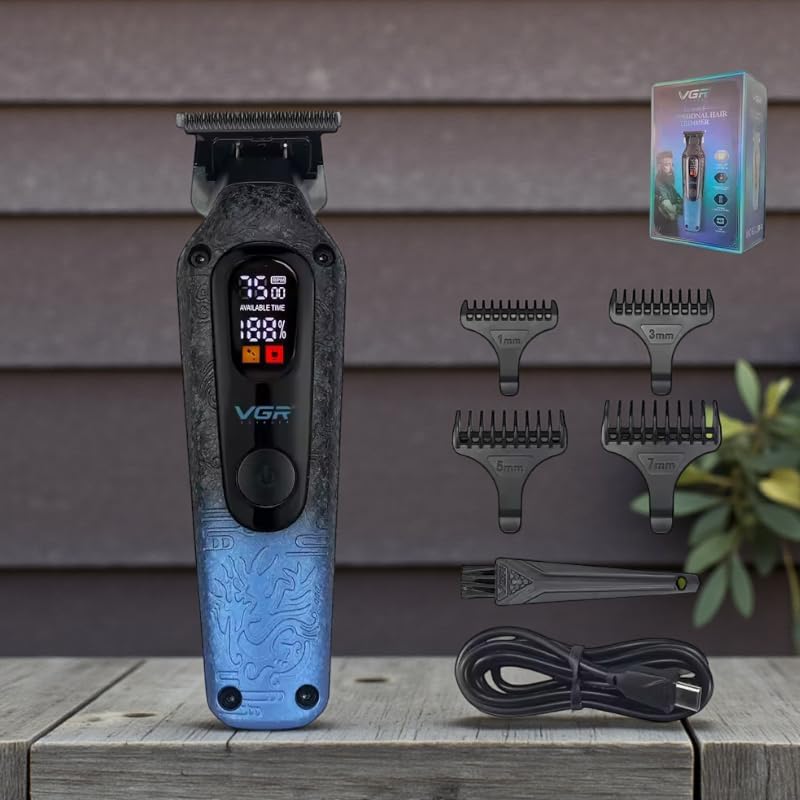
Image: VGR V-879T Hair Clipper (blue variant) with its complete set of accessories, including guide combs, cleaning brush, and USB charging cable.
4. Akụrụngwa Ngwaahịa
- moto dị ike: Equipped with a high-performance 7500 RPM motor for efficient and precise cutting.
- Advanced DLC Ceramic Blade: Features a 4cm wide ceramic blade with a Diamond-Like Carbon (DLC) coating for ultra-sharp, smooth, and precise cuts, reducing friction and hair pulling.
- Ngosipụta LED dijitalụ: An integrated LED screen displays real-time battery percentage, available usage time, and operating speed for convenient monitoring.
- Long-Lasting Lithium Battery: Powered by a 1500mAh lithium battery, providing up to 300 minutes of continuous use with a quick 2.5-hour charging time.
- Nhazi Ergonomic: Lightweight (200g) and compact (15cm length) with an anti-slip ornate texture for comfortable handling during extended grooming sessions.
- Versatile Guide Combs: Includes four guide combs (3mm, 5mm, 7mm, 9mm) for various hair lengths and styling options.
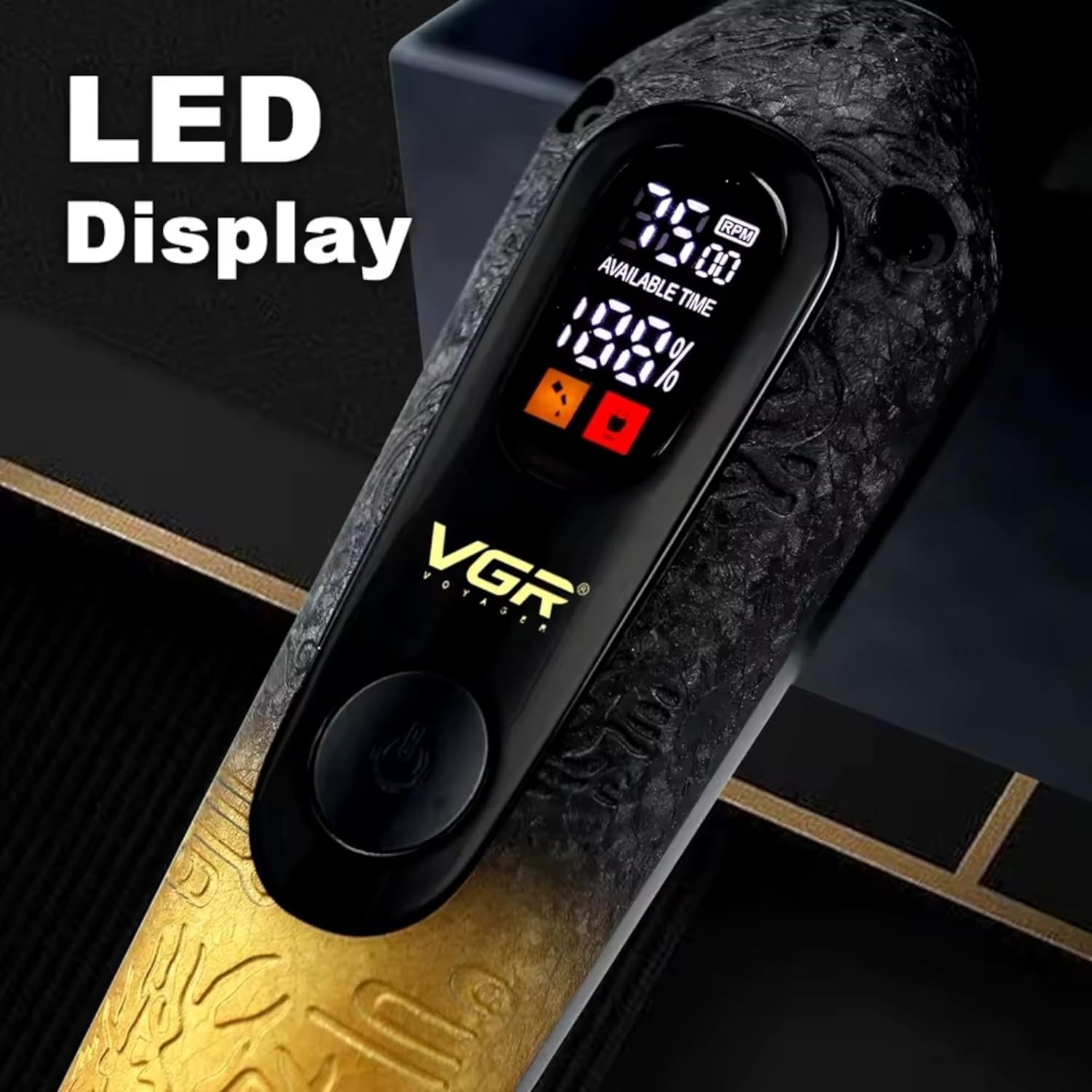
Foto: Zuru ezu view of the VGR V-879T's LED display, indicating battery level and motor speed.

Image: Close-up of the VGR V-879T's handle, highlighting the anti-slip texture and ornate pattern in both blue and gold color options.
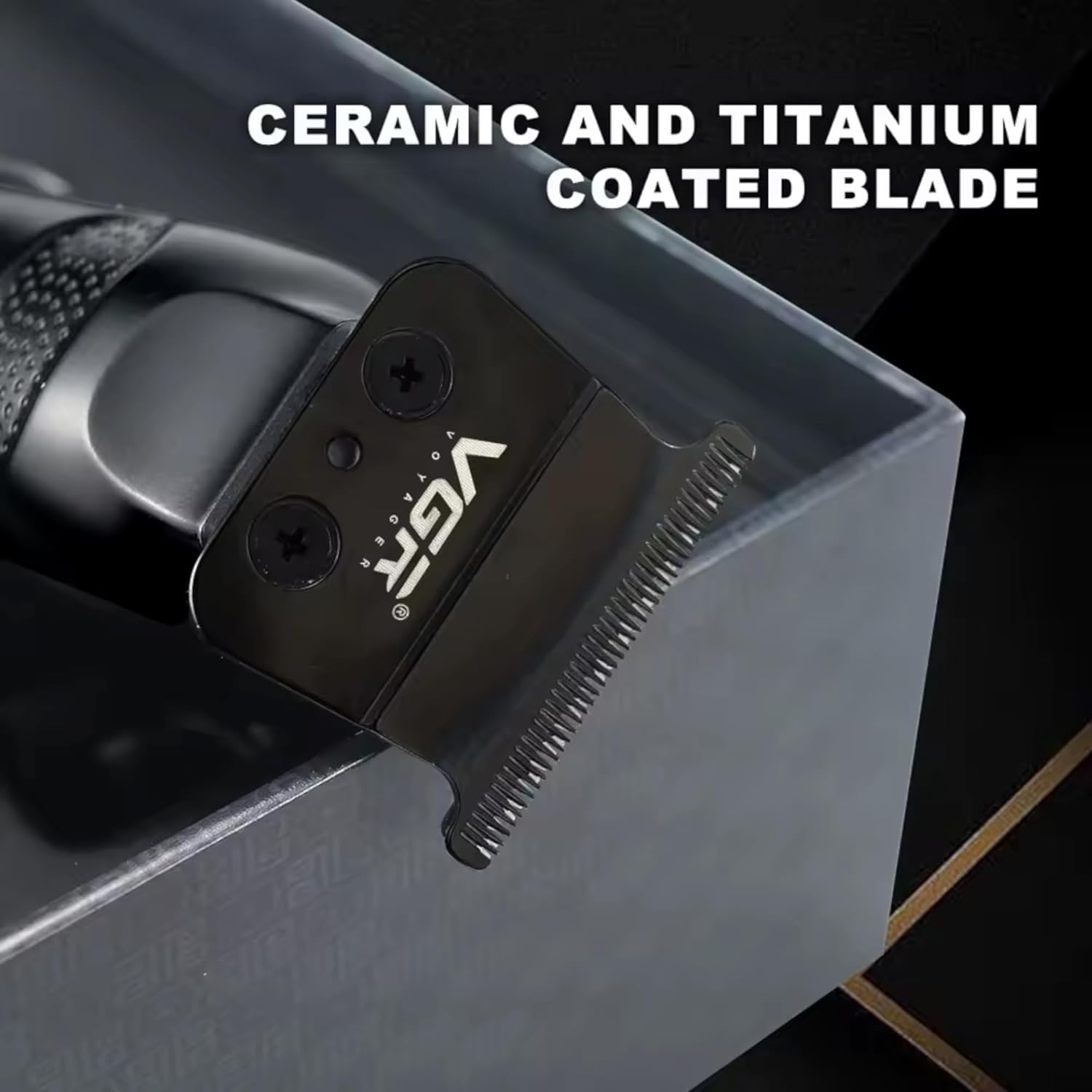
Image: Close-up of the VGR V-879T's ceramic and titanium coated blade, designed for precision cutting.
5. Nhazi
5.1 Charging the Clipper
- Ensure the clipper is turned off before charging.
- Connect the USB charging cable to the charging port on the bottom of the clipper.
- Tinye nsọtụ nke ọzọ nke eriri USB ahụ n'ime ihe nkwụnye ike USB dakọtara (anaghị etinye ya) ma ọ bụ ọdụ USB dị na kọmputa.
- The LED display will show the charging status. A full charge takes approximately 2.5 hours.
- Once fully charged, the display will indicate 100%. Disconnect the charger.

Image: Illustration of the VGR V-879T's battery specifications, highlighting its 1500mAh capacity, 2.5-hour charging time, and 300-minute usage time.
5.2 Nduzi Nduzi Mgbakwunye
- Select the desired guide comb (3mm, 5mm, 7mm, or 9mm) for your preferred hair length.
- Align the guide comb with the clipper blade and push it firmly until it clicks into place.
- Iji wepụ ya, jiri nwayọ dọpụta mbo ahụ n'ime agụba ahụ.
6. Ntuziaka ọrụ
6.1 Basic Arụmọrụ
- Ensure the clipper is charged and a guide comb is attached if needed.
- Press the power button to turn on the clipper. The LED display will illuminate, showing battery and speed information.
- To adjust the speed, press the power button again to cycle through available speed settings (if applicable).
- Begin cutting hair by moving the clipper against the direction of hair growth.
- For best results, use slow, even strokes.
- After use, press and hold the power button to turn off the clipper.
6.2 Hair Cutting Tips
- For an even cut, ensure hair is clean and dry before clipping.
- Always start with a longer guide comb and gradually switch to shorter ones if a closer cut is desired.
- Comb hair frequently during the cutting process to remove loose hairs and check for evenness.
- For detailing or outlining, remove the guide comb and use the bare blade carefully.
7. Nlekọta na nhicha
7.1 Na-ehicha agụba
- Gbanyụọ ma wepụ ihe mkpagide ahụ.
- Remove any attached guide comb.
- Use the provided cleaning brush to brush away loose hairs from the blades and the clipper body.
- For a more thorough cleaning, the blades can be carefully detached (refer to specific instructions if provided with your model for blade removal). Rinse detached blades under running water and ensure they are completely dry before reattaching. Do not rinse the clipper body.
7.2 Ịtinye Agụba mmanụ
- After cleaning, apply a few drops of clipper oil (not included, but commonly available) to the blades.
- Turn on the clipper for a few seconds to allow the oil to distribute evenly across the blades.
- Wipe off any excess oil with a soft cloth. Regular oiling helps maintain blade sharpness and prolongs the life of the clipper.
8. Nchọpụta nsogbu
| Nsogbu | Ihe nwere ike ime | Ngwọta |
|---|---|---|
| Clipper anaghị agba. | Batrị agwụla. | Charge the clipper fully (approx. 2.5 hours). |
| Poor cutting performance / pulling hair. | Blades are dull or dirty. Hair buildup. | Clean blades thoroughly and apply clipper oil. Ensure hair is clean and dry before cutting. |
| Clipper gets hot during use. | Excessive friction due to lack of oil or prolonged use. | Ensure blades are oiled. Take short breaks during long grooming sessions. |
| Ngosipụta LED anaghị arụ ọrụ. | Clipper is off or battery is completely dead. | Turn on the clipper. Charge the clipper. If problem persists, contact support. |
9. Nkọwapụta
| Njirimara | Nkọwa |
|---|---|
| Nọmba nlereanya | V-879T |
| Ọsọ moto | 7500 RPM |
| Ihe agụba | DLC Coated Ceramic |
| Obosara agụba | 4 cm |
| Ụdị batrị | Lithium-ion |
| Ike batrị | 1500mAh |
| Oge Nchaji | Ihe ruru. awa 2.5 |
| Oge eji | Ruo nkeji iri abụọ |
| Ntuziaka Combs | 3mm, 5mm, 7mm, 9mm |
| Akụkụ ngwaahịa | 15 cm ( Ogologo) x 4 cm (obosara) |
| Ibu ngwaahịa | 200 grams |
| Isi Iyi Ike | Akwanyere batrị |
| Mba onye si | China |

Image: Visual representation of the VGR V-879T's dimensions and weight.
10. Akwụkwọ ikike na nkwado
Specific warranty information for the VGR V-879T Professional Hair Clipper is not provided in the product details. Please refer to the retailer or manufacturer's website for detailed warranty terms and conditions. For technical support or service inquiries, please contact the customer service department of your place of purchase.